The Internet & World Wide Web
Watch this topic in 60 seconds
Free preview · Lesson 1
Understanding The Internet & World Wide Web
Understanding The Internet & The World Wide Web (Grade 8)
Have you ever wondered how you can instantly chat with a friend across the world, watch a video, or find information for your school project with just a few clicks? All this magic happens thanks to two incredibly powerful, yet often confused, systems: The Internet and the World Wide Web. Let's explore them in simple terms!
The Internet: The Global Highway
Imagine our entire planet is covered by an enormous, invisible network of super-highways, roads, and tiny pathways. This isn't for cars, though; it's for information! This vast, interconnected system of computer networks is what we call The Internet.
- Definition: The Internet is a global network of billions of computers and other electronic devices. It allows these devices to connect and communicate with each other, sharing data and information worldwide.
- Analogy Time! Think of the Internet as the entire postal service system. It includes all the roads, trains, planes, post offices, mailboxes, and delivery trucks. Its job is to move letters and packages (our data!) from one place to another, no matter how far.
How Does the Internet Work? (Simply Speaking)
When you send an email, stream a video, or visit a website, your computer isn't sending one giant chunk of data. Instead, it breaks the information into tiny pieces called data packets. These packets are like individual envelopes or small boxes.
These packets then travel through a complex system:
- Your Device (Client): Your computer, phone, or tablet wants to send or receive information.
- Routers: These are like traffic cops or postal sorting offices. They direct the data packets along the most efficient path through the network. A single message might have its packets travel different routes but they all end up at the same destination.
- Servers: These are powerful computers that store information and "serve" it up when requested. Think of them as giant libraries or warehouses full of data, ready to send out books (information) when asked.
All of this communication happens using a set of rules called protocols. The most famous ones are TCP/IP (Transmission Control Protocol/Internet Protocol). These are like the agreed-upon rules of the road for data packets, ensuring they know how to get where they're going and how to be reassembled correctly.
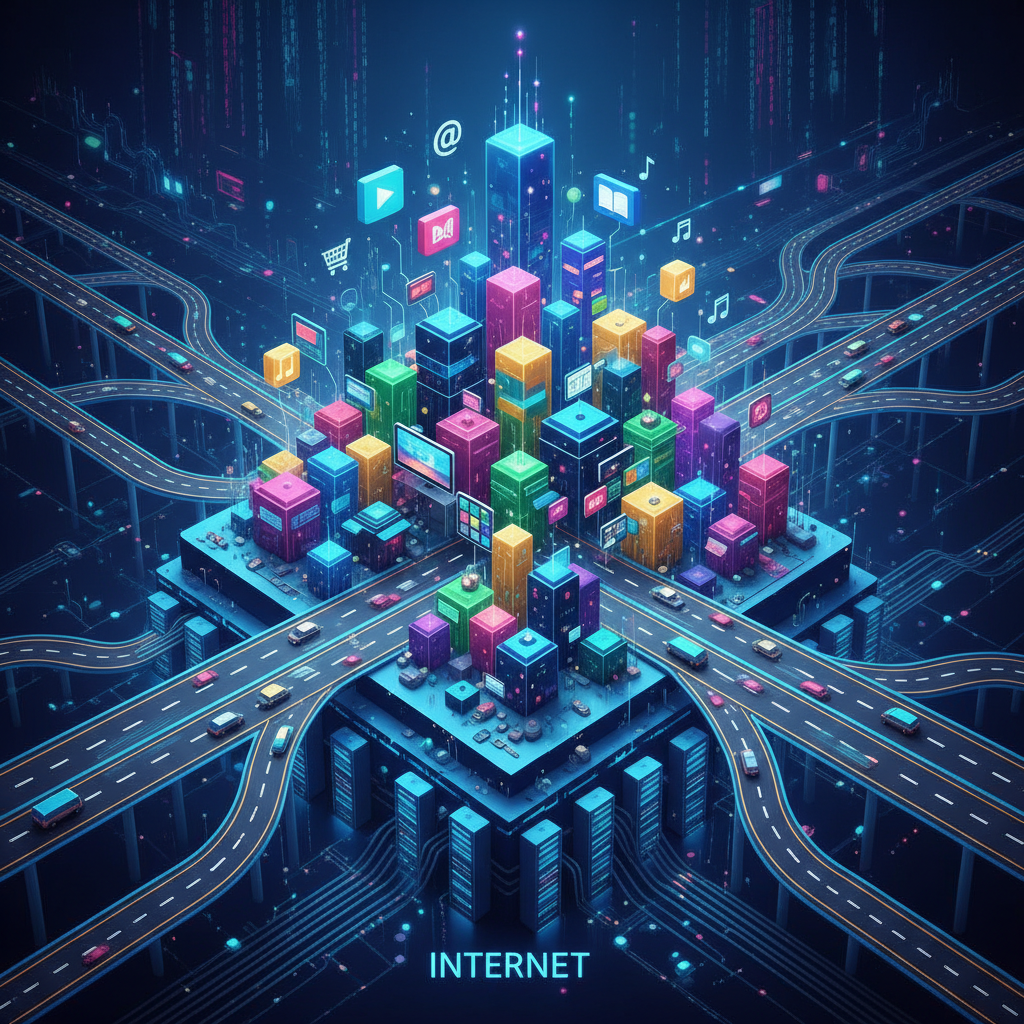
The World Wide Web (WWW): The Content ON the Highway
Now that we understand the Internet as the underlying infrastructure – the roads, the vehicles, the postal system – let's talk about what's *on* that infrastructure. That's where the World Wide Web comes in!
- Definition: The World Wide Web, often just called "the Web," is a system of interconnected documents and other web resources (like images, videos, and sounds) that are accessed via the Internet. It's what you typically "browse" using a web browser.
- Analogy Time! If the Internet is the entire postal service system, then the World Wide Web is all the letters, packages, magazines, and newspapers that are actually being sent and delivered *through* that system. It's the content itself!
- Another Analogy: Think of the Internet as a huge city's electrical grid – the power lines, substations, and generators. The World Wide Web would then be all the lights, TVs, computers, and appliances that plug into and use that electrical grid to function.
Key Concepts of the World Wide Web
- Web Pages: These are individual documents on the Web, often containing text, images, videos, and links. Think of them as individual pages in a giant digital book.
- Websites: A collection of related web pages, typically organized under a single domain name (like "google.com" or "wikipedia.org"). A website is like a whole book or a whole store in our city.
- Web Browsers: Software applications (like Chrome, Firefox, Safari, Edge) that allow you to access and view web pages. They are like your personal vehicle that lets you drive on the Internet roads to visit different stores (websites).
- Hyperlinks: These are clickable connections that take you from one web page to another, or even to a different part of the same page. They are like shortcuts, doors, or teleportation devices between different locations on the Web.
- URLs (Uniform Resource Locators): Every web page and resource on the Web has a unique address, like "https://www.example.com/about.html". This is its specific house number and street address in the vast city of the Web.
The Big Difference: Internet vs. World Wide Web
The most important thing to remember is this:
The Internet is the infrastructure, the foundation, the network itself. It's the roads, the wires, the cables, and the rules (protocols) that allow computers to talk to each other.
The World Wide Web is one of the many things that uses the Internet. It's the content, the applications, the documents, and the websites that travel *over* those roads. You can't have the Web without the Internet, just like you can't have cars driving on roads that don't exist!
Other things that use the Internet but are *not* the World Wide Web include:
- Email (sending messages directly between computers)
- Online gaming (real-time communication for games)
- Instant messaging (like WhatsApp or Messenger)
- File sharing (transferring files directly)
Why Are They So Important?
Together, the Internet and the World Wide Web have revolutionized how we live, learn, and communicate. They provide:
- Instant Information: Access to encyclopedias, news, and research from around the globe in seconds.
- Global Communication: Connect with people through email, video calls, and social media, breaking down geographical barriers.
- Entertainment: Stream movies, listen to music, play games, and explore virtual worlds.
- Learning Opportunities: Online courses, tutorials, and educational resources are readily available.
- Commerce: Online shopping, banking, and business transactions make life more convenient.
Understanding these fundamental concepts is your first step to becoming a more informed digital citizen and making the most of this amazing technology!
Keep learning, free
Create a free Syllabax account to unlock practice questions and games for this topic.
Visual Learning Enhanced! 🚀
To help you master this topic, we use Advanced Syllabax AI to generate detailed diagrams and visual models.
Note on Visuals: The AI sometimes makes spelling errors in image labels. Please refer to the lesson text for the correct terminology.