Storage Devices: USB, Hard Drives, Cloud
Watch this topic in 60 seconds
Free preview · Lesson 1
Understanding Storage Devices: USB, Hard Drives, Cloud
Welcome to the World of Digital Storage!
Have you ever taken a photo with a camera, saved a drawing you made on a computer, or downloaded your favorite song? Where do all these digital things go? They don't just disappear into thin air! They get stored on special devices, just like you store your toys in a toy box or your books on a shelf.
Think of all the amazing things you can do with computers and tablets. You can play games, watch videos, write stories, and learn new things. All the information for these activities – from the game levels to your written words – needs a place to live. That place is called a storage device.
Analogy Alert! Imagine your brain is like a computer. Your memories, what you learned in school, and all your favorite stories are like 'data'. Your brain stores all of this information so you can remember it later! Digital devices need a 'brain' too, but instead of calling it a brain, we call it storage.
Why Do We Need Storage?
Imagine you draw a beautiful picture on a piece of paper. If you don't put it in a folder, hang it on the fridge, or keep it safe, it might get lost or crumpled, right? Digital information is the same! If we don't save it somewhere, it disappears when you turn off the computer or device. Storage devices help us keep our digital creations, photos, videos, and games safe so we can use them again and again.
1. USB Drives (Also Called Flash Drives or Thumb Drives)
Let's start with a small, super handy storage friend: the USB drive!
What is a USB Drive?
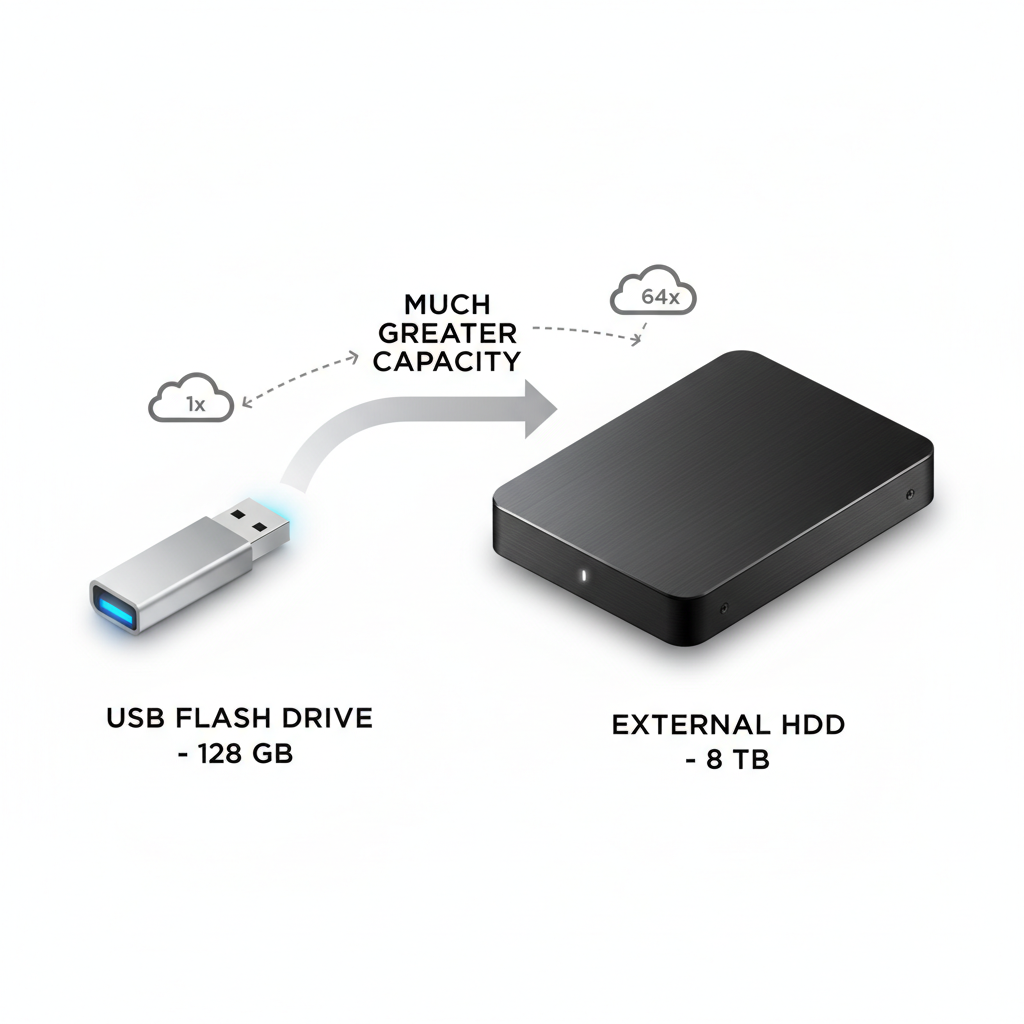
A USB drive is a tiny, portable device that you can plug into a computer's USB port. It's usually about the size of your thumb (that's why it's sometimes called a thumb drive!). They come in many fun colors and designs.
How Does a USB Drive Work?
Think of a USB drive as a small, digital lunchbox. You can pack a few snacks (like a couple of photos or a school report) into it, carry it with you, and then open it up and take out your snacks (or files) when you get to your friend's house or another computer.
Analogy Alert! A USB drive is like your small, personal backpack. You can put a few important books or drawings in it, zip it up, and carry it easily from school to home. It's great for moving a few things quickly!
USB drives use a special kind of memory that doesn't forget things when you unplug them. This is super useful for moving files between different computers or making a quick backup of something important.
When to Use a USB Drive:
- To quickly share a few photos with a friend.
- To bring your school report from home to the computer lab.
- To make a quick backup of a very important document.
Good things about USB drives: They are small, easy to carry, and simple to use.
Things to watch out for: They don't hold a HUGE amount of information, and because they are so small, they can be easy to lose!
2. Hard Drives (The Big Storage Closets)
Next up, let's talk about hard drives. These are like the big storage closets or libraries of the computer world!
What is a Hard Drive?
Every computer, whether it's a desktop, laptop, or even some tablets, has at least one hard drive inside it. This is where your computer stores almost everything: your operating system (the main program that makes your computer run), all your installed games, your photos, videos, music, and documents.
There are also external hard drives, which are separate devices you can plug into your computer (usually with a USB cable) to add even more storage.
How Does a Hard Drive Work?
Imagine a giant library with thousands and thousands of books. That's a bit like a hard drive! It has spinning platters (like shiny CDs) inside that store information magnetically, or in newer versions called Solid State Drives (SSDs), it uses special flash memory similar to USB drives but much faster and larger. Either way, it's designed to hold a massive amount of digital information.
Analogy Alert! A hard drive is like the giant filing cabinet in your principal's office, or your whole school library. It holds ALL the important records, all the books, and everything needed to run the school. For you, it's like your entire bedroom closet, full of all your clothes, toys, and treasures!
Because hard drives store so much, they are essential for your computer to work and to keep all your digital life in one place.
When to Use a Hard Drive:
- For your computer's main storage (it's already doing this!).
- To back up all your important files from your computer.
- To store huge collections of movies, photos, or games.
Good things about hard drives: They can store an enormous amount of information, and they are usually very fast at finding and opening files (especially SSDs).
Things to watch out for: Internal hard drives aren't portable. Older external hard drives can be damaged if you drop them. They can also fill up over time!
3. Cloud Storage (Storage in the Sky!)
Now for something a bit different and very cool: Cloud Storage!
What is Cloud Storage?
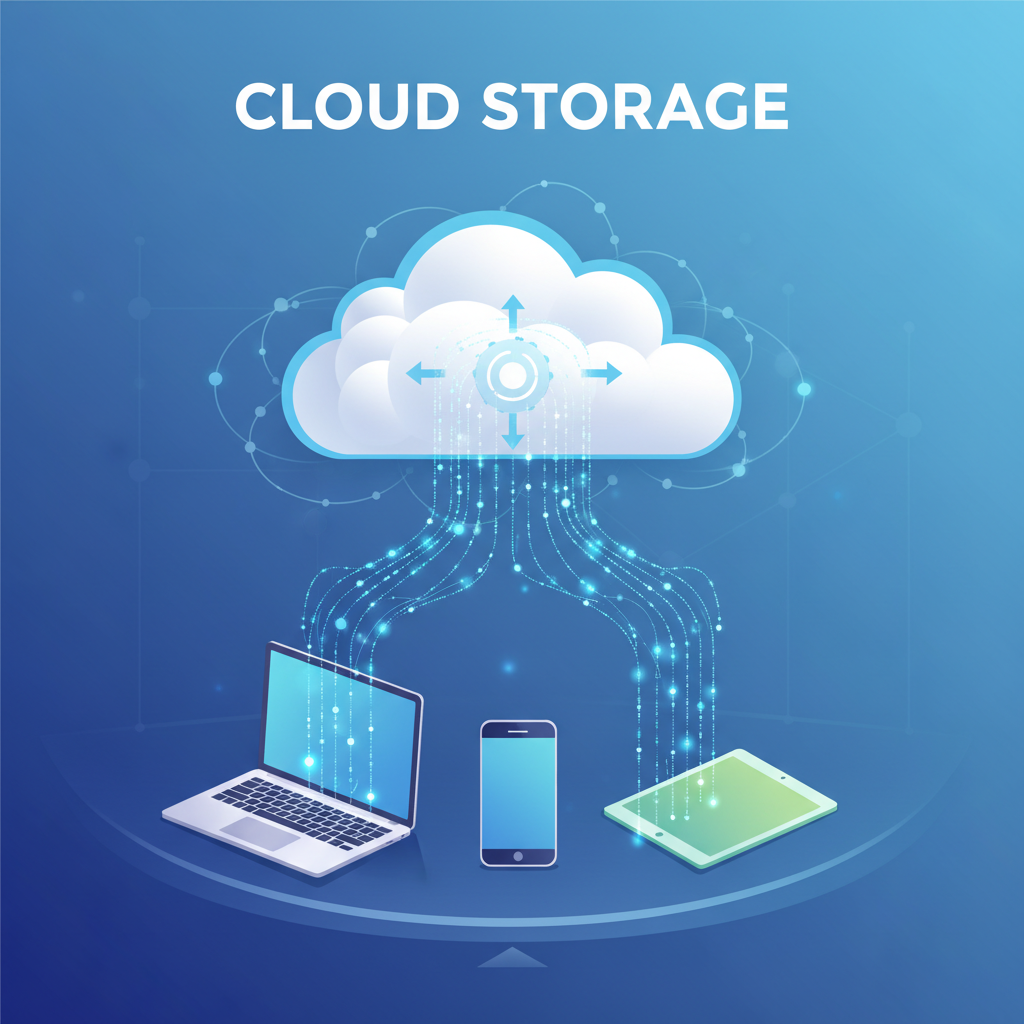
Unlike USB drives or hard drives, cloud storage isn't a physical device that you own and can touch. Instead, it's like storing your files on powerful computers (called servers) that belong to a company, somewhere out there in the world. You access these files over the internet.
Think of popular services like Google Drive, Dropbox, iCloud, or OneDrive. When you save something to 'the cloud', you're sending it over the internet to be stored on those company's servers.
How Does Cloud Storage Work?
Imagine you have a special key to a giant storage locker facility that's not in your town, but maybe across the country! You can put your toys (files) in it, and as long as you have your key (internet connection) and know the address (your account login), you can open your locker and get your toys out from any computer or device, anywhere in the world! You can even share access to your locker with friends if you want them to see your toys.
Analogy Alert! Cloud storage is like having a digital locker at a giant, super-secure storage facility that you can access from ANY phone, tablet, or computer, as long as you have internet. You don't own the building, but you rent a space, and it's always available!
When to Use Cloud Storage:
- To access your files from any device (phone, tablet, computer) anywhere in the world.
- To easily share photos, videos, or documents with friends and family.
- To make sure your files are safe even if your own computer breaks or gets lost.
- To save space on your computer's hard drive.
Good things about cloud storage: You can access your files anywhere, it's great for sharing, and your files are usually backed up and safe even if your device is damaged.
Things to watch out for: You need an internet connection to access your files. Sometimes there's a monthly fee if you need a lot of space. It's also important to make sure your password is strong to keep your files private!
Choosing the Right Storage:
So, which storage is best? It depends on what you need!
- USB Drive: Perfect for carrying a few files for a short trip, like taking homework to school.
- Hard Drive: Ideal for storing everything on your main computer, or making a complete backup of your entire digital life.
- Cloud Storage: Best for accessing files from anywhere, sharing with others, and keeping your files safe from device accidents.
Many people use a combination of all three! They might have a hard drive in their computer, use a USB drive for quick transfers, and save important photos to the cloud for easy sharing and backup.
Conclusion
Now you're a storage expert! You know that whether it's a small USB stick, a powerful hard drive inside your computer, or the amazing 'cloud' online, all these tools help us keep our digital creations safe, organized, and accessible. They are like the memory banks of our digital world, helping us save and revisit our photos, games, stories, and all the incredible things we do with technology!
Keep learning, free
Create a free Syllabax account to unlock practice questions and games for this topic.
Visual Learning Enhanced! 🚀
To help you master this topic, we use Advanced Syllabax AI to generate detailed diagrams and visual models.
Note on Visuals: The AI sometimes makes spelling errors in image labels. Please refer to the lesson text for the correct terminology.