Conditional Statements (If/Else)
Watch this topic in 60 seconds
Free preview · Lesson 1
Understanding Conditional Statements (If/Else)
Understanding Conditional Statements (If/Else) in Programming
Welcome, Grade 10 learners! Today, we're diving into one of the most fundamental and powerful concepts in computer programming: Conditional Statements, specifically If/Else. Think of them as the 'decision-makers' in your code. Just like you make decisions every day, programs need to make choices and react differently based on various situations.
What Are Conditional Statements? The Power of Choice!
Imagine your daily life. You constantly make decisions:
- If it's raining, you take an umbrella.
- If you're hungry, you eat something.
- If your phone battery is low, you charge it.
In programming, conditional statements allow your computer programs to do exactly the same thing. They let your code perform different actions based on whether a certain condition is true or false. Without them, programs would just follow a single, predictable path every time, which wouldn't be very useful!
The Basic 'If' Statement: "If this is true, do that."
The simplest form of a conditional statement is the if statement. It's like a single rule: "IF something is true, THEN perform a specific action."
Analogy: The Traffic Light
Think about a traffic light. When you're driving, your brain processes a condition:
If the traffic light is GREEN:
    ▶ You can drive forward.
In programming, it looks very similar (though the exact syntax might vary slightly between languages, the concept is universal):
if (trafficLightColor == "green") {
        // Code to make the car move forward
    }
Here's what's happening:
if: This keyword tells the computer, "Hey, I'm about to give you a condition to check."(trafficLightColor == "green"): This is the condition. It's a question the computer asks itself. Is the variabletrafficLightColorequal to the text "green"? This question will always result in a simple True or False answer.{ ... }: These curly braces define a 'block' of code. This block contains the instructions that will ONLY be executed IF the condition inside the parentheses is True. If the condition is False (e.g., the light is red), the code inside this block is skipped entirely.
The 'If-Else' Statement: "If this, do that; otherwise, do something else."
What if you want your program to do one thing when a condition is true, and a *different* thing when it's false? That's where the else keyword comes in handy. It provides an alternative path.
Analogy: Choosing an Outfit
Imagine you're checking the weather to decide what to wear:
If it is HOT outside:
    ▶ Wear shorts and a T-shirt.
    ELSE (if it's NOT hot):
    ▶ Wear long pants and a jacket.
In code, this would look like:
if (temperature > 25) { // If temperature is greater than 25 degrees Celsius
        // Code to choose shorts and T-shirt
    } else {
        // Code to choose long pants and a jacket
    }
With if-else, you guarantee that *one* of the two blocks of code will always run. If the if condition is true, its block runs. If the if condition is false, the else block runs.
The 'If-Else If-Else' Statement: Handling Multiple Possibilities
Sometimes, you have more than two options. What if the temperature isn't just hot or not hot, but also cold, mild, or very hot? This is where you can chain multiple conditions using else if.
Analogy: Ordering Coffee Sizes
When you order coffee, you might have different sizes:
If you ask for SMALL:
    ▶ You get a small cup.
    ELSE IF you ask for MEDIUM:
    ▶ You get a medium cup.
    ELSE IF you ask for LARGE:
    ▶ You get a large cup.
    ELSE (if you ask for anything else):
    ▶ We give you a standard medium cup.
The code structure for this looks like:
if (coffeeSize == "small") {
        // Prepare small coffee
    } else if (coffeeSize == "medium") {
        // Prepare medium coffee
    } else if (coffeeSize == "large") {
        // Prepare large coffee
    } else {
        // Default: Prepare standard medium coffee
    }
Important points about else if chains:
- The computer checks conditions one by one, from top to bottom.
- As soon as it finds a condition that is True, it executes *only* that block of code and then skips the rest of the
else ifandelseparts. - The final
elseblock is optional, but it acts as a 'catch-all' for any situation where none of the precedingiforelse ifconditions were true.
The Building Blocks of Conditions: Boolean Expressions and Operators
For your conditions to work, they must evaluate to either True or False. These True/False values are called Boolean values.
You create these conditions using Relational Operators and sometimes Logical Operators:
-
Relational Operators (Comparisons):
==(Equal to. *Note: this is two equals signs, not one, which is for assignment!*)!=(Not equal to)>(Greater than)<(Less than)>=(Greater than or equal to)<=(Less than or equal to)
Example:
age >= 16(Is age greater than or equal to 16? True or False?) -
Logical Operators (Combining Conditions):
AND(or&&in many languages): Both conditions must be True. E.g.,(grade >= 90 AND attendance == "good")OR(or||in many languages): At least one condition must be True. E.g.,(isWeekend OR isHoliday)NOT(or!in many languages): Reverses the truth of a condition. E.g.,NOT (isRaining)
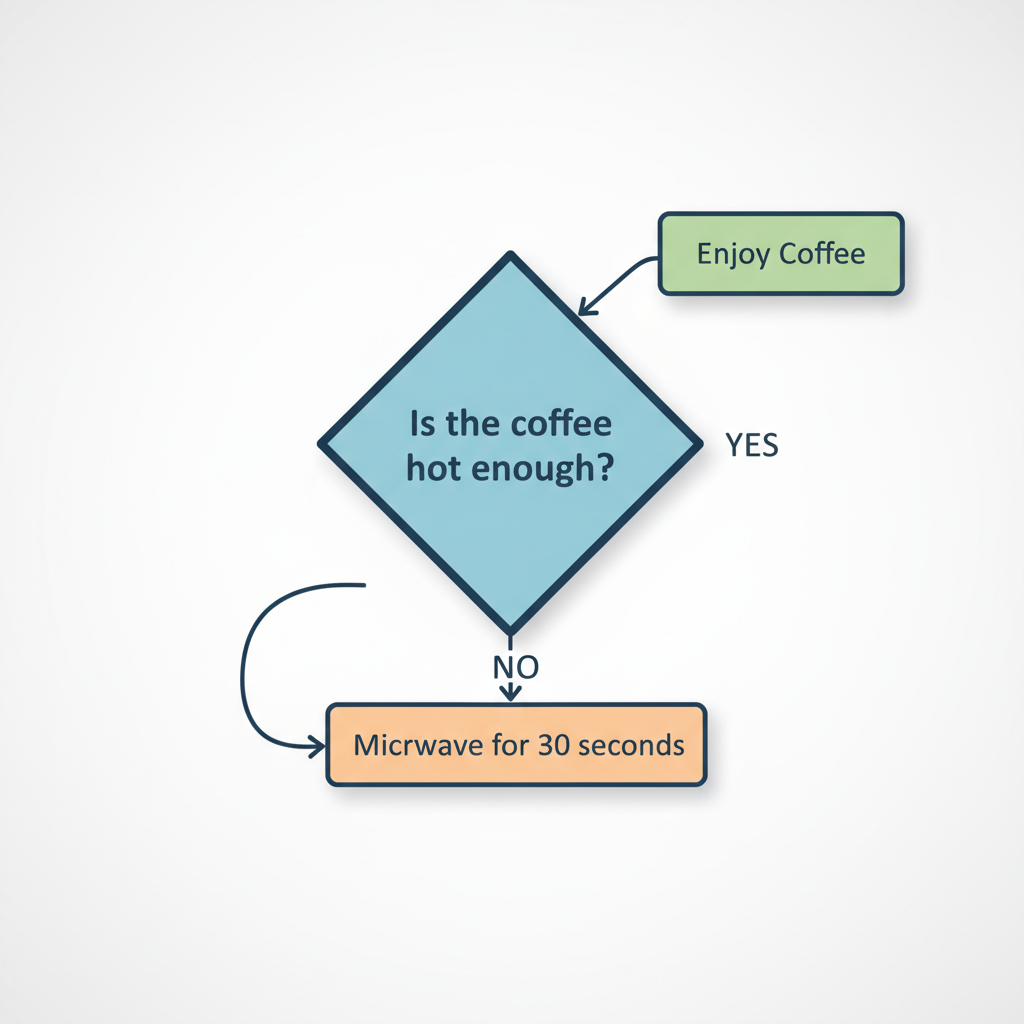 ⚠️ This picture may have spelling mistakes. Trust the words in the lesson.
Why Are Conditional Statements So Important?
Conditional statements are the backbone of interactive and dynamic programs. They allow your software to:
- Respond to User Input: If the user clicks 'Save', save the file; else, if they click 'Cancel', close the window.
- Validate Data: If the password entered is correct, allow access; else, show an error message.
- Create Game Logic: If the player's health drops to zero, end the game; else, if they collect a power-up, increase their score.
- Handle Errors: If a file cannot be opened, display a warning; else, proceed with reading the file.
- Automate Decisions: If stock is low, reorder items; else, continue selling.
Wrapping Up
Congratulations! You've just taken a big step in understanding how programs make decisions. Conditional statements (if, else, else if) are essential tools that give your code intelligence and flexibility. Practice thinking about real-world decisions and how you might translate them into these programming structures. With a solid grasp of conditions, you're well on your way to building amazing and responsive software!
Keep learning, free
Create a free Syllabax account to unlock practice questions and games for this topic.
Visual Learning Enhanced! 🚀
To help you master this topic, we use Advanced Syllabax AI to generate detailed diagrams and visual models.
Note on Visuals: The AI sometimes makes spelling errors in image labels. Please refer to the lesson text for the correct terminology.