Wireless Technology: Wi-Fi & Bluetooth
Watch this topic in 60 seconds
Free preview · Lesson 1
Understanding Wireless Technology: Wi-Fi & Bluetooth
Exploring Wireless Wonders: Wi-Fi and Bluetooth for Grade 6!
Imagine a world where everything needs a wire! Your phone would be tied to the wall, your headphones tangled, and your computer stuck in one spot. Thankfully, we live in a world with amazing inventions called wireless technology. This means devices can talk to each other and share information without any messy cables!
Think of it like talking to your friend. You don't need a string connecting your mouths to their ears, do you? Your voice travels through the air as invisible sound waves. Wireless technology works in a similar way, but instead of sound, it uses different kinds of invisible waves to send messages between devices. Today, we're going to explore two super popular types of wireless technology: Wi-Fi and Bluetooth.
What is Wi-Fi? Your Invisible Internet Superhighway!
Have you ever used a tablet or laptop at home or school without plugging it into a cable for internet? That's Wi-Fi in action! Wi-Fi (which stands for 'Wireless Fidelity') is a technology that lets your devices connect to the internet, or to each other, using radio waves, all without wires.
How does Wi-Fi work? Let's use an analogy!
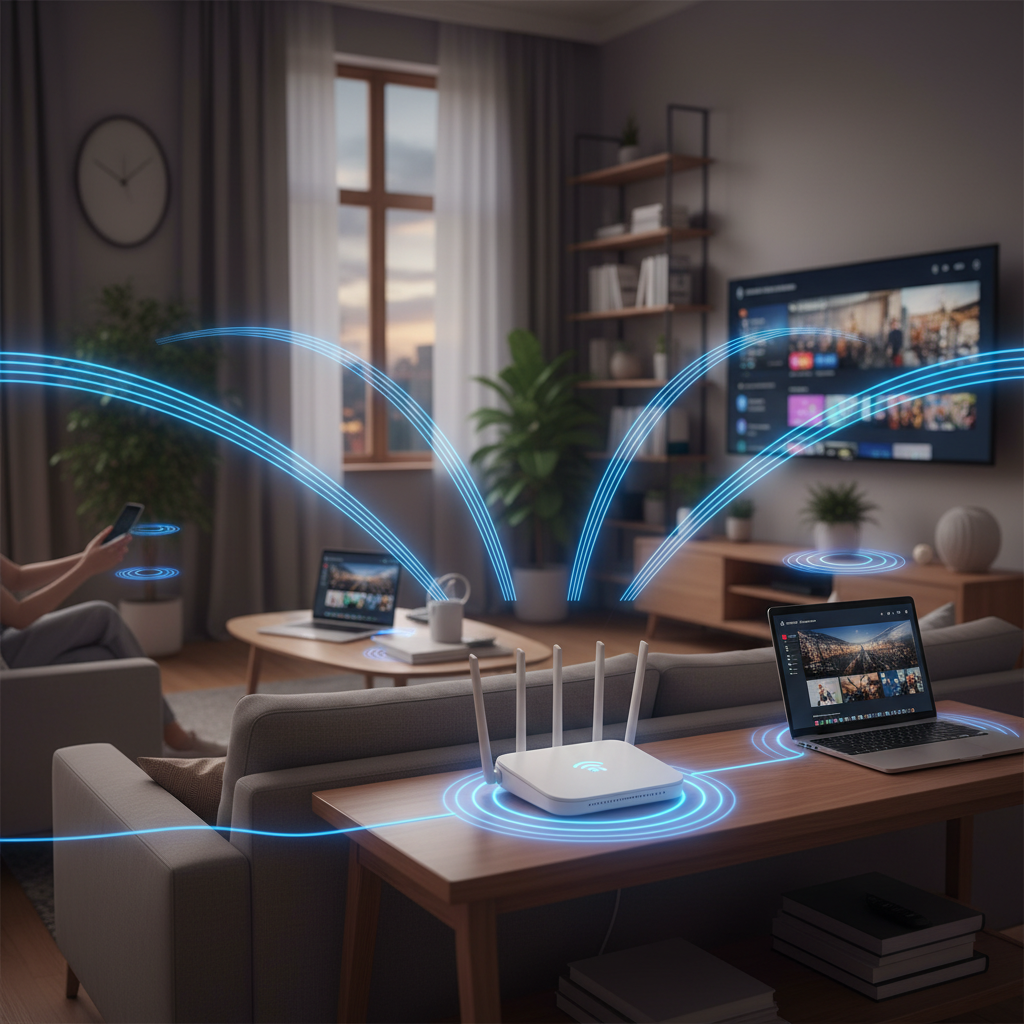
- Imagine your home has a special machine called a Wi-Fi router. This router is like a magical radio station just for your house.
- This 'radio station' (the router) gets internet from a main cable (like a big pipe delivering water to your house).
- Then, it broadcasts the internet signal wirelessly, like sending out invisible radio waves, to all the devices in your home – your phone, tablet, computer, smart TV, etc.
- Your devices have special antennas inside them, like tiny radio receivers, that catch these invisible internet waves.
- Once connected, your device can 'drink' the internet from the air, letting you watch videos, play games, or do homework online!
So, Wi-Fi is like an invisible internet sprinkler system. The router is the sprinkler head, spraying internet water (data) all around your house, and your devices are like thirsty plants soaking it up. It usually covers a whole house or building, letting many devices connect at once.
What is Bluetooth? Your Close-Up Device Whisperer!
Now, let's talk about Bluetooth. Have you ever connected wireless headphones to your phone, or used a wireless speaker to play music? That's Bluetooth at work! Bluetooth is a wireless technology used to connect devices over very short distances, usually just a few feet.
How does Bluetooth work? Another analogy!
- While Wi-Fi is like a radio station broadcasting to many listeners in a wide area, Bluetooth is more like two people whispering to each other directly, or using a very short walkie-talkie.
- When you 'pair' two Bluetooth devices, like your phone and your headphones, it's like they're agreeing to have a private, direct conversation.
- They send small bursts of radio waves to each other, but these waves don't travel very far, usually only within a single room.
- This makes Bluetooth perfect for connecting accessories directly to a single device.
Think of Bluetooth as a secret handshake between two devices. They need to be very close to each other to 'shake hands' and start sharing information, like music or commands.
Wi-Fi vs. Bluetooth: What's the Difference?
Even though both Wi-Fi and Bluetooth use invisible radio waves, they are used for different jobs:
-
Wi-Fi (The Internet Highway):
- Purpose: Primarily for connecting to the internet and networks over a larger area.
- Range: Can cover a whole house, office, or public hotspot.
- Speed: Generally much faster, designed for sending lots of data quickly (like streaming movies).
- Analogy: A big, fast highway connecting many cars (devices) to a main city (the internet).
-
Bluetooth (The Close-Up Connection):
- Purpose: For connecting two devices directly to each other over a very short distance.
- Range: Usually just a few feet, often within the same room.
- Speed: Slower than Wi-Fi, but fast enough for small tasks like playing music or connecting a keyboard.
- Analogy: A short, private path connecting just two friends who are close by.
Staying Safe and Smart with Wireless Technology
Wireless technology is amazing, but it's good to be smart about it:
- Wi-Fi Passwords: Always keep your home Wi-Fi password a secret, just like your house key. This keeps your network safe from unwanted visitors.
- Public Wi-Fi: Be careful when using public Wi-Fi (like at a coffee shop). It's sometimes less secure, so don't share very personal information like passwords or bank details.
- Bluetooth Pairing: When pairing Bluetooth devices, make sure you're connecting to the correct device (e.g., your own headphones, not someone else's by mistake!).
Now you're a wireless technology expert! You know that Wi-Fi connects you to the internet over a wide area, like an invisible internet highway, and Bluetooth connects two devices closely together, like a secret handshake. Both use invisible radio waves to make our lives easier and less tangled!
Keep learning, free
Create a free Syllabax account to unlock practice questions and games for this topic.
Visual Learning Enhanced! 🚀
To help you master this topic, we use Advanced Syllabax AI to generate detailed diagrams and visual models.
Note on Visuals: The AI sometimes makes spelling errors in image labels. Please refer to the lesson text for the correct terminology.