Output Devices: Monitors & Printers
Watch this topic in 60 seconds
Free preview · Lesson 1
Understanding Output Devices: Monitors & Printers
Output Devices: Monitors & Printers (Grade 7 - Foundational)
Welcome, future tech wizards! Today, we're going to explore some of the most common and important parts of a computer system: Output Devices. Think of a computer as a super-smart brain that processes information. But what good is a super-smart brain if it can't tell you what it's thinking or show you the results of its hard work? That's where output devices come in!
What are Output Devices?
Imagine you've just solved a really tricky math problem in your head. You know the answer, but how do you share it with your teacher or friends? You might write it down, or say it out loud. In the world of computers, output devices are like the computer's way of 'talking' or 'showing' us the results of its calculations and processing.
Definition: Output Device
An output device is any piece of computer hardware equipment used to communicate the results of data processing carried out by an information processing system (like a computer) to the outside world, usually to a human user.
Analogy: Your Senses! Think about your own body. Your eyes and ears are like output devices for your brain. Your brain processes what you see and hear (input), and then it shows you images and lets you hear sounds. Computer output devices do something similar for the computer.
Monitor: Your Computer's Window to the World
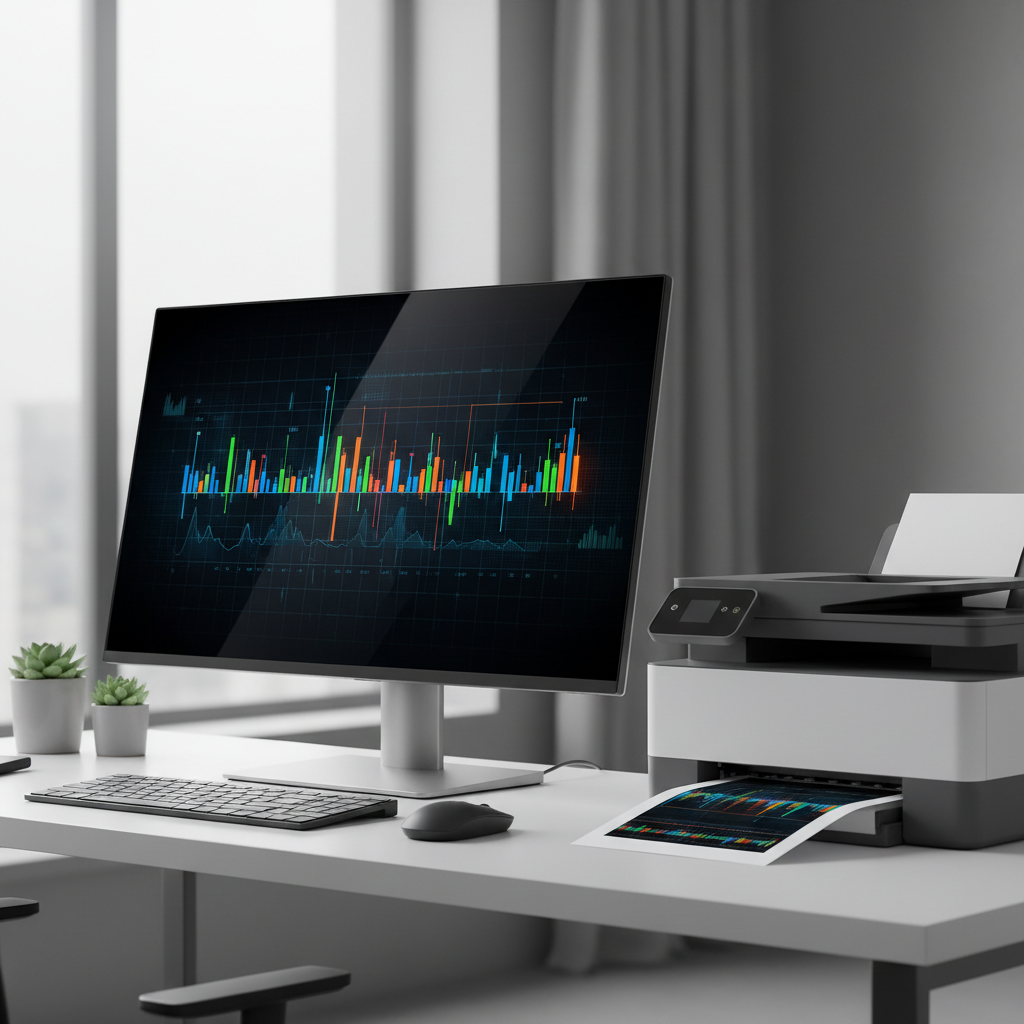
The first output device we'll talk about is one you probably see every day: the monitor. It's that screen that looks a lot like a TV, where you see everything from your school assignments and video games to your favorite websites.
Definition: Monitor
A monitor (also called a display screen or visual display unit - VDU) is an output device that displays information in pictorial or text form. It allows you to see what your computer is doing.
Analogy: A Magical Whiteboard. Imagine your computer is writing and drawing on a giant, ever-changing whiteboard. The monitor is that whiteboard! It instantly shows you all the amazing things the computer is thinking about and creating, whether it's a blinking cursor, a colorful picture, or a long document.
How Do Monitors Work (Simply)?
Monitors work by lighting up millions of tiny little dots called pixels. Each pixel can be a different color. By combining all these colored pixels, the monitor creates the images, videos, and text you see.
Key Features of Monitors:
-
Resolution: This is how clear and detailed the image on the screen is. Resolution is measured in pixels, like 1920x1080. The first number is how many pixels are across, and the second is how many are down. More pixels mean a sharper, clearer image, like having more tiny Lego bricks to build a detailed picture.
Analogy: Lego Bricks. Imagine you're building a picture with Lego bricks. If you only have a few big bricks, your picture might be blurry. But if you have thousands of tiny bricks, you can make a super detailed and clear picture. That's what resolution does for a monitor!
-
Screen Size: This is simply how big the physical screen is, usually measured diagonally in inches (like a TV). A bigger screen means more space to see things, but doesn't always mean a clearer picture (that's resolution!).
-
Types (Briefly): You might hear terms like LCD or LED monitors. These refer to different technologies for lighting up those pixels, but they all serve the same main purpose: to show you what the computer is doing.
Printers: Turning Digital into Real Life
Now, what if you need a physical copy of something you see on your monitor? Maybe it's your homework, a photo, or a ticket for a movie. That's where the printer comes in! Printers take information from the computer and put it onto paper.
Definition: Printer
A printer is an output device that produces a hard copy (physical copy) of electronic data stored on a computer, usually on paper.
Analogy: A Magic Copy Machine. Think of your printer as a super-fast, super-accurate magic copy machine. Instead of copying an existing paper, it copies what's inside the computer's brain onto a fresh piece of paper for you to hold!
How Do Printers Work (Simply)?
Printers essentially spray or fuse tiny dots of ink or toner onto paper to create text and images. Different types of printers do this in slightly different ways.
Key Features of Printers:
-
Print Quality (DPI): This stands for Dots Per Inch. It tells you how many tiny dots of ink or toner the printer can place in one square inch. The higher the DPI, the more detailed and sharper your printout will be, especially for photos. Think of it like the resolution for paper!
Analogy: Tiny Paint Dots. Imagine painting a picture. If you use big, clumsy brushes, your details won't be great. But if you use super fine brushes and make millions of tiny dots, your painting will be incredibly detailed. DPI is like how many tiny 'paint dots' the printer uses per inch.
-
Print Speed (PPM): This is how fast a printer can produce pages, often measured in Pages Per Minute (PPM). If you need to print a lot of documents quickly, a printer with a high PPM is helpful.
-
Types (Briefly):
- Inkjet Printers: These are common for home use. They spray tiny droplets of liquid ink onto paper. They are great for printing colorful photos.
- Laser Printers: These are often found in offices. They use a laser to 'draw' an image on a rotating drum, which then picks up dry toner powder and transfers it to paper, fusing it with heat. They are usually faster and better for printing lots of text documents.
Monitor vs. Printer: Key Differences
Both monitors and printers are output devices, but they serve different purposes:
- Monitor: Shows temporary, digital information. It's for viewing things on a screen.
- Printer: Creates permanent, physical copies (hard copies) on paper. It's for holding things in your hand.
Analogy: A Message Board vs. A Letter. A monitor is like a digital message board that can change constantly. A printer is like writing a letter and sending it; once it's printed, it's a physical thing you can keep forever.
Conclusion
Monitors and printers are crucial output devices that allow us to interact with and benefit from the amazing power of computers. Without them, all the brilliant calculations and beautiful designs inside the computer would be trapped! Now you know the basics of how these devices help bring the digital world to life in front of your eyes and into your hands.
Keep learning, free
Create a free Syllabax account to unlock practice questions and games for this topic.
Visual Learning Enhanced! 🚀
To help you master this topic, we use Advanced Syllabax AI to generate detailed diagrams and visual models.
Note on Visuals: The AI sometimes makes spelling errors in image labels. Please refer to the lesson text for the correct terminology.