Learning Journey
Watch this topic in 60 seconds
Free preview · Lesson 1
Understanding Organizing Data in Tables
Organizing Data in Tables: Making Sense of Information!
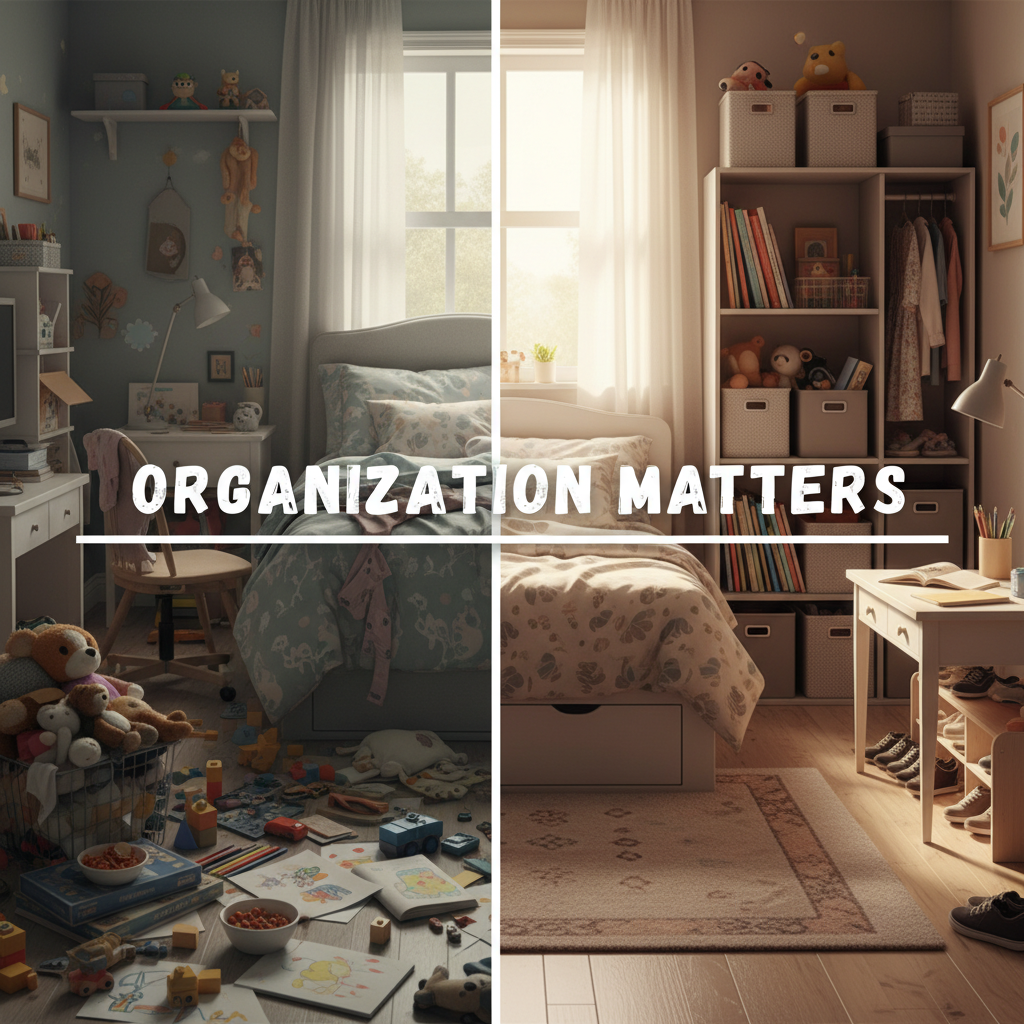
Hello, young data detectives! Have you ever had a big pile of toys scattered all over your room? It's hard to find your favorite teddy bear or that cool race car when everything is a big mess, right? Well, 'data' is a lot like those toys – it's information! Data can be numbers, words, or facts about things. When data is all messy, it's hard to understand or use.
That's why we need to learn about 'organizing data in tables'! Think of a table like a super-organized toy box with special compartments for each type of toy. It helps us put information in a neat and tidy way so it's easy to see, understand, and use. Let's dive in!
What is Data?
First, let's talk more about 'data.' Data is just information! It could be:
- How many students like apples, bananas, or oranges.
- The names of your friends and their favorite colors.
- How many sunny days we had last month compared to rainy days.
It's all information that we might want to keep track of.
Why Do We Organize Data?
Imagine your teacher asks, "How many students in our class brought a blue lunchbox today?" If everyone just yells out different colors, it would be confusing! But if you had a special way to write down each person's lunchbox color, it would be super easy to count the blue ones.
Organizing data makes it:
- Easier to read: No more searching through a jumble!
- Easier to find information: You can quickly spot what you're looking for.
- Easier to compare: You can see who has more or less of something.
It's like sorting your LEGOs by color and size – it makes building so much faster and more fun!
 What is a Table?
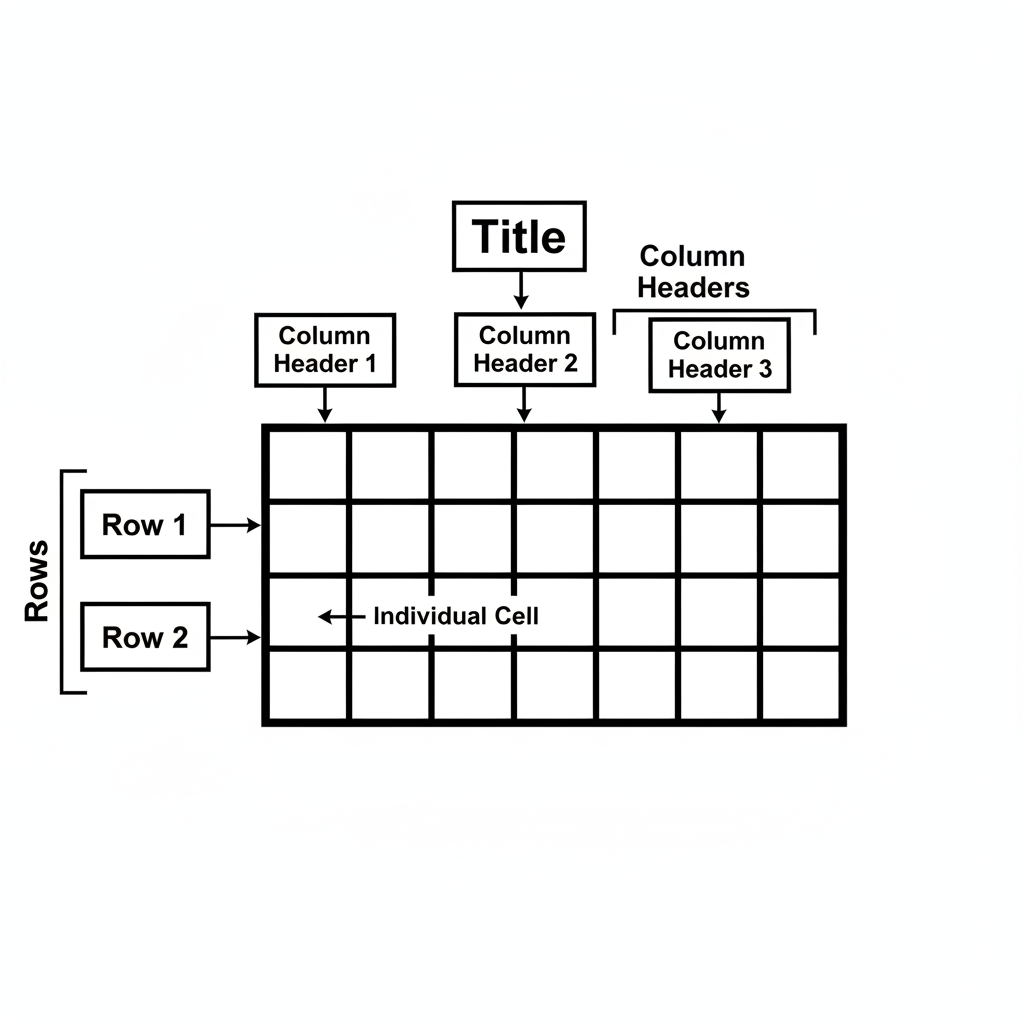
A 'table' is a special tool we use to organize data. It's like a grid or a chart with boxes where we can write down our information. Think of it like a big checkerboard or a lunchbox with many separate sections for different foods.
The Important Parts of a Table
Every good table has a few important parts that help us understand what we're looking at. Let's learn about them:
1. The Title (The Name Tag)
Just like a book has a title that tells you what it's about, a table needs a title too! The 'title' of a table tells us what kind of information is inside. It's usually at the very top of the table.
Analogy: If your lunchbox had a label that said "My Yummy Lunch," you'd know what's inside! A table's title works the same way.
Example Title: "Favorite Fruits of Class 3A"
2. Columns (The Tall Towers)
Columns are the parts of the table that go up and down, like tall buildings or poles. Each column has a special heading at the top that tells you what kind of data is underneath it. For example, one column might be for "Fruit" and another for "Number of Students."
Analogy: Imagine your friends standing in a straight line, one behind the other. That's like a column! Or think of the columns that hold up a big building, going straight up and down.
Example:
    Fruit       Number of Students
    -------     ------------------
    Apple
    Banana
3. Rows (The Long Roads)
Rows are the parts of the table that go across, from left to right, like long roads or lines on a piece of notebook paper. Each row usually has information about one specific item or person. For example, one row might show all the information about "Apples."
Analogy: Think of the seats in a school bus, they go across from left to right. Or the lines you write on in your notebook go across the page.
Example:
    Fruit       Number of Students
    -------     ------------------
    Apple           10  <-- This is one row
    Banana          8   <-- This is another row
4. Cells (The Tiny Boxes)
When a column and a row meet, they make a little box. This little box is called a 'cell.' Each cell holds one piece of information, like a single number or a single word.
Analogy: Think of a honeycomb where each bee has its own tiny hexagon. Or a single square on a checkerboard. That's a cell!
Example: In the "Favorite Fruits" table, the cell where the "Apple" row meets the "Number of Students" column would have the number "10" (if 10 students like apples).
 Let's Build a Simple Table Together!
Imagine we want to record the favorite colors of 5 friends: Liam, Mia, Noah, Olivia, and Ben.
- Liam likes Blue.
- Mia likes Pink.
- Noah likes Green.
- Olivia likes Blue.
- Ben likes Red.
Step 1: Give your table a Title.
Title: Favorite Colors of 5 Friends
Step 2: Decide what your Columns will be. We need a column for the friend's name and a column for their favorite color.
    Friend's Name   Favorite Color
    -------------   --------------
Step 3: Fill in the Rows and Cells with the data.
                  Favorite Colors of 5 Friends

    Friend's Name   |   Favorite Color
    ----------------|------------------
    Liam            |   Blue
    Mia             |   Pink
    Noah            |   Green
    Olivia          |   Blue
    Ben             |   Red
See how easy that is? Now, if someone asks, "What is Olivia's favorite color?" you can quickly look at the 'Olivia' row and find 'Blue' in the 'Favorite Color' column!
Why is Organizing Data in Tables So Important?
Organizing data in tables is a super useful skill because it helps us in many ways, every day!
- At School: Your teacher might use a table to keep track of attendance or test scores.
- At Home: Your family might use a table to plan a weekly meal menu or chores.
- In Sports: A coach might use a table to record game scores or player statistics.
- In Stores: Shops use tables to keep track of how many items they have in stock.
It helps everyone stay organized and find information quickly, just like a well-sorted toy box helps you find your favorite toy without any fuss!
Keep Practicing!
The more you practice putting information into tables, the better you'll become at it. Soon, you'll be a data organizing superhero, ready to tackle any messy pile of information!
Keep learning, free
Create a free Syllabax account to unlock practice questions and games for this topic.
Visual Learning Enhanced! 🚀
To help you master this topic, we use Advanced Syllabax AI to generate detailed diagrams and visual models.
Note on Visuals: The AI sometimes makes spelling errors in image labels. Please refer to the lesson text for the correct terminology.