Loops in Coding (Simple)
Watch this topic in 60 seconds
Free preview · Lesson 1
Understanding Loops in Coding (Simple)
Loops in Coding: Repeating Actions Made Easy!
Hello, future coders! Have you ever had to do the same thing over and over again? Like brushing your teeth every morning, or helping your parents set the table every night? It's a bit like doing a chore, right? Well, in coding, we often have to tell the computer to do the same thing many, many times too!
Instead of typing the same instructions over and over, coders use something super cool called a loop. Think of a loop as a special instruction that tells the computer: "Hey! Do this particular action not just once, but many times!" It's a real time-saver and makes our code much neater and easier to understand.
What is a Loop? Imagine Baking Cookies!
Analogy 1: Baking Cookies!
Imagine you're helping bake 12 cookies. What are the steps for ONE cookie?
- Scoop a spoon of dough.
- Place it on the baking sheet.
- Flatten it a little.
Now, if you had to write down instructions for all 12 cookies, it would look like this:
Scoop, place, flatten. Scoop, place, flatten. Scoop, place, flatten... (12 times!).
That's a lot of writing! A loop is like saying: "Repeat 'Scoop, place, flatten' 12 times!" Much simpler, right?
So, a loop is a way to tell the computer to do a certain set of instructions repeatedly. It's like putting a task on repeat, whether it's for a specific number of times or until a certain condition is met.
Why Do We Use Loops? Superpowers for Coders!
Loops give us some amazing superpowers when we're writing code:
- Save Time: Instead of typing the same lines of code again and again, you type it once inside a loop, and the computer does the repeating for you.
- Make Code Shorter: Shorter code means less to read, less to type, and less chance of making mistakes. It's like magic!
- Avoid Mistakes: If you copy and paste code many times, you might accidentally change something in one spot and forget to change it in others. With a loop, you only have one spot to check.
- Handle Unknown Amounts: Sometimes you don't know exactly how many times something needs to be done. A loop can keep going until a certain goal is reached.
Analogy 2: Counting Stars!
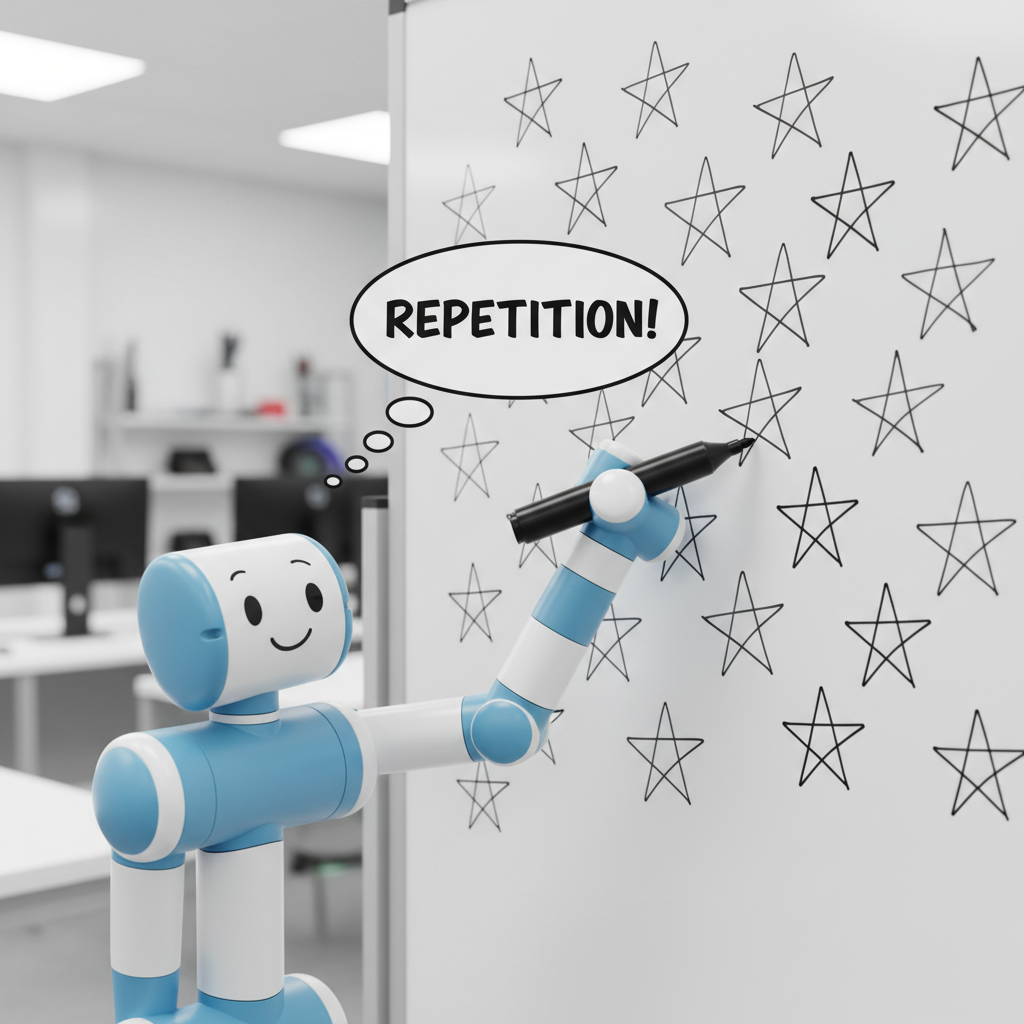
Imagine your teacher asks you to draw 100 stars on a piece of paper. Would you write "Draw a star, Draw a star, Draw a star..." 100 times? No way! You'd just start drawing stars and stop when you hit 100. That's a loop! You're repeating the 'draw a star' action until you've done it 100 times.
How Do Loops Know When to Stop?
This is a great question! Loops need to know when their job is done. There are two main ways loops know when to stop:
1. Do it a Set Number of Times (Count-Controlled Loops)
This is like our cookie example or counting stars. You tell the loop exactly how many times to repeat the action. "Do it 5 times." "Do it 100 times." The loop counts each time it does the action and stops when it reaches the number.
Analogy 3: Playing a Song on Repeat!
When you put your favorite song on repeat 3 times, the music player plays it once, then a second time, then a third time, and then it stops. It counts how many times it has played.
2. Do it Until Something Happens (Condition-Controlled Loops)
Sometimes you don't know exactly how many times you need to do something, but you know what needs to be true for you to stop. For example, if you are filling a glass with water, you don't count '1 pour, 2 pours...'. You just keep pouring until the glass is full!
Analogy 4: Tying Your Shoes!
You keep trying to tie your shoes until they are tied! You don't say, "I'll try 3 times and then give up." You keep trying until the goal is met.
Loops in Real Life (and Code!)
Think about getting ready for school:
- Repeat: Brush teeth (until they are clean).
- Repeat: Eat breakfast (until your plate is empty).
- Repeat: Put on clothes (until you are fully dressed).
In coding, loops work just like that! If you want a character in a game to walk across the screen, you don't write "move right" 100 times. You write: "Repeat 'move right' until the character reaches the other side of the screen."
Loops are fundamental building blocks in almost every computer program. Once you understand them, you'll be able to tell computers to do incredibly powerful and complex tasks with just a few lines of code!
Remember:
- A loop is a way to repeat instructions.
- It saves time and makes code shorter.
- Loops can repeat a set number of times or until a condition is met.
You've taken your first big step into understanding how computers can automate tasks. Great job, future coder!
Keep learning, free
Create a free Syllabax account to unlock practice questions and games for this topic.
Visual Learning Enhanced! 🚀
To help you master this topic, we use Advanced Syllabax AI to generate detailed diagrams and visual models.
Note on Visuals: The AI sometimes makes spelling errors in image labels. Please refer to the lesson text for the correct terminology.