Types of Computers & Devices
Watch this topic in 60 seconds
Free preview · Lesson 1
Understanding Types of Computers & Devices
Exploring the Digital World: Types of Computers and Devices
Welcome to the fascinating world of computers! You might think of a computer as just a screen and a keyboard, but the truth is, computers come in all shapes and sizes, performing countless tasks around us every single day. From the device you're probably reading this on, to the invisible systems running your car or your washing machine, computers are everywhere!
What is a Computer, Really? An Analogy
Imagine a very skilled chef. This chef takes ingredients (input data), follows a recipe (processes it), and creates a delicious meal (produces output). In a similar way, a computer is an electronic device that takes information (input), processes it according to a set of instructions (software programs), and then gives us a result (output).
- Input: Think of typing on a keyboard, clicking a mouse, or touching a screen. These are how you "feed" information to the computer.
- Processing: This is the "thinking" part, where the computer's "brain" (the CPU) crunches numbers and follows instructions.
- Output: This is what the computer shows or tells you, like an image on a screen, sound from speakers, or a printed document.
Why So Many Different Types? The "Toolbox" Analogy
You wouldn't use a hammer to tighten a tiny screw, right? Just like a handyman needs different tools for different jobs, we have different types of computers and devices because each is designed to excel at specific tasks. Some are built for power, some for portability, and some for very specialized functions.
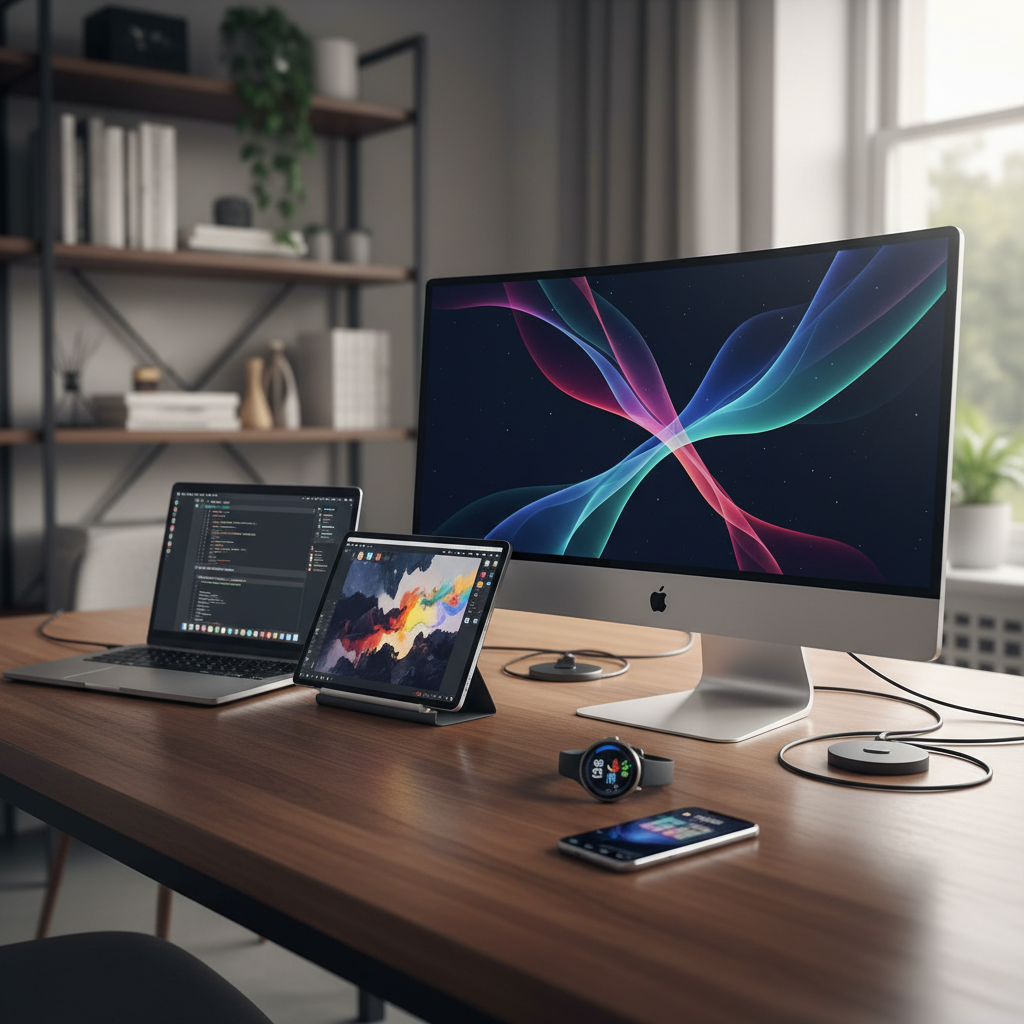 ⚠️ This picture may have spelling mistakes. Trust the words in the lesson.
The Main Categories of Computers and Devices
1. Desktop Computers: The "Home Base" Workhorse
Think of a desktop computer as your powerful command center at home or in the office. It's usually a stationary setup designed for maximum performance and comfort. It typically consists of separate components:
- Monitor: The screen where you see everything.
- Tower (or CPU Unit): The main box containing the "brain" (processor), memory, and storage.
- Keyboard: For typing text and commands.
- Mouse: For navigating and clicking.
Analogy: A desktop is like a full-sized workshop with all your heavy-duty tools neatly laid out. You wouldn't carry it around, but it's perfect for big projects, gaming, or intensive work.
Common Uses: Gaming, graphic design, video editing, office work, learning.
2. Laptop Computers: The "Portable Office"
Laptops are essentially compact, portable versions of desktop computers. They integrate all the essential components—screen, keyboard, touchpad (a mouse replacement), and the main computer parts—into a single, clamshell design.
Analogy: A laptop is like a compact, all-in-one toolkit that you can easily carry in a backpack. It might not have the raw power of the largest workshop tools, but it's incredibly convenient for working on the go.
Common Uses: Schoolwork, travel, presentations, general computing, lighter creative tasks.
3. Tablet Computers: The "Digital Notepad"
Tablets are even more portable than laptops, focusing heavily on touch interaction. They usually feature a large touchscreen and often lack a physical keyboard (though one can usually be added). They bridge the gap between smartphones and laptops.
Analogy: Imagine a digital clipboard or a very smart drawing pad. It's great for quick notes, reading, watching videos, or browsing, and you interact with it directly with your fingers.
Common Uses: Reading e-books, watching movies, casual gaming, web browsing, digital art, note-taking.
4. Smartphones: The "Pocket Swiss Army Knife"
Perhaps the most common type of computer today, smartphones are powerful, pocket-sized devices that combine a mobile phone with extensive computing capabilities. They feature high-resolution touchscreens, powerful processors, cameras, and access to countless apps.
Analogy: A smartphone is like a modern-day Swiss Army knife – it can do a little bit of everything! Call, text, take photos, browse the internet, navigate, play games, and much more, all from your pocket.
Common Uses: Communication (calls, texts), internet access, social media, photography, navigation, banking, entertainment, productivity apps.
5. Wearable Devices: The "Personal Assistants"
Wearable devices are small computers designed to be worn on the body, often for health tracking, notifications, or quick access to information. Examples include smartwatches, fitness trackers, and smart glasses.
Analogy: These are like tiny, helpful assistants always on your wrist or head. They monitor your steps, heart rate, deliver messages, and can even make payments, all without needing to pull out a larger device.
Common Uses: Fitness tracking, health monitoring, notifications, quick payments, timekeeping, limited communication.
6. Servers: The "Central Library" or "Restaurant Kitchen"
Unlike personal computers, servers are powerful computers designed to "serve" information, data, and applications to other computers (clients) over a network. You don't interact with them directly like a desktop; they work behind the scenes.
Analogy: Think of a server as a giant, organized library filled with books (data) and librarians (programs) ready to fetch information for anyone who asks. Or, like the busy kitchen of a restaurant, preparing meals (data) for many customers (users) at once.
Common Uses: Hosting websites, storing vast amounts of data, managing email, running large business applications, cloud computing.
7. Embedded Systems: The "Hidden Brains"
These are specialized computers built right into other devices to perform one or a few dedicated functions. They often go unnoticed because they are part of a larger machine. You won't see a screen or keyboard on them.
Analogy: Embedded systems are like the highly specialized, hidden brains inside everyday objects. The tiny computer chip that controls your microwave's timer, your car's anti-lock brakes, or a digital camera's settings are all examples. They do one job, and they do it very well.
Common Uses: Household appliances (microwaves, washing machines), automobiles (engine control, infotainment), industrial machinery, medical devices, digital cameras.
The Ever-Evolving Digital Landscape
The world of computers is constantly changing, with new devices and technologies emerging all the time. What's important is to understand the fundamental purpose of each type: to process information and help us in different ways, whether it's for intense work, casual entertainment, or hidden control.
By understanding these basic categories, you're better equipped to navigate the digital world and choose the right "tool" for whatever task you need to accomplish!
Keep learning, free
Create a free Syllabax account to unlock practice questions and games for this topic.
Visual Learning Enhanced! 🚀
To help you master this topic, we use Advanced Syllabax AI to generate detailed diagrams and visual models.
Note on Visuals: The AI sometimes makes spelling errors in image labels. Please refer to the lesson text for the correct terminology.