Cloud Computing: Concepts & Services
Watch this topic in 60 seconds
Free preview · Lesson 1
Understanding Cloud Computing: Concepts & Services
Cloud Computing: Concepts & Services (Grade 9 - Foundational)
Imagine a world where you don't need to own everything to use it. Think about how you get electricity – you don't build your own power plant, right? You just plug in your devices, and electricity is delivered to your home by a company. You pay for what you use, and you don't worry about maintaining the power lines or generators. That's a lot like Cloud Computing!
At its simplest, Cloud Computing is about using shared computing resources (like servers, storage, databases, networking, software, analytics, and intelligence) over the Internet – the "cloud" – instead of owning and maintaining them yourself. Instead of having powerful computers in your house or school's server room, you rent access to them from a company that specializes in providing these services.
Think of it like renting vs. owning:
- Owning a car: You buy it, pay for maintenance, insurance, gas, and a parking spot. It's always available, but it's a big upfront cost and ongoing responsibility.
- Renting a car (or using a ride-sharing service): You pay only when you need it, for the time you use it. Someone else handles maintenance, insurance, and parking. It's convenient and often cheaper if you don't need a car every day.
Cloud computing is like renting computing resources. You access powerful computers and software through the internet, and you only pay for what you use, when you use it.
Why is the "Cloud" so popular?
In the past, if a school or business needed new computer software or more storage, they'd have to buy expensive servers, install the software, and hire IT experts to manage it all. This was costly, time-consuming, and difficult to change if their needs grew or shrank. The cloud changes all that!
Key Characteristics of Cloud Computing
Cloud computing isn't just about using the internet; it has specific features that make it unique and powerful. These are often called the "five essential characteristics":
-
1. On-demand Self-Service
Analogy: A Vending Machine. You walk up to a vending machine, choose what you want, pay, and get it instantly, without needing to ask a person. In the cloud, you can provision (set up) computing resources like servers or storage whenever you need them, without human interaction from the service provider.
Example: If your school needs more computing power for a big project, an IT admin can instantly add it through a web portal, rather than waiting for someone to install new hardware.
-
2. Broad Network Access
Analogy: Your Favorite Streaming Service. You can watch Netflix or YouTube on your phone, tablet, laptop, or smart TV – from almost anywhere with an internet connection. Cloud resources are available over the network (the internet) and can be accessed by various devices.
Example: You can access your cloud-stored documents (like Google Docs) from your school computer, your home laptop, or even a friend's tablet, as long as you have internet access.
-
3. Resource Pooling
Analogy: A Library or a Shared Kitchen. Many people share the same collection of books in a library, or in an apartment building, residents might share a common laundry room. In the cloud, the provider's computing resources (like servers, storage, and network bandwidth) are pooled together to serve multiple users. You don't necessarily know or care which specific server you're using, just that you have the resources you need.
Example: When thousands of people use a cloud service like Instagram, they are all sharing a massive pool of servers and storage managed by Instagram's cloud provider.
-
4. Rapid Elasticity
Analogy: A Stretchy Rubber Band or a Water Faucet. A rubber band can stretch to hold many things and then snap back to its original size. A water faucet lets you turn the flow up or down as needed. Cloud resources can be quickly and automatically scaled up (expanded) or scaled down (reduced) to meet changing demand. This means you can get more resources when you need them and release them when you don't, paying only for what's consumed.
Example: If a popular online game experiences a huge surge of players, the cloud system can automatically add more servers to handle the load, and then reduce them once the rush is over.
-
5. Measured Service
Analogy: Your Electricity or Water Bill. You only pay for the amount of electricity or water you actually use. Similarly, cloud usage is monitored and measured, and you are billed based on your consumption of resources (e.g., how much storage you use, how much data you transfer, how long your virtual servers run).
Example: A company might pay for 100 GB of storage for one month and then 150 GB the next if their data grows, with the bill reflecting that exact usage.
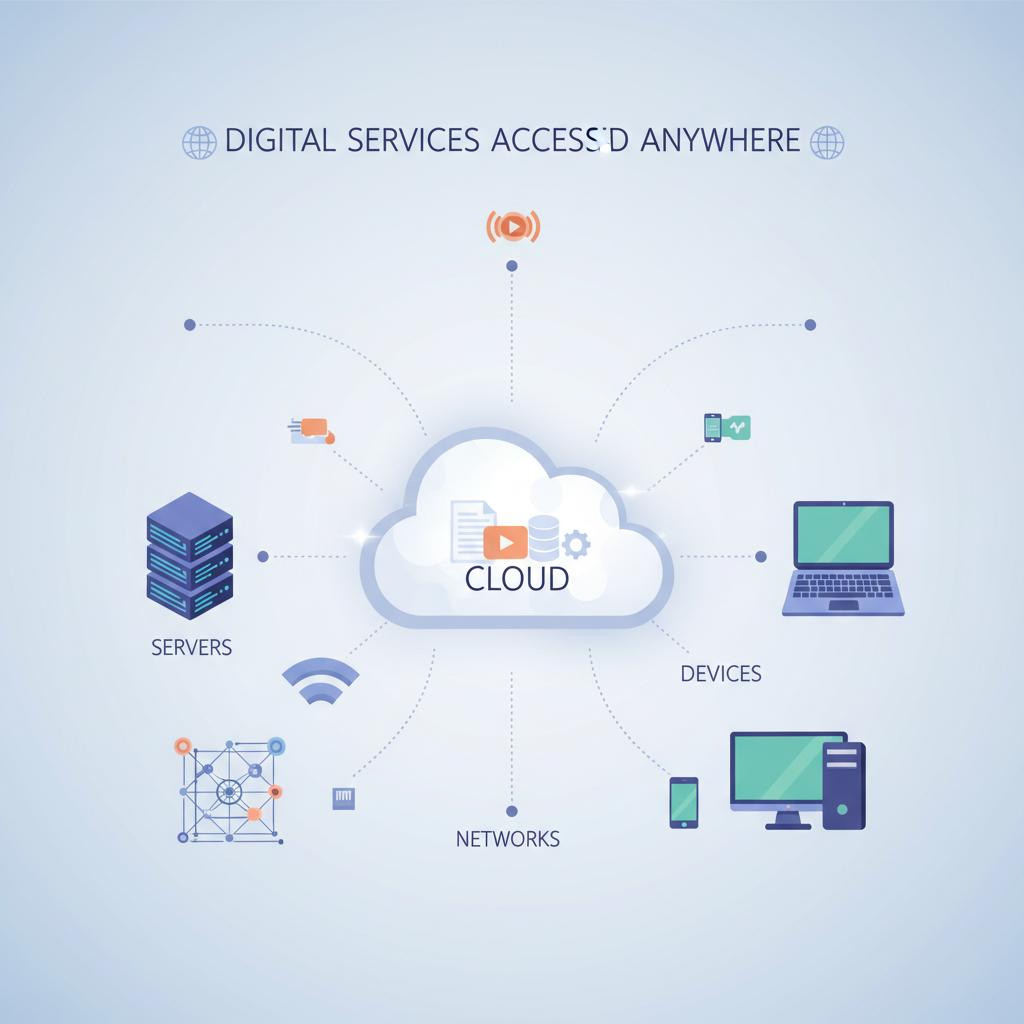 ⚠️ This picture may have spelling mistakes. Trust the words in the lesson.
Cloud Service Models: Different Ways to Use the Cloud
Cloud providers offer different levels of service, depending on how much control you want and how much work you want to do yourself. Let's use the famous "Pizza as a Service" analogy:
-
1. Software as a Service (SaaS)
Analogy: Getting a Fully Prepared Pizza Delivered. You don't worry about ingredients, cooking, dishes, or even the oven. You just order and eat the pizza. SaaS means you're using a complete application that is hosted and managed by the cloud provider. You just access it over the internet, usually through a web browser or an app.
- What you manage: Nothing! Just your data within the app.
- What the cloud provider manages: Everything – the application, operating system, servers, storage, networking.
- Examples: Gmail, Microsoft 365 (Word, Excel online), Netflix, Spotify, Google Docs, Zoom.
-
2. Platform as a Service (PaaS)
Analogy: Getting a Pizza Kit Delivered. You get all the ingredients (dough, sauce, cheese, toppings) and an oven provided, but you still need to assemble and bake the pizza yourself. PaaS provides a platform for developers to build, run, and manage applications without dealing with the underlying infrastructure (like servers or operating systems).
- What you manage: Your application code and data.
- What the cloud provider manages: The operating system, servers, storage, networking, runtime environment, and tools.
- Examples: Google App Engine, Heroku.
-
3. Infrastructure as a Service (IaaS)
Analogy: You're Provided with a Kitchen, Oven, and Ingredients, but you do all the cooking. You get the basic building blocks – servers (virtual machines), storage, and networks – but you're responsible for installing operating systems, applications, and managing your data. It gives you the most control but also the most responsibility.
- What you manage: Operating systems, applications, data, runtime environments.
- What the cloud provider manages: The virtualization (making virtual servers), physical servers, storage, and networking.
- Examples: Amazon Web Services (AWS) EC2, Google Compute Engine, Microsoft Azure Virtual Machines.
Cloud Deployment Models: Where is the Cloud?
The cloud can be structured and accessed in different ways:
-
1. Public Cloud
Analogy: A Public Swimming Pool. It's open to everyone, shared by many users, and managed by a third-party provider. Resources are owned and operated by a cloud provider (like Amazon, Google, or Microsoft) and offered over the public internet. It's the most common and often the most cost-effective option.
Examples: Google Cloud, AWS, Microsoft Azure.
-
2. Private Cloud
Analogy: Your Own Private Backyard Pool. It's dedicated to a single organization, offering more control and security. The cloud infrastructure is operated exclusively for one organization. It can be physically located on the organization's premises or hosted by a third-party provider, but it's not shared with others.
Example: A large bank might use a private cloud to keep its highly sensitive customer data isolated and secure.
-
3. Hybrid Cloud
Analogy: A Community Pool with Private Cabanas. It's a mix of both public and private clouds, allowing data and applications to move between them. Organizations can use the public cloud for less sensitive data or temporary needs (like website traffic surges) and keep sensitive data or critical applications in a private cloud.
Example: A retail company might use a public cloud for its e-commerce website during holiday sales (for rapid elasticity) but keep its customer databases in a private cloud for security.
Benefits of Cloud Computing
- Cost Savings: No need to buy expensive hardware, pay for electricity, or hire a large IT staff. You pay only for what you use.
- Scalability and Elasticity: Easily grow or shrink your computing resources as your needs change, without major investments.
- Reliability: Cloud providers have huge data centers with backup systems, making services more reliable than a single in-house server.
- Global Accessibility: Access your data and applications from anywhere in the world with an internet connection.
- Security: Cloud providers invest heavily in security measures, often more than an individual organization could afford.
- Innovation: Quickly get access to new technologies and services offered by cloud providers without having to set them up yourself.
Cloud Computing in Your Daily Life
You're probably using cloud computing every day without even realizing it! Whenever you:
- Send an email via Gmail or Outlook.com
- Watch a movie on Netflix or Disney+
- Store photos on Google Photos or iCloud
- Use Google Docs, Microsoft 365 online, or Canva
- Play online games with friends
...you are interacting with cloud computing services. The servers, storage, and software that make these services work are hosted in the cloud, not on your device.
Conclusion
Cloud computing has revolutionized how we access and use technology. By understanding its core concepts, characteristics, service models, and deployment options, you'll gain valuable insight into the digital world around you and be better prepared for future technological advancements. It's like having a super-powered digital toolkit always available, whenever and wherever you need it!
Keep learning, free
Create a free Syllabax account to unlock practice questions and games for this topic.
Visual Learning Enhanced! 🚀
To help you master this topic, we use Advanced Syllabax AI to generate detailed diagrams and visual models.
Note on Visuals: The AI sometimes makes spelling errors in image labels. Please refer to the lesson text for the correct terminology.