Typing Skills: Practice & Speed
Watch this topic in 60 seconds
Free preview · Lesson 1
Understanding Typing Skills: Practice & Speed
Typing Skills: Practice & Speed for 4th Graders!
Hey there, awesome 4th graders! Get ready to become keyboard superheroes! Today, we're going to learn all about typing – not just poking at keys, but using all your fingers like a super-speedy team. Think of your keyboard as a piano, and your fingers are the musicians making wonderful music (or words!).
What is Typing?
Typing is how we write on a computer, tablet, or even a smartphone using a keyboard. Instead of writing with a pencil and paper, we use our fingers to press keys that show letters, numbers, and symbols on the screen. Imagine trying to build a tall tower with only one block at a time – it would take ages! Typing helps us build our word towers much faster.
Why is Learning to Type Important?
Learning to type well is like learning to ride a bike with no training wheels – it helps you go faster and farther! Here's why it's a super skill:
- Speedy Work: You can finish your school projects, stories, and homework much quicker. It's like having a fast-forward button for your writing!
- Clear Thinking: When you type without looking at your fingers, your brain can focus more on *what* you're writing, not *how* you're writing. It's like a clear road for your ideas.
- Future Ready: Computers are everywhere! From school to cool jobs when you grow up, typing is a skill you'll use all the time.
Your Keyboard: A Secret Map!
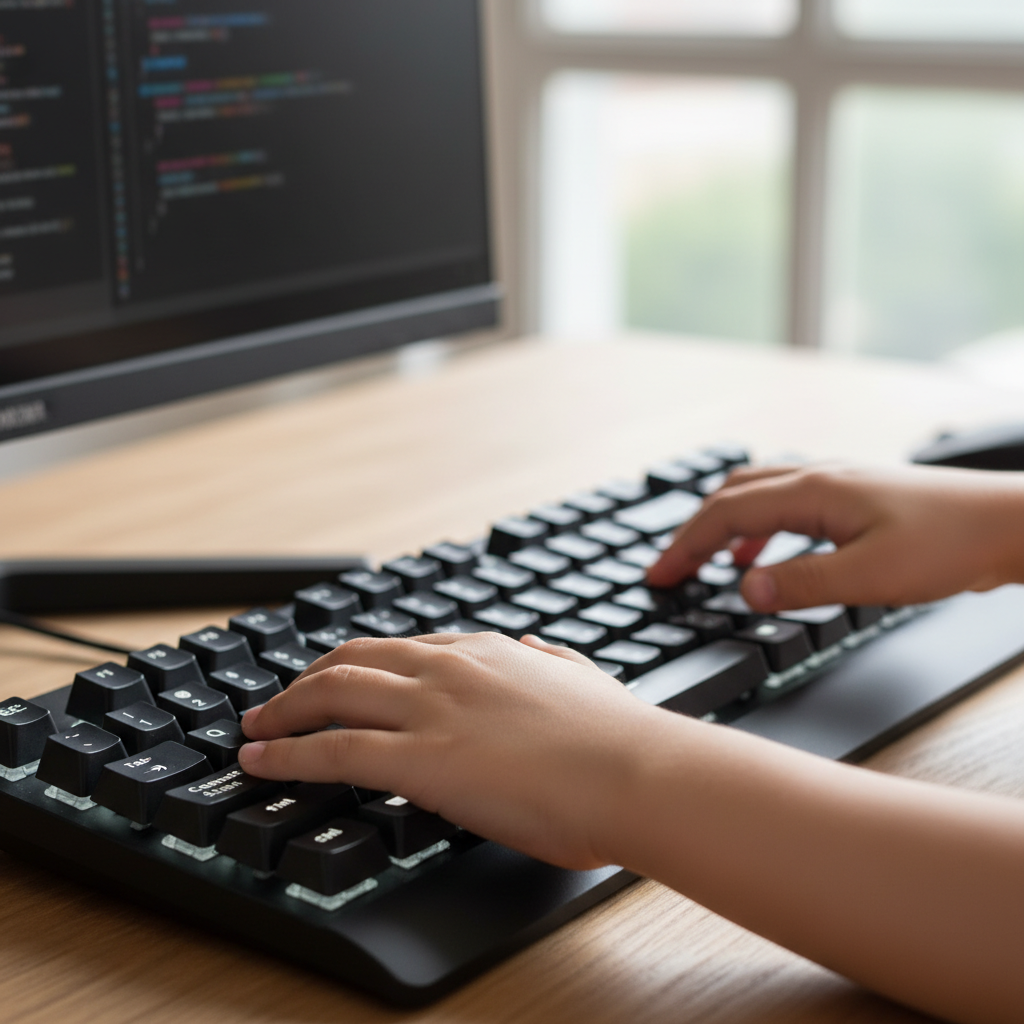
Your keyboard might look like a jumble of letters, but it has a secret map to help your fingers find their way. The most important place on this map is called the Home Row. This is where your fingers rest when they're not typing, like a comfy couch or a starting line in a race.
Meet the Home Row!
Look at your keyboard. Can you find the keys 'A', 'S', 'D', 'F' on the left side, and 'J', 'K', 'L', ';' on the right side? These are your Home Row keys! You might even feel little bumps on the 'F' and 'J' keys – these bumps are like secret guides for your index fingers so you don't even have to look!
Let's place our fingers:
- Left Hand: Your pinky finger goes on 'A', ring finger on 'S', middle finger on 'D', and index finger on 'F'.
- Right Hand: Your index finger goes on 'J', middle finger on 'K', ring finger on 'L', and pinky finger on ';'.
- Thumbs: Both thumbs gently rest on the spacebar, ready for action!
Your fingers on the home row are like little birds resting on a telephone wire, ready to fly out and hit other keys, then come right back to their safe perch.
Good Posture: Your Typing Power Pose!
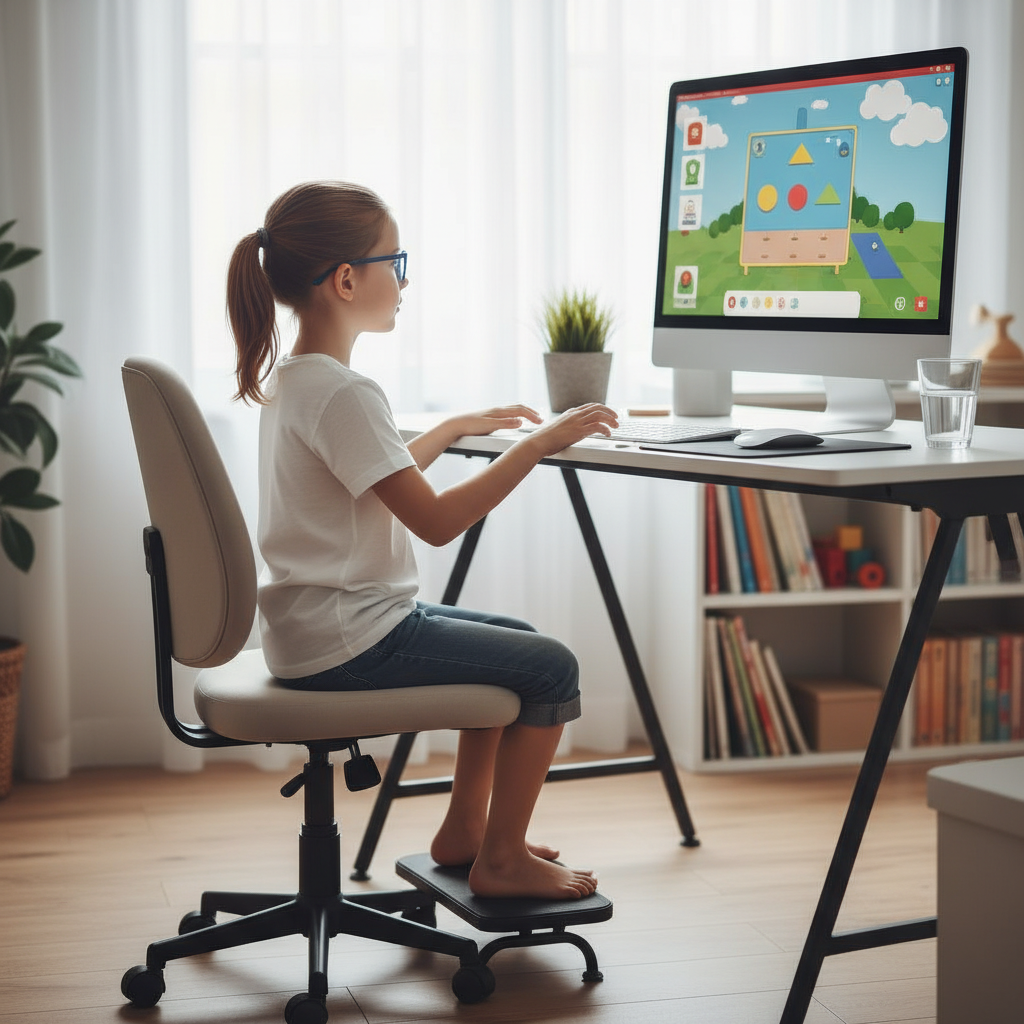
Before you even start typing, it's super important to sit correctly. This is your 'typing power pose'!
- Back Straight: Sit up straight, like you have an invisible string pulling your head gently towards the ceiling. No slumping like a sleepy cat!
- Feet Flat: Keep your feet flat on the floor, or on a footrest if your chair is too high. This helps keep your body balanced.
- Wrists Relaxed: Your wrists should be straight and relaxed, not bent up or down. Imagine they are floating over the keyboard, not resting on it.
- Eyes on the Screen: Try your best to look at the computer screen, not at your fingers. Your fingers will learn where to go all by themselves with practice! This is called 'touch typing'.
 ⚠️ This picture may have spelling mistakes. Trust the words in the lesson.
Practice Makes Perfect (and Faster!)
Typing is like learning to play a sport or a musical instrument. You won't be super fast on the first try, and that's totally okay! The more you practice, the faster and more accurate you'll become.
- Start Slow: Don't try to go super fast at first. Focus on hitting the correct keys with the correct fingers. Accuracy before speed! Think of it like learning to walk before you run.
- Short Bursts: Practice for short times, maybe 10-15 minutes a day. Doing a little bit often is much better than doing a lot once in a while.
- Typing Games: Many fun games online can help you practice your typing skills. They make learning feel like playing!
- Don't Look! The hardest part is often resisting the urge to look at your fingers. Trust your fingers to find their way back to the home row using those little bumps. It's like learning to ride a bike – you eventually stop looking at your feet and just steer!
What is Typing Speed?
Typing speed is how many words you can type correctly in one minute. It's often measured in Words Per Minute (WPM). At first, you might only type a few WPM, and that's perfectly normal! With practice, your WPM will grow, just like a plant getting taller and taller.
Let's Review!
Remember, typing is a journey, not a race. Focus on good habits: finding your home row, sitting up straight, and looking at the screen. Soon, you'll be zipping across the keyboard like a pro! Keep practicing, and you'll unlock a superpower that will help you in school and beyond!
Keep learning, free
Create a free Syllabax account to unlock practice questions and games for this topic.
Visual Learning Enhanced! 🚀
To help you master this topic, we use Advanced Syllabax AI to generate detailed diagrams and visual models.
Note on Visuals: The AI sometimes makes spelling errors in image labels. Please refer to the lesson text for the correct terminology.