Variables & Data in Code
Watch this topic in 60 seconds
Free preview · Lesson 1
Understanding Variables & Data in Code
Understanding Variables and Data in Code (Grade 7)
Welcome, future coders! Have you ever wondered how computers remember things? Or how they store information like your name, your high score in a game, or whether a light switch is on or off? The secret lies in two super important ideas in coding: Variables and Data.
Think of Variables Like Labeled Boxes!
Imagine you have a bunch of empty storage boxes in your room. To keep things organized, you write a label on each box to know what's inside. For example, one box might be labeled "My Favorite Toys," another "School Supplies," and a third "Old Photos."
In coding, a Variable is just like one of these labeled boxes! It's a special spot in the computer's memory that has a name (its label) and can hold information. When you create a variable, you're essentially telling the computer, "Hey, set aside a little storage space for me, and I'm going to call it [this name]."
- The Label (Variable Name): This is how you identify the box. In coding, variable names can be things like
score,playerName,age, orisGameRunning. It's best to choose names that tell you what's inside! - The Box Itself: This is the actual storage space in the computer's memory.
Let's say you want to keep track of a player's score in a game. You would create a variable named score. It's an empty box, ready to hold a number.
What is Data? It's the Stuff Inside the Box!
Now, what do you put *inside* those labeled boxes? That's right, stuff! The "stuff" you put inside your variable boxes is called Data.
If our score box is empty, it's not very useful. We need to put a score inside it! Maybe the player just started, so their score is 0. We'd put the number 0 into the score variable. This act of putting a value into a variable is called assigning a value.
score = 0 // We're putting the number 0 into the 'score' box.As the player plays and earns points, their score changes. This is another cool thing about variables: the data inside them can change! Just like you can take old toys out of a box and put new ones in, you can update the data a variable holds.
score = 0   // Player starts with 0
score = 100 // Player earns 100 points
score = 150 // Player earns 50 more points
The variable score always points to the *latest* score. It's like your "My Favorite Toys" box might hold action figures one day and building blocks the next.
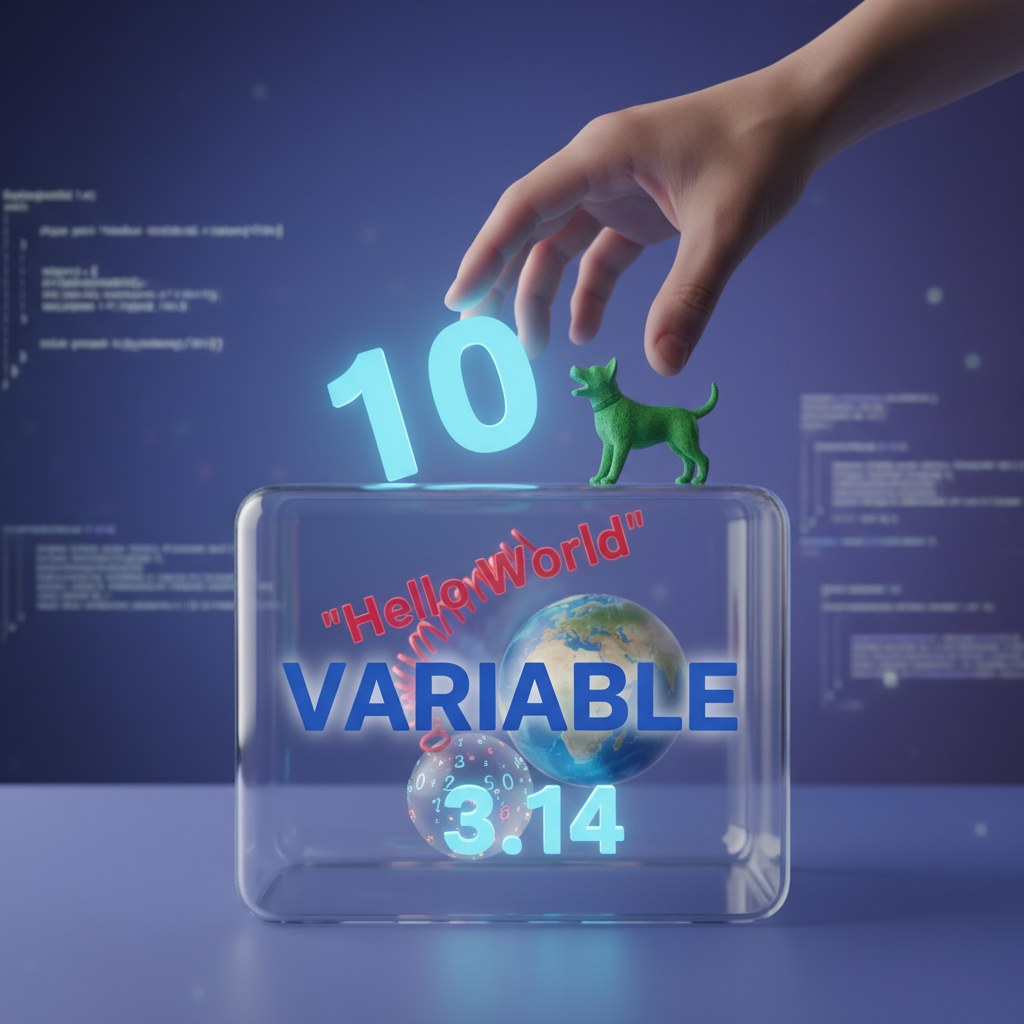 ⚠️ This picture may have spelling mistakes. Trust the words in the lesson.
Different Kinds of Data (Data Types)
Not all "stuff" is the same, right? You wouldn't store water in a paper bag, nor would you put tiny screws in a huge open container where they'd get lost. Similarly, in coding, we have different Data Types. This tells the computer what kind of information is stored in a variable, which helps the computer know how to handle it.
Think of it like different kinds of containers for different kinds of items:
1. Numbers (Integers & Decimals)
- Analogy: A piggy bank for coins, or a measuring cup for liquids. They hold quantities.
- What it is: Any numerical value.
- Examples:
age = 12(An integer – a whole number without a decimal)temperature = 25.5(A float or decimal – a number with a decimal point)numberOfStudents = 30price = 9.99
- Why it matters: Computers know they can do math with numbers (add, subtract, multiply, divide).
2. Text (Strings)
- Analogy: A diary or a notebook. It holds words, sentences, or characters.
- What it is: A sequence of characters (letters, numbers, symbols, spaces). We usually put them inside quotation marks (
" "or' ') so the computer knows it's text, not a variable name or a command. - Examples:
name = "Alice"greeting = "Hello, world!"favoriteColor = 'Blue'productCode = "XYZ-789"(Even though it has numbers, because it's in quotes and not meant for math, it's text!)
- Why it matters: Computers know how to display text, combine text (like joining "Hello" and "World!" to make "Hello World!"), but they won't try to add "Alice" + "Bob".
3. True/False (Booleans)
- Analogy: A light switch. It can only be in one of two states: ON or OFF.
- What it is: A value that can only be either
TrueorFalse. These are super useful for making decisions in your code. - Examples:
isLoggedIn = True(The user is currently logged in)isRaining = False(It is not raining)gameEnded = TruehasEnoughMoney = False
- Why it matters: Booleans help computers make choices. For example, "IF
isLoggedInisTrue, THEN show the user's profile."
Why Are Variables and Data Types So Important?
Think about a recipe. You need ingredients (data) like "2 cups of flour," "1 cup of sugar," and "3 eggs." You might write these down on a shopping list (your variables) so you don't forget them. You also need to know *what kind* of ingredient each is (data type) – you wouldn't confuse flour with sugar!
In programming:
- Organization: Variables give names to pieces of information, making your code easier to read and understand. Instead of just a number
100floating around,score = 100tells you exactly what that100means. - Flexibility: The data in variables can change. This means your programs can react to user input, game events, or new calculations without you having to rewrite the entire code every time.
- Correct Operations: Data types tell the computer how to properly work with the data. If you try to do math on text, the computer will get confused (and probably give you an error!). Knowing a variable holds a number lets the computer add it, while knowing it holds text means it can display it.
Recap
Variables are like labeled storage boxes in the computer's memory. Data is the information you put inside those boxes. And just like different items need different containers, different kinds of data (numbers, text, true/false) have different data types to help the computer understand and use them correctly.
Mastering variables and data types is a huge step in becoming an awesome programmer. You're now equipped to understand how computers hold onto all that important information!
Keep learning, free
Create a free Syllabax account to unlock practice questions and games for this topic.
Visual Learning Enhanced! 🚀
To help you master this topic, we use Advanced Syllabax AI to generate detailed diagrams and visual models.
Note on Visuals: The AI sometimes makes spelling errors in image labels. Please refer to the lesson text for the correct terminology.