Types of Computers
Watch this topic in 60 seconds
Free preview · Lesson 1
Understanding Types of Computers
Exploring the Wonderful World of Computers!
Hello, young explorers! Today, we're going on an exciting adventure to discover different kinds of computers. Just like there are many types of animals, cars, or even shoes, there are many types of computers! Each one is special and helps us do different things. Think of computers as super-smart helpers that can play games, help with homework, let you watch videos, and even talk to friends far away!
What is a Computer Anyway?
Before we jump into the different types, let's remember what a computer is. Imagine your brain. It helps you think, remember things, solve problems, and control your body. Well, a computer is like a super-smart electronic brain! It takes information (input), thinks about it (processes), and then gives you an answer or does something (output).
For example, when you type your name on a keyboard (input), the computer 'thinks' about those letters, and then shows your name on the screen (output). Pretty neat, right?
1. Desktop Computers: The Home Base Heroes
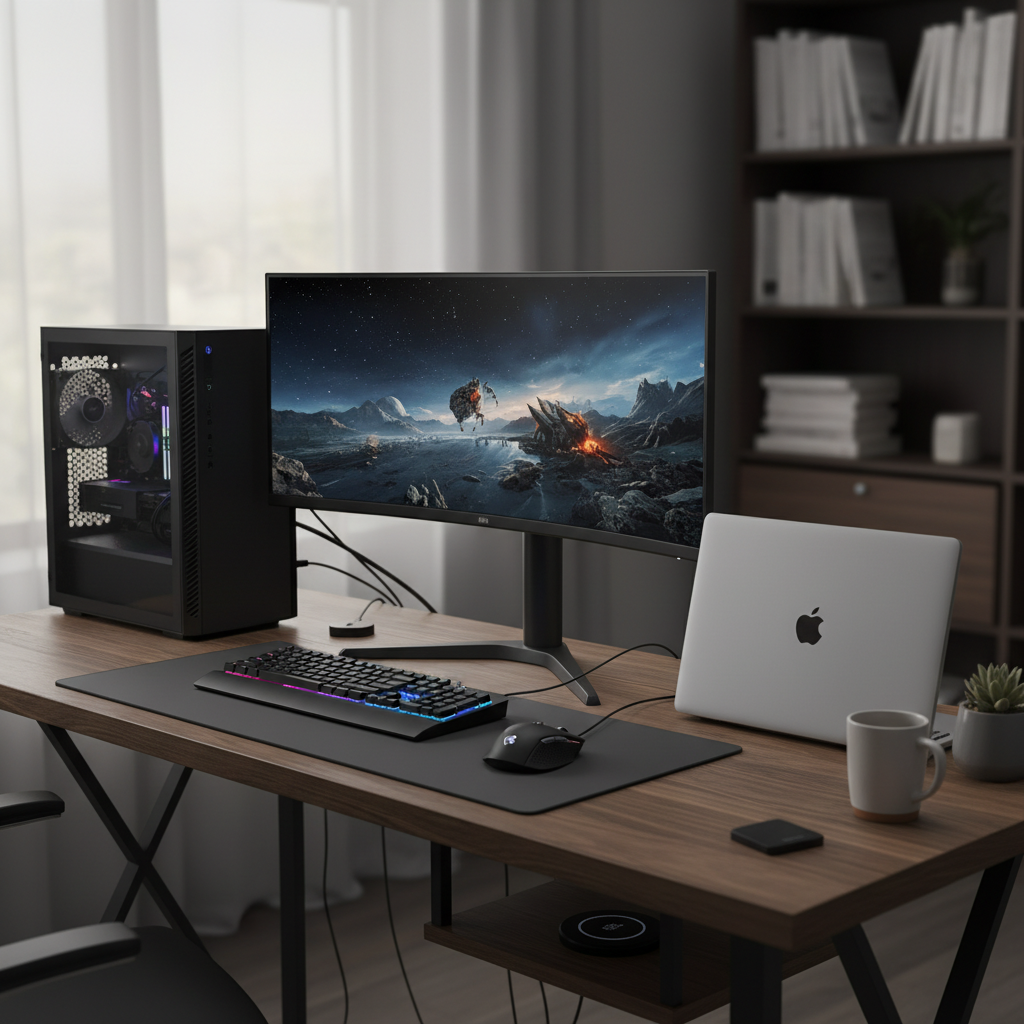
First up, let's meet the Desktop Computer. Think of a desktop computer like a big, sturdy desk in your classroom or library. It usually has a big screen (called a monitor), a box where all the 'brain' parts are kept (called the CPU tower), a keyboard for typing, and a mouse for clicking. These parts are usually separate and connected with wires.
Why is it called a 'desktop'? Because it's designed to sit on a desk or table and usually stays in one place. It's not easy to pick up and carry around, just like your classroom's big whiteboard isn't meant to be moved often. Desktop computers are great for things like serious homework, playing computer games with excellent graphics, or doing creative projects like making digital art, because they are powerful and have big screens.
They are like the strong, reliable foundations of the computer world – always there when you need them, ready to tackle big tasks!
2. Laptop Computers: The Portable Pals
Next, we have the Laptop Computer. Imagine you have a special notebook that not only lets you write but also plays videos, lets you draw, and connects you to the internet! That's kind of what a laptop is. It's like a desktop computer, but all its parts (screen, keyboard, 'brain', and a special button-pad called a trackpad) are folded together into one portable shell.
The best part about laptops is that you can carry them almost anywhere! They are designed to be light enough to put in a backpack and take to school, to a friend's house, or even on a trip. They have a battery inside, just like a toy car, so they can work for many hours without being plugged into the wall. Laptops are perfect for doing homework on the couch, showing your grandma pictures, or watching a movie on a long car ride.
They are like your favorite book that you can take anywhere with you!
 ⚠️ This picture may have spelling mistakes. Trust the words in the lesson.
3. Tablet Computers: The Touchscreen Treasures
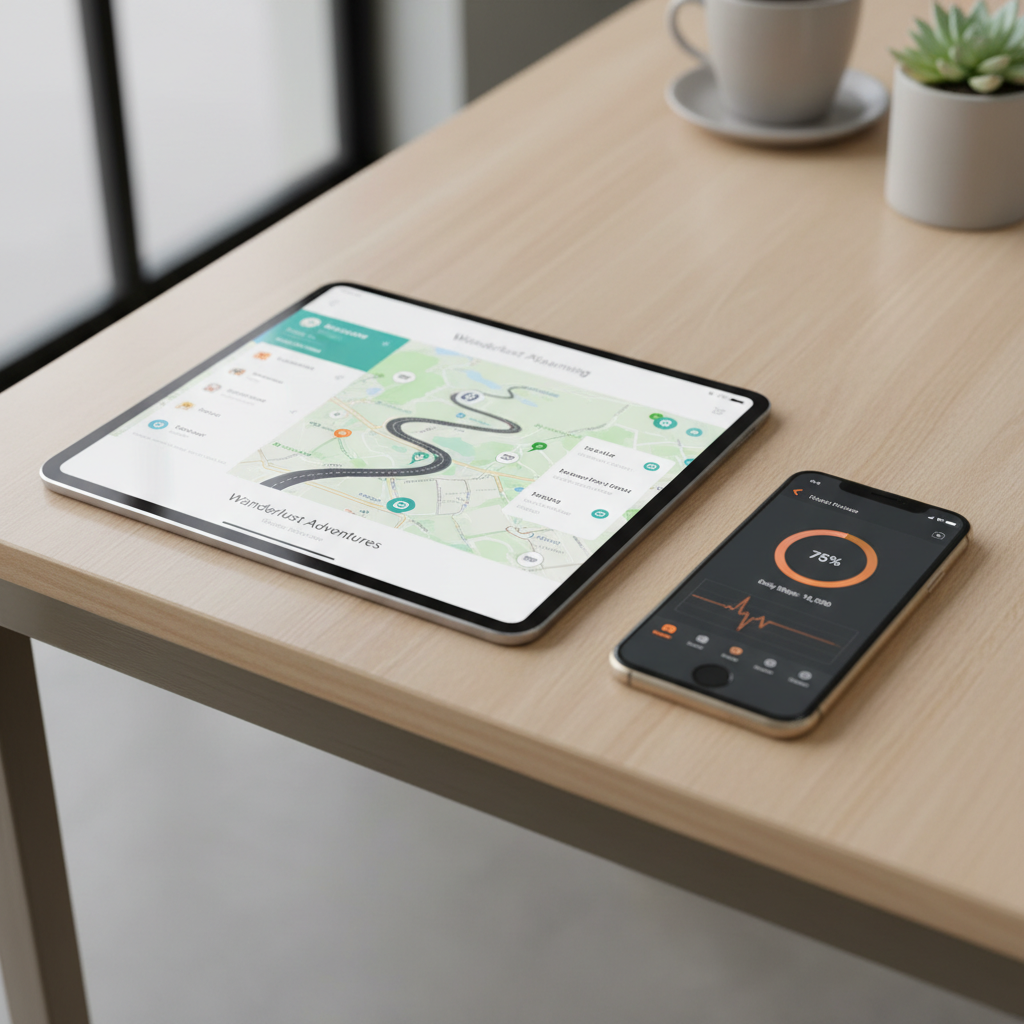
Now, let's talk about Tablet Computers, or just 'Tablets'. Have you ever used a whiteboard or a drawing pad where you can draw or write directly on the surface? A tablet is a lot like that! It's mostly a screen, and you control everything by touching the screen with your fingers or a special pen called a stylus.
Tablets are usually smaller and lighter than laptops. They don't have a physical keyboard that pops out, although you can sometimes connect one. They are super easy to carry around and great for things like reading e-books, playing simple touch-screen games, watching cartoons, or drawing directly on the screen. Many people use them to browse the internet while relaxing on the couch.
Think of a tablet as a magical drawing board and entertainment center all rolled into one!
4. Smartphone Computers: The Pocket Powerhouses
Finally, let's look at Smartphones. You might think, 'That's just a phone!' But modern smartphones are actually tiny, super-powerful computers that fit right in your pocket! Yes, they let you make phone calls, but they do so much more. They have a touchscreen like a tablet, and you can download apps for almost anything.
Smartphones let you take photos and videos, send messages to friends, play games, listen to music, check the weather, and even help you find your way around with maps. They are like a mini-tablet, a camera, a music player, and a telephone all combined into one small device. They are always with you, ready to help or entertain at a moment's notice.
Imagine having a tiny, super-smart robot helper always in your pocket – that's a smartphone!
Comparing Our Computer Friends
So, we've met four main types of computers:
- Desktop: Big, powerful, stays in one place. Best for big tasks.
- Laptop: Portable, folds up, has a battery. Great for school or travel.
- Tablet: Mostly screen, touch control, very light. Good for reading and games.
- Smartphone: Fits in your pocket, does almost everything a computer does, plus makes calls.
Each computer type has its own strengths, just like different tools in a toolbox. A hammer is great for nails, but you wouldn't use it to cut paper, right? In the same way, you might use a desktop for a big school project and a smartphone for a quick game or checking messages. Knowing the differences helps you choose the best computer for what you want to do!
Isn't it amazing how many different ways computers help us every day?
Keep learning, free
Create a free Syllabax account to unlock practice questions and games for this topic.
Visual Learning Enhanced! 🚀
To help you master this topic, we use Advanced Syllabax AI to generate detailed diagrams and visual models.
Note on Visuals: The AI sometimes makes spelling errors in image labels. Please refer to the lesson text for the correct terminology.