Cloud Computing Concepts
Watch this topic in 60 seconds
Free preview · Lesson 1
Understanding Cloud Computing Concepts
Cloud Computing Concepts: Your Digital Backpack in the Sky!
Hey 8th graders! Have you ever heard the term "cloud computing" and wondered what it means? It sounds a bit like magic, or maybe something to do with weather! But don't worry, it's actually a super cool and practical way we use computers and the internet every single day. Think of it as having your digital stuff – like photos, videos, games, and homework – available to you no matter where you are, without it all being stored directly on your phone or laptop. Let's dive in and explore this fascinating world!
What is "The Cloud"? (It's not a real cloud!)
When we talk about "The Cloud" in technology, we're not talking about the puffy white things in the sky. Instead, "The Cloud" is just a friendly way of saying "the Internet". More specifically, it refers to a global network of powerful computers (called servers) that are connected together and owned by companies like Amazon, Google, and Microsoft. These companies rent out their computing power, storage space, and software to people and businesses.
Analogy Time! Your School Locker vs. a Public Library
Imagine your school locker. You store your books, backpack, and jacket there. It's all yours, and it's right at school. That's like storing files directly on your own computer or phone.
Now imagine a public library. It has thousands of books, computers, and resources. You don't own the library or all its books, but you can go there and use its resources whenever you need them. You can check out a book, read it, and return it. This is similar to how the cloud works! You're using resources (like storage or software) that someone else owns and maintains, but you can access them from anywhere with an internet connection.
So, instead of storing everything on your device, you're using these giant networks of computers to store your data and run your applications. This allows your devices to be lighter, faster, and have more free space!
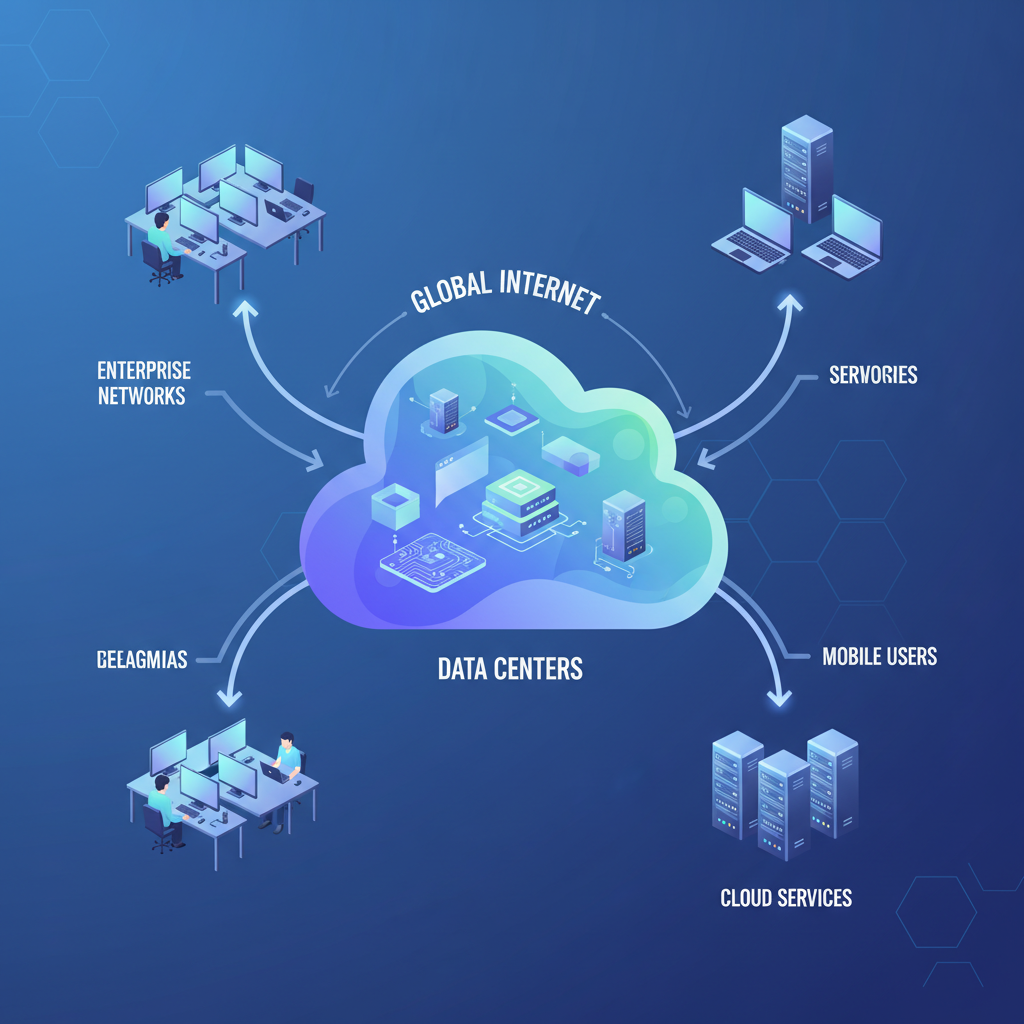 ⚠️ This picture may have spelling mistakes. Trust the words in the lesson.
Why is Cloud Computing So Awesome? (The Big Benefits!)
Cloud computing isn't just a fancy term; it comes with some serious advantages. Think about why the library is better than trying to buy every single book you want to read!
1. On-Demand Self-Service (Like a Vending Machine)
Imagine you need a snack. You go to a vending machine, put in your money, and get your snack right away. You don't need to ask anyone for help. Cloud computing is similar: you can get the computing resources you need (like more storage or a new app) instantly, without waiting for a person to set it up for you. You just click a few buttons.
2. Broad Network Access (Anywhere, Anytime!)
Have you ever taken a photo on your phone and then wanted to see it on your tablet or share it with a friend who lives far away? With the cloud, you can! As long as you have an internet connection, you can access your stuff and use cloud services from almost any device. It's like your digital backpack is always with you, no matter if you're at home, at school, or on vacation.
3. Resource Pooling (Sharing is Caring for Computers!)
Imagine a big swimming pool. Many people can use it at the same time without needing their own private pool. Cloud providers do something similar with their computer resources. They have massive amounts of storage, memory, and processing power, and they share these resources among many different customers. This makes it super efficient and cost-effective, because no resource goes to waste!
4. Rapid Elasticity (Stretching and Shrinking!)
Think about a rubber band. You can stretch it out if you need more space, and it shrinks back when you don't. Cloud computing works like that! If your website suddenly gets a lot of visitors, the cloud can automatically give it more power and resources to handle the traffic. Once the rush is over, it can shrink back down. This means you only pay for what you use, and your services never get overwhelmed.
5. Measured Service (Pay for What You Use)
Just like your family's electricity bill or water bill, you only pay for the amount of electricity or water you actually use. In cloud computing, you only pay for the amount of storage, processing power, or data transfer you consume. This is very different from buying a super-expensive computer that might sit idle most of the time.
Common Ways You Use The Cloud Every Day
You might be using cloud computing without even realizing it! Here are some common examples:
- Storing Photos and Videos: Services like Google Photos, Apple iCloud, and Dropbox store your precious memories in the cloud, so you can access them from any device and free up space on your phone.
- Streaming Movies and Music: Netflix, YouTube, Spotify, and Disney+ all use cloud computing to deliver your favorite shows and songs right to your screen. The movies aren't stored on your device; they're streamed from powerful cloud servers.
- Online Gaming: Many online multiplayer games rely on cloud servers to connect players and handle the game's actions, ensuring everyone has a smooth experience.
- Schoolwork and Collaboration: Google Docs, Microsoft 365 (Word, Excel, PowerPoint online), and other online tools let you create and share documents in the cloud, making it easy to work with classmates on projects.
Different Types of Cloud Services (Like Different Restaurants!)
Imagine you want to eat out. You could go to a fully prepared buffet, a restaurant where you pick your ingredients, or buy groceries to cook yourself. Cloud services are similar, offering different levels of 'readiness' for what you need:
1. Software as a Service (SaaS): Ready-to-Eat Meal!
This is the most common type of cloud service you probably use. SaaS provides you with a complete application that's ready to use over the internet. You don't have to install anything or worry about maintaining the software.
Analogy: Think of it like ordering a pizza. It's fully made, delivered to you, and you just eat it. You don't need to buy ingredients, cook, or even wash dishes!
Examples: Gmail, Netflix, Salesforce, Google Docs, Zoom.
2. Platform as a Service (PaaS): Cook-Your-Own Kit!
PaaS provides tools and an environment for developers to build, run, and manage applications without having to worry about the underlying infrastructure (like servers, operating systems, etc.).
Analogy: This is like getting a meal-kit delivery service. They give you all the pre-portioned ingredients and a recipe, but you still have to do the cooking yourself. You manage the food (your code), but not the kitchen (the servers).
Examples: Google App Engine, Heroku, AWS Elastic Beanstalk.
3. Infrastructure as a Service (IaaS): Empty Kitchen to Rent!
IaaS provides the most basic building blocks of cloud computing, like virtual servers, storage networks, and operating systems. You get the raw computing power and control almost everything.
Analogy: This is like renting an empty kitchen with all the basic utilities (electricity, water) but no appliances or ingredients. You bring your own stove, fridge, pots, and food, and cook everything from scratch. You have the most control but also the most responsibility.
Examples: Amazon EC2 (servers), Google Compute Engine, Microsoft Azure Virtual Machines.
Cloud Deployment Models (Where Does the Cloud Live?)
Clouds can also be set up in different ways, like different types of housing:
1. Public Cloud (Public Park)
Owned and operated by a third-party cloud service provider (like AWS, Google Cloud, Azure). Resources are shared among many different customers over the public internet.
Analogy: A public park where anyone can go and use the swings, slides, and picnic tables. It's shared, cost-effective, and easy to access.
2. Private Cloud (Your Own Backyard)
Dedicated exclusively to one organization or user. It can be physically located at your company's data center or hosted by a third-party provider.
Analogy: Your own backyard with your own swing set and picnic table. No one else uses it, giving you more control and privacy, but you're responsible for maintaining it.
3. Hybrid Cloud (House with a Community Garden)
A mix of public and private clouds, allowing data and applications to move between them. This gives flexibility.
Analogy: Living in a house with your own backyard (private cloud) but also having access to a community garden (public cloud) for extra space or resources when you need it.
Cloud Security and Trust
A common question is: Is my stuff safe in the cloud? Cloud providers invest a lot of money and expertise into security. They have teams of experts working 24/7 to protect your data. However, it's also your responsibility to use strong passwords and be careful about what you share. Think of it like trusting a bank with your money – they have strong vaults and security, but you also need to protect your ATM card and PIN!
Conclusion: The Future is in the Cloud!
Cloud computing is more than just a buzzword; it's a fundamental shift in how we use and interact with technology. It makes our devices smarter, our data more accessible, and our digital lives more flexible. From storing your photos to streaming your favorite shows, the cloud is already a huge part of your world, and it's only going to become even more important in the future!
Keep learning, free
Create a free Syllabax account to unlock practice questions and games for this topic.
Visual Learning Enhanced! 🚀
To help you master this topic, we use Advanced Syllabax AI to generate detailed diagrams and visual models.
Note on Visuals: The AI sometimes makes spelling errors in image labels. Please refer to the lesson text for the correct terminology.