Learning Journey
Watch this topic in 60 seconds
Free preview · Lesson 1
Understanding Searching the Web: Keywords & Results
Searching the Web: Your Guide to Finding Cool Stuff Online!
Imagine you have a giant question, like “What do pandas eat?” or “How do rockets fly?” Where do you go for answers? Back in the day, people had to go to a big library and search through many, many books. But today, we have something even bigger and faster: the internet!
The internet is like the world's biggest library, filled with information on almost everything you can imagine! It has billions of 'pages' of information, videos, pictures, and sounds. But how do you find exactly what you're looking for in such a huge place? That's what we'll learn today!
What is a Search Engine? Your Internet GPS!
Think of the entire internet as a giant city with millions of different shops, houses, parks, and museums. Each place has different kinds of information. If you wanted to find a specific bakery in a huge city, you wouldn't just wander around hoping to stumble upon it, right? You'd use a map or a GPS!
That's exactly what a Search Engine does for the internet! A search engine (like Google, Bing, or DuckDuckGo) is like a super-smart librarian or a very helpful GPS for the internet city. You tell it what you want, and it quickly points you to the best places (webpages) that have that information.
 ⚠️ This picture may have spelling mistakes. Trust the words in the lesson.
The Magic Words: Keywords!
To tell the search engine what you want, you use special words called Keywords. Keywords are the most important words from your question or the topic you want to learn about.
Analogy: Think of keywords like 'magic words' or 'clues' you give to the helpful search engine librarian. If you want to find a book about dinosaurs, you don't say, 'I want a book about those big old lizards that lived a long time ago.' That's too long! Instead, you use keywords like 'dinosaurs' or 'T-Rex facts.' The more precise your magic words, the better chance the librarian has of finding what you need!
How to Choose Good Keywords: Be a Keyword Champion!
- Be Specific: Instead of just 'birds,' which might bring up information about all kinds of birds, try 'fastest birds in the world' or 'birds that live in Antarctica.' This helps the search engine narrow down its search.
- Use Important Nouns: Focus on the main people, places, or things you're interested in. For example, 'Mars mission' instead of 'stuff about space and going to Mars.'
- Think Like the Website: What words would a website that has your answer likely use? If you're looking for information on a famous inventor, use their full name.
- Use a Few Words: Often, 2-4 keywords are just right. If you use too many words, you might confuse the search engine, and it might not find anything. If you use too few (like just 'dogs'), you'll get millions of results, which is too much to look through!
Example: If you want to find out about baby pandas:
- Not so great keywords: 'pandas babies' (a bit simple)
- Better keywords: 'baby pandas facts,' 'how do baby pandas grow,' or 'giant panda cub development'
Understanding Search Results: Your Treasure Map!
Once you type your keywords into the search bar and click the 'Search' button (or hit 'Enter'), the search engine quickly shows you a list of Search Results. It's usually a long list of blue links!
Analogy: This list of results is like a treasure map! Each line on the map points to a possible treasure (a piece of information) on the internet. You need to look at the map closely to decide which path to take.
What You See in Each Result:
- Title (Headline): This is usually a blue, clickable link. It's the main name of the webpage. Read this carefully, as it should give you a good idea of what the page is about.
- Short Description (Snippet): Underneath the title, there's a short summary or a few sentences from the webpage's content. Read this 'snippet' to see if it matches what you're looking for before you click.
- Website Address (URL): This is the web address (like
www.example.com). It tells you where the information is coming from. Sometimes, you can tell if a site is from a school (.edu) or a government (.gov) by looking at its URL.
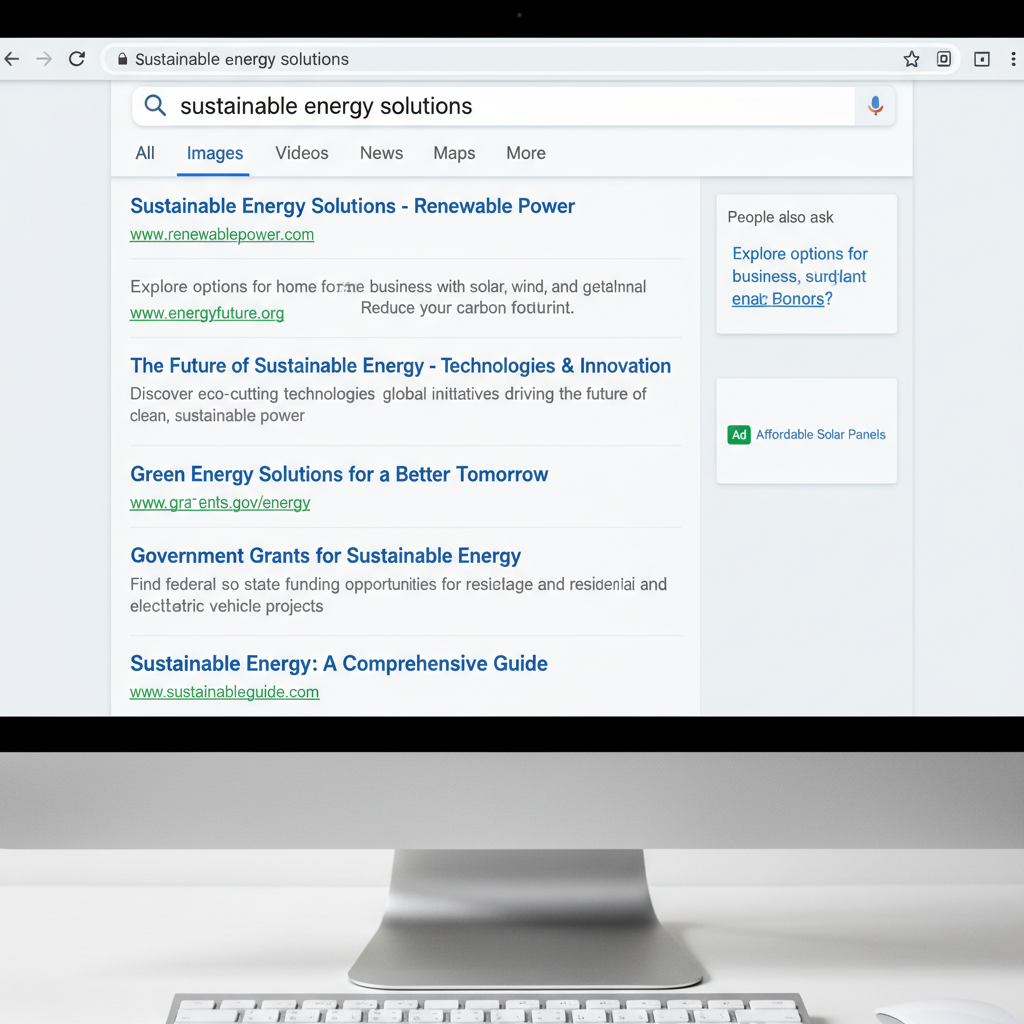 ⚠️ This picture may have spelling mistakes. Trust the words in the lesson.
Being a Super Search Detective: Evaluating Results
Just like not all treasure maps lead to real treasure, not all search results are exactly what you need, or even trustworthy! You need to be a detective when you look at your results.
Questions to Ask Yourself, the Search Detective:
- Is it Relevant? Does the title and description actually answer my question or give me information about my topic? If you searched for 'dog breeds' and see a result about 'cat toys,' it's probably not relevant.
- Is it Reliable? Who made this website? Is it a museum, a school (.edu), a government site (.gov), or a well-known news organization? (Analogy: Would you trust a stranger in a costume telling you facts, or would you trust your teacher or a scientist?) Be careful with websites that look unprofessional, have lots of pop-up ads, or don't say who created the information. Sometimes, information online isn't true!
- Is it Recent? Information changes, especially in science or for current events! For science facts or current events, look for dates on the webpage (often at the top or bottom). Is the information from last year or 10 years ago? (Analogy: Would you want to know what happened yesterday, or what happened last year, if you're looking for current news?)
If a result doesn't look good, don't click it! Go back to your results list and try another one. There are usually many good options.
Let's Practice! Finding Information About Space Travel
Imagine your teacher asks you to find out: How do astronauts eat in space?
- Keywords I might use: 'astronaut food in space,' 'how do astronauts eat in zero gravity,' 'space travel eating'
- What I look for in results: Titles like 'NASA: Eating in Space,' 'Space Food History,' or descriptions talking about special food packages, rehydrating food, or how food behaves in zero gravity.
- What I might avoid: Sites selling 'space food' as a joke, personal blogs without facts, or very old articles (unless I specifically want history).
Conclusion: Happy Searching!
Searching the web is an amazing superpower! It lets you explore the world, learn new things, and find answers to almost all your questions. Remember these three steps to become a web search expert:
- Choose good keywords (your magic words).
- Understand what you see in the search results (your treasure map).
- Be a smart detective about what you click on and whether the information is reliable and recent.
Now go forth and explore the vast world of information waiting for you online!
Keep learning, free
Create a free Syllabax account to unlock practice questions and games for this topic.
Visual Learning Enhanced! 🚀
To help you master this topic, we use Advanced Syllabax AI to generate detailed diagrams and visual models.
Note on Visuals: The AI sometimes makes spelling errors in image labels. Please refer to the lesson text for the correct terminology.