Email Communication & Etiquette
Watch this topic in 60 seconds
Free preview · Lesson 1
Understanding Email Communication & Etiquette
Mastering Email: Your Digital Superpower for 8th Grade and Beyond!
Welcome, 8th graders! In today's digital world, knowing how to send a good email is like having a secret superpower. It's a skill you'll use for school, connecting with teachers, applying for jobs, and so much more. Think of email as a digital letter – it's how we send messages over the internet. But just like writing a physical letter, there are some rules and good manners (what we call 'etiquette') that make sure your message is clear, polite, and effective.
Imagine you're sending a message in a bottle across the ocean. You want to make sure the bottle is sealed properly, the message inside is readable, and it has a clear return address, right? Email is similar, but much faster!
The Essential Parts of an Email: What Goes Where?
Every email you send has a few key parts, like different sections of a form you fill out. Knowing what each part does helps you send your message correctly.
1. To: The Direct Recipient
This is where you put the email address of the person (or people) you are sending the email directly to. They are the main audience for your message. Think of 'To' as directly handing a note to your friend. They are the primary person who needs to act on or respond to your email.
2. Cc: Carbon Copy (For Keeping Others Informed)
Cc stands for 'Carbon Copy.' Remember those old carbon papers used to make duplicates? In email, 'Cc' is for people who need to be informed about the email but aren't the primary recipient. It's like inviting someone to listen in on a conversation, but not directly addressing them. For example, if you're emailing your teacher about your grades, you might Cc your parents so they're aware of the communication. Everyone in the 'To' and 'Cc' fields can see each other's email addresses.
3. Bcc: Blind Carbon Copy (For Private Copies)
Bcc stands for 'Blind Carbon Copy.' This is the stealth mode! People listed in the 'Bcc' field receive a copy of the email, but none of the other recipients (not 'To' and not 'Cc') can see their email address. It's like whispering to someone in a crowd without anyone else knowing you're talking to them. You might use Bcc when sending an email to a large group of people who don't know each other, to protect their privacy (e.g., inviting many different clubs to an event).
4. Subject: The Headline of Your Email
The subject line is like the title of a book or the headline of a newspaper article. It should give the recipient a quick idea of what your email is about before they even open it. A good subject line is clear, concise, and informative. Instead of 'Hi,' try 'Question about Homework - Math Class' or 'Absence Request - [Your Name].' Imagine you're scanning a list of messages; a good subject line helps you decide which ones to open first!
5. Body: The Main Message
This is where your actual message goes! It's the core of your email, just like the story inside a book. Here, you write out everything you want to communicate, from questions to requests to sharing information. We'll talk about how to write a good email body next.
6. Salutation/Greeting: Starting with a Hello
Just like you wouldn't walk up to someone and start talking without saying 'Hello,' emails need a greeting. Formal greetings include 'Dear Mr./Ms. [Last Name],' or 'Hello [Name].' For teachers or adults, it's always best to be more formal. For friends, 'Hi [Name]' is fine.
7. Closing: Saying Goodbye Politely
After your message, you need a polite closing. Common closings include 'Sincerely,' 'Thank you,' 'Best regards,' or 'Respectfully.' Think of it as politely ending a conversation.
8. Signature: Who You Are
This is where you sign off. For school or formal emails, always include your full name. You might also add your grade, class, or student ID. For example: 'Sincerely, [Your Full Name], 8th Grade, Period 3 Math.'
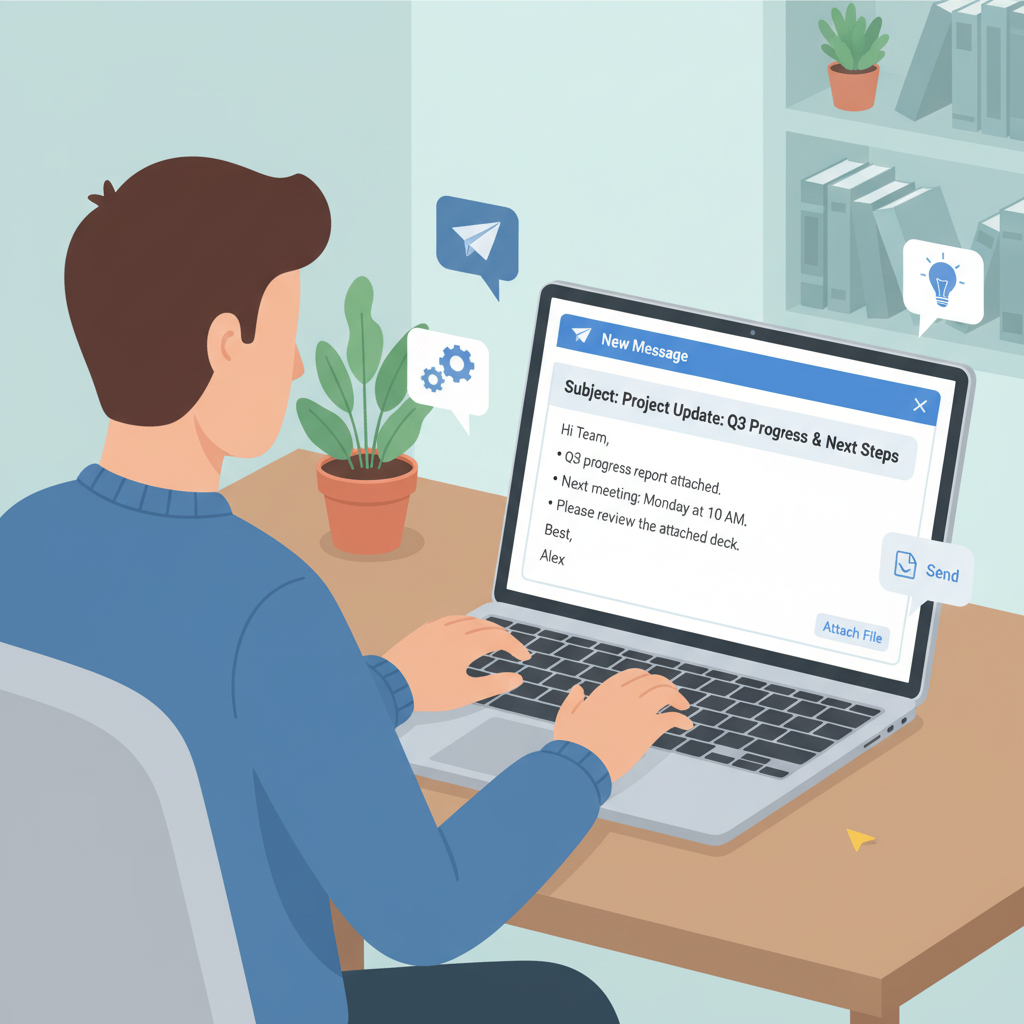
Email Etiquette: The Dos and Don'ts of Digital Manners
Good email etiquette is like having good manners at a dinner party. It shows respect, makes your message easier to understand, and builds a good impression.
The DOs (What You SHOULD Do):
- Be Clear and Concise: Get straight to the point. Imagine someone has a super busy day; they'll appreciate an email that's easy to read and understand quickly.
- Use a Clear Subject Line: We already talked about this! Make it descriptive so the recipient knows exactly what's inside.
- Use Proper Salutations and Closings: Always start with a polite greeting and end with a professional closing.
- Use Proper Grammar and Spelling: Proofread your email! Errors can make you look careless and make your message harder to understand. Think of it as dressing nicely for an important meeting – you want your words to be polished.
- Be Polite and Respectful: Always use polite language. Avoid demanding tones or rude remarks. Even if you're upset, maintain a respectful tone.
- Check Attachments: If you say you're attaching a file, double-check that you actually attached it! It's like forgetting to put the present in the gift bag.
- Reply Promptly: Try to respond to emails within a reasonable timeframe (e.g., 24-48 hours), especially if they require a response.
The DON'Ts (What You SHOULD NOT Do):
- DO NOT Use All Caps: TYPING IN ALL CAPS FEELS LIKE YOU ARE SHOUTING! It's hard to read and comes across as aggressive or angry.
- DO NOT Use Slang or Texting Abbreviations: Avoid 'LOL,' 'BRB,' 'IDK,' or overly casual language unless you're emailing a close friend who uses them. Keep it professional for school or adults.
- DO NOT Use Excessive Emojis/Emoticons: While emojis are fun for friends, they're generally not appropriate for formal emails to teachers or adults. Save them for casual chats.
- DO NOT Forward Chain Letters or Spam: Don't share irrelevant or untrustworthy emails with others.
- DO NOT Send Sensitive Information: Never email passwords, social security numbers, or other very private information unless you are absolutely sure it's a secure platform and necessary.
- DO NOT 'Reply All' Unnecessarily: Only use 'Reply All' if your response is relevant to everyone who received the original email. If you only need to talk to the sender, just use 'Reply.' Imagine you're in a classroom, and someone asks a question. You wouldn't shout your personal answer to the whole class if it only concerned you and the teacher, would you?
- DO NOT Be Negative or Impulsive: If you're feeling angry or frustrated, step away from the keyboard. Re-read your email before sending to ensure it conveys the message you intend, politely and respectfully.
A Word on Attachments
Sometimes you need to send a document, photo, or project along with your email. This is called an attachment. When you attach a file, always:
- Mention in the body of your email that you've attached something (e.g., 'Please find my homework assignment attached.').
- Make sure the file name is clear (e.g., 'JohnDoe_MathHomework_Ch5.pdf' instead of 'pic123.jpg').
- Check that the file format is acceptable (e.g., PDF for documents, JPG/PNG for images).
Conclusion: Email Your Way to Success!
Email is a powerful tool for communication, and mastering it will help you tremendously in school, future jobs, and life in general. By understanding its parts and following good etiquette, you're not just sending messages; you're building a reputation as a clear, respectful, and responsible communicator. So, go forth and email with confidence!
Keep learning, free
Create a free Syllabax account to unlock practice questions and games for this topic.
Visual Learning Enhanced! 🚀
To help you master this topic, we use Advanced Syllabax AI to generate detailed diagrams and visual models.
Note on Visuals: The AI sometimes makes spelling errors in image labels. Please refer to the lesson text for the correct terminology.