Introduction to Databases
Watch this topic in 60 seconds
Free preview · Lesson 1
Understanding Introduction to Databases
Introduction to Databases: Your Digital Filing Cabinet!
Have you ever tried to find a specific picture on your phone when you have thousands? Or looked for a certain recipe in a giant stack of cookbooks? What about trying to find a friend's phone number without their name? It can be a real headache! This is where databases come to the rescue!
Imagine your brain. It's an incredible database, constantly storing memories, facts, names, faces, and skills. When you need to remember something, your brain quickly 'queries' itself and retrieves the information. A computer database works in a very similar way, but it's designed to store and manage vast amounts of information for us, digitally.
What is a Database? Simple Terms & Analogies
At its most basic, a database is an organized collection of information. Think of it as a super-organized digital filing cabinet, or a meticulously arranged library. Instead of papers in folders or books on shelves, a database stores data – which is just a fancy word for facts, figures, and details.
- Analogy 1: The Library Card Catalog (or Digital Library System): Imagine a huge library. To find a specific book, you don't just wander around randomly. You use a card catalog (or these days, a computer system) that lists every book by title, author, genre, and where to find it. That catalog is a database! It stores information about the books.
- Analogy 2: Your Phone's Contact List: When you save a new friend's number, you typically add their name, phone number, email, and maybe their address. All this information about your friend is stored together. Your entire contact list is a small personal database!
- Analogy 3: A Recipe Book: If you have a well-organized recipe book, each recipe is complete with ingredients, instructions, cooking time, and serving size. You can quickly flip to the 'Desserts' section or look up a recipe by its name. This organized collection of recipes functions like a database.
The main goal of a database is to make storing, finding, and updating information quick and easy, even when there's a lot of it.
Why Do We Use Databases? The Power of Organization!
We use databases for many reasons, primarily because they are incredibly efficient and reliable for managing information. Trying to manage large amounts of data without a database would be like trying to keep track of every student in your school using only sticky notes – a complete mess!
Here are some key reasons:
- Organization: Databases help us arrange data logically, so it makes sense.
- Quick Retrieval: Need to find something specific? A database can find it in seconds, even among millions of entries. (Imagine looking up 'chocolate chip cookies' in your recipe book versus a pile of loose recipe cards.)
- Easy Updates: Changed your friend's phone number? A database lets you update just that one piece of information without rewriting everything.
- Data Security: Databases often have security features to protect information from unauthorized access, like passwords or different access levels.
- Prevent Duplication: Databases can be designed to help prevent storing the same information multiple times, which saves space and avoids confusion.
- Sharing: Many people can access and use the same database at the same time, which is essential for businesses and schools.
Core Components of a Simple Database: Tables, Columns, and Rows
Most simple databases, especially the ones you'll start with, are organized much like a spreadsheet. They use tables to hold data. Let's break down these key parts:
1. Tables: The Folders or Sections
Imagine your digital filing cabinet. Instead of one giant folder for everything, you'd have separate folders for different types of information. In a database, these separate 'folders' are called tables.
- Analogy: In a school database, you might have one table for 'Students,' another for 'Teachers,' another for 'Classes,' and another for 'Grades.' Each table holds related information.
- Analogy: In a library database, you might have a 'Books' table and a 'Borrowers' table.
2. Columns (or Fields): The Labels or Categories
Once you open a 'folder' (table), you'll see specific pieces of information you need to record for each item. These are the columns, also often called fields.
- Analogy: If your table is 'Students,' the columns might be 'Student ID,' 'First Name,' 'Last Name,' 'Date of Birth,' and 'Grade Level.' Each column describes a specific kind of data.
- Analogy: In your phone contacts, 'Name,' 'Phone Number,' and 'Email' are like columns.
3. Rows (or Records): A Complete Item's Information
A row (also called a record) is a complete set of information for a single item within a table. It's like one complete entry in your filing system or one full card in the library catalog.
- Analogy: In the 'Students' table, one row would contain ALL the information for ONE specific student: their Student ID, their First Name, their Last Name, their Date of Birth, and their Grade Level.
- Analogy: In your phone contacts, all the details for ONE friend (their name, phone, email) make up one complete record or row.
Let's visualize this with an example table:
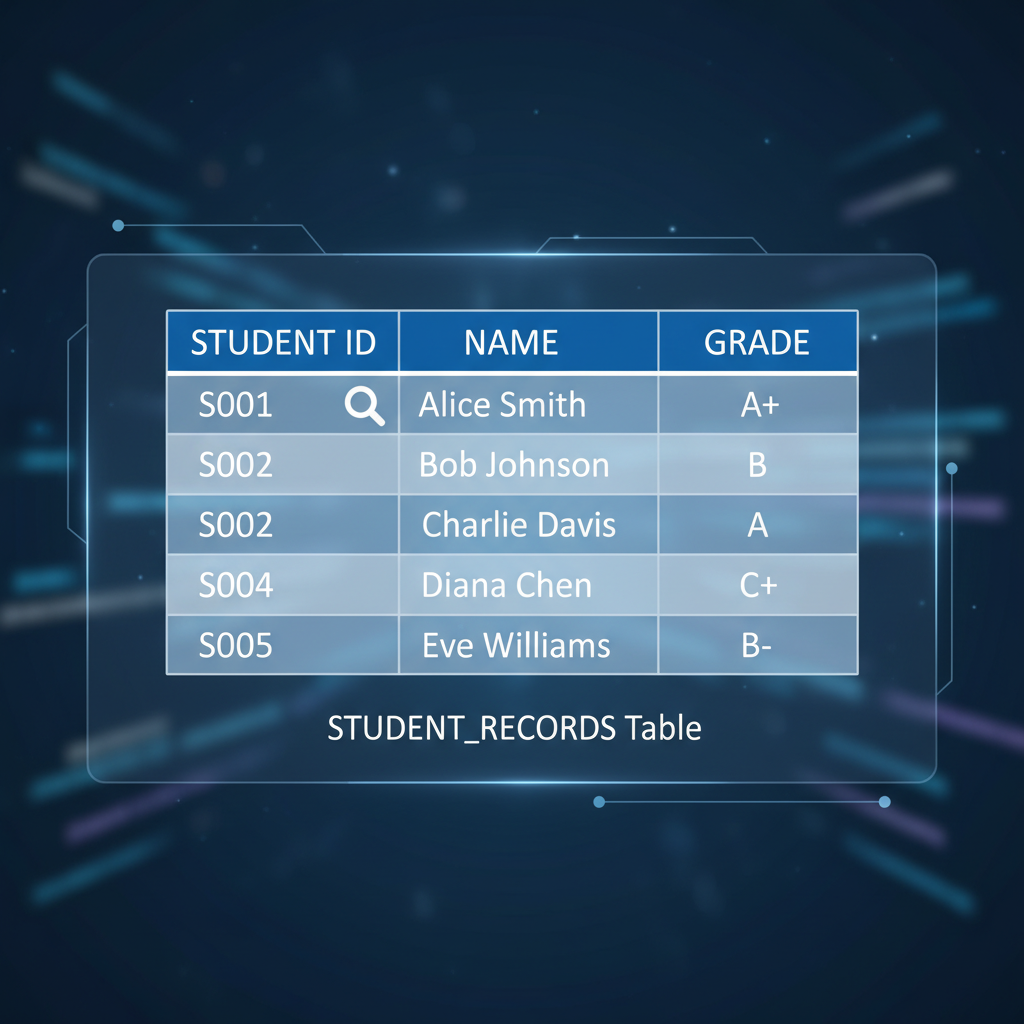
In this example:
- The whole structure is a Table (e.g., 'Student Information').
- 'Student ID', 'First Name', 'Last Name', 'Grade Level', 'Favorite Subject' are the Columns (or Fields).
- Each horizontal line of data, like '101 | Alice | Smith | 8 | Math', is a Row (or Record).
The Role of a Database Management System (DBMS)
So, you have all this organized data in tables. How do you actually *use* it? That's where a Database Management System (DBMS) comes in. Think of the DBMS as the 'librarian' or 'filing clerk' software that helps you interact with your database.
A DBMS is a special software program that allows you to:
- Create new databases and tables.
- Add new data (like adding a new book to the library).
- Retrieve data (like searching for a specific book).
- Update existing data (like changing a student's address).
- Delete data (like removing an old, unused recipe).
- Manage security and permissions.
Popular examples of DBMS include Microsoft Access (which you might use in school), MySQL, Oracle, and PostgreSQL. You don't interact directly with the raw data files; you use the DBMS to do all the work!
Summary: Databases are Everywhere!
From social media platforms tracking your friends and posts, to online stores managing products and orders, to schools keeping track of students and grades, databases are the invisible backbone of almost every digital system you interact with daily. Understanding how they work is a foundational skill in our increasingly data-driven world!
Keep learning, free
Create a free Syllabax account to unlock practice questions and games for this topic.
Visual Learning Enhanced! 🚀
To help you master this topic, we use Advanced Syllabax AI to generate detailed diagrams and visual models.
Note on Visuals: The AI sometimes makes spelling errors in image labels. Please refer to the lesson text for the correct terminology.