Types of Computers
Watch this topic in 60 seconds
Free preview · Lesson 1
Understanding Types of Computers
Exploring the Amazing World of Computers!
Imagine you have a magical toolbox. Inside, there isn't just one hammer, but many different tools: a screwdriver, a wrench, a saw, and even a tiny brush. Each tool has a special job it's best at, right? Computers are a lot like that! They are amazing machines that help us do all sorts of tasks, from playing games to doing homework to finding information. But just like our magical toolbox, there isn't just one type of computer. There are many different kinds, each designed for specific jobs.
What is a Computer, Anyway?
At its heart, a computer is a machine that takes information (we call this input), does something with it (we call this processing), and then gives us a result (we call this output). Think of it like a super-smart chef. You give the chef ingredients (input), the chef cooks them (processing), and then gives you a delicious meal (output). Computers do this with numbers, words, pictures, and sounds!
Now, let's meet some of the most common types of computers you might see every day!
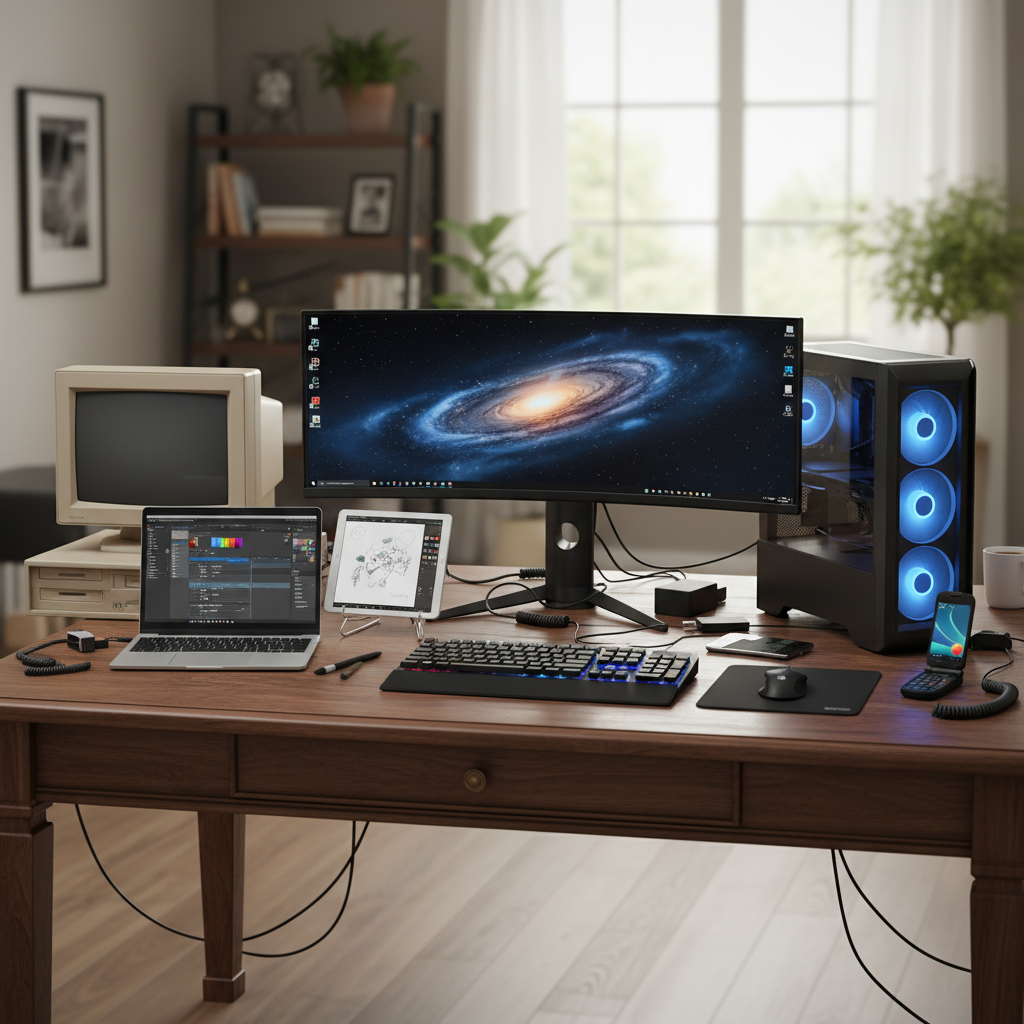
1. Desktop Computers: The Home Base Heroes
Imagine your desk at home where you do your homework or draw. A desktop computer is like that desk – it stays in one place. It usually has a big screen (monitor), a separate keyboard for typing, a mouse for clicking, and a 'box' called a tower or CPU unit that holds all the important parts, like the computer's 'brain' and 'memory'.
- Analogy: Think of a desktop computer as your 'home base' or a powerful library desk. It's strong and steady, designed to be used in one spot for tasks that need a lot of power or a big screen, like playing advanced games, editing videos, or doing complex school projects.
- Key Features: Powerful, larger screen options, easy to upgrade parts, not portable.
- Where you see them: Schools, offices, homes.
2. Laptop Computers: The Portable Powerhouses
What if you want to take your 'home base' with you? That's where laptop computers come in! Laptops are like a desktop computer folded into a compact, portable package. They have a screen, keyboard, and a pointing device (often a touchpad) all built into one unit. They also have a battery, so you can use them without plugging them in for a few hours.
- Analogy: A laptop is like a magical notebook or a portable toolbox. You can open it up and work almost anywhere – on the couch, at a friend's house, or even in a park! They're great for students, travelers, or anyone who needs to move their computer around.
- Key Features: Portable, all-in-one design, battery powered, less powerful than high-end desktops but very capable.
- Where you see them: Classrooms, coffee shops, airports, homes.
3. Tablet Computers: The Touchscreen Wizards
Have you ever seen a screen that you just touch with your finger to make things happen? That's the magic of a tablet computer! Tablets are flat, rectangular devices that are even thinner and lighter than laptops. They mostly use a touchscreen for input, meaning you tap, swipe, and pinch with your fingers instead of a mouse and keyboard (though you can often add them).
- Analogy: Imagine a digital clipboard or a giant smartphone that doesn't usually make phone calls. They're perfect for reading e-books, watching movies, drawing, or quick internet browsing because they're so easy to hold and use.
- Key Features: Highly portable, touchscreen primary input, great for media consumption and light tasks.
- Where you see them: Homes, schools, airplanes, doctors' offices.
4. Smartphones: The Mini-Computers in Your Pocket
This is probably the computer you know best! A smartphone is a super small, handheld computer that fits right in your pocket. Yes, it's also a phone, but it does so much more! It has a powerful processor, a camera, internet access, and thousands of apps that let you do everything from playing games to video calling friends to tracking your steps.
- Analogy: Think of a smartphone as a Swiss Army knife – it's small but has tools for almost everything! It's your communication center, your tiny entertainment system, and your quick information finder, all in one.
- Key Features: Extremely portable, touchscreen, primary communication device, huge app ecosystem, camera.
- Where you see them: Everywhere! In everyone's hands and pockets.
5. Servers: The Super Storage Squad
These computers are often hidden away, but they do some of the most important work! A server is a powerful computer designed to store, manage, and provide data and services to other computers (like your desktop, laptop, or smartphone) over a network, like the internet. When you visit a website or save a photo to the cloud, you're interacting with a server!
- Analogy: Imagine a server as a giant library or a huge post office. It holds tons of books (information) or millions of letters (data) and delivers them to anyone who asks for them. Your computer is like a person asking the librarian for a book!
- Key Features: Very powerful, designed for continuous operation, stores vast amounts of data, no direct user interaction usually.
- Where you see them: Data centers, large offices, hidden behind the scenes of every website and online service.
Other Cool Computers!
- Wearable Computers: These are tiny computers you wear, like smartwatches or fitness trackers. They keep an eye on your health and tell you the time.
- Embedded Computers: These are 'hidden' computers inside other machines. Your car has many, your washing machine has one, and even some smart toasters have tiny computers helping them work! They're like the secret brains of everyday objects.
Conclusion
So, from the big, stationary desktop to the tiny, pocket-sized smartphone, and the powerful, hidden server, computers come in all shapes and sizes, each ready to help us in different ways. Understanding these different types helps us choose the right 'tool' for the job, making our digital lives easier and more fun!
Keep learning, free
Create a free Syllabax account to unlock practice questions and games for this topic.
Visual Learning Enhanced! 🚀
To help you master this topic, we use Advanced Syllabax AI to generate detailed diagrams and visual models.
Note on Visuals: The AI sometimes makes spelling errors in image labels. Please refer to the lesson text for the correct terminology.