Computers at Home
Watch this topic in 60 seconds
Free preview · Lesson 1
Understanding Computers at Home
Welcome to the Wonderful World of Computers at Home!
Hello, young explorers! Have you ever wondered about those amazing machines we see at home that help us do so many cool things? They are called computers! Think of a computer like a super smart helper that can do many different jobs for you.
Imagine you have a toy box with lots of different toys – some for building, some for drawing, some for playing music. A computer is kind of like that toy box, but instead of physical toys, it has special tools inside that let you draw, write, watch movies, play games, and even talk to grandma who lives far away!
What is a Computer?
At its heart, a computer is a machine that follows instructions. It's like a very obedient pet that does exactly what you tell it to do. If you tell it to show you a picture of a dinosaur, poof! There's a dinosaur. If you tell it to play your favorite song, ta-da! Music starts playing. It's truly amazing!
We use computers to help us learn, play, and connect with people. They make many things easier and more fun!
Different Kinds of Computers You Might See at Home
Just like there are different kinds of cars – big ones, small ones, fast ones – there are also different kinds of computers. Let's look at some you might find in your house!
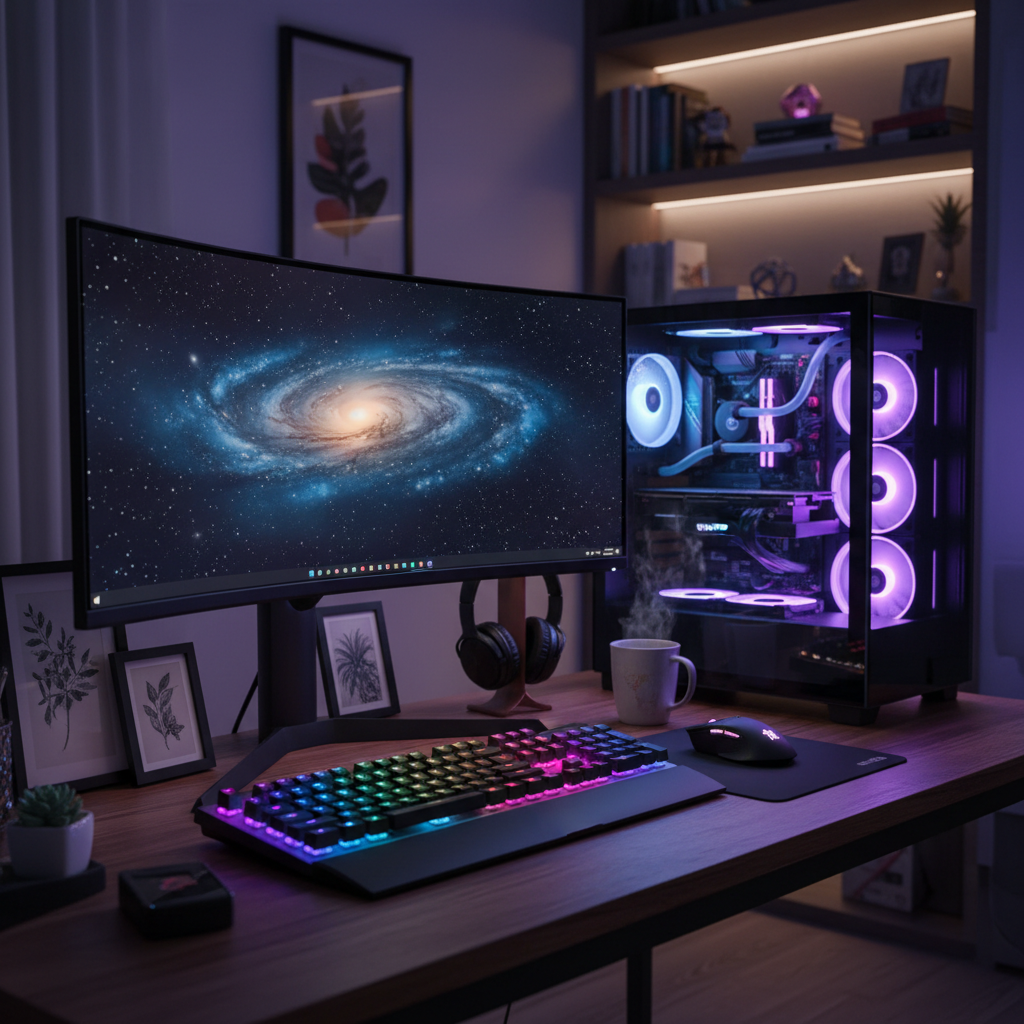
1. Desktop Computers
Imagine a special desk where you do all your homework and drawing. A desktop computer is like that desk, but it has all its parts spread out. You usually see a big screen (called a monitor), a flat board with letters and numbers (a keyboard), a little 'mouse' that you push around, and a box that sits somewhere nearby (this is the main 'brain' of the computer, often called the tower).
Think of it like a train set that stays in one place. You can build amazing things, but you don't pick up the whole track and carry it around. Desktop computers are usually very powerful and great for doing lots of work or playing big games.
2. Laptop Computers
Now, imagine a magical book that you can open up, and it has a screen on one side and a keyboard on the other! That's a laptop computer. Laptops are special because you can fold them shut and carry them with you wherever you go. They have all the parts of a desktop computer – the screen, keyboard, mouse (it's often a flat pad you touch), and brain – all packed into one portable shell.
Laptops are like your favorite backpack – you can take them to school, to a friend's house, or even on vacation! They let you do your computer work and play almost anywhere.
3. Tablet Computers
Have you ever played with a super-duper flat screen that you can touch with your fingers to make things happen? That's a tablet computer! Tablets are usually smaller than laptops and don't always have a physical keyboard or mouse. Instead, you use your fingers to tap, swipe, and draw directly on the screen.
Think of a tablet like a magic drawing pad or a giant smartphone. They are fantastic for watching videos, reading stories, playing touch-screen games, and doing quick learning activities.
4. Smartphones
Wait, is your mom or dad's phone a computer too? Yes, it is! A smartphone is like a tiny, super-smart computer that fits right in your pocket. It has a screen you touch, a camera, and it can do many things that bigger computers can do, like making calls, sending messages, playing games, and watching videos.
Smartphones are like your best friend who's always with you, ready to help you find information or connect with someone.
What Do We Do With Computers at Home?
Computers are like super multi-talented robots that can help us with so many tasks! Here are some of the popular ways families use computers at home:
- Learning & Homework: You can use computers to do your school projects, find information for reports (like learning about dinosaurs!), read interactive stories, or practice your math skills with fun games.
- Talking to Family & Friends: With a computer, you can make video calls to see and talk to grandparents, aunts, uncles, or cousins who live far away. It's like they're right there in your room!
- Watching Movies & Shows: Instead of a TV, you can watch your favorite cartoons, movies, or educational shows on a computer screen.
- Listening to Music: Computers can play all your favorite songs, turning your room into a dance party!
- Playing Games: From building virtual worlds to solving puzzles, computers offer tons of fun games for all ages.
 ⚠️ This picture may have spelling mistakes. Trust the words in the lesson.
Important Parts of a Computer
Most computers, especially desktops and laptops, have some common parts that help them work:
- Screen (Monitor): This is like the computer's face or a window. It shows you all the pictures, words, and videos. Without a screen, you wouldn't be able to see what the computer is doing!
- Keyboard: This is a flat board with many buttons (keys) that have letters, numbers, and symbols on them. When you want to type a story, send a message, or search for something, you use the keyboard. It's like a super-fast pen!
- Mouse: This is a small device you move with your hand on your desk. It has buttons you click. Moving the mouse makes a little arrow (called a cursor) move on the screen. The mouse helps you point to things and choose what you want the computer to do, almost like a magic finger pointer! (On laptops, there's often a 'touchpad' that does the same job).
- Speakers: These are the computer's 'mouth.' They make sounds so you can hear music, game noises, or people talking during a video call.
- Camera: Some computers have a little 'eye' called a camera. It lets you take pictures or make video calls so people can see you!
Being Safe with Computers
Computers are awesome, but it's important to use them safely, just like you would with any other tool:
- Always ask a grown-up: Before you start using a computer, always ask your parents or another trusted adult for permission.
- Don't share private things: Never tell anyone online your name, address, phone number, or school name without asking a grown-up first.
- Take breaks: It's good to rest your eyes and move your body. Don't spend too much time on the computer without taking a break!
Conclusion
Wow, we've learned so much about computers today! From big desktop computers to tiny smartphones, these amazing machines are all around us, helping us learn, play, and connect. They are truly incredible tools that make our lives easier and more fun. So next time you see a computer, remember all the wonderful things it can do!
Keep learning, free
Create a free Syllabax account to unlock practice questions and games for this topic.
Visual Learning Enhanced! 🚀
To help you master this topic, we use Advanced Syllabax AI to generate detailed diagrams and visual models.
Note on Visuals: The AI sometimes makes spelling errors in image labels. Please refer to the lesson text for the correct terminology.