Loops and Iteration
Watch this topic in 60 seconds
Free preview · Lesson 1
Understanding Loops and Iteration
Loops and Iteration: Doing Things Over and Over (The Smart Way!)
Welcome, future coders and problem-solvers! Today, we're going to dive into one of the most powerful and fundamental concepts in computer programming: Loops and Iteration. Imagine a world where you have to tell a computer to do the exact same thing 100 times, by writing out the instruction 100 separate times. Sounds tedious, right? And what if you suddenly needed it to do it 101 times? You'd have to go back and add another instruction! This is where loops come to the rescue, making our lives (and our code) much, much easier.
What is a Loop? The Repetition Machine!
At its heart, a loop is simply a way for a computer program to repeat a block of code multiple times. Think of it like a broken record player that keeps playing the same song over and over, or a manufacturing machine on an assembly line that performs the same action on each item that passes by. Instead of writing the same lines of code again and again, we tell the computer: "Do THIS set of instructions X number of times," or "Do THIS set of instructions UNTIL Y happens."
Why Do We Need Loops? Imagine This...
Let's say your teacher asks you to write a program that prints your name 5 times. Without loops, you'd write:
print("Your Name")
print("Your Name")
print("Your Name")
print("Your Name")
print("Your Name")
Not too bad for 5 times. But what if your teacher changed their mind and said, "Actually, print your name 100 times!"? You'd be copying and pasting all day! This is exactly the kind of repetitive, tedious task that computers are terrible at doing manually but brilliant at automating with loops.
Analogy: The Chore Chart
Imagine your daily chore list: "Brush Teeth," "Make Bed," "Eat Breakfast." You do these things every single morning. A loop is like your brain saying, "Okay, it's morning, time to repeat the 'morning routine' set of tasks." You don't consciously tell yourself to brush your teeth, then separately to make your bed, then separately to eat breakfast every single day as if it's the first time. You just execute the routine.
Iteration: One Pass Through the Loop
When a loop runs, each time it goes through the block of code once, that's called an iteration. If a loop runs 5 times, it has performed 5 iterations. Think of it like taking a single step on a long journey – each step is an iteration, and the loop continues until the journey (the condition) is complete.
Two Main Types of Loops: Knowing When to Stop
While there are various ways to implement loops in different programming languages, they generally fall into two main categories based on how they decide when to stop:
1. For Loops: When You Know How Many Times to Repeat
A for loop is used when you know, or can easily determine, exactly how many times you want the loop to run. It's often used for counting or processing a fixed number of items.
Analogy: Following a Recipe
Think about baking cookies. A recipe might say, "Mix for 3 minutes," or "Add 12 chocolate chips to each cookie." You know exactly how many minutes to mix or how many chips to add. You have a predefined count. A for loop is like telling the computer: "For each minute from 1 to 3, mix the dough." Or, "For each of the 12 chocolate chips, add one to the cookie."
In programming, a for loop often uses a counter variable. This variable starts at a certain number, increments (or decrements) with each iteration, and the loop stops when the counter reaches a specified limit.
Conceptual Example: Counting to 5
FOR number FROM 1 TO 5:
    PRINT "The current number is: " + number
END FOR
This would print: "The current number is: 1", then "The current number is: 2", and so on, up to 5.
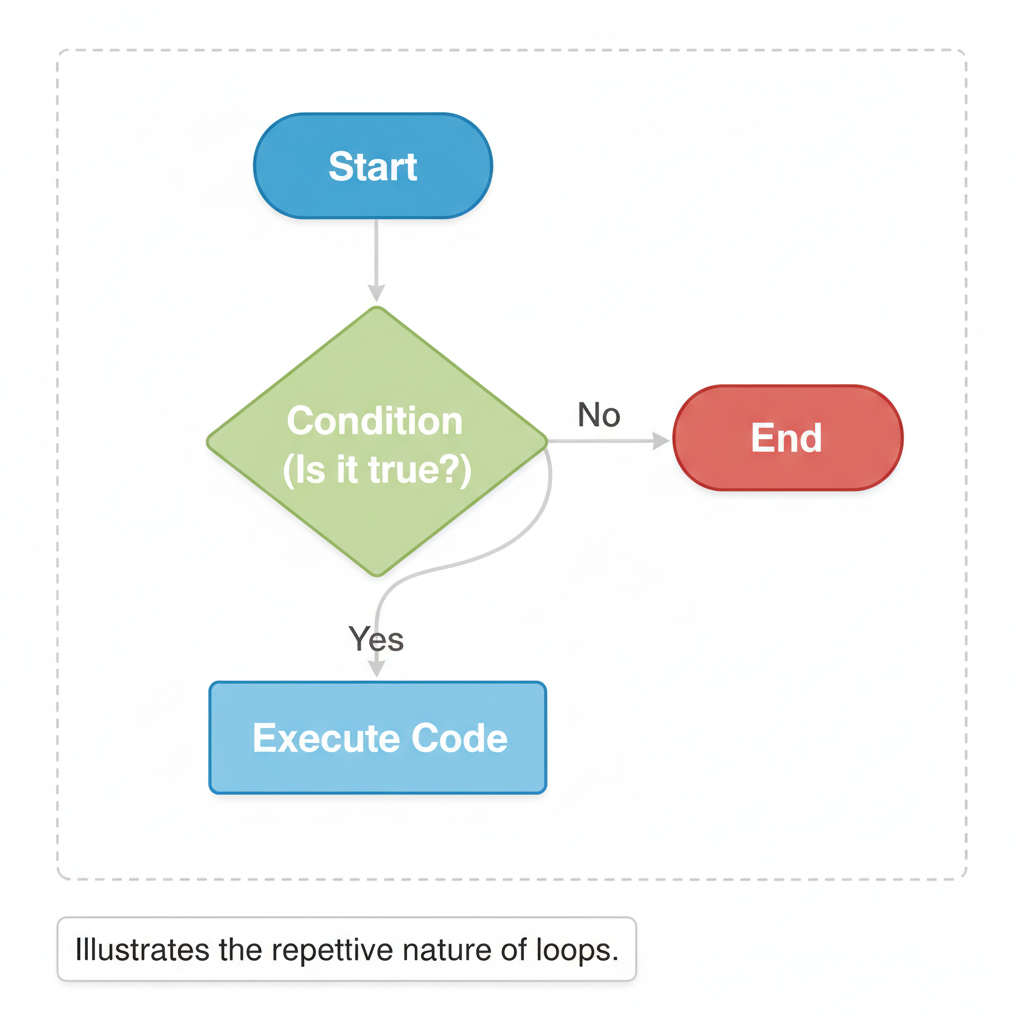 ⚠️ This picture may have spelling mistakes. Trust the words in the lesson.
2. While Loops: Repeating Until a Condition is Met
A while loop is used when you don't necessarily know in advance how many times the loop needs to run. Instead, it keeps repeating a block of code as long as a certain condition remains true. The loop stops only when that condition becomes false.
Analogy: Filling a Glass of Water
Imagine filling a glass of water. You don't say, "Fill for 5 seconds." Instead, you say, "Keep pouring water UNTIL the glass is full." You don't know exactly how many seconds that will take; you just know the stopping condition (the glass being full). Once the glass is full, you stop pouring.
In a while loop, the program checks a condition at the beginning of each iteration. If the condition is true, the code inside the loop runs. If it's false, the loop stops, and the program moves on to the next instructions after the loop.
Conceptual Example: Waiting for a Correct Password
password_entered = ""
WHILE password_entered IS NOT EQUAL TO "secret123":
    ASK USER FOR "Enter the password:"
    STORE input IN password_entered
END WHILE
PRINT "Access Granted!"
This loop will keep asking for the password until the user types "secret123". It doesn't know in advance how many attempts it will take.
Important Concept: Infinite Loops (The Runaway Train!)
An infinite loop is a special (and usually undesirable) kind of loop that never stops. This happens when the condition that is supposed to make the loop stop never becomes false. For example, if you forgot to add more water to your glass but kept checking if it was full, the condition "glass not full" would always be true, and you'd be stuck trying to pour water forever!
Infinite loops can freeze your program or even your entire computer. They are a common mistake for beginners, especially with while loops. Always make sure there's a way for your loop's condition to eventually become false!
Bringing It All Together
Loops are incredibly powerful tools that allow programs to perform complex tasks by repeating simple ones. They save programmers immense amounts of time and effort, make code more compact and readable, and enable programs to handle varying amounts of data without needing constant modification. Understanding for loops for known repetitions and while loops for condition-based repetitions is a cornerstone of learning to code. Keep practicing, and you'll master the art of automated repetition in no time!
Keep learning, free
Create a free Syllabax account to unlock practice questions and games for this topic.
Visual Learning Enhanced! 🚀
To help you master this topic, we use Advanced Syllabax AI to generate detailed diagrams and visual models.
Note on Visuals: The AI sometimes makes spelling errors in image labels. Please refer to the lesson text for the correct terminology.