Finding Mistakes: Debugging
Watch this topic in 60 seconds
Free preview · Lesson 1
Understanding Finding Mistakes: Debugging
Finding Mistakes: Debugging Fun!
Hello, young problem-solvers! Have you ever built a tall tower with blocks and suddenly, WHOOSH, it tumbles down? Or maybe you were trying to draw a cat, but its ears ended up on its belly? Don't worry, everyone makes mistakes! And guess what? Finding and fixing those mistakes has a special name: it's called Debugging!
What is Debugging? It's Like Being a Detective!
Imagine you're a super detective, and there's a mystery to solve. The mystery is: "Why isn't this working the way it should?" Debugging is just like that! It means looking very carefully to find a hidden problem (we call it a "bug") and then fixing it so everything works perfectly again.
Think of a computer program, a robot, or even a recipe for cookies. If something goes wrong, like the robot won't move, or the cookies taste salty instead of sweet, there's a bug! Debugging is how we find that bug and make it right.
Analogy 1: The Jigsaw Puzzle Problem
Imagine you're putting together a big jigsaw puzzle. You're almost done, but two pieces just won't fit together, no matter how hard you try! Those two pieces are your "bug." What do you do? You don't give up! You look closely at the shape of the pieces, you look at the picture on the box, and you try different spots until you find where they *really* belong. That's debugging!
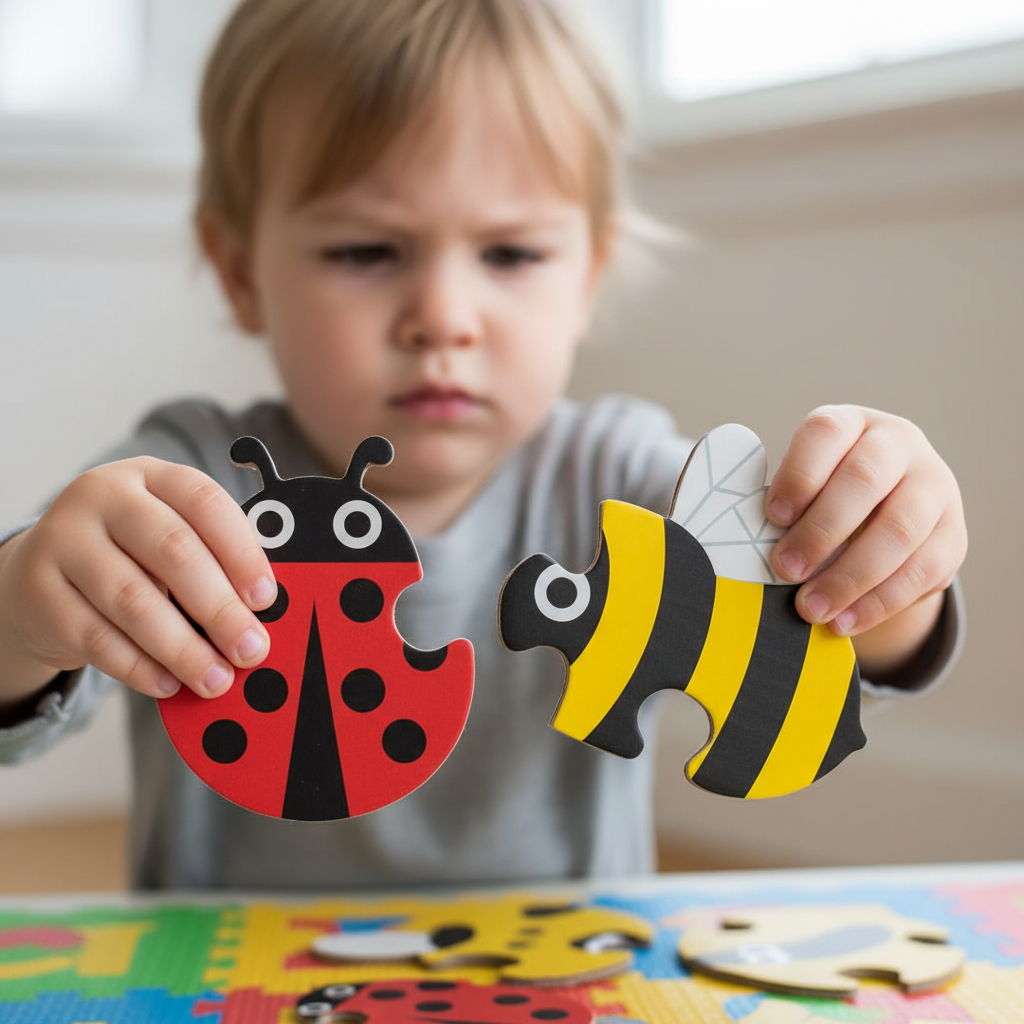 ⚠️ This picture may have spelling mistakes. Trust the words in the lesson.Why is Debugging Important?
Debugging is super important because it helps us make things work! If we didn't debug, our computer games might freeze, our robots might crash, and our favorite apps wouldn't open. It helps us learn from our mistakes and make things better next time.
How Do We Debug? Let's Follow the Clues!
Debugging has a few simple steps, just like following a treasure map:
Step 1: Notice the Problem (The "Something's Wrong" Feeling)
- This is when you realize something isn't working the way it should.
- Example: You pressed the button on your toy car, but it didn't move!
- Detective Clue: "Hmmm, this isn't right!"
Step 2: Understand What SHOULD Happen (The "Perfect Plan")
- Think about what was supposed to happen. What was your goal?
- Example: My toy car *should* drive forward when I press the button.
- Detective Clue: "What was the mission?"
Step 3: Look for Clues (The "Where's the Bug?" Hunt)
- Now, you start looking for *why* it's not working. Think of all the parts that need to be correct.
- Example: For the toy car, maybe the batteries are dead? Is the power switch "ON"? Are the wheels stuck?
- Detective Clue: "Time to search for suspects!"
Step 4: Try ONE Thing at a Time (The "Test and See" Method)
- This is a very important step! If you change too many things at once, you won't know which change fixed the problem (or caused a new one!).
- Example: First, check if the power switch is ON. If it is, then try replacing the batteries. Don't do both at the same time!
- Detective Clue: "One suspect at a time, please!"
Step 5: Fix the Mistake (The "Aha! Moment")
- Once you find the bug, you fix it!
- Example: You found the batteries were dead, so you put in new ones.
- Detective Clue: "Gotcha! Case closed!"
Step 6: Try Again! (The "Did It Work?" Check)
- After you think you've fixed the bug, always test it to make sure it's really solved!
- Example: You press the button on your toy car, and it zooms across the floor! Success!
- Detective Clue: "Mission accomplished!"
 ⚠️ This picture may have spelling mistakes. Trust the words in the lesson.Debugging Takes Practice and Patience!
Debugging might feel a little tricky at first, just like learning to ride a bike. Sometimes the bug is easy to find, and sometimes it hides very well! But with practice, you'll become a super debug detective. Remember to be patient, don't give up, and always think step-by-step.
Every time you find and fix a mistake, you're becoming a better problem-solver. Keep exploring, keep trying, and happy debugging!
Keep learning, free
Create a free Syllabax account to unlock practice questions and games for this topic.
Visual Learning Enhanced! 🚀
To help you master this topic, we use Advanced Syllabax AI to generate detailed diagrams and visual models.
Note on Visuals: The AI sometimes makes spelling errors in image labels. Please refer to the lesson text for the correct terminology.