Fractions on number line (Fractions)
Watch this topic in 60 seconds
Free preview · Lesson 1
Understanding Fractions on number line (Fractions)
Fractions on a Number Line: A Fun Journey!
Imagine you have a delicious pizza, but you want to share it with your friends. You can't just give everyone a whole pizza, right? You have to cut it into pieces! Fractions are like those pieces. They help us talk about parts of a whole thing.
What is a Fraction?
A fraction has two important numbers:
- The Top Number (Numerator): This tells us how many pieces we have. Think of it as the number of pizza slices you're holding.
- The Bottom Number (Denominator): This tells us how many equal pieces the whole thing was cut into. Think of it as the total number of slices the pizza was cut into before anyone took any.
We write a fraction like this:
For example, if a pizza is cut into 4 equal slices and you have 1 slice, you have
Number Lines: A Road for Numbers!
A number line is like a long road where numbers live. It usually starts at 0 and goes on and on, with numbers spaced out equally. We use tick marks to show where each number is.
Normally, a number line shows whole numbers: 0, 1, 2, 3, and so on. But what if we want to show fractions on this road?
Fractions on the Number Line: Marking the Spots!
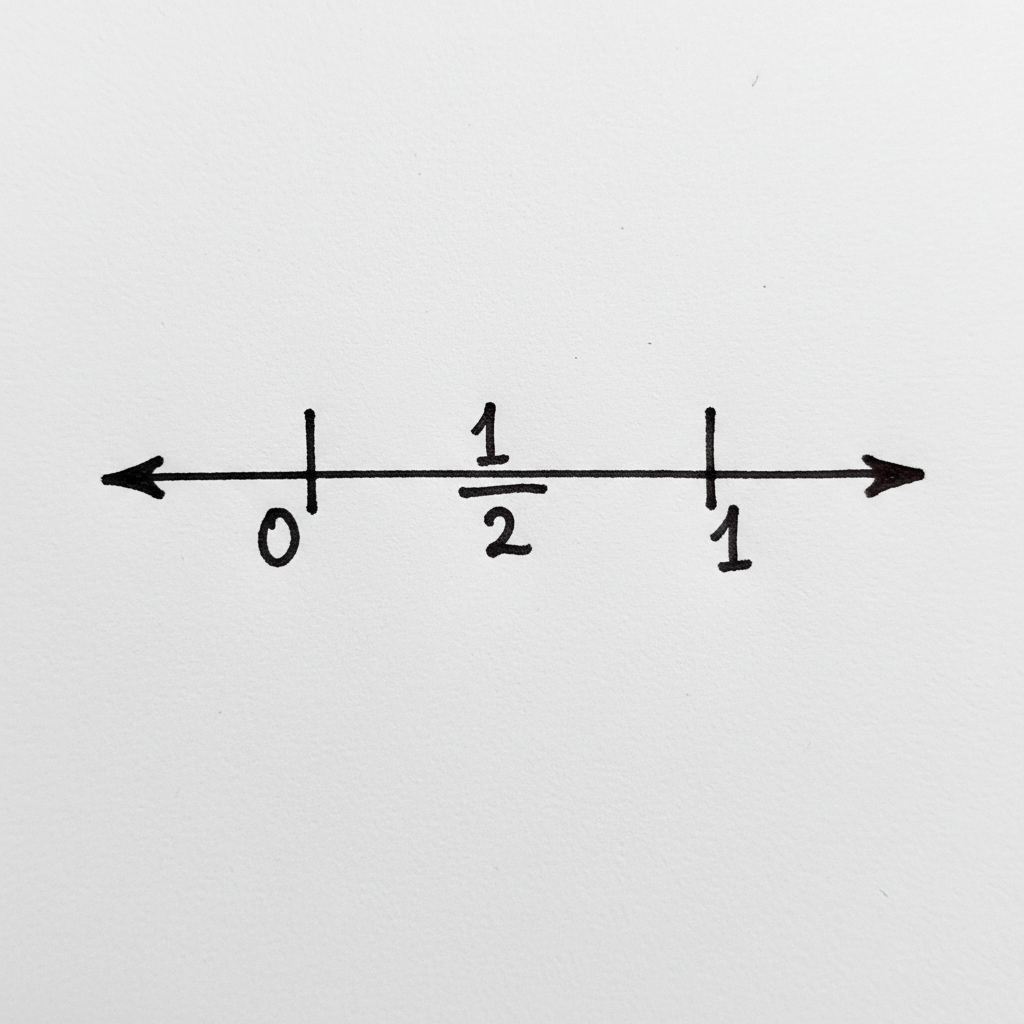
This is where it gets exciting! We can use the number line to show where fractions live. Think of the space between two whole numbers, like between 0 and 1, as a whole pizza that we can cut into slices!
Cutting the Pie (or the Number Line!)
Let's say we want to show the fraction
So, between 0 and 1, we make one mark exactly in the middle. That middle mark represents
More Cuts! Showing Thirds and Fourths
What about
And for
Notice that
Fractions Beyond 1: Big Bites!
Fractions can also be bigger than 1! Think about having more than one whole pizza. If you have one whole pizza and half of another pizza, you have
On a number line, this means we go past the '1'. To show
Key Ideas to Remember:
- The denominator tells you how many equal parts to divide the space between whole numbers into.
- The numerator tells you how many of those parts to count, starting from 0.
- The space between 0 and 1 is usually divided to show fractions less than 1.
- The space between 1 and 2 is used for fractions like
- Fractions with the same value can look different (like
Fractions on a number line help us see how much of something we have in a very clear way, just like seeing all the slices of pizza laid out on your plate!
Keep learning, free
Create a free Syllabax account to unlock practice questions and games for this topic.
Visual Learning Enhanced! 🚀
To help you master this topic, we use Advanced Syllabax AI to generate detailed diagrams and visual models.
Note on Visuals: The AI sometimes makes spelling errors in image labels. Please refer to the lesson text for the correct terminology.