Learning Journey
Watch this topic in 60 seconds
Free preview · Lesson 1
Understanding Digital Citizenship & Safety
Digital Citizenship & Safety: Navigating the Online World Safely and Responsibly (Grade 6)
Welcome, future digital citizens! Just like you learn rules for being a good person in your school or neighborhood, there are important rules and ideas for being a good and safe person when you go online. This is what we call Digital Citizenship. Think of it like learning how to cross the street safely or how to share toys fairly; it’s all about being smart, kind, and responsible in the amazing world of the internet!
The internet is like a giant, magical city. You can explore, learn, play, and connect with friends and family. But just like any big city, you need to know how to stay safe, be respectful, and make smart choices. That's exactly what we're going to learn about today!
Part 1: Staying Safe Online – Your Digital Shield!
Your safety online is super important. It’s like wearing a helmet when you ride your bike or looking both ways before you cross the street. Here’s how you can protect yourself:
1. Guard Your Personal Information Like a Secret Treasure
What is personal information? It’s anything that can identify you or where you live. This includes your full name, your home address, your phone number, your school name, your email address, your age, and even photos that show where you are or who you are with.
Why is it important to keep it private? Imagine your personal information is like the keys to your house or your most secret diary. You wouldn't hand those out to just anyone you meet on the street, right? The same goes for online! Sharing too much information can make it easy for strangers to find you, know where you live, or even pretend to be you. It’s best to keep this information to yourself, your parents/guardians, or other trusted adults.
Analogy: Think of your personal information as your superhero secret identity. You wouldn't tell everyone your secret identity because it keeps you safe!
2. Create Super Strong Passwords – Your Digital Lock!
Passwords are like the locks on your digital doors (your accounts). A weak password is like having a flimsy lock that anyone can pick. A strong password is like a super-strong, uncrackable vault door!
- How to make a strong password:
- Use a mix of uppercase letters (A, B, C), lowercase letters (a, b, c), numbers (1, 2, 3), and symbols (!, @, #, $).
- Make it long – at least 8-12 characters is a good start, but longer is even better.
- Don't use easy-to-guess things like your birthday, your name, or “password123”.
- Don't use the same password for all your accounts.
Analogy: Imagine you have a treasure chest. A weak password is like using “key” as the password. A strong password is like a complicated riddle only you know the answer to!
3. Be Wary of Strangers Online – Just Like in Real Life!
You’ve probably learned not to talk to strangers you don't know in real life. The same rule applies online. Not everyone online is who they say they are. Someone might pretend to be a kid your age but actually be an adult with bad intentions.
- Never agree to meet up with someone you only know online.
- Never share personal information with someone you don't know well and trust in real life.
- If someone online makes you feel uncomfortable, asks strange questions, or asks for personal information, tell a trusted adult immediately.
Analogy: Meeting someone online for the first time is like meeting someone new in a costume at a party. You don't really know who they are until they take the mask off, and sometimes they never do!
4. Use Privacy Settings – Close Your Digital Curtains!
Many websites, apps, and games have 'privacy settings'. These settings let you decide who can see your profile, your posts, and your information. Always check these settings with a parent or guardian to make sure they are set to the highest level of privacy.
Analogy: Privacy settings are like the curtains on your bedroom window. You can choose to keep them open for everyone to see in, or close them tight for your own privacy. It’s always safer to keep them mostly closed online!
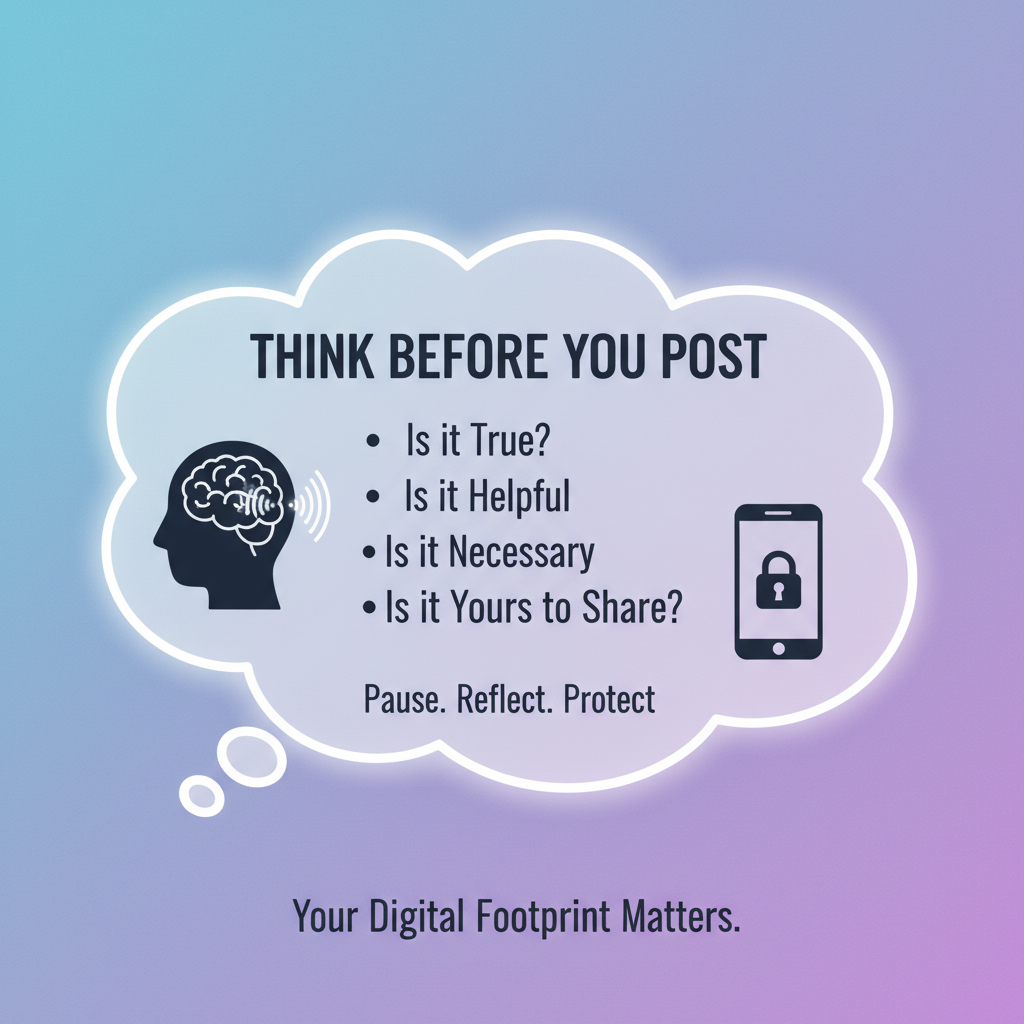
5. Think Before You Click or Share – Once It's Out, It's Out!
Before you post a picture, write a comment, or click on a link, STOP and THINK. Ask yourself:
- Is this kind?
- Is this safe?
- Is this true?
- Is this helpful?
- Is this something I want everyone (including my teachers, future employers, or even my grandparents) to see years from now?
Once something is online, it’s very hard, sometimes impossible, to take it back. It can spread quickly and stay there forever.
Analogy: Posting something online is like squeezing toothpaste out of a tube. Once it's out, it's really hard to put it back in!
Part 2: Being a Good Digital Citizen – Show Your Online Manners!
Being safe is just one part. Being a good, respectful person online is also super important!
1. Practice Netiquette – Good Manners for the Internet!
Just like you say 'please' and 'thank you' in real life, there are ways to be polite online. This is called 'netiquette'.
- Be kind: Don't type things you wouldn't say to someone's face.
- Be respectful: Different people have different opinions. It’s okay to disagree, but do it respectfully.
- Use appropriate language: Avoid bad words or slang that might be offensive.
- Don't type in ALL CAPS: It can come across as shouting!
Analogy: Netiquette is like the golden rule for the internet: Treat others online the way you want to be treated in real life!
2. Stand Up to Cyberbullying – Be a Hero!
What is cyberbullying? It’s when someone uses the internet, cell phones, or other digital devices to repeatedly hurt, embarrass, or threaten another person. This can be through mean messages, spreading rumors, sharing embarrassing photos, or excluding someone from online groups.
What to do if you see or experience it:
- Don't respond: Engaging with a cyberbully often makes it worse.
- Block them: Most platforms allow you to block users who are bothering you.
- Save the evidence: Take screenshots or save messages.
- Tell a trusted adult: This is the most important step! Your parents, teachers, or another trusted adult can help you. You are never alone.
Analogy: Cyberbullying is like a bully in the schoolyard, but instead of physical pushes, they use words and images online. Just like in real life, you need to tell an adult when a bully is bothering someone.
3. Respect Copyright & Give Credit – It's Not Yours to Take!
Many things you see online – pictures, videos, music, articles – are created by other people. These creators own the 'copyright' to their work, meaning they have the right to decide how it's used. Just like you wouldn't take someone's artwork from their desk without asking, you shouldn't use someone else's digital creations without permission or giving them credit.
If you use information or images from a website for a school project, always mention where you found it. This is called 'citing your sources' or 'giving credit'.
Analogy: Using someone else's online content without giving credit is like borrowing your friend's favorite book and pretending you wrote it yourself. It's not fair!
Part 3: Your Digital Footprint – The Trail You Leave Behind!
Every time you go online, you leave a trail – like footprints in the sand. This is called your Digital Footprint. It includes everything you post, every picture you upload, every comment you make, and even websites you visit.
- Your digital footprint starts the first time you go online and grows every day.
- It can be seen by many people, not just your friends.
- It can stay online for a very long time, possibly forever.
Why is it important? Your digital footprint can affect how people see you now and in the future. For example, when you apply for high school, college, or a job years from now, people might look at your digital footprint. A positive footprint shows you are responsible and kind, while a negative one can cause problems.
Analogy: Your digital footprint is like a shadow that follows you wherever you go online. Make sure it's a good shadow!
Conclusion: Be a SUPER Digital Citizen!
The internet is an amazing place, and by following these simple rules, you can make it a safer and more positive experience for yourself and everyone else. Remember to always be:
- Safe: Protect your personal information and use strong passwords.
- Kind: Treat others with respect and stand up against bullying.
- Responsible: Think before you post and respect others' work.
You have the power to be a fantastic digital citizen! Stay smart, stay safe, and enjoy the wonders of the online world!
Keep learning, free
Create a free Syllabax account to unlock practice questions and games for this topic.
Visual Learning Enhanced! 🚀
To help you master this topic, we use Advanced Syllabax AI to generate detailed diagrams and visual models.
Note on Visuals: The AI sometimes makes spelling errors in image labels. Please refer to the lesson text for the correct terminology.