Introduction to Computer Programming
Watch this topic in 60 seconds
Free preview · Lesson 1
Understanding Introduction to Computer Programming
Introduction to Computer Programming: Talking to Computers!
Have you ever played a video game, used an app on a phone, or watched an animated movie? All of these amazing things exist because of computer programming! Think of a computer as a very powerful, but also very obedient, friend. It can do incredible things, but it doesn't know what to do unless you tell it, step-by-step, exactly what you want.
What is Computer Programming?
At its heart, computer programming is simply the act of giving a computer a set of instructions to follow. These instructions are like a recipe for a computer. Just as a chef follows a recipe to bake a cake, a computer follows programming instructions to run a game, display a webpage, or solve a math problem. When you "program" a computer, you are essentially speaking its language and telling it how to perform a task.
Analogy Time! Recipes and Robots
- Think about a recipe: A recipe tells you to add flour, then eggs, then mix, then bake. If you skip a step or do them in the wrong order, your cake might not turn out right! Computers are the same; they need precise, ordered instructions.
- Imagine you have a robot: This robot is super strong and fast, but it only understands very specific commands. If you want it to make your bed, you can't just say, "Make my bed." You'd have to say: "Robot, walk to the bed. Robot, pick up the blanket. Robot, pull the blanket over the pillow..." You get the idea! Programming is just like giving those detailed instructions to a computer.
Why Learn to Program?
Learning to program isn't just about becoming a computer scientist (though that's a cool path!). It teaches you:
- Problem-Solving: You learn to break down big challenges into smaller, manageable steps.
- Creativity: You can create your own games, stories, and tools.
- Logical Thinking: You develop a clear way of thinking about how things work.
- Future Skills: Technology is everywhere, and understanding how it works is a powerful skill for almost any job in the future.
Core Concepts in Programming: Your Toolkit!
1. Algorithms: The Step-by-Step Plan
Before you even start writing code, you need a plan! An algorithm is a set of step-by-step instructions for solving a problem or completing a task. It's like the blueprint for your program.
Analogy: How do you tie your shoes? You start by crossing the laces, then making loops, then tying the knot. That sequence of steps is an algorithm! For a computer, an algorithm might be: "Take two numbers, add them together, then show the result."
2. Syntax: The Rules of the Language
Just like English has grammar rules (e.g., sentences start with a capital letter and end with a period), programming languages have their own rules called syntax. If you don't follow the syntax rules, the computer won't understand what you're trying to say, and your program won't run.
Analogy: Imagine trying to talk to someone in English, but you put all the words in the wrong order. They wouldn't understand you! Computers are even pickier than humans when it comes to following the rules of their language.
3. Variables: Storing Information
In programming, you often need to store pieces of information, like numbers, names, or true/false statements. A variable is like a labeled box or a container in your computer's memory that holds a specific piece of data. You give it a name, and you can put different things inside it at different times.
Analogy: Think of a variable named `score`. You can put the number `0` in it when the game starts. When a player earns points, you can change the number in the `score` box to `10`, then `20`, and so on. The box is always named `score`, but what's inside can change.
4. Data Types: Kinds of Information
Just as ingredients come in different forms (a solid apple, liquid water, granular sugar), data in programming also comes in different types. Common data types include:
- Numbers: Like `5`, `100`, or `3.14` (for calculations).
- Text (Strings): Like "Hello, World!" or "Player Name" (for words and sentences).
- Booleans: Just `True` or `False` (for making decisions).
Analogy: If you tell a robot to "add 5 to 3," it knows you mean numbers. But if you tell it to "add 'apple' to 'banana'," it might get confused, because those are text, not numbers you can add mathematically! Knowing data types helps the computer understand what it can do with the information.
5. Sequencing: The Order Matters!
Computers follow instructions one after another, in the exact order you give them. This is called sequencing. If you mix up the order, the outcome will likely be wrong.
Analogy: Imagine getting ready for school. You wouldn't put on your shoes before your socks, or eat breakfast after you leave the house! The sequence of your morning routine is important. Programming works the same way.
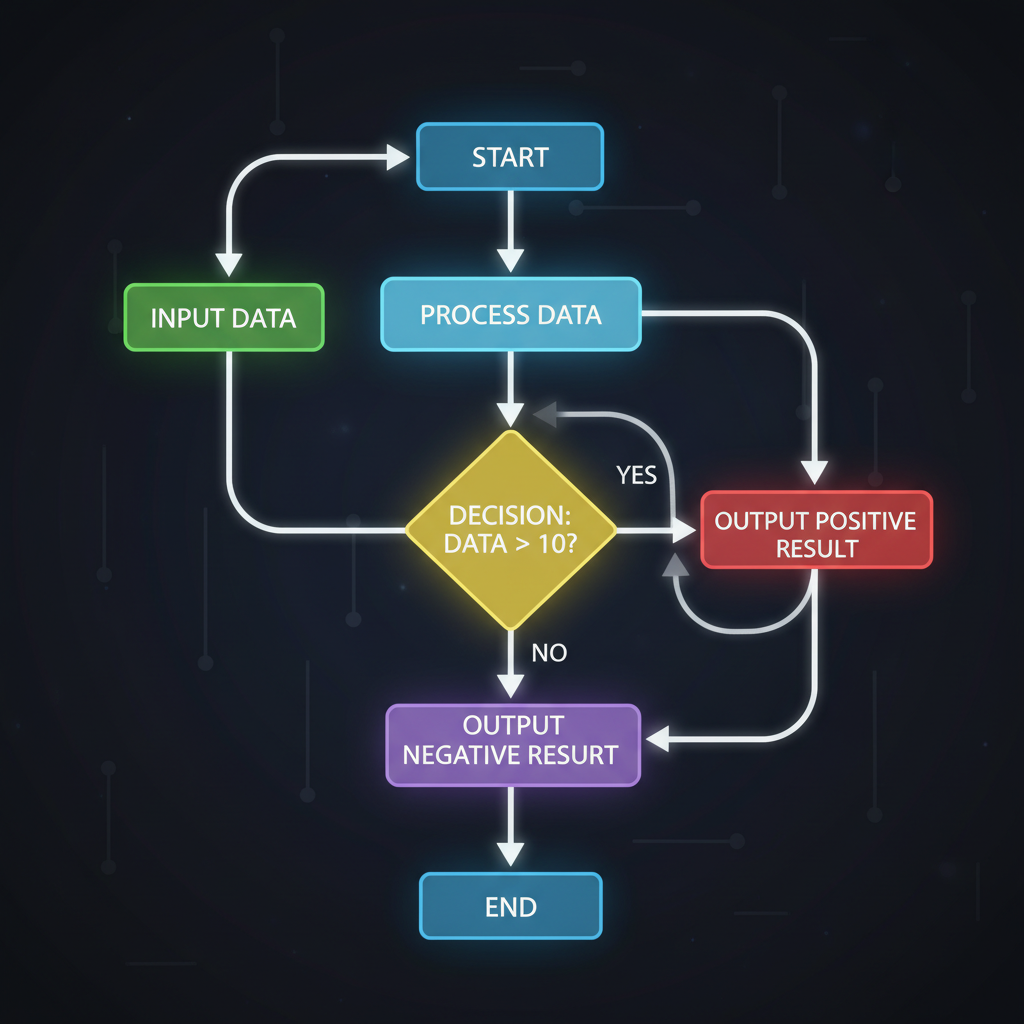 ⚠️ This picture may have spelling mistakes. Trust the words in the lesson.
6. Loops: Repeating Actions
Sometimes you want a computer to do the same thing many times. Instead of writing the instruction over and over, you use a loop. A loop tells the computer to repeat a set of instructions until a certain condition is met.
Analogy: If you want to clap your hands 10 times, you don't say "Clap. Clap. Clap..." ten times. You'd say "Clap your hands 10 times." A loop is like telling the computer: "Repeat these instructions 10 times," or "Keep doing this until the player runs out of lives."
7. Conditionals: Making Decisions (If/Then)
Computers can make decisions! A conditional statement (often called an "if/then" statement) tells the computer to do something ONLY if a certain condition is true.
Analogy: "IF it is raining, THEN take an umbrella." OR "IF the light is red, THEN stop. ELSE (otherwise) continue driving." In a game, it might be: "IF player's score is greater than 100, THEN give them an extra life."
8. Debugging: Finding and Fixing Errors
When you write a program, it's very common to make mistakes. These mistakes are called bugs. The process of finding and fixing these bugs is called debugging. It's a fundamental part of programming!
Analogy: If your recipe for cookies says to add salt but you accidentally add sugar instead, your cookies might taste strange. You'd have to find that mistake in the recipe and fix it. Debugging is like being a detective for your code, searching for what went wrong.
Putting It All Together: Your First Steps
Many programming languages exist, from visual block-based languages like Scratch (great for beginners!) to text-based languages like Python, JavaScript, and Java. They all use the same core concepts we discussed. The most important thing is to start practicing, experimenting, and having fun!
Remember, every expert programmer started exactly where you are now. With patience and practice, you can learn to create incredible things and make computers do amazing tasks for you!
Keep learning, free
Create a free Syllabax account to unlock practice questions and games for this topic.
Visual Learning Enhanced! 🚀
To help you master this topic, we use Advanced Syllabax AI to generate detailed diagrams and visual models.
Note on Visuals: The AI sometimes makes spelling errors in image labels. Please refer to the lesson text for the correct terminology.