Learning Journey
Watch this topic in 60 seconds
Free preview · Lesson 1
Understanding Making Decisions: Coding Conditionals
Making Decisions: Coding Conditionals
How Computers Learn to Choose!
What are Decisions?
Think about your day so far. Did you decide what to wear? Did you decide what to eat for breakfast? Did you decide which game to play or which book to read? Our lives are full of decisions, big and small! Each decision helps us choose the best path forward based on what's happening around us.
Computers need to make decisions too! But computers aren't born knowing how to decide. We, as coders, have to teach them. We give them special instructions that help them choose what to do next. These special instructions are called conditionals.
What are Conditionals? The Brain of Your Code!
At its heart, a conditional is a rule that says: "IF something is true, THEN do this thing." If that 'something' isn't true, the computer might do something else, or nothing at all.
Analogy 1: The Traffic Light Decision
Imagine you're in a car approaching a traffic light. You don't just keep driving, right? You make a decision based on the light's color:
- IF the traffic light is RED, THEN you STOP.
- IF the traffic light is GREEN, THEN you GO.
This is exactly how computers use conditionals! They check a situation (the light's color) and then perform an action (stop or go).
So, a conditional always has two main parts:
- The Condition (the "IF" part): This is a question that can only have a TRUE or FALSE answer. Like, "Is the light red?" (True or False), or "Is it raining?" (True or False).
- The Action (the "THEN" part): This is what the computer does if the condition is TRUE. Like, "Stop" or "Go".
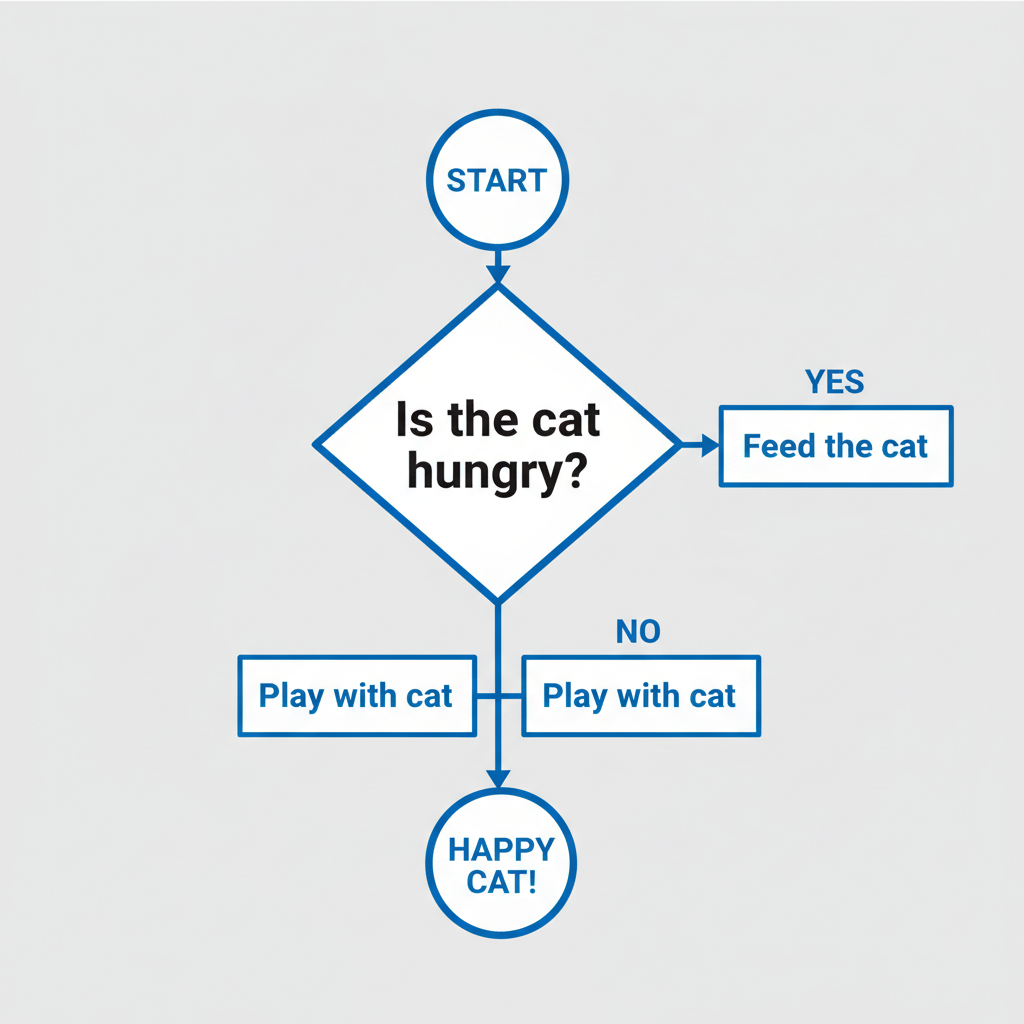
The "IF" Part: Asking a Question
In coding, the condition is like a question that the computer answers with either `true` or `false`. For example:
- Is your score greater than 100? (
score > 100) - Is the door open? (
doorIsOpen == true) - Is your name "Alex"? (
myName == "Alex")
These are all conditions. The computer checks them and gets a `true` or `false` answer.
The "THEN" Part: What Happens Next?
If the condition is `true`, the computer follows the instructions you've given it for that specific situation. This is the 'action'.
Analogy 2: Choosing an Afternoon Activity
Let's say you have a rule for what to do after school:
- IF the sun is shining, THEN go play outside.
In this example:
- The condition is: "the sun is shining".
- The action is: "go play outside".
If the sun is shining (condition is TRUE), you go play outside. If it's not (condition is FALSE), this rule doesn't tell you what to do.
In a simple coding language, this might look something like:
            if (sunIsShining == true) {

  playOutside();

}
(Don't worry about the exact words now, just understand the idea!)
What if the Condition is FALSE? Introducing "ELSE"!
Sometimes, we want our computer program to do something specific even if the `if` condition is not true. This is where the `else` (pronounced like "ELL-ss") part of a conditional comes in. The `else` statement is like a Plan B!
Analogy 3: Your Snack Decision
Imagine you have a rule for choosing a snack:
- IF you have an apple, THEN eat the apple.
- ELSE (meaning, if you do NOT have an apple), THEN eat crackers instead.
With `else`, the computer always has something to do. It checks the `if` condition first. If it's true, it does the 'if' action. If it's false, it skips the 'if' action and does the 'else' action instead.
You will only ever do ONE of these actions. You can't eat the apple AND the crackers with this rule!
In code, an `if-else` statement looks like this:
            if (hasApple == true) {

  eatApple();

}

else {

  eatCrackers();

}
Why are Conditionals So Important in Coding?
Conditionals are super powerful because they make our programs:
-
Smart and Responsive: Programs can react to different situations. Imagine a video game character!
IF (player presses left key) THEN move character left.IF (player presses right key) THEN move character right.Without conditionals, characters would just stand still! -
Dynamic: They allow programs to behave differently at different times. A social media app might say
"Good Morning!" IF it's before noon,ELSE IF it's before 6 PM THEN "Good Afternoon!",ELSE THEN "Good Evening!". -
Interactive: They help programs respond to user input. If you type in a password:
IF (password is correct) THEN let user in. ELSE THEN show "Incorrect Password" message.
Analogy 4: A Game Path
Think of playing a game where you come to a fork in the road:
- IF you have a magic key, THEN take the secret path (and maybe find treasure!).
- ELSE (if you don't have the magic key), THEN take the regular path (which might be longer or harder).
Conditionals are like these forks in the road for your code, guiding it down different paths based on whether certain conditions are met.
Recap: Your Decision-Making Superpower!
You now know that conditionals are the special rules that allow computers to make decisions. They use the `if` keyword to check a condition. If that condition is true, they perform a specific action. If you also use an `else` keyword, you're telling the computer what to do if the `if` condition turns out to be false. Mastering conditionals is like giving your computer a brain to think and react, making your programs much more interesting and useful!
Keep learning, free
Create a free Syllabax account to unlock practice questions and games for this topic.
Visual Learning Enhanced! 🚀
To help you master this topic, we use Advanced Syllabax AI to generate detailed diagrams and visual models.
Note on Visuals: The AI sometimes makes spelling errors in image labels. Please refer to the lesson text for the correct terminology.