What is a Computer?
Watch this topic in 60 seconds
Free preview · Lesson 1
Understanding What is a Computer?
Unlocking the Mystery: What is a Computer?
Have you ever wondered how your favorite video game works, or how you can talk to a relative far away on a screen? The answer is a magical machine called a **computer**! At its heart, a computer is a super-smart electronic helper. It's not a person, but it can do amazing things very quickly when you tell it what to do.
Think of a computer like a super-organized chef in a kitchen. This chef takes ingredients you give them (this is called **Input**), follows a recipe very carefully (this is **Processing**), creates a delicious meal (this is **Output**), and then remembers all the recipes for later (this is **Storage**).
1. Input: Giving the Computer Instructions (Its Eyes and Ears)
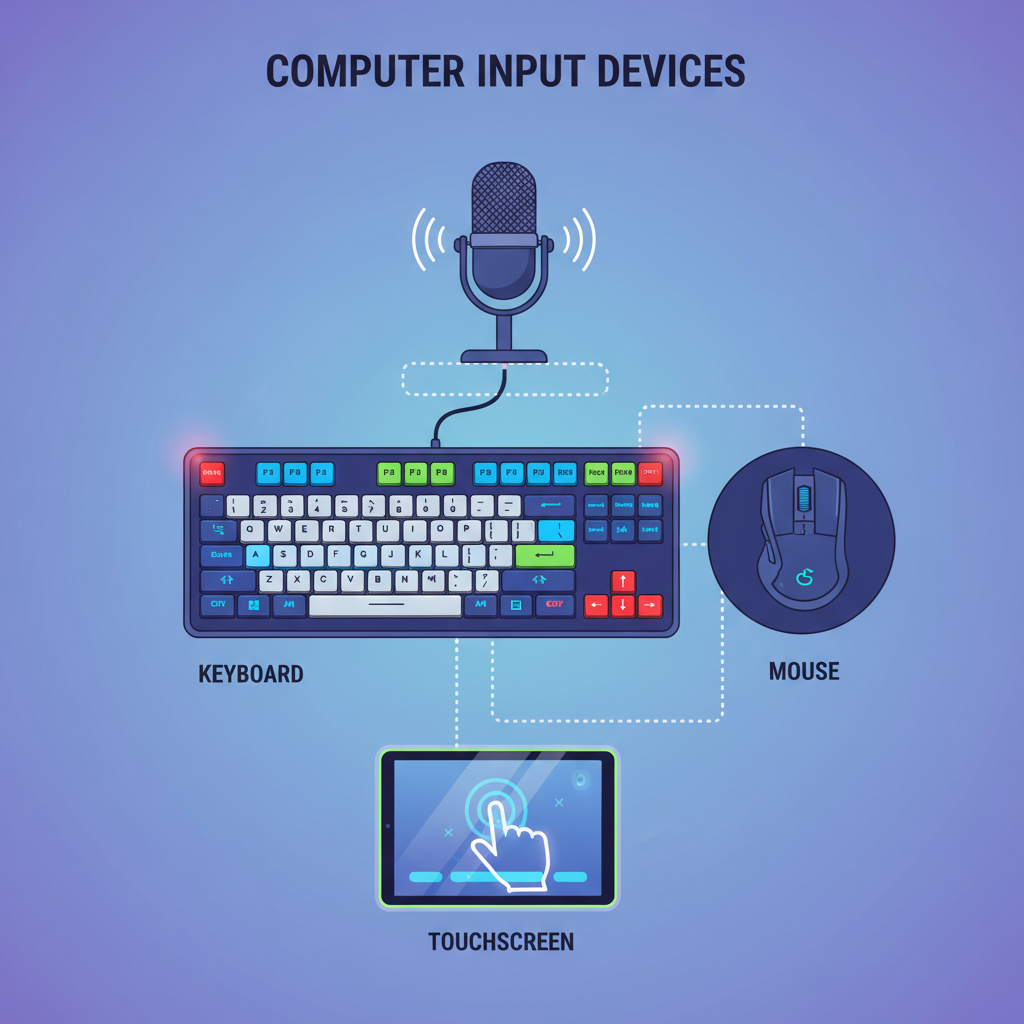
Just like you use your eyes to see and your ears to hear to understand the world, a computer needs ways to receive information and instructions from you. These are called **input devices**.
- Keyboard: Imagine this as the computer's way of 'reading' your words. When you type letters, numbers, or symbols, you're giving the computer input.
- Mouse: This is like pointing a finger! It lets you move a pointer on the screen and click on things to tell the computer what to open or do.
- Microphone: This is the computer's 'ear.' When you speak into it, the computer 'hears' your voice and converts it into data it can understand.
- Camera: This is the computer's 'eye.' It captures pictures or videos, allowing the computer to 'see' what's in front of it.
- Touchscreen: Found on phones and tablets, this lets you use your finger directly on the screen to give commands, like pointing and clicking without a mouse!
Analogy: Think of input as feeding a pet. You give it food (input), and it uses that food to do things. The computer takes your clicks, taps, and words as its 'food' to get started!
 ⚠️ This picture may have spelling mistakes. Trust the words in the lesson.
2. Processing: The Computer's Thinking Brain
Once the computer has received your input, it needs to 'think' about what to do with it. This is where **processing** comes in. The 'brain' of the computer is called the **Central Processing Unit**, or **CPU** for short.
- CPU (Central Processing Unit): This is like the super-fast calculator and decision-maker inside the computer. It takes all the instructions and data it receives and figures out what to do with them. If you ask a computer to add 2 + 2, the CPU does the math! If you click on a game, the CPU quickly loads everything needed for the game to run.
Analogy: Imagine your brain solving a puzzle or doing a math problem. Your brain takes the question (input), works out the answer (processing), and then tells you the solution. The CPU does the same for the computer!
3. Output: Showing and Telling the Results (Its Voice and Hands)
After the computer has processed your instructions, it needs to show or tell you what it did. This is called **output**. These are the results of the computer's 'thinking'.
- Monitor (Screen): This is the computer's 'face' where it shows you pictures, videos, words, and everything you see on the screen.
- Printer: If you want a physical copy of something you see on the screen, like a drawing or a story, the printer puts it onto paper. It's like the computer's way of 'writing' for you.
- Speakers/Headphones: These are the computer's 'mouth.' They let you hear sounds, music, or voices from the computer.
Analogy: Output is like when you finish drawing a picture. You've done the work (processing), and now you show your amazing drawing to your friends (output). The computer shows you its amazing work on the screen or through sound!
4. Storage: Remembering Everything (Its Memory Bank)
What if the computer needs to remember a game you saved or a story you wrote? That's where **storage** comes in. It's how computers 'remember' information, even after you turn them off.
- Hard Drive / Solid State Drive (SSD): Think of this as a huge library or a giant closet inside the computer where all your files, programs, games, pictures, and videos are kept safe and sound for a very long time.
- RAM (Random Access Memory): This is like a very messy desk where the computer puts the things it's working on RIGHT NOW. It's super-fast, but it forgets everything on the desk once you turn off the computer (unless it's saved to the hard drive!).
Analogy: Storage is like your brain's memory, or a bookshelf. Your brain remembers your friend's name (long-term), and your bookshelf holds all your books so you can find them later. RAM is like your school desk; you put your current books on it to work, but you pack them away (to the bookshelf/hard drive) when you're done.
The Computer Cycle: Input -> Process -> Output -> Storage
All these parts work together in a continuous cycle:
- You give the computer **Input** (e.g., type your name).
- The computer's **CPU** **Processes** that input (understands it's letters).
- The computer then gives you **Output** (shows your name on the screen).
- And it can **Store** your name if you save the document.
Analogy: Imagine making a sandwich. You gather ingredients (input), you assemble the sandwich (process), you eat it (output), and you remember the recipe for next time (storage).
Types of Computers
When you think of a computer, you might think of a desktop tower with a big screen. But many devices we use every day are also computers!
- Desktops: Usually stay in one place, powerful for many tasks.
- Laptops: Portable versions of desktops, easy to carry around.
- Tablets: Flat screens you interact with using your fingers, very portable.
- Smartphones: Tiny powerful computers that fit in your pocket, combining many functions like calls, camera, and internet.
No matter the size or shape, all these devices follow the same basic principles of Input, Process, Output, and Storage.
Conclusion
Computers are truly amazing machines that help us learn, play, communicate, and create. By understanding how they take our instructions (input), think about them (process), show us results (output), and remember things (storage), you've taken your first big step into understanding the digital world around you! Keep exploring and have fun with these incredible helpers!
Keep learning, free
Create a free Syllabax account to unlock practice questions and games for this topic.
Visual Learning Enhanced! 🚀
To help you master this topic, we use Advanced Syllabax AI to generate detailed diagrams and visual models.
Note on Visuals: The AI sometimes makes spelling errors in image labels. Please refer to the lesson text for the correct terminology.