Computer Memory: RAM & ROM
Watch this topic in 60 seconds
Free preview · Lesson 1
Understanding Computer Memory: RAM & ROM
Understanding Computer Memory: RAM & ROM (Grade 7)
Hey there, future tech wizards! Have you ever wondered how your computer remembers what you're doing, or how it knows how to start up when you press the power button? It's all thanks to something called computer memory! Just like your brain helps you remember things, computers have different types of memory to help them do their jobs.
Think of Your Computer as a Chef!
Imagine your computer is a chef in a busy kitchen. The kitchen has different places to store things, just like your computer has different types of memory:
- The Kitchen Counter (RAM): This is where the chef puts ingredients they are actively using right now – chopping vegetables, mixing batter. It's fast to get things from here, but there's limited space, and if the chef leaves the kitchen, everything on the counter might get cleared away.
- The Cookbook (ROM): This is where the chef keeps the recipes for how to make different dishes, like how to bake a cake or make pasta. These recipes are permanent; they don't change, and the chef always refers to them when starting a new dish.
Let's dive into these two main types of memory: RAM and ROM.
RAM: Random Access Memory (The Computer's Workspace)
RAM stands for Random Access Memory. Think of RAM as your computer's short-term memory or its active workspace. When you open an app, browse the internet, or type a document, all the information your computer needs right now is loaded into RAM.
What is RAM and What Does It Do?
- Temporary Storage: RAM is like a temporary notepad. It holds information only while your computer is turned on and actively using it.
- Super Fast: It's incredibly fast, allowing your computer to quickly access the data it needs to run programs smoothly. The faster and bigger your RAM, the more things your computer can do at once without slowing down.
- Volatile Memory: This is a fancy word meaning 'temporary'. Once you turn off your computer or it loses power, everything stored in RAM is gone! It's wiped clean, just like clearing off your desk at the end of the school day. That's why it's super important to save your work!
- Example: When you're playing a video game, the game's current level, characters, and scores are all stored in RAM. If the power goes out, you lose your unsaved progress!
RAM Analogies:
- Your Desk: Imagine your school desk. You put your textbook, notebook, pens, and calculator on it when you're working on a project. It's easy to reach everything quickly. But when class is over, you pack it all away, and the desk is empty for the next student.
- A Whiteboard: You can quickly write notes, draw diagrams, and erase them just as fast. It's great for active work, but the information isn't permanent.
- Your Brain's Short-Term Memory: When you're trying to remember a phone number someone just told you, it's in your short-term memory. It's there for a moment, but if you don't write it down (save it), you'll likely forget it soon.
The more RAM your computer has, the more applications it can run smoothly at the same time, and the faster it can switch between tasks. Think of it as having a bigger desk – you can spread out more materials!
ROM: Read-Only Memory (The Computer's Rulebook)
ROM stands for Read-Only Memory. Unlike RAM, ROM is like a permanent instruction manual for your computer. It contains essential instructions that your computer needs to start up and perform very basic functions.
What is ROM and What Does It Do?
- Permanent Storage: ROM stores information that is 'burned in' during manufacturing. It's not meant to be changed or erased by the user.
- Non-Volatile Memory: This means the information stays even when the computer is turned off or loses power. It's like words carved into stone – they remain forever!
- Read-Only: As the name suggests, the computer can 'read' instructions from ROM, but it usually can't 'write' (change) new information to it.
- Essential for Boot-Up: ROM contains the instructions called the 'BIOS' (Basic Input/Output System) or 'UEFI'. This is the first set of instructions your computer reads when you turn it on. It tells the computer how to check its components (like the keyboard, mouse, and hard drive) and how to load the operating system (like Windows or macOS).
- Example: The instructions for turning on the lights in a house are like ROM. They're built into the house's wiring and don't change every time you use the light switch.
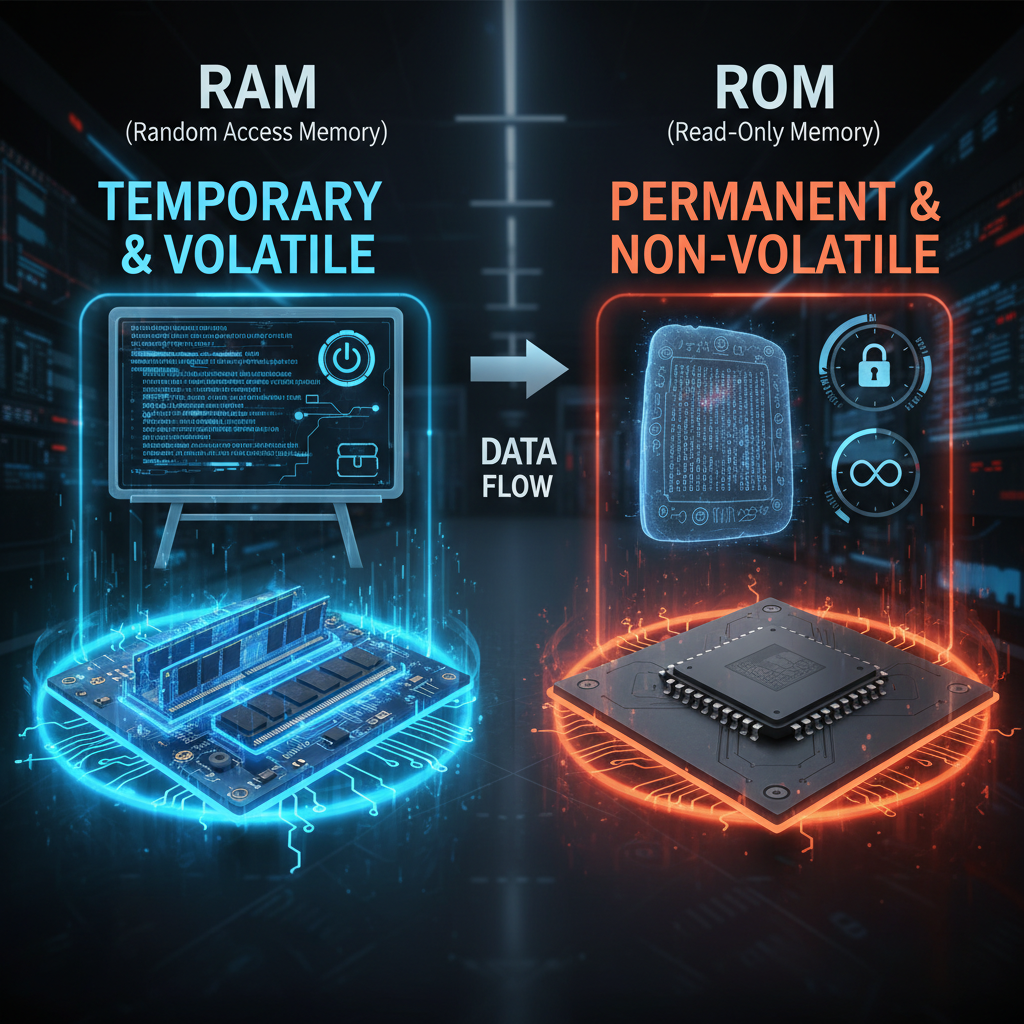
ROM Analogies:
- A Cookbook (again!): The recipes in a cookbook are permanent. You don't rewrite the recipe for chocolate chip cookies every time you make them. They are there to be read and followed.
- The Rules of a Board Game: The rules for how to play Monopoly or Chess are fixed. You read them to know how to start and play the game, but you don't change them during the game.
- A Stone Tablet: Imagine important laws carved into a stone tablet thousands of years ago. They are permanent, cannot be easily changed, and are there to be read and followed by everyone.
RAM vs. ROM: The Big Differences
Let's summarize the key differences:
| Feature | RAM (Random Access Memory) | ROM (Read-Only Memory) |
|---|---|---|
| Purpose | Temporary workspace for running programs and active data. | Permanent storage for essential startup instructions. |
| Volatile/Non-Volatile | Volatile (data is lost when power is off). | Non-Volatile (data remains even when power is off). |
| Speed | Very Fast (for quick access to active data). | Slower than RAM (mostly read during startup). |
| Changeable? | Yes, constantly being written to and read from. | No, usually written once and then only read. |
| Example | Data for open apps, browser tabs, current document. | Boot-up instructions (BIOS/UEFI). |
Why Are Both Important?
Both RAM and ROM are absolutely vital for your computer to work! ROM gets your computer started and tells it the very basics of how to function. Once it's up and running, RAM takes over as the speedy workspace, allowing you to actually use all your favorite programs and games.
Without ROM, your computer wouldn't even know how to turn on. Without RAM, it would be incredibly slow and wouldn't be able to run any modern programs efficiently. They work together like a perfect team!
Conclusion
So, the next time you power up your computer, remember the amazing dance between RAM and ROM. RAM is like your computer's energetic, but forgetful, short-term memory, while ROM is its reliable, unchangeable long-term instruction book. Understanding these two foundational types of memory is a big step in understanding how computers truly work!
Keep learning, free
Create a free Syllabax account to unlock practice questions and games for this topic.
Visual Learning Enhanced! 🚀
To help you master this topic, we use Advanced Syllabax AI to generate detailed diagrams and visual models.
Note on Visuals: The AI sometimes makes spelling errors in image labels. Please refer to the lesson text for the correct terminology.