Solving Problems with Computers
Watch this topic in 60 seconds
Free preview · Lesson 1
Understanding Solving Problems with Computers
Solving Problems with ComputersSolving Problems with Computers: Your Digital Sidekicks!
Have you ever had a tricky puzzle to solve? Or a big project that seemed overwhelming? Just like you use your brain to figure things out, we can use computers to help us solve all sorts of problems! Computers are super fast and really good at following instructions, which makes them amazing problem-solving tools.
What's a 'Problem' for a Computer?
For us, a problem might be 'What should I wear today?' or 'How do I get to my friend's house?' For a computer, a 'problem' is usually something more like 'Calculate the total cost of these groceries,' or 'Find the fastest route from my house to school,' or 'Show me all the cat videos!'
Analogy Alert!
Imagine your brain is like a super-smart detective. It can think, feel, and make creative guesses. A computer is more like a super-efficient assistant. It doesn't guess or feel, but it can do exactly what you tell it to do, very, very quickly, and without getting tired! Its 'problems' are tasks that need clear, step-by-step instructions.
How Do Computers Solve Problems? It's a Step-by-Step Adventure!
Computers don't have feelings or intuition like we do. They need everything broken down into tiny, precise steps. Think of it like giving directions or following a recipe. If you miss a step, or the step isn't clear, things go wrong!
Step 1: Understand the Problem (Like a Detective!)
Before you can solve any problem, you need to understand it really well. What are you trying to achieve? What information do you have? What information do you need?
Analogy Alert!
If you want to bake a cake, the first thing you do is read the recipe carefully. You need to know what kind of cake, what ingredients you need, and what the final cake should look like. A computer needs its 'recipe' (the problem) explained perfectly.
Step 2: Plan the Solution (Creating an Algorithm - Your Master Plan!)
This is where you figure out the exact sequence of steps the computer needs to follow. These step-by-step instructions are called an algorithm.
What is an Algorithm? An algorithm is simply a set of clear, step-by-step instructions for solving a problem or completing a task. It's like a recipe, a treasure map, or directions to a friend's house.
Let's say the problem is to make a peanut butter and jelly sandwich. Your algorithm might look like this:
- Get two slices of bread.
- Get peanut butter.
- Get jelly.
- Get a knife.
- Spread peanut butter on one slice of bread.
- Spread jelly on the other slice of bread.
- Put the two slices of bread together.
- Eat the sandwich!
Notice how specific these steps are! Computers need this level of detail.
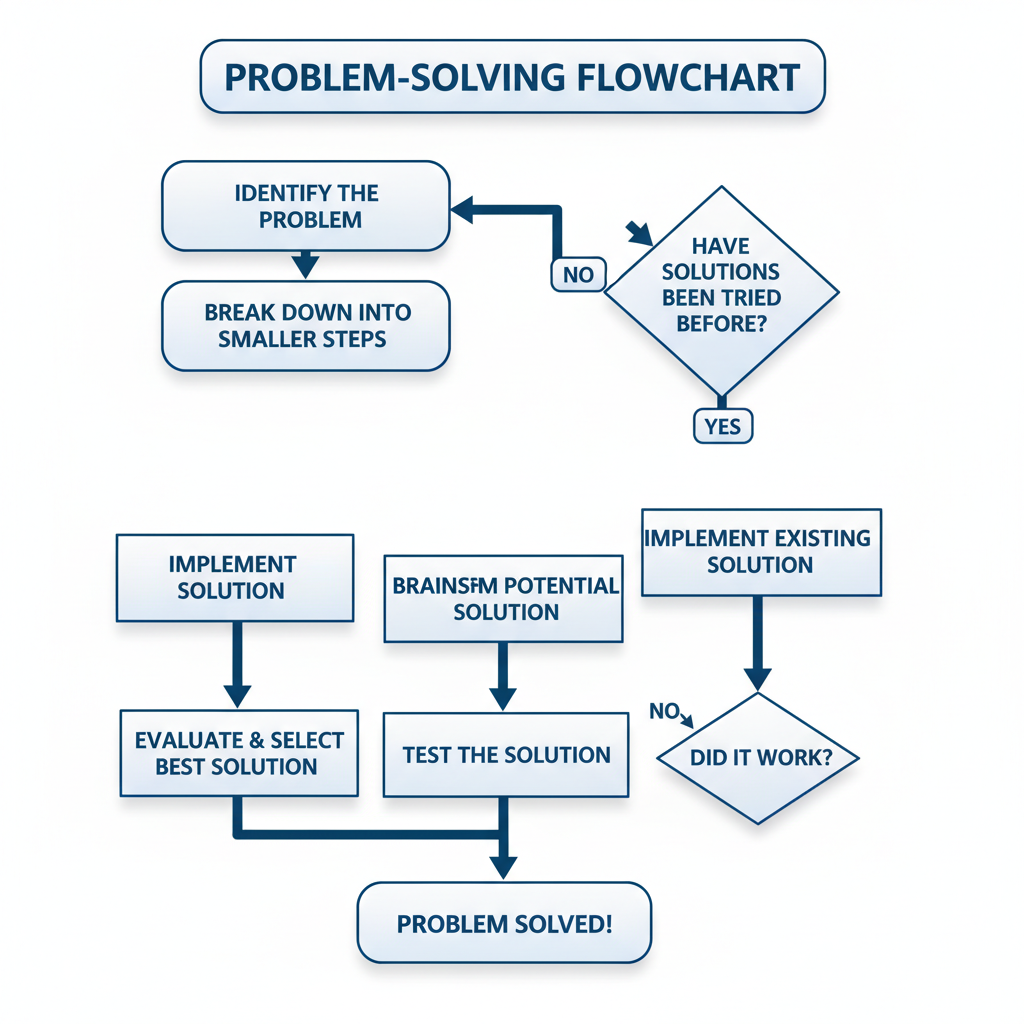 ⚠️ This picture may have spelling mistakes. Trust the words in the lesson.Step 3: Code the Solution (Speaking 'Computer Language'!)
Once you have your amazing algorithm (your plan), you need to translate it into a language the computer understands. This is called programming, and the special languages are called programming languages (like Python, Scratch, or JavaScript).
Analogy Alert!
You speak English (or another human language). If you want to talk to someone who only speaks Spanish, you need to either learn Spanish or find a translator. Programming is like translating your algorithm from 'human instructions' into 'computer instructions' using a programming language.
Every line of code tells the computer to do one small, specific thing, like 'add these two numbers' or 'show this picture on the screen.'
Step 4: Test and Debug (Finding and Fixing Glitches!)
After you've written your code, you need to test it to see if it works! Does it solve the problem correctly? Sometimes, things don't work as planned. This is totally normal! When a program has a mistake, it's called a bug. Finding and fixing these bugs is called debugging.
Analogy Alert!
Imagine you've built a LEGO castle. You follow all the instructions, but when you're done, one tower keeps falling over! That's a 'bug.' You go back, check the instructions, find where you put a piece in the wrong spot, and fix it. That's 'debugging.' Everyone makes mistakes, even experienced programmers!
Testing and debugging are super important because they make sure the computer actually solves the problem the way you intended, without errors.
Real-World Examples: Computers Solving Problems Everywhere!
Computers are busy solving problems for us all the time, often without us even realizing it:
- Calculators: They solve math problems instantly.
- GPS Navigation: They find the quickest routes and help you not get lost.
- Video Games: They follow complex rules to create fun worlds and challenges.
- Weather Forecasts: Supercomputers crunch massive amounts of data to predict the weather.
- Online Shopping: They organize millions of products and process your orders.
- Robots: They perform tasks in factories or even clean your house.
Why Is This Important for YOU?
Understanding how computers solve problems isn't just for future computer scientists! It teaches you how to think logically, break down big challenges into smaller pieces, and find solutions creatively. These are super valuable skills no matter what you want to do when you grow up!
So, the next time you see a computer doing something amazing, remember the four steps: Understand, Plan (Algorithm!), Code, and Test & Debug. You'll be well on your way to becoming a problem-solving superstar!
Keep learning, free
Create a free Syllabax account to unlock practice questions and games for this topic.
Visual Learning Enhanced! 🚀
To help you master this topic, we use Advanced Syllabax AI to generate detailed diagrams and visual models.
Note on Visuals: The AI sometimes makes spelling errors in image labels. Please refer to the lesson text for the correct terminology.