Input Devices: Mouse, Keyboard, Microphone
Watch this topic in 60 seconds
Free preview · Lesson 1
Understanding Input Devices: Mouse, Keyboard, Microphone
Understanding Input Devices: Your Computer's Senses!
Imagine trying to talk to someone who can't hear you, or trying to draw a picture without a pencil. It would be really tough, right? Well, your computer is a super smart machine, but it needs your help to know what you want it to do! That's where Input Devices come in. Think of them as your computer's "senses" – they let your computer take in information from the outside world, from YOU!
In this lesson, we're going to explore three very common and super important input devices: the Keyboard, the Mouse, and the Microphone. These are like the computer's hands and ears!
1. The Keyboard: Your Computer's Typewriter!
Have you ever seen an old-fashioned typewriter? It's a machine with lots of keys, and when you press a key, it prints a letter on paper. A computer keyboard is very similar, but instead of printing on paper, it sends a secret message (an electronic signal!) to your computer!
The keyboard is the main way we type words, numbers, and symbols into the computer. It's like having a special remote control that lets you write stories, send messages, or even tell the computer what mathematical problems to solve.
How it Works:
- When you press a key, a tiny switch underneath registers that press.
- This sends an electronic signal to the computer.
- The computer then knows exactly which letter, number, or symbol you wanted to type, and it shows up on your screen!
Key Parts of a Keyboard:
- Letter Keys (A-Z): These are for typing words, just like in a book.
- Number Keys (0-9): Usually found above the letter keys and sometimes in a separate section called a "numeric keypad" (like a calculator!).
- Spacebar: The long bar at the bottom. It creates a space between words. Imagine trying to read "Thequickbrownfoxjumpedoverthelazydog" without spaces – it would be impossible!
- Enter Key: This key is like saying "Okay, I'm done with this line!" or "Let's go!" It tells the computer to finish an action or move to the next line.
- Backspace/Delete Key: Made a mistake? No problem! This key is like a magical eraser that removes letters you've already typed.
- Shift Key: Press this while typing a letter to make it a CAPITAL letter. It's also used to get the symbols above the numbers (like !, @, #).
Think of your keyboard as a giant communication panel, allowing you to tell the computer exactly what you want it to "write" or "do" with text.
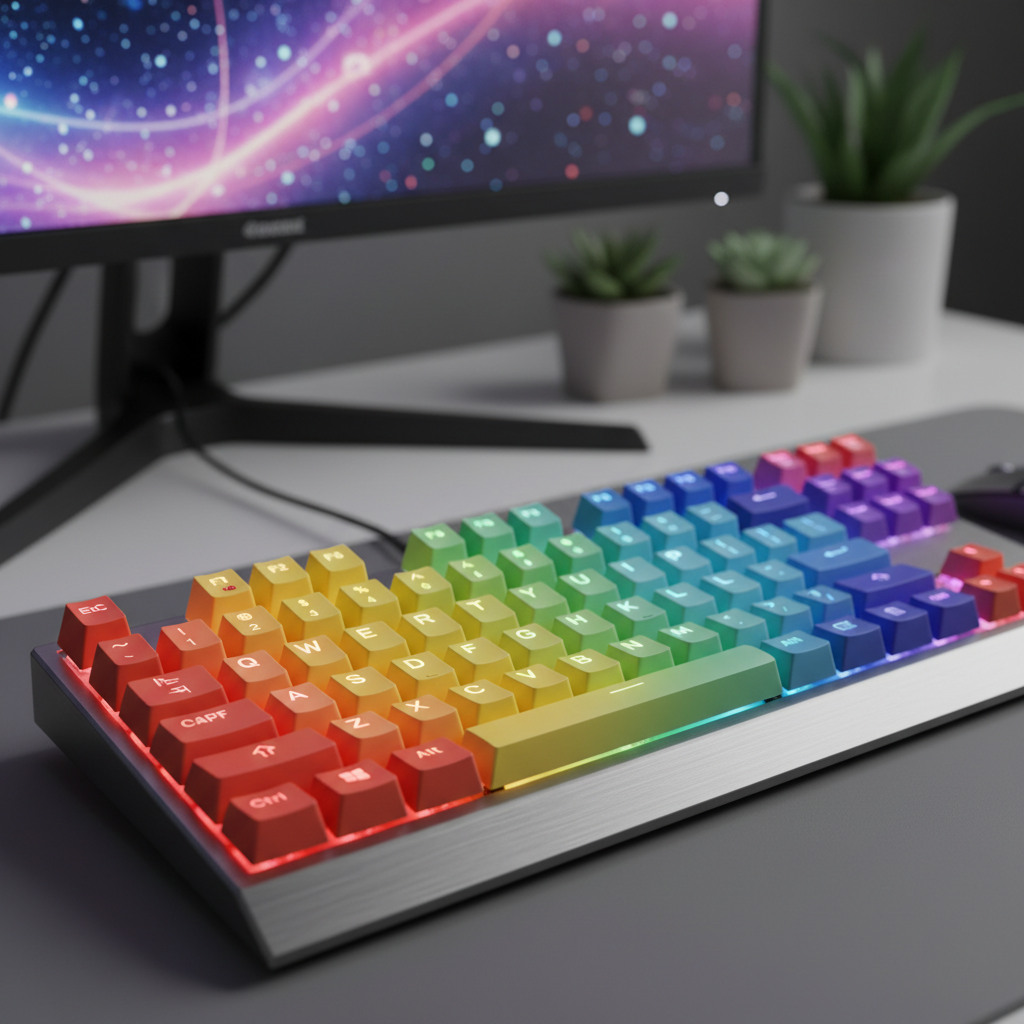 ⚠️ This picture may have spelling mistakes. Trust the words in the lesson.
2. The Mouse: Your Computer's Pointing Finger!
Imagine you're trying to point at something on a big screen from across the room. It would be hard, right? That's what the mouse helps us do! The computer mouse is a small, handheld device that lets you move a special arrow, called a cursor or pointer, around on your computer screen.
It's like your own personal pointing finger for the computer screen! Instead of touching the screen, you move the mouse on your desk, and the cursor magically moves on the screen.
How it Works:
- When you slide the mouse on a flat surface (like a mousepad), a sensor underneath detects its movement.
- This movement is sent to the computer, which then moves the cursor on your screen in the same direction.
Key Actions and Parts of a Mouse:
- Left Click: This is the most common click. It's like pressing a button to select something, open a program, or click on a link. It's like saying "Pick this one!"
- Right Click: This click usually opens up a special menu with more options, like "Copy," "Paste," or "Save." It's like asking "What else can I do with this?"
- Scroll Wheel: Many mice have a little wheel in the middle. You can roll this wheel up and down to move quickly through long documents or webpages, without having to click and drag the scrollbar. It's like rapidly turning pages in a book!
- Dragging: This is when you click and hold down the left mouse button while moving the mouse. It's used to move icons, select text, or draw shapes.
- Double-Click: Clicking the left button twice very quickly. This is often used to open a program or a file.
The mouse gives you incredible control over where you want to go and what you want to interact with on your computer screen.
3. The Microphone: Your Computer's Ear!
How do you talk to your friends or family online? How does your computer hear you when you tell it to do something? That's the job of the microphone!
A microphone is an input device that captures sound, like your voice, music, or any other noise, and turns it into a signal that the computer can understand. Think of it as your computer's ear, but an ear that can also remember and share what it hears!
How it Works:
- When sound waves (like the vibrations from your voice) hit the microphone, a tiny part inside vibrates.
- These vibrations are then converted into electrical signals.
- The computer receives these electrical signals and can then record them, play them back, or even understand them as commands.
Common Uses of a Microphone:
- Talking to Friends & Family: Using programs like Zoom, Skype, or Google Meet for video calls.
- Recording Your Voice: You can record yourself singing, telling a story, or making a podcast.
- Voice Commands: Some computers and phones let you tell them what to do just by speaking. For example, "Hey Google, what's the weather?"
- Gaming: Many online games use microphones so players can talk to each other.
The microphone lets your computer listen and interact with the world of sound, bringing your voice and other noises into the digital realm.
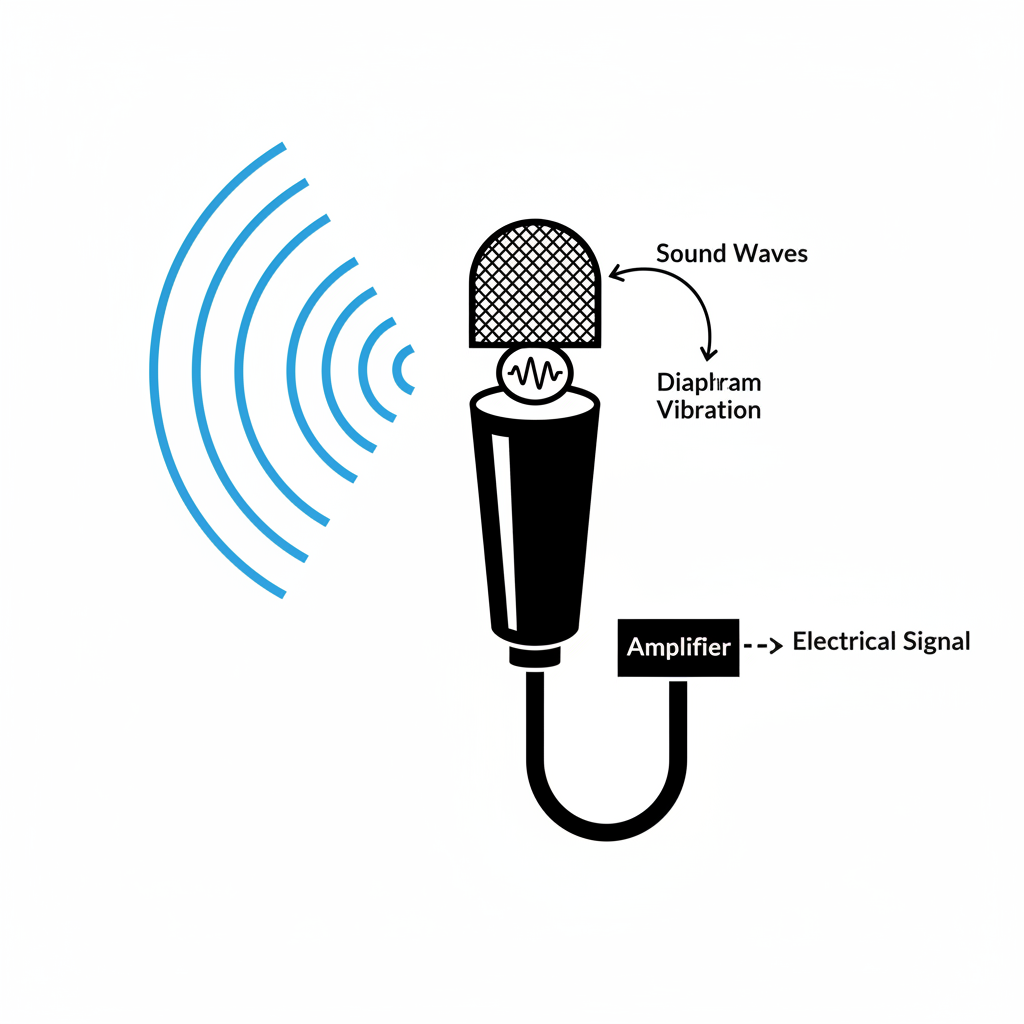 ⚠️ This picture may have spelling mistakes. Trust the words in the lesson.
Working Together: A Team Effort!
Imagine trying to write an email. You'd use the keyboard to type your message. Then you'd use the mouse to click the "Send" button. If you wanted to add a voice note to your email, or if you were on a video call at the same time, you'd use the microphone!
These input devices often work together to help you communicate with your computer and the world. They are essential tools that make computers powerful and easy to use. They allow you to put information INTO the computer, whether it's text, clicks, or sounds.
So, the next time you're using a computer, remember these amazing input devices – the keyboard, mouse, and microphone – your computer's way of listening, pointing, and typing what you want!
Keep learning, free
Create a free Syllabax account to unlock practice questions and games for this topic.
Visual Learning Enhanced! 🚀
To help you master this topic, we use Advanced Syllabax AI to generate detailed diagrams and visual models.
Note on Visuals: The AI sometimes makes spelling errors in image labels. Please refer to the lesson text for the correct terminology.