Making Digital Art
Watch this topic in 60 seconds
Free preview · Lesson 1
Understanding Making Digital Art
Let's Make Awesome Digital Art!
Hello, young artists! Have you ever drawn a picture on paper with crayons or markers? Of course, you have! Well, imagine drawing pictures, but instead of paper and crayons, you use a computer or a tablet! That, my friends, is called Digital Art!
What is Digital Art?
Think of digital art as magic drawing! Instead of your hand holding a crayon directly on paper, your hand tells a computer what to draw. It's like having an art studio right inside your screen!
Imagine you have a giant, magical coloring book that never runs out of pages or colors. That's a bit like making digital art! You can draw anything you imagine, from a flying unicorn to a secret fort, and make it look just how you want.
Your Awesome Art Tools!
Just like you use pencils and paintbrushes for paper art, you have special tools for digital art:
- The Mouse: This little friend is like your magic pencil! When you move the mouse on your desk, a tiny arrow or dot moves on the computer screen. When you click its buttons, it's like pressing down with your pencil to draw a line. It helps you pick colors, draw shapes, and even erase!
- The Keyboard: This is like a special typewriter for your computer. You can use it to type your name on your artwork or even choose different tools if your art program lets you!
- The Digital Pen and Tablet: This is super cool! Imagine a special flat pad that you draw on with a special pen. As you draw on the pad, your drawing appears right on the computer screen! It feels a lot like drawing on real paper, but it's all digital. It’s like having a magic notepad that sends your drawings straight to your computer's brain!
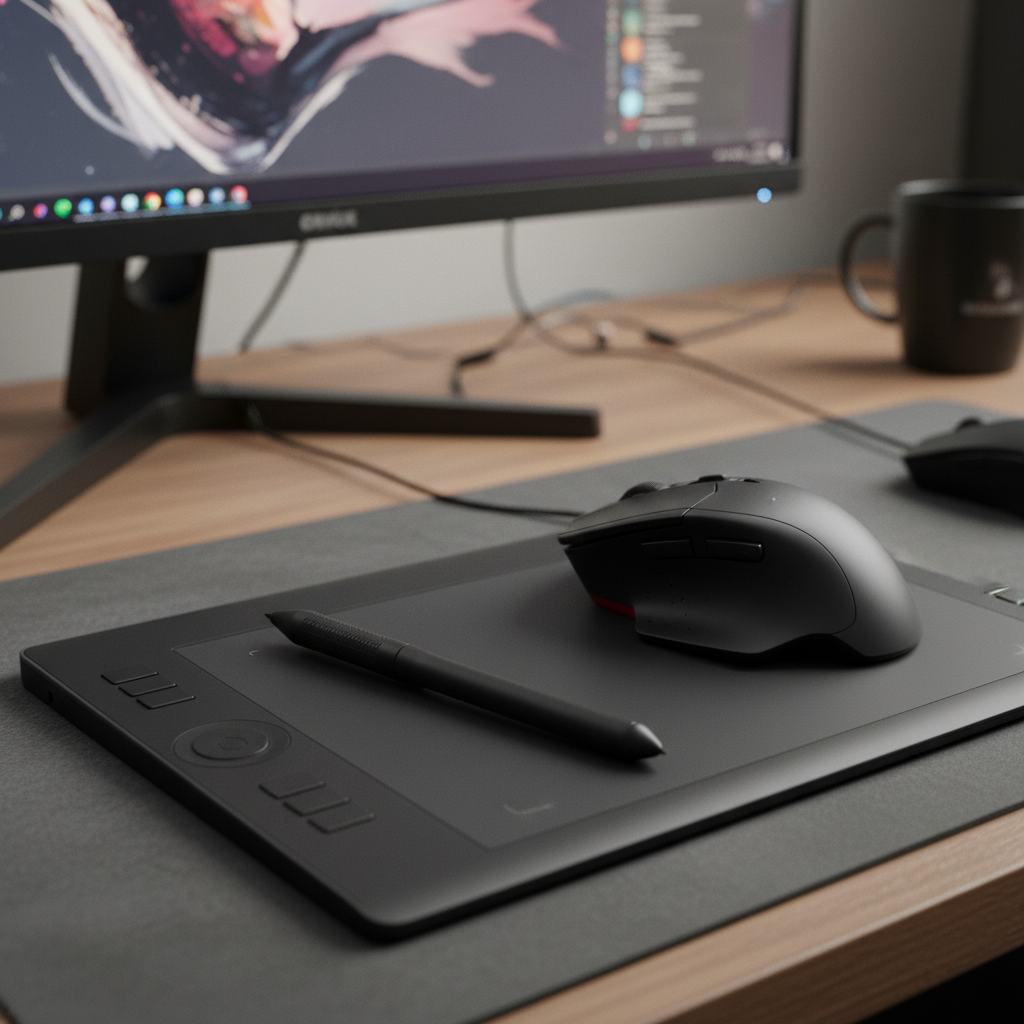 ⚠️ This picture may have spelling mistakes. Trust the words in the lesson.
Your Digital Art Studio (Drawing Programs)!
To make digital art, you need a special program on the computer. Think of this program as your own personal art studio! It has everything you need:
- Brushes and Pencils: In your digital art studio, you don't just have one pencil. You have *lots* of them! You can choose a thin pencil, a thick marker, a soft paintbrush, or even a sparkly glitter brush! It’s like having an endless box of every art supply you could ever dream of.
- A Rainbow of Colors: Do you sometimes wish you had a color that isn't in your crayon box? In digital art, you have millions of colors! You can pick any color you like, from bright sunny yellow to deep ocean blue, and even mix your own special colors. It’s like having a giant box with all the colors of the rainbow and beyond!
- The Magic Eraser: This is one of the best parts! If you make a mistake on paper, sometimes it’s hard to erase perfectly. But in digital art, you have a super magic eraser! One click, and poof! The mistake is gone without leaving any smudges. You can try drawing something again and again until it looks just right! This is like having a rewind button for your drawing.
Let's Draw Some Digital Magic!
Here’s how you might make a simple digital drawing:
- Open Your Art Studio: First, you open your drawing program on the computer or tablet. It’s like opening a fresh new sketchbook page.
- Pick a Tool: Do you want to draw with a thick marker today? Or maybe a skinny pencil? Click on the tool you want to use.
- Choose a Color: Now, go to your giant color box and pick your favorite color! Click on it.
- Start Drawing!: Move your mouse or digital pen on your tablet. Watch your lines and shapes appear on the screen! You can draw a big sun, a happy face, or a tall tree.
- Fill with Color: Want to color in your sun? There’s often a special tool called a "fill bucket" or "paint bucket." Click on a new color, then click inside your sun shape, and *whoosh*! It fills right up with color, perfectly!
- Oopsie? No Problem!: Made a line you don't like? Just find the "undo" button (it often looks like a curving arrow) or the "eraser" tool. Click it, and your mistake vanishes! You can also click the undo button multiple times to go back many steps, like rewinding a video!

Saving Your Masterpiece!
After you’ve finished your amazing digital art, you want to keep it safe, right? Just like you might put a drawing on the fridge or in a special folder, you can save your digital art.
There's usually a button that looks like a little floppy disk or says "Save." When you click it, your computer remembers your art! You can even give it a special name, like "My Awesome Robot" or "Happy Dog Painting." Once it's saved, you can look at it again later, show it to your family, or even print it out to hang on your wall!
Why is Digital Art Super Fun?
- No Mess!: No spilled paint or crayon marks on the table! Everything is neat and tidy on the screen.
- Unlimited Supplies: You never run out of paper, pencils, or colors. Everything is always there!
- Easy to Fix Mistakes: The magic eraser makes it easy to try new things without worrying about messing up.
- Share with Friends: You can easily share your digital art with friends and family, even if they live far away!
So, get ready to explore the wonderful world of making digital art! It's a fantastic way to be creative and make amazing pictures with just a few clicks and a lot of imagination!
Keep learning, free
Create a free Syllabax account to unlock practice questions and games for this topic.
Visual Learning Enhanced! 🚀
To help you master this topic, we use Advanced Syllabax AI to generate detailed diagrams and visual models.
Note on Visuals: The AI sometimes makes spelling errors in image labels. Please refer to the lesson text for the correct terminology.