Functions & Modular Programming
Watch this topic in 60 seconds
Free preview · Lesson 1
Understanding Functions & Modular Programming
Introduction to Functions & Modular Programming: Building Smarter Code!
Imagine you're trying to build a magnificent LEGO castle. If you tried to build the entire castle all at once, piece by piece, it would be incredibly overwhelming, messy, and hard to manage. What if you could build smaller, self-contained sections first – like the drawbridge, then a tower, then a wall – and then connect them all? That's exactly the idea behind Functions and Modular Programming in computer science!
What is a Function? Your Code's Specialized Helper!
At its core, a function is like a mini-program or a specialized helper within your larger program. It's a named block of code designed to perform a specific task. Think of it as a small, dedicated machine that knows how to do one job really well. When you need that job done, you simply "call" the function by its name, and it springs into action.
Analogy: The Coffee Machine
Consider a coffee machine. You don't need to know how to grind beans, heat water, or filter coffee. All you do is:
- Press a button (e.g., "Make Espresso") – This is like calling a function.
- The machine (the function) then performs a series of complex internal steps.
- Out comes your coffee! – This is the result or output of the function.
The "Make Espresso" function encapsulates all the necessary steps into one simple action for you, the user.
Why Bother with Functions? The Power of Organization!
You might be thinking, "Why not just write all the code sequentially?" While that works for very simple programs, as your programs grow, functions become indispensable. Here's why:
1. Reusability (The "Don't Repeat Yourself" - DRY Principle)
Imagine you have a specific calculation, like converting temperatures from Celsius to Fahrenheit, that needs to happen in several different parts of your program. Without functions, you'd have to write the same conversion code every single time. That's inefficient and prone to errors!
Analogy: A Recipe for Baking. If you need to make "buttercream frosting" for multiple layers of a cake, you don't write down the full frosting recipe (ingredients, mixing steps) five times. Instead, your main cake recipe just says "Make Buttercream Frosting" at the appropriate steps. The "Make Buttercream Frosting" is your function!
2. Organization & Readability
Functions break your code into logical, bite-sized pieces. This makes your program much easier to read, understand, and navigate, especially for others (or yourself, months later!).
Analogy: A Well-Organized Toolbox. If all your tools (hammers, screwdrivers, wrenches) were just in one big pile, finding the right one would be a nightmare. But if each type of tool has its own compartment, finding what you need is quick and easy. Each compartment is like a function, holding related tasks.
3. Easier Debugging (Finding and Fixing Errors)
If something goes wrong in your program, and your code is broken into functions, you can often pinpoint exactly which function is causing the problem. This makes finding and fixing errors (debugging) much faster and less frustrating.
Analogy: A Car Engine. If your car isn't starting, a mechanic doesn't check every single part of the car at once. They'll likely check the engine first, because that's the "function" responsible for starting the car. If the problem is there, they can focus their troubleshooting efforts.
4. Collaboration
When multiple programmers are working on a large project, functions allow them to work on different parts of the code simultaneously without stepping on each other's toes. Each programmer can be responsible for one or more functions.
Analogy: Building a House. You have specialized teams: plumbers, electricians, carpenters. Each team focuses on their specific task (like a function). They don't need to know every detail of what the other teams are doing, just how their work fits together.
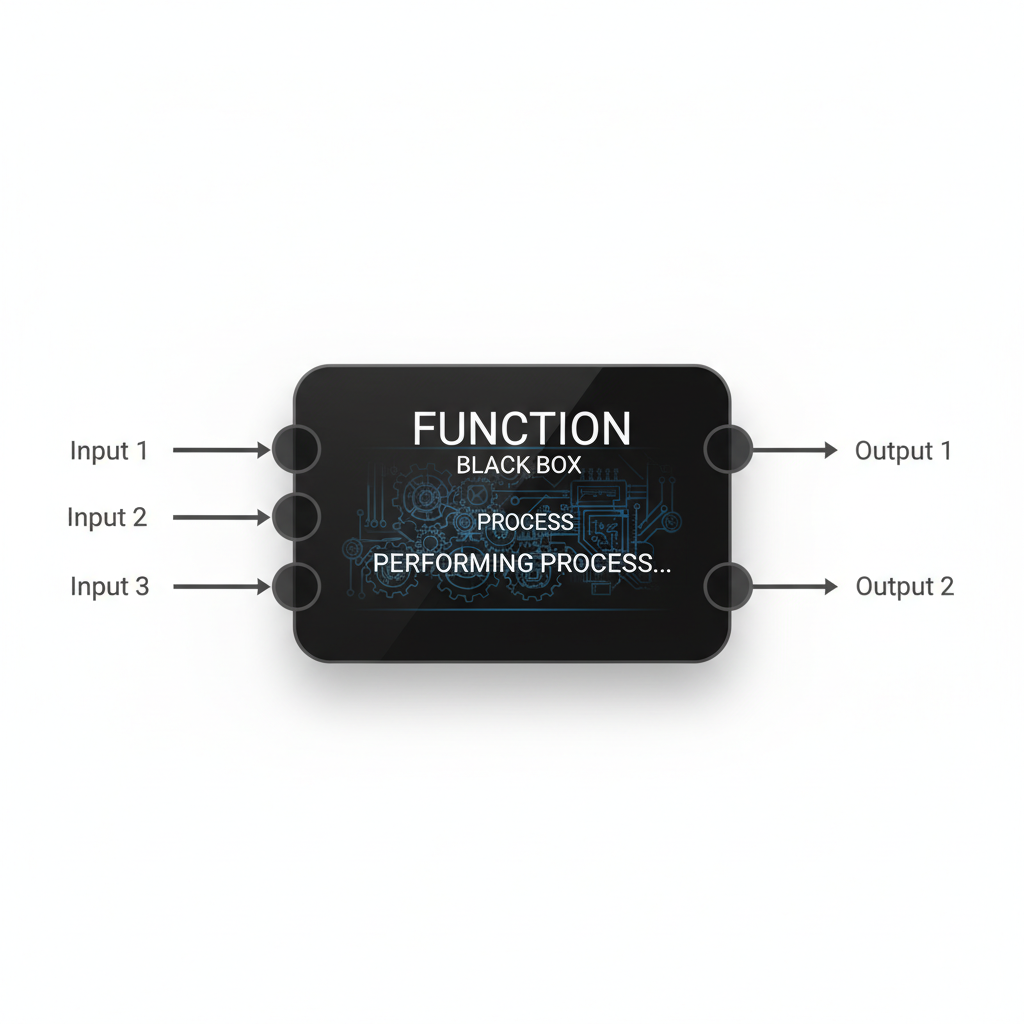
The Anatomy of a Function: Inputs, Processes, and Outputs
Let's look at the common parts of a function:
1. Name
Every function needs a unique name, so you can call it when you want it to perform its task (e.g., calculate_area, greet_user, send_email).
2. Parameters / Arguments (The Inputs)
Many functions need specific pieces of information to do their job. These are called parameters (when defining the function) or arguments (when calling the function).
Analogy: Vending Machine Choices. If you're using a vending machine, pressing 'B3' is an argument you give to the "Dispense Snack" function. The machine needs to know *which* snack you want to dispense.
Analogy: Recipe Ingredients. For your "Make Cake" function, the ingredients like flour, sugar, eggs are the parameters it needs to know what to work with.
3. Function Body (The Process)
This is the actual block of code inside the function that contains the instructions to perform the specific task. It's where the magic happens!
Analogy: The Oven Baking the Cake. Once you've combined the ingredients (parameters), the oven (function body) performs the actual baking process according to the recipe's instructions.
4. Return Value (The Output)
After a function finishes its task, it often produces a result that it gives back to the part of the program that called it. This result is called the return value.
Analogy: The Baked Cake. After your "Make Cake" function (the oven) has done its job, the delicious baked cake is the return value it gives back. Without it, the function would just do work without providing a useful outcome.
Modular Programming: Building Big Projects with Small Blocks
Modular programming is the strategy of breaking down a large, complex programming problem into smaller, more manageable, and independent modules (which are often functions). Instead of one giant, sprawling program, you have a collection of well-defined functions that each handle a specific part of the overall task.
Analogy: Building a Skyscraper
You wouldn't just start pouring concrete randomly when building a skyscraper. You break it down:
- Foundation Team: Builds the base (a module/function).
- Structural Steel Team: Erects the frame (another module/function).
- Plumbing Team: Installs pipes (another module/function).
- Electrical Team: Wires the building (another module/function).
- Interior Design Team: Finishes the rooms (another module/function).
Each team (function/module) does its specialized job, and then their work is combined to create the final skyscraper. This makes the entire project easier to plan, execute, and troubleshoot.
Putting It All Together: A Simple Conceptual Example
Let's imagine a program that calculates the final bill for items in a shopping cart:
    // Main program flow:
    START PROGRAM
        GET items from shopping cart
        CALL calculate_subtotal_function (pass items as input)
        STORE the subtotal result
        CALL apply_discount_function (pass subtotal and discount_code as inputs)
        STORE the discounted_subtotal result
        CALL calculate_tax_function (pass discounted_subtotal as input)
        STORE the tax_amount result
        CALL add_shipping_function (pass discounted_subtotal as input)
        STORE the shipping_cost result
        CALCULATE final_total = discounted_subtotal + tax_amount + shipping_cost
        DISPLAY final_total
    END PROGRAM
Notice how the main program doesn't worry about *how* to calculate tax or apply a discount. It just calls the specific functions (calculate_subtotal_function, apply_discount_function, etc.), provides them with the necessary inputs (parameters), and uses the results (return values) they provide. Each function would contain the detailed steps for its specific task.
Conclusion
Functions and modular programming are fundamental concepts in computer science. They are your tools for writing clean, efficient, understandable, and maintainable code. By mastering them, you're not just writing programs; you're designing elegant solutions, much like an architect designs a building from well-defined components. Keep practicing, and you'll soon be building your own impressive software castles!
Keep learning, free
Create a free Syllabax account to unlock practice questions and games for this topic.
Visual Learning Enhanced! 🚀
To help you master this topic, we use Advanced Syllabax AI to generate detailed diagrams and visual models.
Note on Visuals: The AI sometimes makes spelling errors in image labels. Please refer to the lesson text for the correct terminology.