Web Browsers & Search Engines
Watch this topic in 60 seconds
Free preview · Lesson 1
Understanding Web Browsers & Search Engines
Web Browsers & Search Engines: Your Guides to the Internet
Have you ever wondered how you find information, watch videos, or chat with friends online? It's like embarking on an exciting journey through a vast, endless city called the Internet. To navigate this city, you need two essential tools: a Web Browser and a Search Engine. Think of them as your personal vehicle and your super-smart tour guide.
Part 1: Web Browsers - Your Internet Vehicle
Imagine the Internet as a colossal, ever-expanding library filled with billions of books, magazines, videos, and interactive exhibits. To get inside and actually read a book or watch a show, you can't just walk in – you need a special tool. That tool is a Web Browser.
What is a Web Browser?
A web browser is a software application that allows you to access and view content on the World Wide Web. It's like the car or submarine you use to explore the vast ocean of the internet. Without a browser, you couldn't see any websites!
When you type an address (a URL) into your browser or click on a link, the browser acts as a messenger. It sends a request to a server (which is like a giant storage house for websites), fetches the information (text, images, videos), and then translates all that complex code into something readable and enjoyable on your screen. It's like your car picking up a package and then magically assembling it into a beautiful display right in front of you!
Popular Web Browsers:
- Google Chrome: Very popular, fast, and integrates well with Google services. Think of it as a sleek, modern sports car.
- Mozilla Firefox: Known for its focus on privacy and user customization. This is like a robust, customizable off-road vehicle.
- Microsoft Edge: Microsoft's updated browser, often pre-installed on Windows computers. It's like a reliable family sedan.
- Apple Safari: The default browser for Apple devices (Macs, iPhones, iPads). It's a stylish, integrated luxury car.
Key Features of a Web Browser (Your Car's Dashboard):
- Address Bar (URL Bar): This is where you type the website's address, like
www.example.com. Think of it as your car's GPS input screen where you type your destination. - Tabs: Browsers let you open multiple websites at once in different 'tabs.' This is like being able to read several books simultaneously without losing your place in any of them, or having multiple maps open on your dashboard.
- Bookmarks/Favorites: If you find a website you love, you can 'bookmark' it. This is like putting a pin on a map or saving your favorite restaurant's address in your GPS for quick access later.
- History: Your browser keeps a record of all the websites you've visited. It's like a travel logbook of all your internet journeys.
- Settings: Here, you can customize how your browser looks and behaves, manage your privacy, and more. Think of it as adjusting your car's mirrors, seat, and radio presets to your liking.
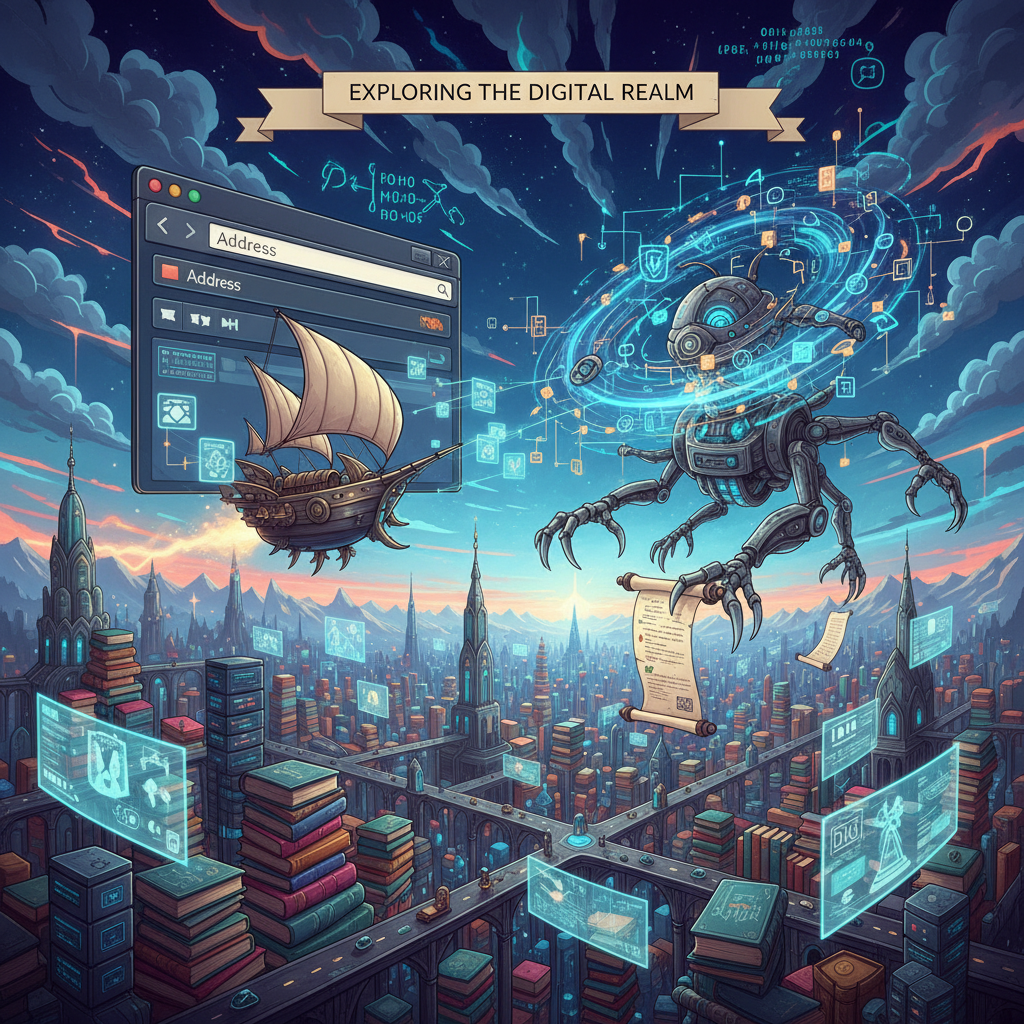 ⚠️ This picture may have spelling mistakes. Trust the words in the lesson.
Part 2: Search Engines - Your Super-Smart Tour Guide
Now that you have your web browser (your car), how do you know where to go in the giant internet city? What if you don't know the exact address (URL) of the information you need? This is where a Search Engine comes in. It's your ultimate tour guide, librarian, and detective all rolled into one!
What is a Search Engine?
A search engine is a program that searches for and identifies items in a database that correspond to keywords or characters specified by the user, used especially for finding particular sites on the World Wide Web.
Think of the internet as that massive library again. If you walk into a traditional library and ask for 'a book about space,' the librarian would point you to the science section. A search engine does this but on a galactic scale, sifting through billions of 'books' (websites) in mere seconds. It's like a super-fast, digital librarian with an incredible memory for every single book in the world.
How Do Search Engines Work? (The Librarian's Secret)
- Crawling: Search engines have automated programs called 'spiders' or 'crawlers.' These tiny digital robots constantly explore the internet, following links from one page to another, reading and collecting information from every public website they can find. It's like the librarian's assistants constantly exploring every shelf and aisle of the library, noting down new books and updates.
- Indexing: All the information collected by the crawlers is then organized and stored in a massive database, creating an 'index.' This index is like the library's master card catalog or digital inventory, listing every word and topic found on every website.
- Ranking: When you type a query (your question) into the search engine, it quickly sifts through its index. Then, using complex 'algorithms' (like secret recipes or rules), it decides which websites are the most relevant and important to your query. It's like the librarian not just finding books about space, but knowing which ones are the most popular, most recently updated, or best-reviewed for a 9th grader!
Popular Search Engines:
- Google: By far the most widely used, known for its powerful algorithms and vast index. It's the 'master librarian' of the internet.
- Bing: Microsoft's search engine, often integrated with Windows and Edge. It's another very capable librarian, perhaps with a slightly different sorting system.
- DuckDuckGo: Known for its strong focus on user privacy, meaning it doesn't track your searches. It's a privacy-conscious librarian who respects your anonymity.
Using Keywords Effectively (Talking to the Librarian):
To get the best results from a search engine, you need to use good 'keywords.' These are the specific words or phrases you type into the search bar. Instead of typing 'stuff about animals,' try 'facts about giant pandas diet' or 'how do sharks breathe?' The more specific your keywords, the better the search engine (librarian) can understand what you're looking for and give you precise results.
Putting It All Together: Browser + Search Engine
So, a web browser is your vehicle to travel the internet, and a search engine is your smart GPS and guide that helps you find your destination. You open your browser (get in your car), go to a search engine's website (turn on your GPS), type in your query (tell the GPS where you want to go), and the search engine gives you a list of links (directions). You click on a link, and your browser takes you directly to that website (your car drives you there)!
Understanding how these two tools work is fundamental to exploring the digital world safely and effectively. They are the keys to unlocking a universe of information, entertainment, and connection!
Keep learning, free
Create a free Syllabax account to unlock practice questions and games for this topic.
Visual Learning Enhanced! 🚀
To help you master this topic, we use Advanced Syllabax AI to generate detailed diagrams and visual models.
Note on Visuals: The AI sometimes makes spelling errors in image labels. Please refer to the lesson text for the correct terminology.