Output Devices: Monitor, Printer, Speakers
Watch this topic in 60 seconds
Free preview · Lesson 1
Understanding Output Devices: Monitor, Printer, Speakers
Understanding Output Devices: How Computers Talk to Us!
Hello, young explorers! Have you ever wondered how your computer, tablet, or phone shows you pictures, plays music, or lets you read stories? It’s not magic, it’s thanks to special parts called Output Devices! Think of a computer as a very smart friend. Output devices are like its mouth, eyes, and hands, helping it share information with you.
What are Output Devices?
Imagine you're building with LEGOs. You put the blocks together (that's like input, giving the computer instructions). Now, how do you see what you've built? You look at it, right? Output devices are what the computer uses to show you its "work" or "thoughts." They take information from the computer and present it to us in a way we can understand, like pictures, sounds, or printed papers.
Today, we're going to learn about three super important output devices: the Monitor, the Printer, and Speakers.
1. The Monitor: The Computer's Face
Have you ever watched TV? Well, a computer monitor is a lot like a TV screen! It’s the part of the computer that shows you everything that’s happening inside. It displays images, videos, text, and all the programs you're using.
- How it works (Simply!): The computer sends signals to the monitor, and the monitor lights up tiny little dots (called pixels) in different colors to create the pictures and words you see. It's like having millions of tiny light bulbs working together to paint a picture just for your eyes!
- Analogy Time! Think of the monitor as the computer's face. When your friend smiles, frowns, or talks, you see their face. The monitor is how the computer shows you what it's "thinking" or "doing." When you play a game, the monitor shows you the game world. When you write a story, the monitor shows you the words appearing on the page. Without a monitor, your computer would be like a friend trying to tell you a secret in the dark – you wouldn't see anything!
- What does it show? Pictures, videos, games, websites, documents, and much more!
2. The Printer: Bringing Digital to Life!
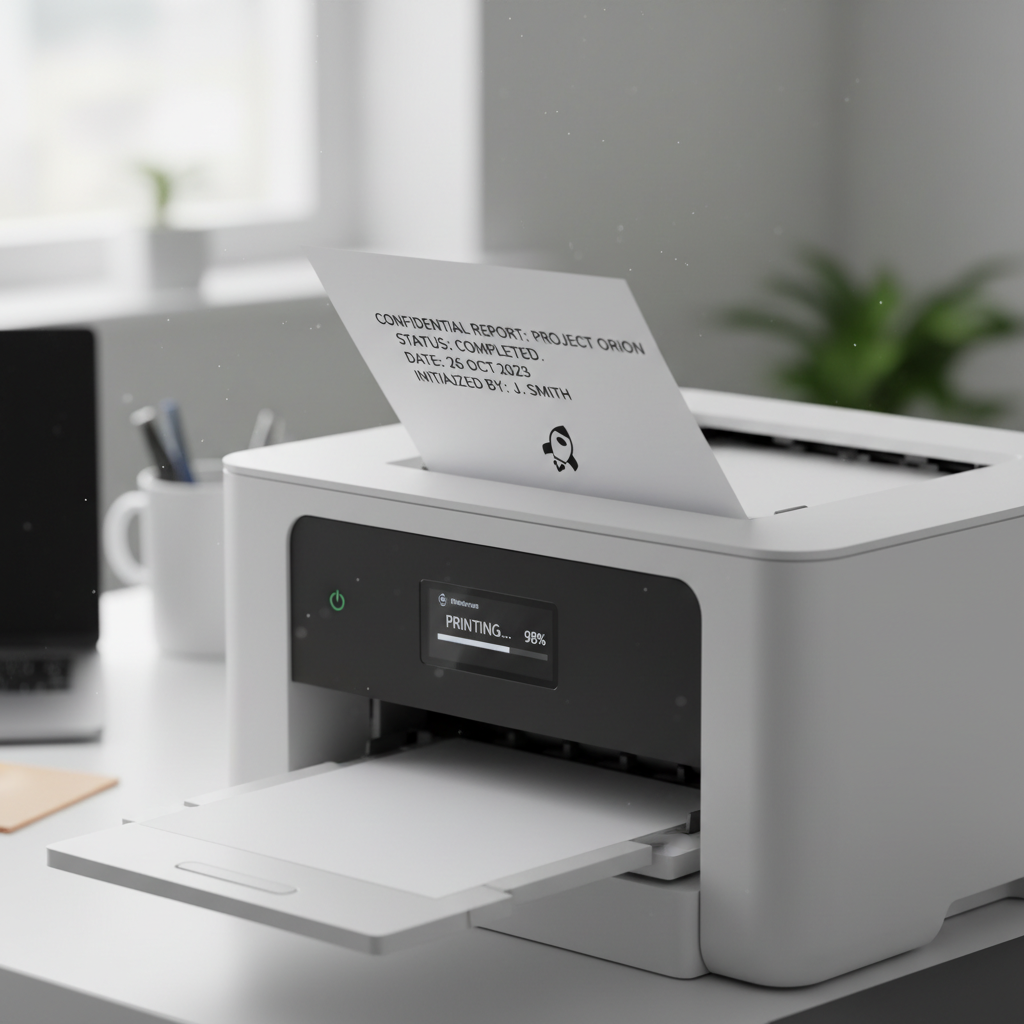
Sometimes, you don't just want to see something on the screen; you want to hold it in your hands! That's where the printer comes in. A printer is an output device that takes information from your computer and puts it onto paper. It transforms digital stuff into physical stuff!
- How it works (Simply!): When you click "print," your computer sends the image or document to the printer. The printer then uses ink or toner (a special kind of powder) to put the words and pictures onto a piece of paper. It’s like a magical drawing machine that follows your computer's instructions perfectly!
- Analogy Time! Imagine you've drawn a fantastic picture on a digital drawing pad, but you want to hang it on your fridge. The printer is like a special art assistant that takes your digital drawing and recreates it on real paper so you can touch it and show it off! Or think of it as a stamp maker for your computer's ideas.
- Types of Printers (Very Basic):
- Inkjet Printers: These are common for homes and schools. They spray tiny drops of liquid ink onto the paper to make pictures and text. Think of them like tiny artists using liquid paint!
- Laser Printers: These are often faster and good for lots of text. They use a laser and a special powder (called toner) to print. Imagine them using a super-fast magic marker that never runs out!
- What does it print? Documents, homework, photos, tickets, labels, and more!
3. Speakers: The Computer's Voice
What if your computer wants to sing you a song, tell you a story, or make a fun sound when you get a message? It uses speakers! Speakers are output devices that produce sound. They let you hear music, voices, sound effects, and everything else your computer can make sound-wise.
- How it works (Simply!): The computer sends electrical signals to the speakers. Inside the speakers, there's a special part that vibrates very, very fast according to these signals. These vibrations create sound waves that travel through the air to your ears, letting you hear everything!
- Analogy Time! Think of speakers as the computer's mouth or voice box. When you speak, your vocal cords vibrate to make sound. Speakers do the same thing for the computer! Without speakers, your computer would be like a silent movie – you'd see things, but you wouldn't hear any exciting music or important announcements.
- What sounds do they make? Music, movie soundtracks, game sounds, notification beeps, recorded voices, and more!
Putting It All Together!
So, we've learned about three amazing output devices: the monitor (the computer's eyes), the printer (the computer's hands that make paper copies), and speakers (the computer's mouth and ears). Each one helps the computer communicate with you in a different, important way. They are all essential for making computers useful and fun!
Next time you see a picture on a screen, print your homework, or listen to music from a computer, remember the awesome output devices making it all happen!
Keep learning, free
Create a free Syllabax account to unlock practice questions and games for this topic.
Visual Learning Enhanced! 🚀
To help you master this topic, we use Advanced Syllabax AI to generate detailed diagrams and visual models.
Note on Visuals: The AI sometimes makes spelling errors in image labels. Please refer to the lesson text for the correct terminology.