Sorting Sizes
Watch this topic in 60 seconds
Free preview · Lesson 1
Understanding Sorting Sizes
Welcome to the World of Sizes! Let's Sort!
Hello, super learners! Today, we're going on an exciting adventure to learn about "Sorting Sizes." What does that even mean? Don't worry, we'll find out together!
What is "Size"?
Imagine you have two apples. One is tiny, like a cherry, and the other is super big, like a small melon! They are different in size. Size tells us how big or how small something is. It's like asking, "How much space does it take up?"
- Small: Think of a little ant, a tiny pebble, or your baby sister's shoes. These things don't take up much room at all! They are often light and easy to hold in one hand.
- Medium: Think of a regular apple, a cat, or your backpack. It's not too small, not too big – just right in the middle! These items are a little bigger than small things but not as huge as big things.
- Big: Think of an elephant, a giant tree, or your dad's car. These things take up a lot of space! They might be heavy and too big to pick up by yourself.
We see things of different sizes everywhere we look! Your teddy bear might be small, but your bed is big. Your finger is small, but your whole arm is much bigger! Even the food on your plate comes in different sizes, like a tiny pea and a big potato.
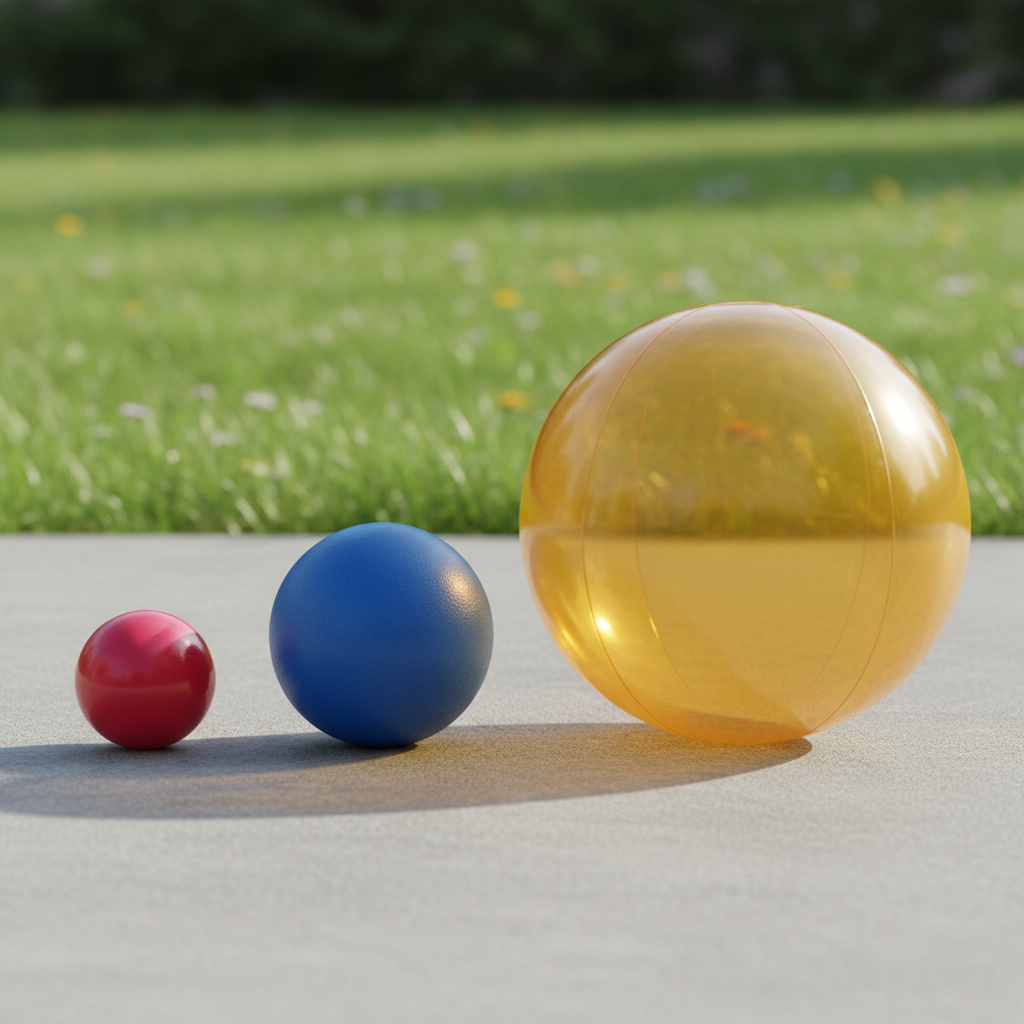
Why Do We Sort? It's Like Making Things Tidy!
Do you ever help put your toys away? When everything is messy and mixed up in a big pile, it's hard to find what you're looking for, right? Sorting helps us make sense of things and put them in order. It's like putting all your big building blocks in one pile and your small LEGOs in another pile. This way, you can easily find the toy you want to play with!
When we sort by size, we put things that are alike in size together, or we arrange them from the smallest to the biggest, or the biggest to the smallest. It makes things look neat, organized, and helps us understand them better! Imagine trying to find the right size shoe if all the shoes were just thrown together – it would be a very long search!
Analogy Time! Let's Think About Toys!
Imagine your toy box. You have a tiny toy car (zoom!), a medium-sized action figure (pow!), and a giant plush dinosaur (ROAR!). If you wanted to line them up from the smallest to the biggest, what would you do?
- First, you'd find the smallest toy: the tiny car! It fits right in your hand.
- Next, you'd find the toy that's a bit bigger: the medium action figure. It's bigger than the car but not as big as the dinosaur.
- Finally, you'd find the biggest toy: the giant plush dinosaur! It might be almost as big as you!
Now they are sorted by size, from smallest to biggest! See how much neater and easier to understand that looks? You can quickly see which toy is the smallest and which is the biggest.
How to Sort by Size: Smallest to Biggest or Biggest to Smallest!
There are usually two main ways to sort things by size. Think of it like going up a ladder or going down a slide!
1. From Smallest to Biggest (Like a Little Hill Getting Taller!)
This is like lining up a baby, then a child, then an adult. Each one is a little bit taller (or bigger) than the last one. You start with the very smallest item and add items that are a little larger each time until you reach the largest one. This creates an increasing order.
Example: Buttons!
Imagine you have three buttons: one tiny little button for a doll's shirt, one medium button for your shirt, and one very large button for a coat. To sort them from smallest to biggest, you would put the tiny button first, then the medium button, and finally the large button.
2. From Biggest to Smallest (Like a Big Hill Getting Shorter!)
This is the opposite! You start with the largest item and go down to the smallest. It's like stacking big books at the bottom and putting smaller books on top, or like counting down from ten to one. This creates a decreasing order.
Example: Books!
If you have a very tall storybook with many pages, a regular picture book, and a tiny sticker book, to sort them from biggest to smallest, you'd put the tall storybook first, then the regular picture book, and last the tiny sticker book. This way, the tallest book is at one end and the shortest book is at the other.
Let's Practice Comparing Sizes!
To sort, you need to compare! Comparing means looking at two or more things and seeing how they are different or the same. When we compare sizes, we ask ourselves: "Which one is bigger?" or "Which one is smaller?" We use our eyes to observe and make decisions.
Think about your family:
- Who is the biggest in your family? Maybe your dad or mom?
- Who is the smallest? Maybe you, or a baby brother or sister?
You can compare anything! Two leaves from a tree, two different shoes, two pieces of fruit. Try it right now with two things near you! Pick up a crayon and a book. Which one is bigger? Which one is smaller? Good job! You're comparing sizes!
Key Words to Remember When Sorting Sizes:
- Smallest: The very tiny one! It is smaller than all the other items.
- Biggest: The very large one! It is larger than all the other items.
- Medium: Not too small, not too big, right in the middle! It's in between the smallest and biggest.
- Sort: To put things in order, like by size, color, or shape.
- Compare: To look at two or more things to see how they are alike or different, especially in terms of their size.
- Order: A special way that things are arranged, such as from smallest to biggest.
Sorting sizes is a super helpful skill! It helps you organize your toys, understand the world around you, and even solve puzzles! Keep practicing by looking at things and asking yourself: "Which one is bigger? Which one is smaller?" You're already a sorting expert!
Keep learning, free
Create a free Syllabax account to unlock practice questions and games for this topic.
Visual Learning Enhanced! 🚀
To help you master this topic, we use Advanced Syllabax AI to generate detailed diagrams and visual models.
Note on Visuals: The AI sometimes makes spelling errors in image labels. Please refer to the lesson text for the correct terminology.