Typing Practice: First Words
Watch this topic in 60 seconds
Free preview · Lesson 1
Understanding Typing Practice: First Words
Typing Adventure: Your First Words!
Hello, Future Typing Superstars! Have you ever seen someone write super fast on a computer? That's called typing! Typing is like drawing or writing, but instead of a pencil, you use your amazing fingers on a special board called a keyboard. Imagine being able to write your own stories, send messages to friends, or find your favorite cartoon videos super quickly! That's what learning to type will help you do!
Why is Typing So Cool?
- It helps you write faster than with a pencil sometimes.
- You can talk to friends and family online.
- You can type up awesome school reports and creative stories.
- It helps you use computers and tablets like a pro!
Meet Your Magical Keyboard!
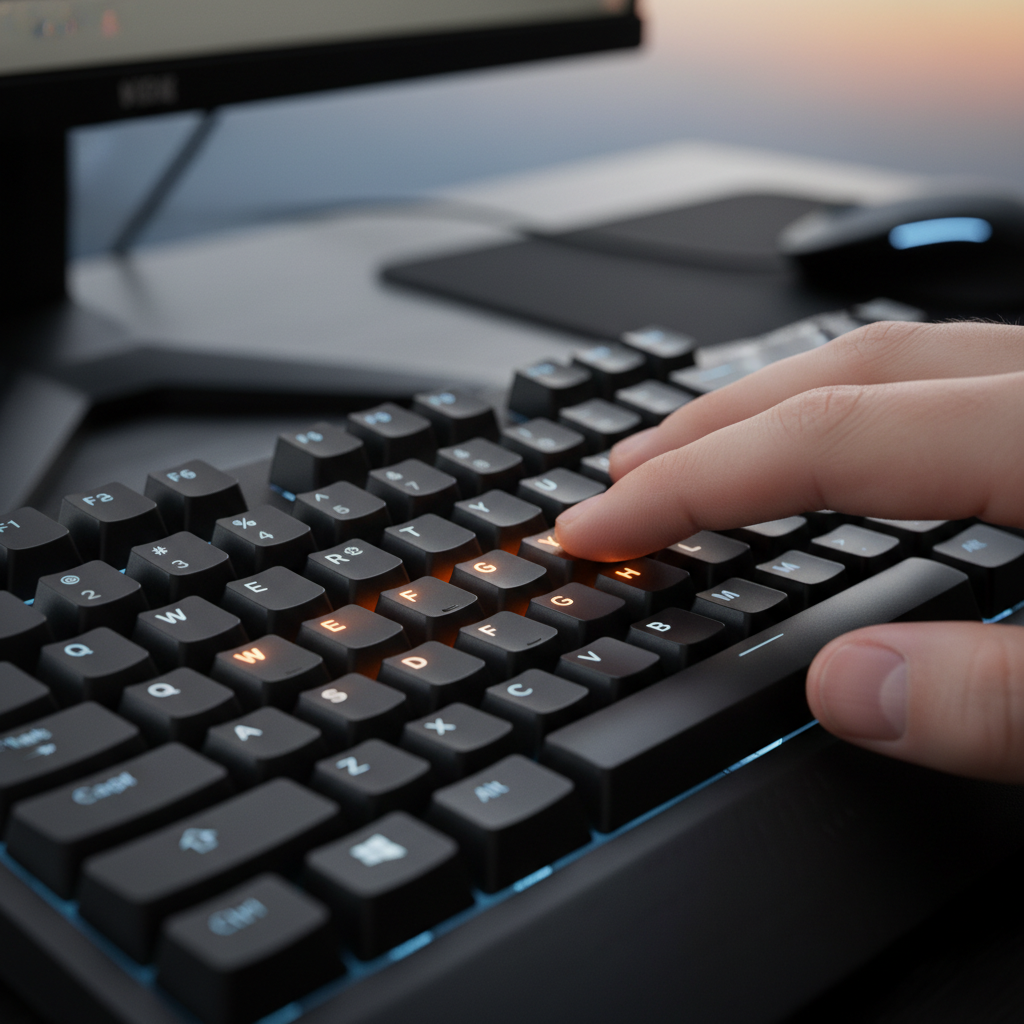
Look at your keyboard. It's like a big puzzle with lots of little buttons! Each button is called a 'key,' and most keys have a letter, a number, or a special sign on them. We're going to learn where your fingers should live on this magical board so they can find the keys without even looking!
Home Row Heroes: Your Finger's 'Home Base'
This is super important! Find these keys on your keyboard:
- For your left hand, find the keys: A, S, D, F.
- For your right hand, find the keys: J, K, L, ; (that's a semicolon!).
These eight keys are called the 'home row.' Think of it like playing a game of tag: no matter where your fingers go to press another key, they always come back to their 'home base' on the home row! Your pointer fingers (the ones next to your thumbs) should sit on 'F' and 'J'. Many keyboards even have a tiny bump on the 'F' and 'J' keys! This bump is a secret signal for your pointer fingers to find their way home without you having to look down.
 ⚠️ This picture may have spelling mistakes. Trust the words in the lesson.
Your Finger Friends and Their Jobs
Each of your fingers is a little worker, and they each have their own special job (their own keys to press!). They work together like a super team!
- Left Pinky: The 'A' key (and keys near it, like 'Q' and 'Z')
- Left Ring Finger: The 'S' key (and keys near it, like 'W' and 'X')
- Left Middle Finger: The 'D' key (and keys near it, like 'E' and 'C')
- Left Index Finger: The 'F' key (and also the 'G' key, and keys like 'R', 'T', 'V', 'B')
- Right Index Finger: The 'J' key (and also the 'H' key, and keys like 'U', 'Y', 'N', 'M')
- Right Middle Finger: The 'K' key (and keys near it, like 'I' and ',')
- Right Ring Finger: The 'L' key (and keys near it, like 'O' and '.')
- Right Pinky: The ';' (semicolon) key (and keys near it, like 'P', '/' and '[')
- Your Thumbs: They get the biggest job! They press the giant Space Bar!
The Space Bar Superstar!
Look at the longest key at the very bottom of your keyboard. That's the space bar! It's like a giant 'gap maker.' Every time you want to put a space between your words, your thumb (either your left or right thumb) gives it a gentle tap. Without spaces, all your words would squish together like 'thisismyfirstword,' and that's super hard to read!
Let's Type Our First Words!
Ready for some real typing magic? Follow these steps:
- Step 1: Get Ready! Gently place your fingers on the home row keys: Left hand on A S D F, Right hand on J K L ;. Let your wrists float gently, not resting them too hard on the desk.
- Step 2: Look at the Screen! This is a super important secret trick! Instead of looking down at your fingers (they'll learn their way!), try to look at the words appearing on your computer screen. It's like driving a car – you look at the road ahead, not your feet on the pedals!
- Step 3: Try Individual Letters!
- Press 'A' with your left pinky. Lift your pinky back to 'A'.
- Press 'S' with your left ring finger. Lift it back to 'S'.
- Press 'D' with your left middle finger. Lift it back to 'D'.
- Press 'F' with your left index finger. Lift it back to 'F'.
- Now for the right hand! Press 'J' with your right index finger. Lift it back to 'J'.
- Press 'K' with your right middle finger. Lift it back to 'K'.
- Press 'L' with your right ring finger. Lift it back to 'L'.
- Press ';' with your right pinky. Lift it back to ';'.
- Step 4: Let's Make a Word! Try typing the word "ask":
- Press 'A' (left pinky)
- Press 'S' (left ring finger)
- Press 'K' (right middle finger)
- Then, give the Space Bar a tap with your thumb!
- Step 5: Try "sad":
- Press 'S' (left ring finger)
- Press 'A' (left pinky)
- Press 'D' (left middle finger)
- Space!
- Step 6: Try "fad":
- Press 'F' (left index finger)
- Press 'A' (left pinky)
- Press 'D' (left middle finger)
- Space!
Important Typing Superpowers!
To become an awesome typist, remember these tips:
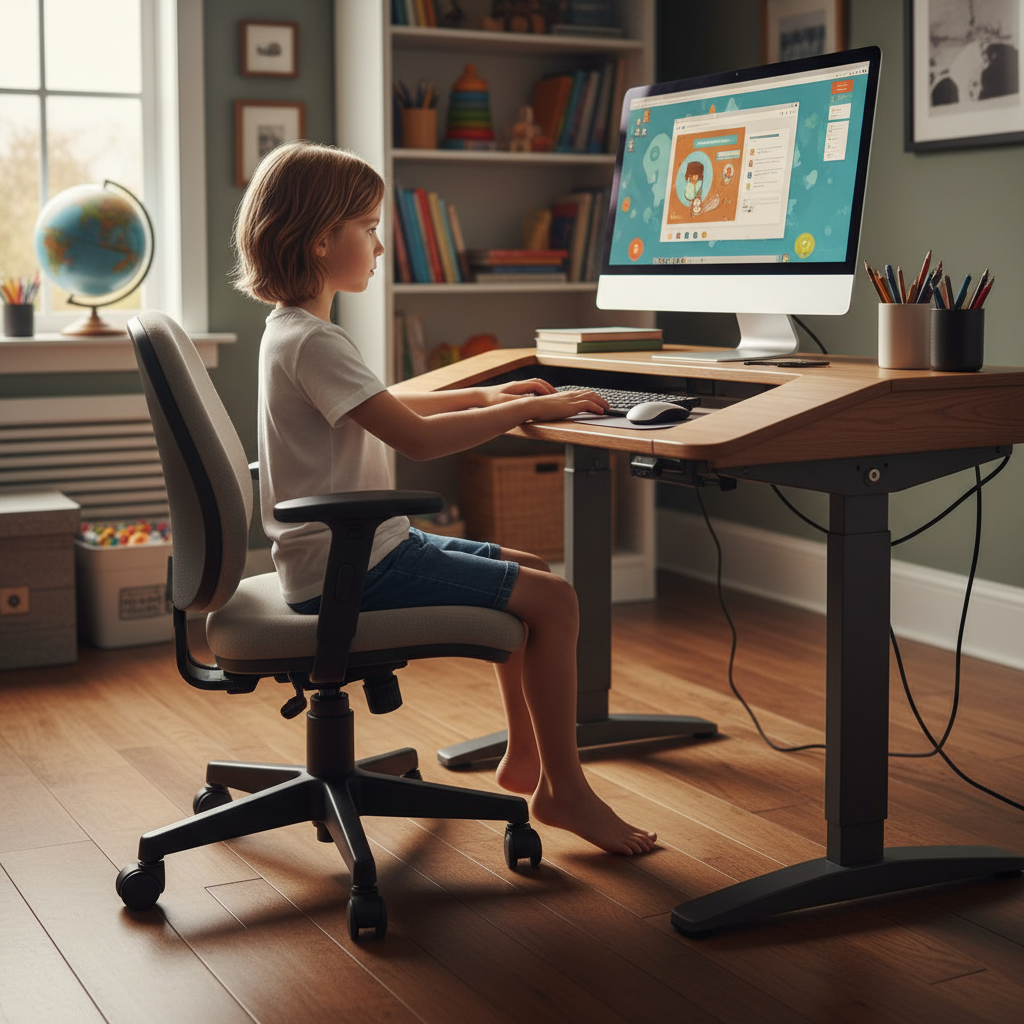
1. Posture Power: Sit Up Tall!
Imagine you're a superhero, sitting tall and strong! Your back should be straight, your feet flat on the floor (or on a footrest), and your wrists flat and relaxed. Don't bend them up or down like a broken toy. This helps you type comfortably for a long time without getting tired or sore. Good posture is like a strong foundation for a house – it makes everything else work better!
2. Eyes on the Screen, Not Your Fingers!
Remember that secret trick? Keep your eyes focused on the words you're typing on the screen. Your fingers will learn where to go all by themselves with practice! It's like learning to ride a bike – at first, you might look at your feet, but soon you're looking straight ahead, enjoying the ride!
3. Gentle Taps: Be Soft!
You don't need to push the keys really hard. Just a gentle tap is enough, like patting a friendly puppy, not trying to open a stuck jar. Soft, gentle taps help your fingers move faster and stay relaxed.
4. Practice Makes Perfect: Keep Trying!
Typing is a skill, just like learning to draw, play a sport, or read a new book. The more you practice, the better and faster you'll become! Even just 5 or 10 minutes a day can make a HUGE difference. Don't worry if you make mistakes – everyone does! Just keep trying, and soon you'll be a typing wizard!
 ⚠️ This picture may have spelling mistakes. Trust the words in the lesson.
Your Typing Journey Begins!
You are now ready to start your amazing typing adventure! Keep those fingers on their home row, look at the screen, and have fun watching your words magically appear. With a little practice every day, you'll be typing like a pro in no time! Happy typing!
Keep learning, free
Create a free Syllabax account to unlock practice questions and games for this topic.
Visual Learning Enhanced! 🚀
To help you master this topic, we use Advanced Syllabax AI to generate detailed diagrams and visual models.
Note on Visuals: The AI sometimes makes spelling errors in image labels. Please refer to the lesson text for the correct terminology.