Digital Citizenship & Responsibility
Watch this topic in 60 seconds
Free preview · Lesson 1
Understanding Digital Citizenship & Responsibility
Navigating the Digital World: Your Guide to Digital Citizenship (Grade 7)
Welcome, 7th graders, to the amazing, vast world of the internet! Just like our physical world has rules, customs, and ways we interact kindly with others, the digital world—the internet, social media, online games—has its own set of guidelines. We call these rules and behaviors Digital Citizenship and Responsibility. Think of yourself as a citizen of a brand-new, exciting city that exists entirely online!
What is Digital Citizenship?
Imagine your school. You know there are rules: be respectful to teachers, don't run in the halls, help classmates, and keep your belongings safe. Digital citizenship is exactly like that, but for when you're using computers, tablets, or phones to go online. It means being a good, safe, and smart resident of the internet community. It's about understanding your rights and responsibilities in this digital space.
Why is it Important?
The internet is a powerful tool. It can help you learn new things, connect with friends and family, play games, and explore incredible places from your home. But just like a powerful tool (like a car or a microwave), if you don't use it correctly and responsibly, it can cause problems. Being a good digital citizen helps protect you and others, making the internet a better place for everyone.
Pillar 1: Online Safety – Keeping Yourself Secure Like a Secret Agent!
Your first and most important job as a digital citizen is to keep yourself safe. Think of your online life like your house. You wouldn't leave your front door wide open, would you? You'd lock it and keep your valuables hidden. Online safety is about doing the same thing!
Protecting Your Personal Information (Your Digital 'Address')
Your personal information includes things like your full name, home address, phone number, school name, photos of your house, or even where you play sports. Giving this information out to strangers online is like yelling your home address in a crowded stadium – you never know who might hear it and use it in a way you don't want.
- Rule: Never share your personal information with anyone you don't know and trust in real life, unless a trusted adult says it's okay for a specific reason (like signing up for a school-approved educational website).
- Analogy: Imagine you have a special secret diary. You wouldn't show it to just anyone, would you? Your personal information is like that diary – keep it private!
Strong Passwords (Your Digital 'Keys')
Passwords are like the keys to your online accounts (games, social media, email). If your key is super simple, like "123456" or "password," it's like leaving your house key under the doormat – anyone can find it! A strong password is like a very complicated, unique key.
- How to make a strong password: Mix uppercase and lowercase letters, numbers, and symbols (!@#$). Make it long (at least 8-12 characters). Don't use your birthday or pet's name.
- Rule: Never share your passwords with anyone, not even your best friend! If a friend truly needs to access something, they should ask a trusted adult.
- Analogy: Think of your password like the secret combination to a safe. The more numbers and symbols you use, the harder it is for someone to guess!
Beware of Strangers (Online 'Candy From Strangers')
Just like in the real world, you wouldn't talk to or go with a stranger you meet on the street without an adult's permission. The same goes for online. Not everyone online is who they say they are. Someone who claims to be a kid your age could actually be an adult pretending.
- Rule: Don't chat with people you don't know in real life. If someone you don't know messages you, or if anything online makes you feel uncomfortable, tell a trusted adult immediately.
- Analogy: Meeting someone new online who wants to know a lot about you is like a stranger offering you candy. It might seem harmless, but it's always safer to say no and tell an adult.
Pillar 2: Digital Etiquette – Being Polite in the Digital Neighborhood
Etiquette simply means good manners. Digital etiquette, or "Netiquette," is about being respectful and kind when you communicate and interact with others online. Just because you can't see someone's face doesn't mean you should forget your manners!
Think Before You Post (The 'Pause Button' Principle)
Once you post something online—a picture, a comment, a video—it's very hard, sometimes impossible, to take it back completely. It's like throwing paint on a wall; even if you try to clean it, there might always be a stain.
- Rule: Before you post or send anything, ask yourself: "Is this kind? Is this true? Is this helpful? Is this necessary? Is this respectful?" If the answer to any is "no," don't post it!
- Analogy: Imagine everything you post online is like a message written in permanent marker. Everyone can see it, and it's hard to erase! So, think before you write.
Cyberbullying: Not Cool, Online or Off
Cyberbullying is when someone uses digital technology to repeatedly upset, embarrass, or threaten another person. This can happen through mean texts, hurtful comments on social media, spreading rumors, or sharing embarrassing photos without permission. It's just as wrong as bullying in person, and it can hurt even more because it's often public and hard to escape.
- Rule: Never participate in cyberbullying. If you see it happening, don't share or like the mean content. Instead, report it to a trusted adult, block the bully, and support the person being targeted.
- Analogy: Cyberbullying is like yelling mean things at someone through a megaphone that broadcasts to the whole world. It's amplified and much harder to ignore or escape.
Pillar 3: Digital Rights & Responsibilities – Your Place in the Digital Community
As a digital citizen, you have rights (like privacy), but also responsibilities (like respecting others' creations).
Respecting Copyright (Giving Credit Where Credit is Due)
Just like a musician writes a song, an artist paints a picture, or an author writes a book, people create things online. These creations (photos, videos, articles, music) are often protected by something called "copyright." This means the creator owns them, and you can't just take and use them as your own without permission or giving them credit.
- Rule: Always ask for permission or give credit when you use someone else's work online. If you're not sure, it's best not to use it or find something that is free to use.
- Analogy: If your friend draws an amazing picture, you wouldn't claim you drew it, would you? You'd say, "My friend drew this!" Online, it's the same.
Protecting Your Privacy & Others' Privacy (Like Keeping Secrets)
Your privacy is your right to control who sees your personal information and how it's used. This also extends to others. Don't share photos or information about other people without their permission. If you wouldn't want it shared about you, don't share it about someone else.
- Rule: Check your privacy settings on apps and websites. Make sure only people you trust can see your posts. Always ask a friend before posting a picture of them online.
- Analogy: Imagine you're taking a photo of a group of friends. Before you share it with everyone, you'd make sure everyone in the photo is okay with it, right? Online, it's even more important!
Pillar 4: Digital Health & Wellness – Balancing Your Online and Offline Life
Being a good digital citizen also means taking care of yourself and understanding how your online actions create a "digital footprint."
Managing Screen Time (Finding the Right Balance)
The internet and digital devices are fantastic, but spending too much time staring at screens can affect your eyes, sleep, mood, and even your ability to focus in school. It's important to find a healthy balance between your online activities and real-world experiences.
- Rule: Set limits for yourself or with an adult on how much screen time you have each day. Make sure you still have time for homework, playing outside, talking to family, and getting enough sleep.
- Analogy: Think of screen time like eating your favorite dessert. A little bit is great, but too much can make you feel sick and isn't healthy for you in the long run.
Understanding Your Digital Footprint (Your Online 'Shadow')
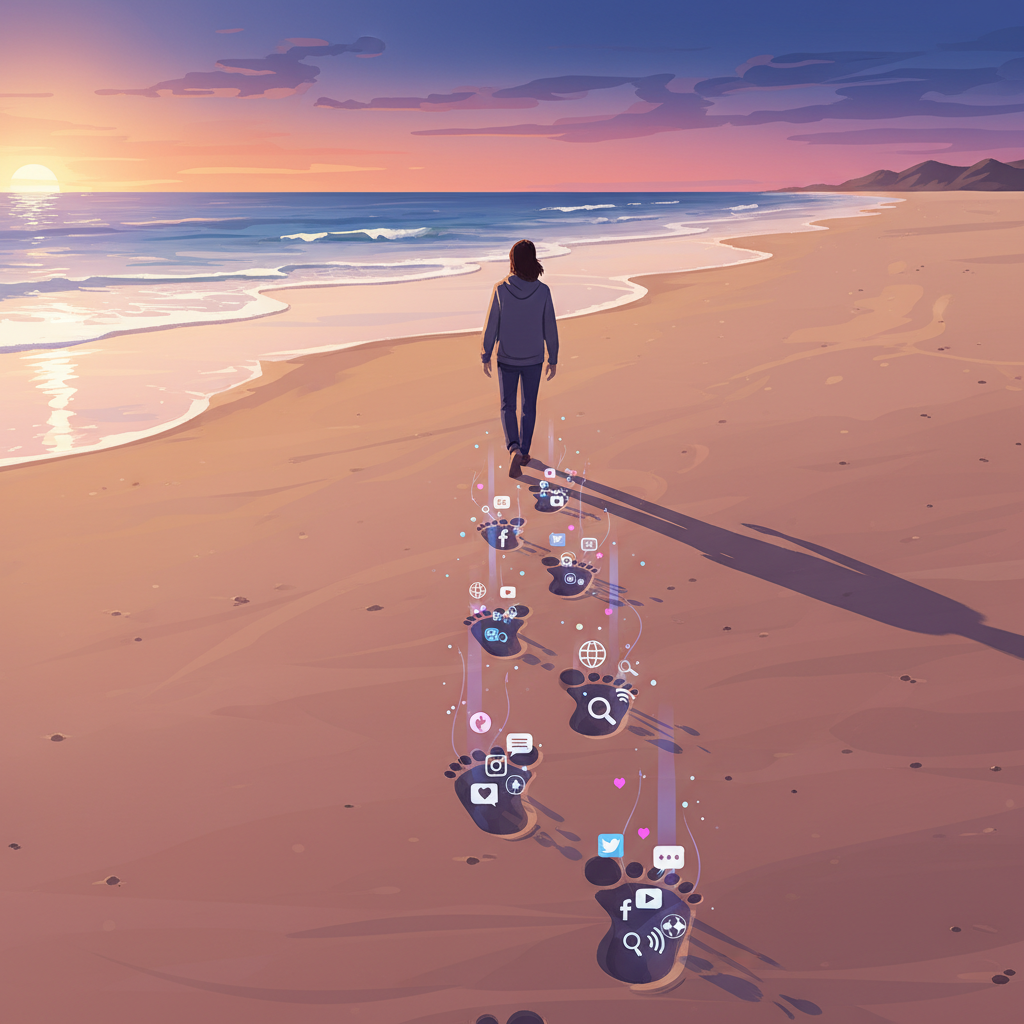
Every time you go online—every search you make, every photo you post, every comment you leave, every website you visit—you leave behind a trail of information. This trail is called your "digital footprint." It's like leaving footprints in the sand; once they're there, they're hard to completely erase, and they show where you've been.
- Rule: Be mindful of the footprint you're leaving. Will your future self be proud of what you're posting today? What you post now can be seen by colleges, future employers, and many others for years to come.
- Analogy: Your digital footprint is like a permanent record of everything you do online. It follows you everywhere and can be seen by many people, even years later. Make sure it's a good record!
Conclusion: Be a Super Digital Citizen!
Being a digital citizen isn't just about following rules; it's about being kind, smart, and safe in a new and exciting world. By understanding these core ideas, you're not just protecting yourself, but also helping to create a positive and respectful online community for everyone. So go forth, explore, connect, and be the best digital citizen you can be!
Keep learning, free
Create a free Syllabax account to unlock practice questions and games for this topic.
Visual Learning Enhanced! 🚀
To help you master this topic, we use Advanced Syllabax AI to generate detailed diagrams and visual models.
Note on Visuals: The AI sometimes makes spelling errors in image labels. Please refer to the lesson text for the correct terminology.