Cloud Computing: Storing Data Online
Watch this topic in 60 seconds
Free preview · Lesson 1
Understanding Cloud Computing: Storing Data Online
Cloud Computing: Storing Your Digital Treasures Online!
Hey there, future tech explorers! Have you ever wondered where all your photos, videos, school projects, and games go when you save them? Usually, they're stored right on your computer, tablet, or phone. But what if you want to get to them from *anywhere*? What if your device breaks? That's where something super cool called Cloud Computing comes in, especially for storing your data online!
What is "The Cloud" Anyway?
Imagine you have a backpack. You put all your important school supplies, snacks, and personal items in it. This backpack is like your computer or phone – it stores your stuff, and it's always with you. But what if you need to share a book with a friend, or you leave your backpack at home? You can't get to your stuff!
Now, imagine a giant, super-secure locker facility, like a huge warehouse full of lockers. Instead of physical things, these lockers store your digital stuff: photos, videos, documents, music, and more. And the best part? You can access *your* locker from any computer, tablet, or phone, as long as you have the key (your password) and an internet connection!
That giant locker facility is "The Cloud." It's not a real cloud in the sky made of water vapor. It's actually a massive network of powerful computers, called servers, located in huge buildings called data centers all around the world. These servers are always on, always connected to the internet, and ready to store and share your digital data.
Why Store Your Data in the Cloud?
1. Access Anywhere, Anytime (Your Digital Backpack on Demand!)
Think about our backpack analogy again. If your files are only on your laptop, you need your laptop to see them. If you store them in the cloud, it's like having a special digital key that lets you open your locker from *any* device with internet. You could be at school, at a friend's house, or on vacation, and still get to your homework or favorite game saves. It’s incredibly convenient!
2. Safety First (No More Lost Homework Nightmares!)
What happens if your phone falls in water, or your computer crashes and all your files disappear? Disaster! But if your files are in the cloud, they're safe. The companies that run these data centers have many copies of your data stored in different places. So, even if one server has a problem, your data is still secure on another. It's like having your homework saved in five different places instead of just one folder on your computer.
3. Easy Sharing (Pass the Digital Popcorn!)
Want to share a video of your pet or a group project with friends? Instead of emailing huge files back and forth (which can be slow and annoying), you can just send a link to your cloud-stored file. Your friends can then view or even work on the document with you, all in real-time. It’s like everyone having a copy of the same board game, but you're all playing on the same digital board at the same time!
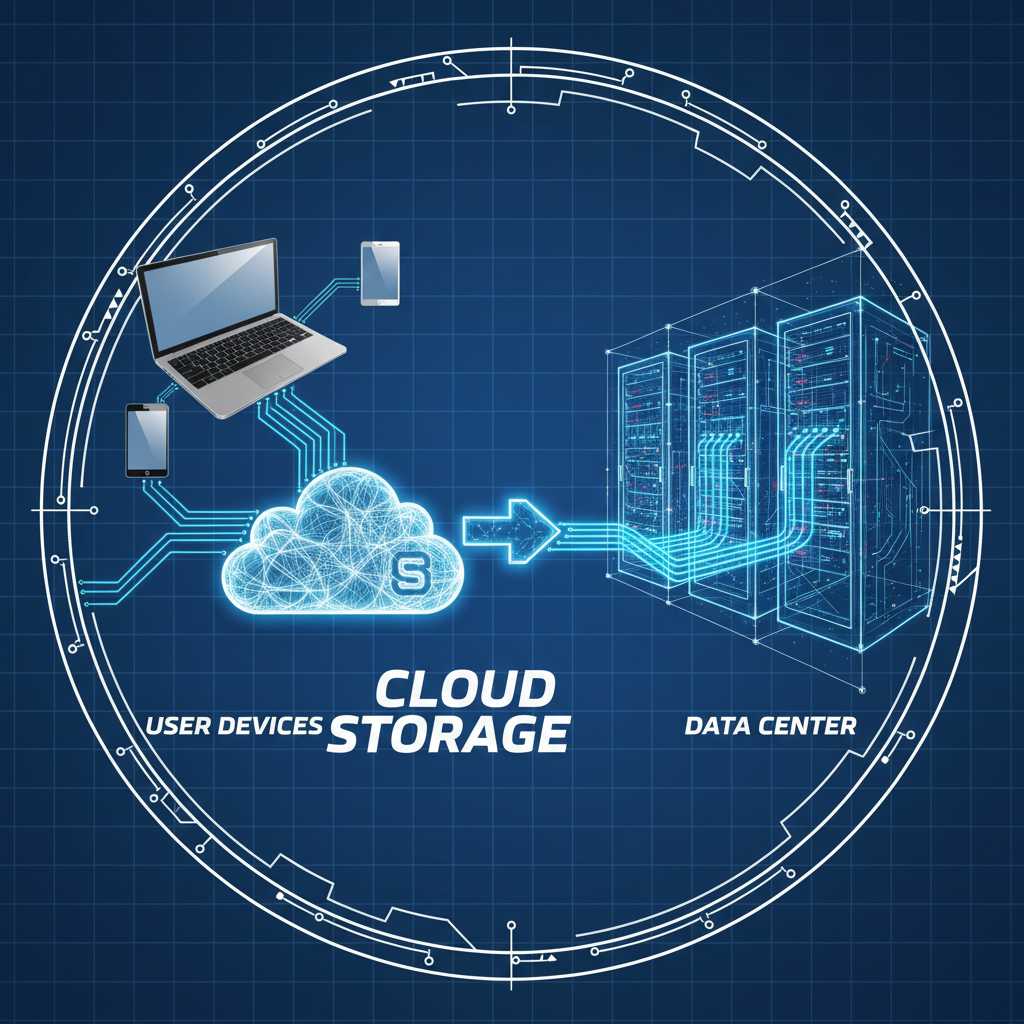
How Does Cloud Storage Actually Work?
When you save a file to the cloud, you're not saving it to a magical, invisible place. You're actually sending it over the internet to one of those giant data centers. There, your file is stored on a server – a very powerful computer designed to hold vast amounts of information and serve it up whenever someone requests it.
Imagine a massive library, but instead of physical books, it holds digital files. Each server is like a bookshelf, and your files are the books. When you want to access your file, the server quickly finds it on its digital shelves and sends it back to your device through the internet. This whole process happens incredibly fast, often in a blink of an eye!
The internet acts like the super-fast roads connecting your home to this giant library. The faster your internet connection (or wider the road), the quicker your files travel to and from the cloud.
Popular Cloud Storage Services
You might already be using cloud storage without even knowing it! Here are some common examples:
- Google Drive: Great for storing documents, photos, and collaborating on school projects with Google Docs.
- Dropbox: A popular service for storing and sharing all sorts of files, from videos to documents.
- iCloud: Apple's cloud service for iPhone, iPad, and Mac users, syncing photos, contacts, and device backups.
- Microsoft OneDrive: Similar to Google Drive, often integrated with Microsoft Office apps.
Keeping Your Cloud Data Safe and Sound
Since your digital treasures are stored in a place accessible from anywhere, security is super important!
Think of your cloud account like your personal safe in the giant locker facility. You need a strong lock and key!
- Strong Passwords: This is your key! Make it long, mix letters, numbers, and symbols, and don't share it.
- Encryption: Cloud companies often use "encryption." This is like scrambling your data into a secret code before it's stored. If someone unauthorized tried to peek at it, all they'd see is gibberish – like a secret message only you (and the cloud service) know how to unscramble.
- Two-Factor Authentication (2FA): This is like having two locks on your safe. Even if someone guesses your password, they'd need a second piece of information (like a code sent to your phone) to get in.
The Cloud: Not a Gimmick, But a Gigantic Helper!
So, "the cloud" isn't a fluffy white thing in the sky, but a powerful, interconnected system of computers that makes our digital lives easier, safer, and more flexible. It’s like having a personal digital assistant that carries all your files for you, lets you share them easily, and keeps them safe no matter what happens to your device. It's a fundamental part of how we use technology today!
Keep learning, free
Create a free Syllabax account to unlock practice questions and games for this topic.
Visual Learning Enhanced! 🚀
To help you master this topic, we use Advanced Syllabax AI to generate detailed diagrams and visual models.
Note on Visuals: The AI sometimes makes spelling errors in image labels. Please refer to the lesson text for the correct terminology.