Hardware Basics: Computer Parts
Watch this topic in 60 seconds
Free preview · Lesson 1
Understanding Hardware Basics: Computer Parts
Hardware Basics: Getting to Know Your Computer's Inner World!
Hey there, young tech explorers! Have you ever wondered what makes your computer, tablet, or even your phone actually work? It's like looking at a toy car and asking, 'What's inside that makes it zoom?' Today, we're going to peek 'under the hood' of a computer and meet the important parts that help it do all sorts of amazing things, from playing games to helping with your homework!
Imagine your computer is like a helpful robot. Just like a robot needs different parts – a brain to think, arms to move, and eyes to see – your computer also has many special parts working together. These physical parts that you can actually touch are called hardware. Think of hardware as the 'bones and muscles' of your computer.
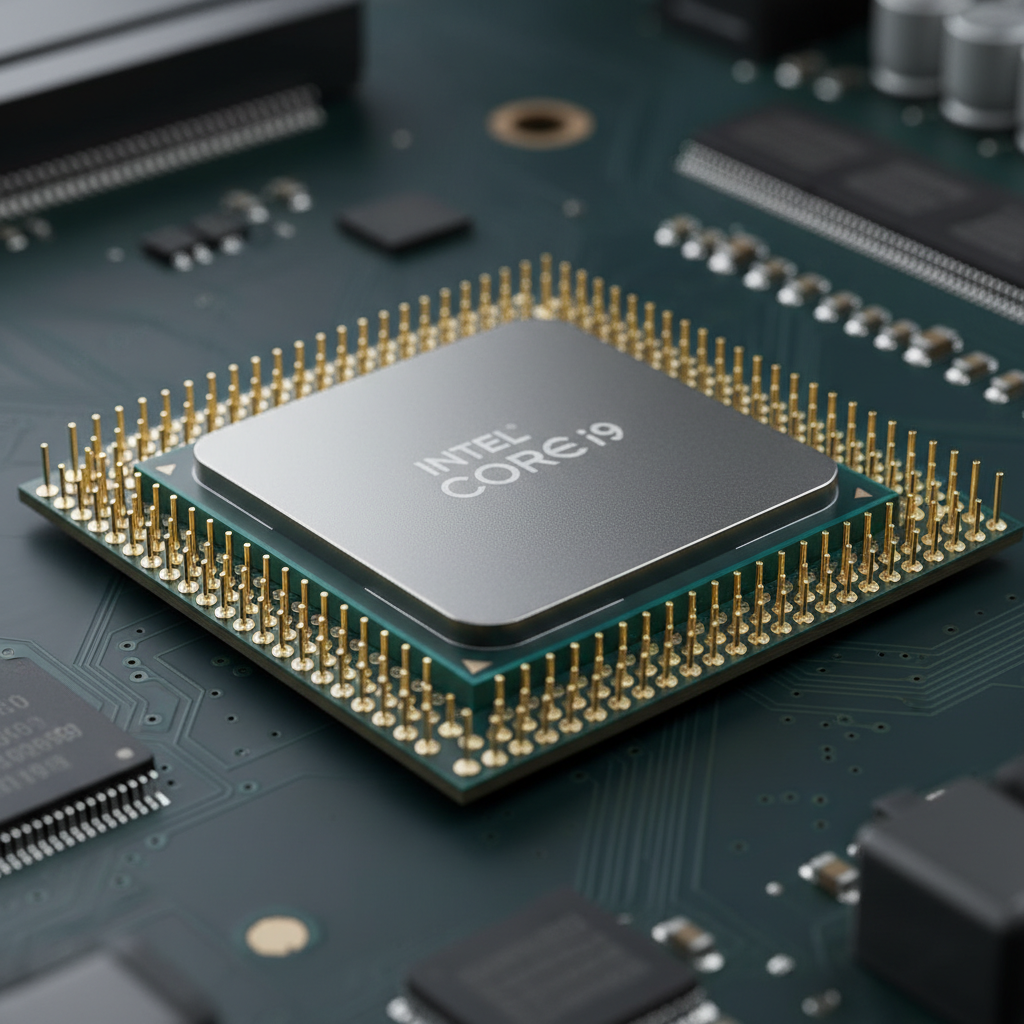
1. The Brain of the Computer: The CPU (Central Processing Unit)
Meet the CPU! This tiny but super important chip is like the brain of your computer. Just as your brain thinks, makes decisions, and solves problems, the CPU does the same for the computer. When you click on an icon, type a letter, or start a game, the CPU is the part that figures out what you want to do and tells the other parts how to make it happen.
Analogy: Imagine you're the chef in a kitchen. The CPU is like the head chef who reads the recipe (your instructions), figures out how much flour to use, when to stir, and how long to bake. Without the head chef, nothing would get cooked!
 ⚠️ This picture may have spelling mistakes. Trust the words in the lesson.
2. The Computer's Workbench: RAM (Random Access Memory)
Next up is RAM, which stands for Random Access Memory. Think of RAM as your computer's temporary workbench or desk. When you're working on a puzzle, you don't keep all the pieces in the box; you spread out the ones you need on a table so you can easily reach them. RAM works the same way!
When you open a program or a game, the computer quickly moves the information it needs right now from its storage (which we'll talk about next!) to RAM. This allows the CPU to access that information super fast. But here's the trick: once you close the program or turn off the computer, the RAM forgets everything! It's only for short-term, active work.
Analogy: If the CPU is the chef, then RAM is the kitchen counter or prep area. The chef puts all the ingredients they need for the current meal right on the counter so they can grab them quickly. Once the meal is done, the counter is cleared for the next task!
3. The Computer's Library or Closet: Hard Drive/SSD (Storage)
Where does your computer keep all your games, photos, videos, and documents when they're not actively being used? That's where the Hard Drive (or the newer SSD, Solid State Drive) comes in! This is your computer's long-term memory, like a giant library or a spacious closet.
Unlike RAM, which forgets everything, the hard drive remembers everything, even when the computer is turned off. It stores all your computer's programs, your operating system (like Windows or macOS), and all your personal files. When you want to play a game, the computer fetches it from the hard drive and loads it into the faster RAM.
Analogy: If RAM is your desk where you're actively working on homework, the hard drive is like your backpack or closet where you keep all your books, toys, and clothes. They stay there safely until you need them, even when you're not using them.
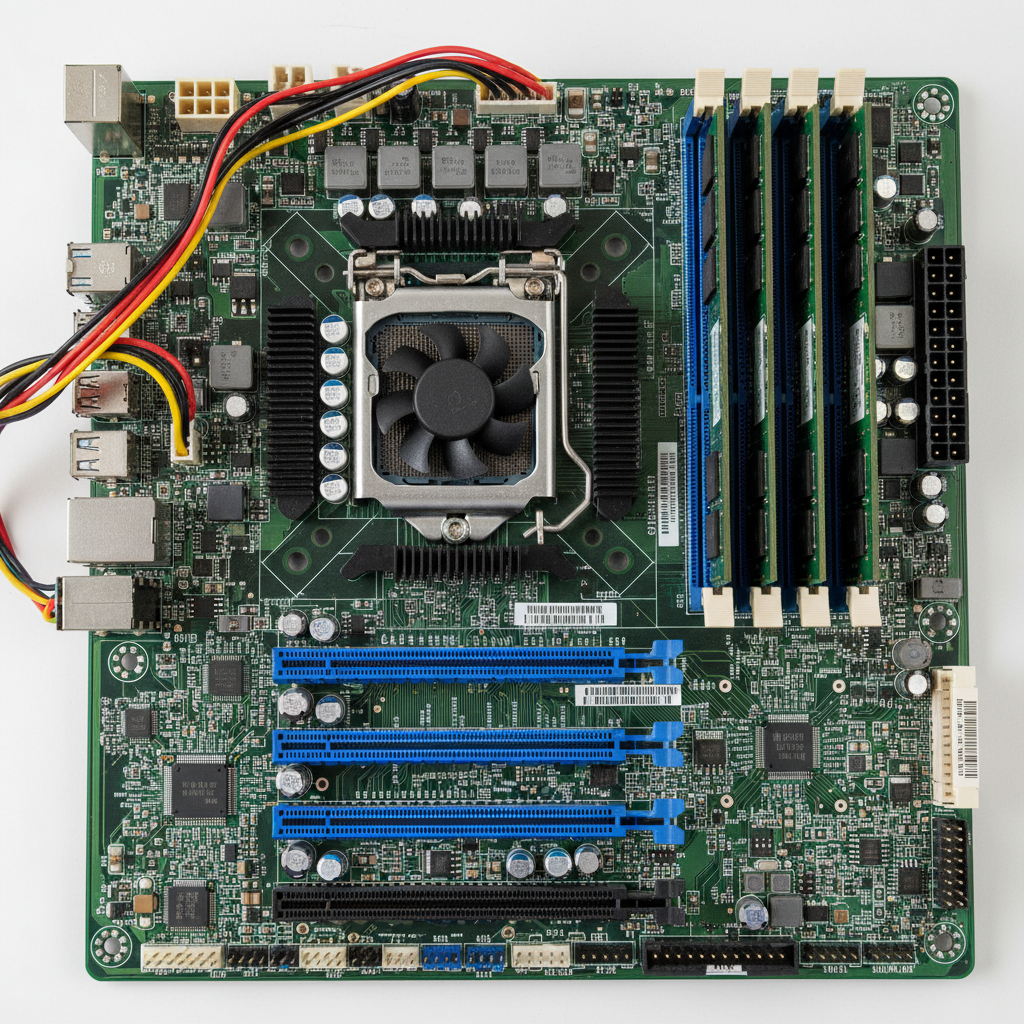
4. The Computer's Highway System: The Motherboard
How do all these different parts – the CPU, RAM, and hard drive – talk to each other? They communicate through the Motherboard! The motherboard is a large circuit board that acts like the main highway or nervous system of the computer. All the other parts plug into it, and it provides the pathways for information and power to flow between them.
Without the motherboard, none of the parts could connect or send messages back and forth. It's the central hub that makes sure everyone is connected and communicating properly.
Analogy: Think of a busy city with many important buildings – a school (CPU), a library (hard drive), and a park (RAM). The motherboard is like all the roads and sidewalks connecting these buildings, allowing people and cars (information) to travel easily between them.
 ⚠️ This picture may have spelling mistakes. Trust the words in the lesson.
5. The Computer's Heartbeat: The Power Supply Unit (PSU)
Just like your body needs food and water to work, your computer needs electricity! The Power Supply Unit (PSU) is like the computer's heart or a mini power plant. It takes electricity from the wall outlet and converts it into the right kind of power that all the different computer parts need to operate safely.
Without the PSU, none of the parts inside the computer would have the energy to do their jobs. It's truly essential for bringing the computer to life!
Analogy: The PSU is like the main power station for a neighborhood. It takes electricity from the big power lines and sends it out to all the houses and buildings (the computer parts) so their lights, TVs, and refrigerators can work.
6. How We Talk to the Computer: Input Devices
How do you tell your computer what to do? You use Input Devices! These are the parts that let you 'put in' information or commands. Common input devices include:
- Keyboard: Like a typewriter for your computer. You type letters, numbers, and symbols to write or give commands.
- Mouse: Your 'pointing finger' for the computer screen. You move it to control the cursor and click on things.
- Microphone: Allows your computer to 'hear' your voice, whether you're talking to a friend or giving voice commands.
Analogy: Input devices are like your senses and hands. Your eyes see, your ears hear, and your hands touch – these are how you gather information and interact with the world. Similarly, input devices let *you* interact with the computer.
7. How the Computer Talks Back: Output Devices
Once the computer has done its thinking, how does it show you the results? It uses Output Devices! These are the parts that 'output' or show you information from the computer. Common output devices include:
- Monitor/Screen: This is like the computer's 'face' or a window to its world. It shows you everything that's happening inside the computer with pictures and text.
- Speakers/Headphones: These are the computer's 'mouth' or 'ears' (for sound). They let you hear music, game sounds, or people talking in videos.
- Printer: Lets you take digital information (like a document or a picture) from the computer and put it onto a piece of paper.
Analogy: Output devices are like your voice, your expressions, or drawing a picture. They are how *you* show others what you're thinking or feeling. The computer uses output devices to show *you* what it's doing.
Putting it All Together!
So, there you have it! Your computer isn't just one magic box. It's a team of super smart parts, each with its own special job. The CPU thinks, RAM helps with quick tasks, the hard drive remembers everything, the motherboard connects it all, the PSU gives it power, and input/output devices help us talk to it and understand it. It's amazing how they all work together to bring your digital world to life!
Keep learning, free
Create a free Syllabax account to unlock practice questions and games for this topic.
Visual Learning Enhanced! 🚀
To help you master this topic, we use Advanced Syllabax AI to generate detailed diagrams and visual models.
Note on Visuals: The AI sometimes makes spelling errors in image labels. Please refer to the lesson text for the correct terminology.