Adding Text to Pictures
Watch this topic in 60 seconds
Free preview · Lesson 1
Understanding Adding Text to Pictures
Let's Add Words to Pictures!
Hello, young artists and storytellers! Have you ever looked at a picture and wished it could talk? Or wished you could tell everyone a special secret about what's happening in it? Well, guess what? You can! Today, we're going to learn about a super cool superpower called 'Adding Text to Pictures.'
What is Text? What is a Picture?
First, let's talk about our two best friends: text and pictures.
-
A Picture: Imagine a photograph of your family, a drawing of a big red apple, or even a silly doodle you made! A picture is something you can see with your eyes. It shows you what something looks like, just like a window lets you see outside.
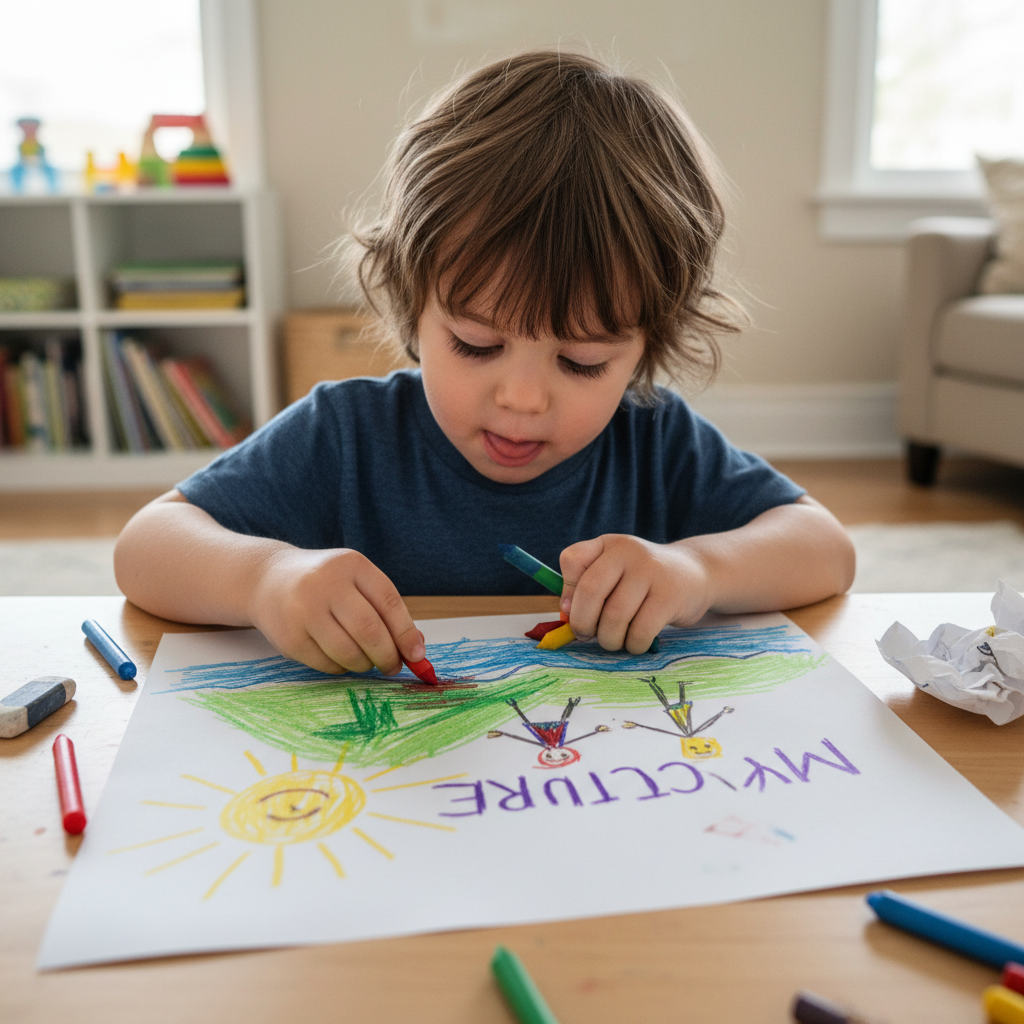 ⚠️ This picture may have spelling mistakes. Trust the words in the lesson.
- Text: Now, imagine the words in your favorite storybook, the letters that spell your name, or the numbers on a clock. That's text! Text is made of letters, words, and numbers that we read to understand messages. Text is like a tiny helper that whispers ideas into your brain. It helps us understand what we see and hear, and what other people are thinking or feeling.
Why Do We Put Them Together?
Think of it like this: A picture is like a silent movie. You can see everything, but you don't hear any voices or know exactly what the characters are thinking. Text is like adding those voices and thoughts! When you put text on a picture, they work together like a super team.
Here are some reasons why adding text to pictures is so much fun and so helpful:
- To Tell a Story: A picture of a dog running can become 'My dog, Buddy, loves to chase squirrels!' The words help tell a bigger story than just the picture alone. It's like turning a single page into a whole chapter!
- To Explain Things: If you have a picture of a yummy cake, you can add 'Happy Birthday!' to show it's a special cake for a birthday party. The text acts like a little label, telling everyone what the picture is all about.
- To Name Things: Have a picture of your favorite toy? Add 'My Awesome Robot!' The text gives your toy a name in the picture. It's like putting a name tag on your shirt so everyone knows who you are!
- To Share Feelings: A picture of a sunny day can have 'I love sunny days!' added to it. The words let everyone know how happy that picture makes you feel.
How Do We Add Text?
There are many ways to be a text-adding superhero!
1. Using Your Hands (Old School Cool!):
- Drawing or Painting: If you draw a picture, you can use your crayons or markers to write words right on the same paper! You can write 'A big red house' next to your drawing of a house.
- Sticky Notes or Labels: Sometimes, we don't want to write directly on the picture. We can write our words on a sticky note and then stick it right next to or on the picture! It's like putting a little speech bubble next to someone in a comic book.
2. Using a Computer or Tablet (New School Awesome!):
-
Many grown-up apps and websites let you type words directly onto a picture on a screen. You can pick different colors and sizes for your words, just like picking different crayons! When you do this, the words become a part of the digital picture. It's like magic, but it's really just technology helping us out!
 ⚠️ This picture may have spelling mistakes. Trust the words in the lesson.
Let's Practice! Simple Steps to Add Text:
It's super easy, just like drawing a happy face!
- Look Closely at Your Picture: What do you see? What's happening?
- Think of Your Message: What do you want to tell people about this picture? Is it a name? A feeling? A short story?
- Choose Your Tool: Will you use a crayon, a marker, or maybe type on a tablet?
- Write or Type Your Words: Make sure your words are clear so everyone can read them. Remember to place them *with* the picture, not far away. We want them to be friends!
Imagine your picture is a delicious sandwich. The text is like adding a little flag that says 'YUMMY!' or 'My Lunch!' It makes the sandwich even more special and tells everyone what it is.
Conclusion: You're a Storyteller!
Adding text to pictures is a wonderful way to make your pictures come alive and tell even bigger stories. It helps you share your thoughts, feelings, and ideas with others. So, next time you see a picture, think about what words you could add to make it even more amazing! You are now a picture and word storyteller!
Keep learning, free
Create a free Syllabax account to unlock practice questions and games for this topic.
Visual Learning Enhanced! 🚀
To help you master this topic, we use Advanced Syllabax AI to generate detailed diagrams and visual models.
Note on Visuals: The AI sometimes makes spelling errors in image labels. Please refer to the lesson text for the correct terminology.