Caring for Computers
Watch this topic in 60 seconds
Free preview · Lesson 1
Understanding Caring for Computers
Let's Be Computer Caretakers!
Hello, Future Tech Superstars! Have you ever seen a computer? Maybe you use one at school, or a grown-up uses one at home. Computers are like very smart helpers that can do many amazing things, like helping us learn, play games, and connect with friends and family. But just like a favorite toy or a pet, computers need our care to stay healthy and work well for a long, long time!
Imagine your computer is a special, sensitive friend. Would you throw your friend around? Would you pour juice on them? Of course not! We need to treat our computers with kindness and respect, just like we would treat any other friend.
Why Do We Need to Care for Computers?
Caring for computers is super important for a few big reasons:
- They last longer: When you take good care of your toys, they don't break, right? The same goes for computers! If we are gentle and clean, they will keep working for many years.
- They work better: A happy, clean computer works faster and smarter. A dirty or damaged computer might slow down or stop working altogether.
- It keeps us safe: Sometimes, broken computers can be dangerous. Taking care of them means everyone stays safe!
 ⚠️ This picture may have spelling mistakes. Trust the words in the lesson.
How to Be a Super Computer Caretaker!
1. Keep It Clean!
Computers love to be clean, just like you love a fresh bath! Dirt and dust can be a computer's worst enemy.
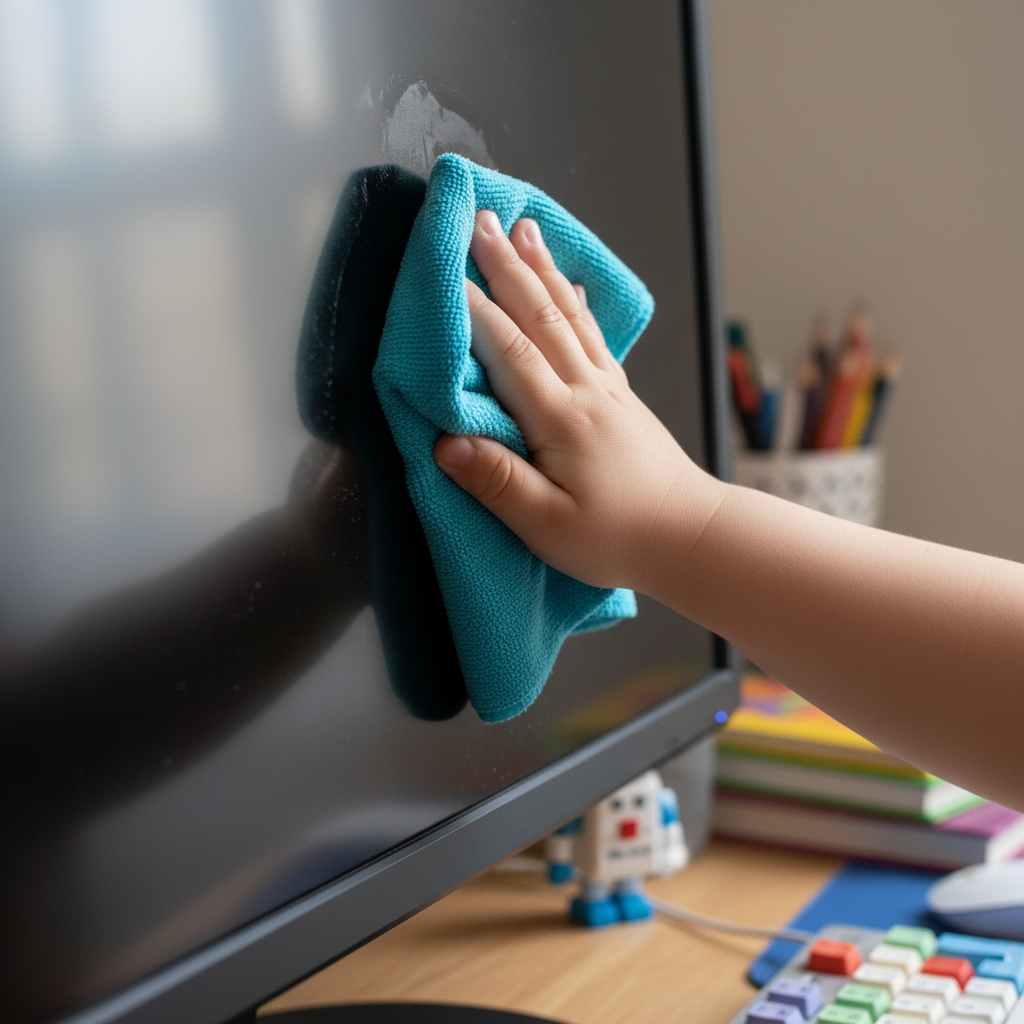
- Dust Bunnies are Not Friends: Imagine tiny, fluffy dust bunnies trying to get inside your computer. If too much dust gets in, it's like wrapping your computer in a thick, warm blanket! It can get too hot and stop working properly. So, sometimes, a grown-up can help you gently wipe the screen and keyboard with a soft, clean cloth. Think of it like dusting your favorite bookshelf!
- No Spills Allowed! This is a super important rule: KEEP DRINKS AWAY from the computer! If you spill water or juice on the keyboard or mouse, it's like giving your computer a very bad bath – it can make the computer sick and stop working forever. Always keep your drinks far away, on another table if possible. If a spill happens, tell a grown-up RIGHT AWAY!
- Food is for Your Tummy, Not the Keyboard: Crumbs from snacks can fall into the tiny cracks of the keyboard. It's like getting sand in a toy car's wheels – it can make the keys sticky or stop them from working. So, no eating snacks right next to the computer!
2. Be Gentle, Like Petting a Kitten!
Computers are strong, but they are also delicate inside. They don't like to be dropped or bumped.
- Handle with Care: If you need to move a laptop (a computer you can carry), always use two hands! Hold it like you're carrying a precious glass toy. Dropping it can break the screen or hurt its insides, just like dropping a toy can break it into pieces.
- Soft Touches for Buttons and Keys: The keys on the keyboard and the buttons on the mouse are not meant for hard pounding. Press them gently. Imagine you are gently tapping a drum, not banging it! Pushing too hard can wear them out or break them.
- Cords are Not for Pulling: The cords that plug into the computer are like its lifelines, giving it power or connecting it to other things. Never pull a cord by its wire! Always hold the thick plastic plug when you put it in or take it out. Pulling the wire can break it or even hurt the computer. It's like pulling a pet's tail – it hurts!
 ⚠️ This picture may have spelling mistakes. Trust the words in the lesson.
3. Keep It Safe and Happy!
Computers also need a safe and happy environment.
- A Comfy Spot: Computers like to be in a comfortable room, not too hot and not too cold. Leaving a computer in a super hot car, for example, is like leaving a pet in a hot car – it's very bad for them! Find a nice, cool, dry place for your computer to live.
- Magnets are Mischievous: Did you know magnets can confuse a computer's brain? Keep magnets, like the ones you put on the fridge, far away from your computer. They have an invisible force that can sometimes make the computer forget things or stop working right.
- Always Ask a Grown-Up: Before you turn on a computer, install a new game, or plug anything into it, ALWAYS ask a grown-up for help or permission. They know the best way to keep the computer safe and working, and it keeps you safe too!
Being a good computer caretaker is a very important job! By being gentle, keeping things clean, and asking for help, you're helping your computer stay healthy, happy, and ready to help you learn and play for a long, long time. Great job, Super Caretaker!
Keep learning, free
Create a free Syllabax account to unlock practice questions and games for this topic.
Visual Learning Enhanced! 🚀
To help you master this topic, we use Advanced Syllabax AI to generate detailed diagrams and visual models.
Note on Visuals: The AI sometimes makes spelling errors in image labels. Please refer to the lesson text for the correct terminology.