Video Calls: How They Work
Watch this topic in 60 seconds
Free preview · Lesson 1
Understanding Video Calls: How They Work
Hello, Super Communicators! Let's Talk About Video Calls!
Have you ever wished you could see and talk to a friend or family member who lives far away, as if they were right there in your room? Guess what? You can! It's called a video call, and it's like magic! But instead of magic, it uses really clever technology.
What is a Video Call?
Imagine you have a special window that lets you see and talk to someone who isn't even in the same house, or even the same city! That's kind of what a video call is. It's when you use a screen to see someone's face and hear their voice, and they can see and hear you too, all at the same time, even if you are very far apart.
Think of it like a fancy walkie-talkie that also has a tiny TV screen built into it!
What Do You Need for a Video Call?
To make this "magic" happen, you need a few important things:
- A Device: This is something like a smartphone (a phone that can do lots of smart things!), a tablet (like a big phone screen without the phone part), or a computer (a desktop or a laptop). These devices are like your special video call "stations."
- The Internet: This is super important! The internet is like a gigantic, invisible highway that carries all your messages, pictures, and sounds very, very fast to other people's devices. Without the internet, your device can't talk to anyone far away.
- A Camera: Most devices for video calls have a tiny camera built into them. This camera is like your device's eye! It sees you and what's happening around you.
- A Microphone: Also built into your device, the microphone is like your device's ear! It listens to your voice and any sounds you make.
- A Screen: This is the part you look at! It's where you see the faces of the people you're talking to.
- A Speaker: This is where the sound comes out, so you can hear what the other person is saying.
- Video Call Software or App: This is like a special program or game that tells your device how to make the video call work. Popular ones are like Zoom, Google Meet, or FaceTime. They have all the rules for the video call game!

How Does a Video Call Work? Step-by-Step!
Let's pretend you're calling Grandma:
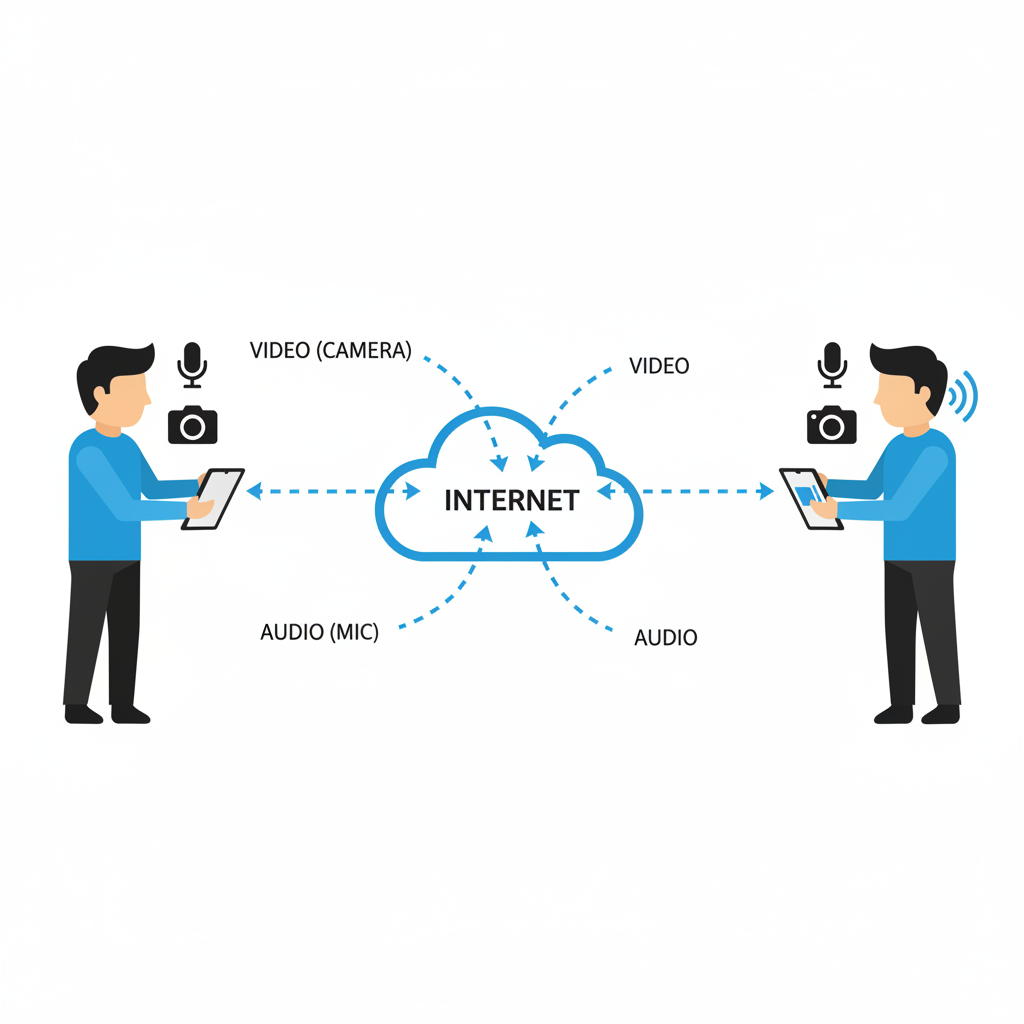
- You Start the Call: First, you open your video call app on your device (your phone, tablet, or computer). You click on Grandma's name, just like dialing a phone number.
- Your Device "Looks" and "Listens":
- Your device's camera sees your face and sends those pictures as tiny digital pieces of information.
- Your device's microphone hears your voice and turns those sounds into tiny digital pieces of information too.
- Messages Travel on the Internet Highway: All those tiny pieces of information (your video and your sound) zoom across the internet highway super fast! They travel from your device to Grandma's device.
- Grandma's Device "Shows" and "Plays":
- When your video and sound pieces arrive at Grandma's device, her device quickly puts them all back together.
- Your face appears on Grandma's screen.
- Your voice comes out of Grandma's speaker.
- Grandma Talks Back! The exact same thing happens in reverse! Grandma's camera sees her, her microphone hears her, her video and sound zoom back on the internet highway to your device. Then, her face appears on YOUR screen, and her voice comes out of YOUR speaker!
It all happens so fast that it feels like you're talking face-to-face, even if Grandma is thousands of miles away! It's like sending a super-fast, magical postcard that moves and talks!
Why Are Video Calls So Great?
- Stay Connected: You can see your faraway family and friends whenever you want!
- Share Moments: You can show them your new toy, your cool drawing, or even your wobbly tooth!
- Learn Together: Sometimes teachers or experts might use video calls to teach new things, like a virtual field trip!
- See Expressions: It's easier to understand how someone is feeling when you can see their happy smile or their thoughtful frown, not just hear their voice.
So, the next time you're on a video call, remember all the amazing technology working together to bring your loved ones right to your screen! It's not just talking; it's seeing, sharing, and connecting across distances!
Keep learning, free
Create a free Syllabax account to unlock practice questions and games for this topic.
Visual Learning Enhanced! 🚀
To help you master this topic, we use Advanced Syllabax AI to generate detailed diagrams and visual models.
Note on Visuals: The AI sometimes makes spelling errors in image labels. Please refer to the lesson text for the correct terminology.