Different Types of Computers
Watch this topic in 60 seconds
Free preview · Lesson 1
Understanding Different Types of Computers
Exploring the Amazing World of Computers!
Hello, young explorers! Today, we're going on an exciting adventure to discover different kinds of machines called computers. Think of a computer like a super helpful friend or a smart helper machine that can do many different things for us, from playing games to helping us learn and even connecting us with family far away!
At its heart, a computer is a machine that helps us follow instructions, organize things, and show us information. It's like having a magical assistant that can type, draw, play music, and even tell stories!
1. The Desktop Computer: Your Home Command Center
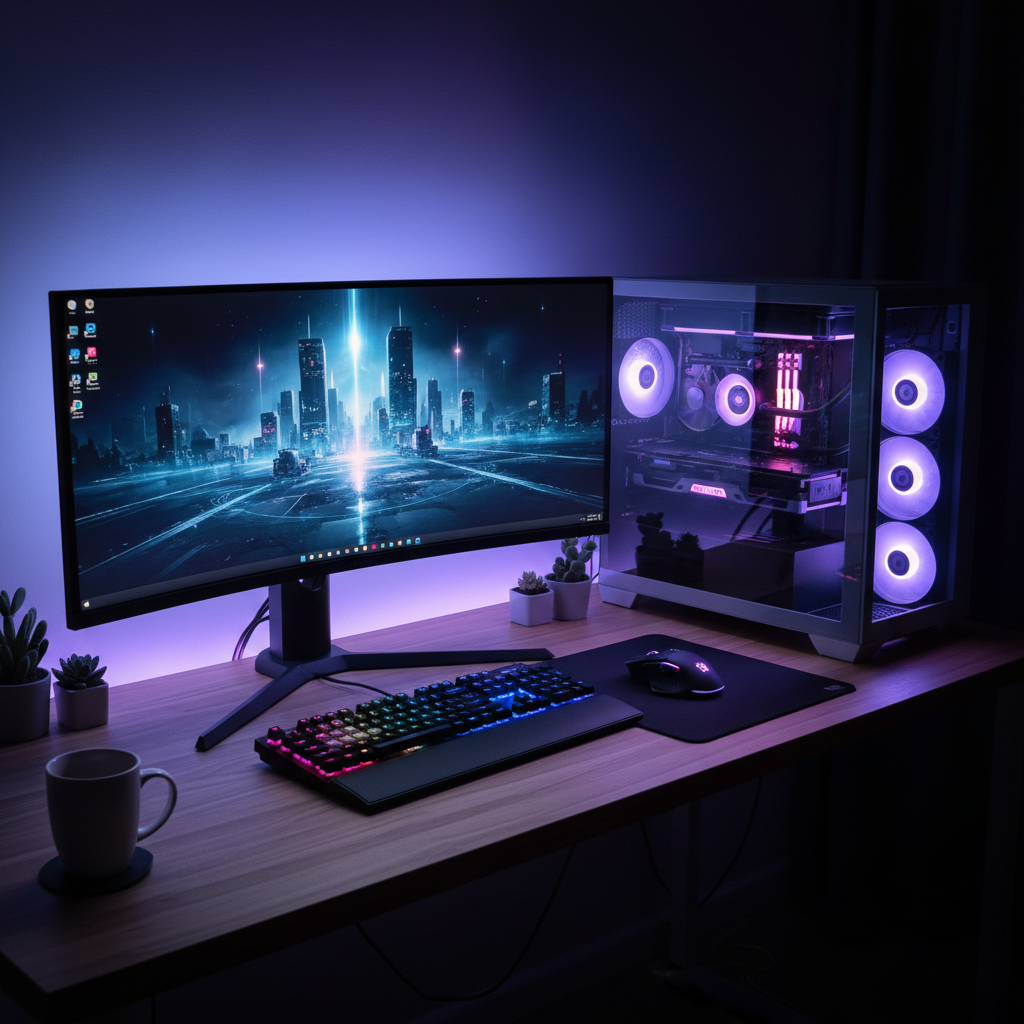
Imagine a big, sturdy desk where you do your homework or play your favorite board games. A Desktop Computer is a lot like that desk! It's usually big and stays in one place, like your kitchen table or a special desk in your room. It has a few different parts that all work together:
- Monitor: This is like a TV screen! It shows you all the pictures, words, and videos.
- Keyboard: This is like a special typewriter with lots of buttons (keys). You press the keys to type words and numbers.
- Mouse: This little device helps you point to things on the screen and click on them, just like pointing your finger!
- Tower (or CPU): This is like the computer's brain! It's a box where all the important thinking happens. It makes sure everything runs smoothly.
Analogy: Think of a Desktop Computer as a big, brainy workstation. The monitor is your window, the keyboard is your pen, the mouse is your pointing finger, and the tower is the big, smart brain making it all happen. It's perfect for when you need to sit down and focus on a big project, like writing a story for school or playing a big computer game.
2. The Laptop Computer: Your Portable Magic Book
Now, imagine a special book that you can open and close, and inside it has a screen, a keyboard, and even a little touch area that works like a mouse! That's a Laptop Computer! The word "laptop" means you can put it on your lap.
- It has a screen and a keyboard connected together, so you don't need separate pieces.
- It has a special battery, so you can unplug it and carry it with you to different places, like to a friend's house or on a trip.
- It's usually lighter than a desktop and folds up neatly.
Analogy: A Laptop Computer is like a magic, foldable office or a smart book you can take anywhere! You can open it up in your living room, on the airplane, or even in your bed to watch a movie or do some homework. It's super handy for learning on the go!
3. The Tablet Computer: Your Smart Drawing Pad
Have you ever seen a very thin, flat screen that looks like a picture frame, but you can touch it to make things happen? That's a Tablet Computer! Tablets are different because they usually don't have a physical keyboard that pops out. Instead, you type directly on the screen with your fingers.
- It has a big, bright touchscreen that you use your fingers to tap, swipe, and draw on.
- They are very light and easy to hold with one hand or two.
- You can read books, watch cartoons, draw pictures, and play many games just by touching the screen.
Analogy: Think of a Tablet Computer as a super-smart drawing pad or a giant smartphone. It's perfect for quickly looking up something, playing a quick game, or showing pictures to your friends without needing a mouse or keyboard. Many artists even use them to draw amazing digital pictures!
 ⚠️ This picture may have spelling mistakes. Trust the words in the lesson.
4. The Smartphone: Your Pocket-Sized Super Helper
What if you could have a tiny computer that fits right in your pocket, and it can also make phone calls? That's a Smartphone! Most grown-ups have one, and you might have seen them use it.
- It's the smallest type of computer we're talking about today.
- You use its touchscreen, just like a tablet, to do many things.
- Besides making calls, you can take pictures, send messages, play small games, listen to music, and even find out how to get to new places.
Analogy: A Smartphone is like having a mini-computer superhero in your pocket! It's always ready to help you talk to friends, capture a moment with its camera, or quickly check something on the internet. It's the ultimate 'on-the-go' computer.
All Computers Are Helpers!
So, you see, computers come in many different shapes and sizes! From the big Desktop that stays in one place, to the foldable Laptop, the touchscreen Tablet, and the tiny Smartphone in your pocket. Even though they look different, they all have a 'brain' (a processor) and they all help us do amazing things. Each one is special for different kinds of jobs. Isn't that cool?
Next time you see a computer, no matter what it looks like, you'll know it's a super-smart helper machine!
Keep learning, free
Create a free Syllabax account to unlock practice questions and games for this topic.
Visual Learning Enhanced! 🚀
To help you master this topic, we use Advanced Syllabax AI to generate detailed diagrams and visual models.
Note on Visuals: The AI sometimes makes spelling errors in image labels. Please refer to the lesson text for the correct terminology.