Cloud Storage & Services
Watch this topic in 60 seconds
Free preview · Lesson 1
Understanding Cloud Storage & Services
Cloud Storage & Services: Your Digital Locker in the Sky!
Hey there, 6th graders! Have you ever thought about where all your awesome photos, videos, school projects, and game saves go when they’re not on your computer or phone? Sometimes they live on your device, but what if your device gets lost, broken, or runs out of space? That’s where something super cool called Cloud Storage comes in!
What is Cloud Storage? Imagine a Digital Locker!
Think about your school backpack. You carry all your important books, notebooks, and maybe even a snack in it. It’s super handy, but it can get heavy, and if you leave it somewhere, your stuff might not be there when you come back. Now, imagine your school has giant, super-secure lockers that are always available, no matter where you are. You can put your books in one locker, pick up your art supplies from another, and even share a project with a friend by giving them access to your locker.
Cloud Storage is a lot like those giant school lockers, but for your digital stuff! Instead of storing your files (like pictures, videos, documents, or games) directly on your own computer, phone, or tablet, you send them to powerful computers called 'servers' that live in massive data centers far away. These servers are managed by companies like Google, Apple, Microsoft, or Dropbox. So, when we say 'the cloud,' we’re not talking about fluffy white things in the sky, but a network of powerful computers connected through the internet.
Why is Cloud Storage So Awesome? Let's Count the Ways!
Cloud storage solves a lot of problems and makes your digital life much easier. Here are the main reasons why it's so popular:
-
Access Your Stuff Anywhere, Anytime:
Imagine you're working on a science project at school, and you save it to the cloud. When you get home, you can open that exact same project on your home computer, or even on your parent's tablet! You don't need a USB stick (which can get lost!) or to email it to yourself. It's like having your favorite library book always available to you, no matter which library branch you visit.
-
Never Lose Your Important Files (Backup!):
Have you ever accidentally deleted something important, or had your computer crash and lose everything? It's a terrible feeling! Cloud storage is like having a superhero backup for your digital life. If your phone falls in water or your computer breaks, all your photos and documents are safe and sound in the cloud. It's like having insurance for all your precious digital memories and hard work!
-
Save Space on Your Devices:
Your phone or computer has a limited amount of storage, just like your backpack can only hold so many books. If you take a lot of photos or download many games, your device can get full! When you store things in the cloud, those files don't take up space on your device. You can keep your device speedy and free for new apps and games. Think of it like moving old toys from your bedroom to a big storage unit – your room stays tidy!
-
Share Easily with Friends and Teachers:
Want to share photos from a school trip with your friends? Or maybe work on a group presentation with classmates? Cloud storage makes it super easy. You can simply send a link to your file or folder, and your friends can see or even help edit it (if you give them permission). It's much simpler than emailing large files back and forth, or trying to copy things onto multiple USB sticks. It's like sharing a digital whiteboard where everyone can add their ideas!
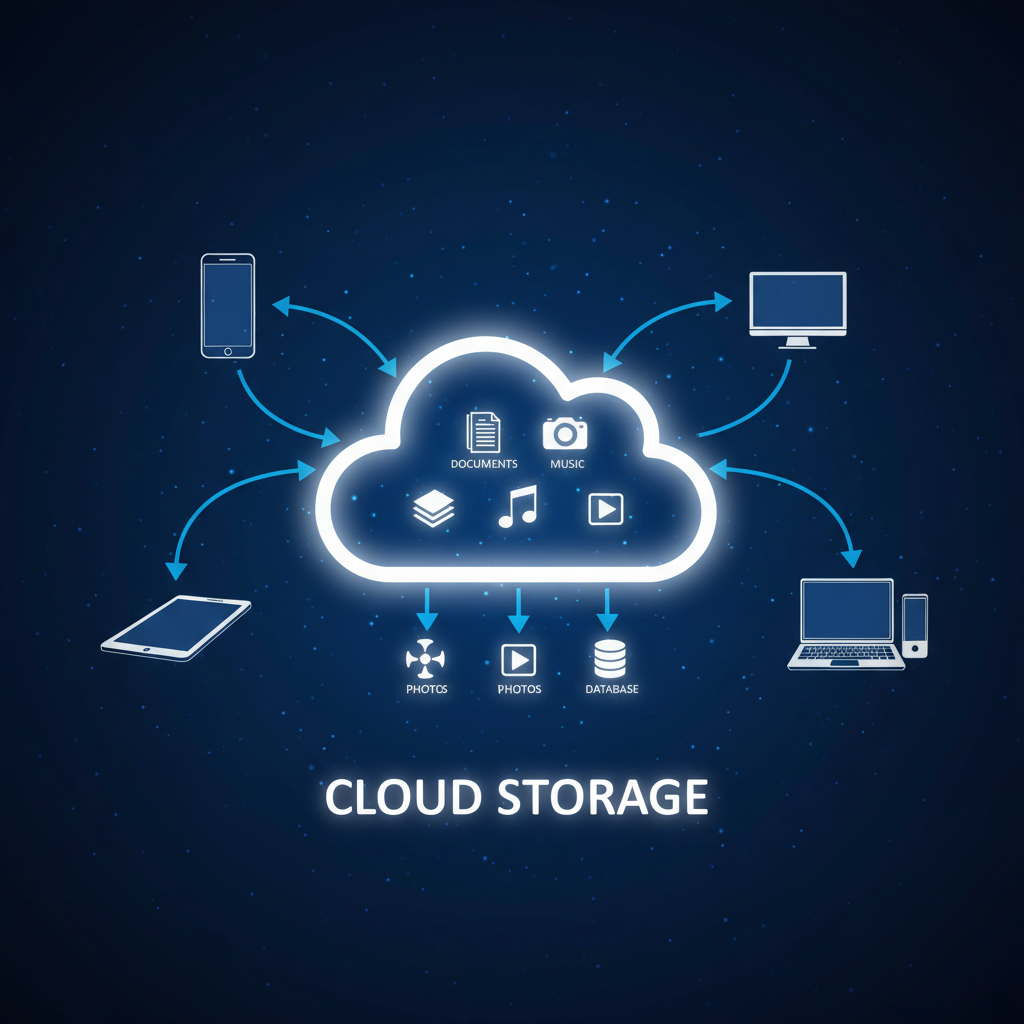
Cloud Services: More Than Just Storage!
The 'cloud' isn't just for storing your stuff; it's also where many amazing services live. These are programs or activities that you use over the internet, without installing them fully on your own device. Here are a few examples you probably already use:
- Streaming Music and Videos: When you watch your favorite show on Netflix or listen to music on Spotify, you're using cloud services! The movies and songs aren't saved on your device; they're streamed (played live) from powerful servers in the cloud. It's like having access to a giant, constantly updated library of entertainment without ever owning a single DVD or CD.
- Online Games: Many popular online games, like Roblox or Minecraft Realms, rely on cloud services. When you play with friends from all over the world, you're all connecting to game servers in the cloud. These servers manage the game world, track your progress, and let everyone play together smoothly. It's like a giant, magical playground where everyone can meet up, even if they live far apart.
- Online Document Editors: Tools like Google Docs or Microsoft 365 allow you to write papers, create presentations, and build spreadsheets directly in your web browser. You don't need to install expensive software. Plus, you can easily collaborate with others in real-time. It's like having a shared digital notebook that everyone can write in at the same time!
Keeping Your Cloud Stuff Safe: Digital Locks!
Since your files are stored in a giant digital locker system, it's super important to keep them safe. Cloud storage providers use lots of security measures, but you also have a role to play!
- Strong Passwords: Just like you wouldn't tell everyone the combination to your school locker, you shouldn't share your cloud passwords. Make them long, mix letters, numbers, and symbols, and don't use easy-to-guess things like your birthday.
- Privacy Settings: Be careful what you share and with whom. Most cloud services let you choose who can see your files. Only share with people you trust!
Conclusion: Your Digital Superpower!
Cloud storage and services are like giving you digital superpowers. You can access your work, play your games, and enjoy your entertainment from almost anywhere, keep your devices clean, and know your precious files are safe. It's a huge part of how we use computers and the internet today, and understanding it is a great step toward becoming a digital expert!
Keep learning, free
Create a free Syllabax account to unlock practice questions and games for this topic.
Visual Learning Enhanced! 🚀
To help you master this topic, we use Advanced Syllabax AI to generate detailed diagrams and visual models.
Note on Visuals: The AI sometimes makes spelling errors in image labels. Please refer to the lesson text for the correct terminology.