Using Apps on Devices
Watch this topic in 60 seconds
Free preview · Lesson 1
Understanding Using Apps on Devices
Let's Explore Apps on Devices!
Hello, young explorers! Today, we're going on a super fun adventure to learn all about using apps on devices. Have you ever seen your grown-ups tapping on a phone or a tablet? Those are devices, and inside them are magical things called apps!
What is a Device?
Imagine your favorite toy box. A device is a bit like a very special, smart toy box! It could be a phone, a tablet (like a big phone screen without a calling part), or even a computer. These "toy boxes" are electronic gadgets that help us do lots of amazing things, like play games, draw pictures, or learn new words. They all have a screen where you can see things and touch things!
Think of a device like a blank coloring book. It's ready to be filled with wonderful pictures, but you need crayons to make the magic happen. Those crayons are what we call apps!
What is an App?
Now, let's talk about apps! The word "app" is just a short, speedy way to say "application." Think of an app like a mini-game, a special tool, or a small helper that lives inside your device. Each app does one or a few special things.
For example, if you want to draw, there's a drawing app. If you want to play a game, there's a game app. If you want to watch a cartoon, there's a video app! It's like your toy box (the device) has many different toys (apps) inside it, and each toy lets you do something different.
Another way to think about it: if your device is a kitchen, then each app is like a different kitchen tool. A spoon app helps you eat soup, a fork app helps you eat spaghetti, and a knife app helps you cut things (with grown-up help, of course!). Each tool (app) has a job.
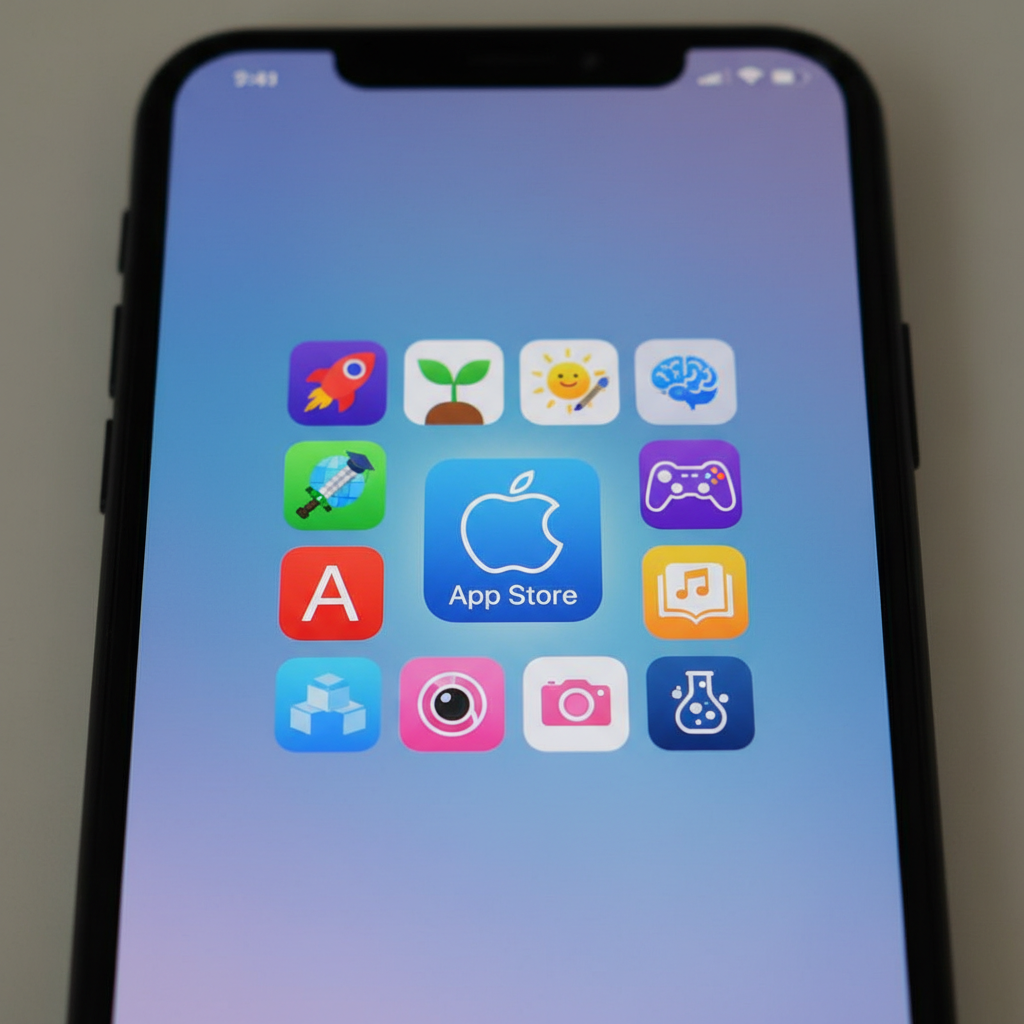
 ⚠️ This picture may have spelling mistakes. Trust the words in the lesson.
How Do We Find Apps?
Before you can use an app, you need to find it! Most devices have a special place called an App Store (for Apple devices) or a Play Store (for Android devices). Think of these as giant toy stores, but instead of physical toys, they have thousands and thousands of apps ready for you to download!
Grown-ups usually help you find and download apps from these stores. It’s important to ask a grown-up before you download any new apps, just like you would ask before getting a new toy!
How Do We Open an App?
Once an app is on your device, you'll see a little picture, called an icon, on your screen. This icon is like the door to the app's special world. To open an app, you simply need to:
- Look for the app's icon on the screen.
- Gently tap the icon with your finger. Tap!
It’s like pressing a button to turn on your favorite toy! The screen will change, and the app will open up, ready for you to use.
How Do We Use an App?
Each app is a little different, but many work in similar ways. Most apps will have buttons or pictures you can tap, or things you can swipe your finger across (slide your finger across the screen).
- Tapping: Like pointing and pressing a button with your finger.
- Swiping: Like gently pushing something across the screen with your finger to move it.
Just like when you play a new board game, you learn by trying and by following the directions. Most apps are designed to be easy and fun to figure out! If you get stuck, remember to ask a grown-up for help.
Different Kinds of Apps
There are so many kinds of apps, just like there are so many kinds of toys! Here are a few examples:
- Game Apps: These are for playing fun games! Like a puzzle game where you match shapes, or an adventure game where you help a character.
- Learning Apps: These help you learn new things! You can learn about animals, practice your ABCs, or solve math problems.
- Drawing Apps: You can draw, paint, and color right on the screen with your finger or a special pen!
- Story Apps: These apps can read stories to you, or let you read books with fun animations.
- Video Apps: For watching your favorite cartoons, movies, or learning videos.
Each app helps you do something different and exciting!
Important Rules for Using Apps
Using apps is great fun, but it's super important to remember some rules to stay safe and responsible:
- Always Ask a Grown-Up: Before you open an app, download a new app, or buy anything inside an app, ALWAYS ask a grown-up for permission. They know what apps are best and safe for you!
- Screen Time: Just like you can't eat candy all day, you shouldn't use devices all day. Grown-ups help you with "screen time" – that's how long you get to use devices. It's important to play outside and do other activities too!
- Safe Apps: Only use apps that your grown-ups say are okay. Some apps are not made for kids and can have things that aren't good for you to see.
Remember, devices and apps are tools to help us learn and have fun, but always use them smartly and safely with a grown-up's help!
You Are Now an App Explorer!
Great job! You've learned what devices and apps are, how to find and open them, and how to use them safely. Keep exploring, keep learning, and have fun with your apps!
Keep learning, free
Create a free Syllabax account to unlock practice questions and games for this topic.
Visual Learning Enhanced! 🚀
To help you master this topic, we use Advanced Syllabax AI to generate detailed diagrams and visual models.
Note on Visuals: The AI sometimes makes spelling errors in image labels. Please refer to the lesson text for the correct terminology.