Variables, Data Types & Operators
Watch this topic in 60 seconds
Free preview · Lesson 1
Understanding Variables, Data Types & Operators
Understanding Variables, Data Types, and Operators in Programming
Welcome to the exciting world of programming! Before we can start building amazing things with code, we need to understand the fundamental building blocks. Think of programming like cooking. To make a delicious meal, you need ingredients, tools, and a recipe. In programming, our ingredients are called variables, the types of ingredients are data types, and the recipe steps involve operators.
What are Variables?
Imagine you're baking a cake. You need to keep track of things like the amount of flour, the number of eggs, and the oven temperature. In programming, a variable is like a container or a box where you can store information. You give each box a name so you can easily find and use what's inside.
For example, if you're writing a program to calculate the total cost of items in a shopping cart, you might have variables like:
price: To store the price of an item.quantity: To store how many of that item you're buying.totalCost: To store the final calculated cost.
The key thing about variables is that they can vary (change) their value. You might start with a price of
Analogy: Labeled Boxes
Think of a variable as a box with a label on it. The label is the variable's name (e.g., `score`, `userName`, `isLoggedIn`). Inside the box, you can put a value. This value can be a number, some text, or something else. You can open the box, see what's inside, take it out, and put something new in.
What are Data Types?
Just like in cooking, you wouldn't use flour in the same way you use eggs, or water in the same way you use salt, data in programming comes in different types. A data type tells the computer what kind of information a variable is holding and what operations can be performed on it. This helps the computer manage memory and process information correctly.
Here are some common data types:
1. Integers (int)
These are whole numbers, without any decimal points. Think of them as counting numbers.
- Examples:
5,-10,0,1000 - Analogy: Counting marbles. You can have 5 marbles or 10 marbles, but not 5.7 marbles.
2. Floating-Point Numbers (float or double)
These are numbers that have a decimal point. They are used for values that might have fractional parts.
- Examples:
3.14,-0.5,99.99,2.71828 - Analogy: Measuring ingredients with precision. You might need 2.5 cups of milk or 0.75 kilograms of sugar.
3. Strings (String)
These are sequences of characters, basically text. They are usually enclosed in quotation marks (single or double).
- Examples:
"Hello, World!","Alice","123 Main St","true"(note that this is text, not a boolean value) - Analogy: Writing notes on a whiteboard. The words and symbols you write are like strings.
4. Booleans (bool)
These are very simple data types that can only have one of two values: true or false. They are often used for decision-making in programs.
- Examples:
true,false - Analogy: A light switch. It's either on (true) or off (false).
5. Characters (char)
These represent a single letter, symbol, or number. Like strings, they are usually enclosed in quotation marks, but only contain one character.
- Examples:
'A','%','7' - Analogy: A single LEGO brick. It's one distinct piece.
What are Operators?
Operators are special symbols that perform operations on values (operands). Think of them as the verbs or actions in your programming recipe. They allow you to manipulate data, perform calculations, and make comparisons.
1. Arithmetic Operators
These are used for mathematical calculations.
+(Addition): Adds two values. Example:5 + 3results in8.-(Subtraction): Subtracts the second value from the first. Example:10 - 4results in6.*(Multiplication): Multiplies two values. Example:6 * 7results in42./(Division): Divides the first value by the second. Example:15 / 3results in5.%(Modulo): Returns the remainder of a division. Example:10 % 3results in1(because 10 divided by 3 is 3 with a remainder of 1).
Analogy: Your calculator buttons! Addition, subtraction, multiplication, and division are all arithmetic operations.
2. Comparison (Relational) Operators
These are used to compare two values. They always result in a Boolean value (true or false).
==(Equal to): Checks if two values are equal. Example:5 == 5istrue,5 == 3isfalse.!=(Not equal to): Checks if two values are not equal. Example:5 != 3istrue,5 != 5isfalse.>(Greater than): Checks if the first value is greater than the second. Example:10 > 5istrue.<(Less than): Checks if the first value is less than the second. Example:5 < 10istrue.>=(Greater than or equal to): Checks if the first value is greater than or equal to the second. Example:5 >= 5istrue,6 >= 5istrue.<=(Less than or equal to): Checks if the first value is less than or equal to the second. Example:5 <= 5istrue,4 <= 5istrue.
Analogy: Checking if you have enough money. Is your `money` greater than or equal to the `price`?
3. Logical Operators
These are used to combine or modify Boolean expressions. They help you make more complex decisions.
&&(Logical AND): Returnstrueif BOTH conditions aretrue. Example:(age > 18) && (hasLicense == true). This is true only if the person is older than 18 AND has a license.||(Logical OR): Returnstrueif AT LEAST ONE of the conditions istrue. Example:(isWeekend == true) || (isHoliday == true). This is true if it's a weekend OR a holiday (or both).!(Logical NOT): Reverses the Boolean value. If a condition istrue,!truebecomesfalse. If it'sfalse,!falsebecomestrue. Example:!isLoggedIn. This is true if the user is NOT logged in.
Analogy: Planning a picnic. You'll go if it's sunny AND not raining. Or, you'll go if your friend is coming OR your other friend is coming.
4. Assignment Operators
These are used to assign values to variables.
=(Assignment): Assigns the value on the right to the variable on the left. Example:score = 100.+=(Add and Assign): Adds the right value to the left variable and assigns the result back. Example:score += 10is the same asscore = score + 10.-=(Subtract and Assign): Subtracts the right value from the left variable and assigns the result back. Example:lives -= 1is the same aslives = lives - 1.- (Similar operators exist for
*=,/=,%=)
Analogy: Refilling or updating a container. If your score increases, you add to it and update the score box.
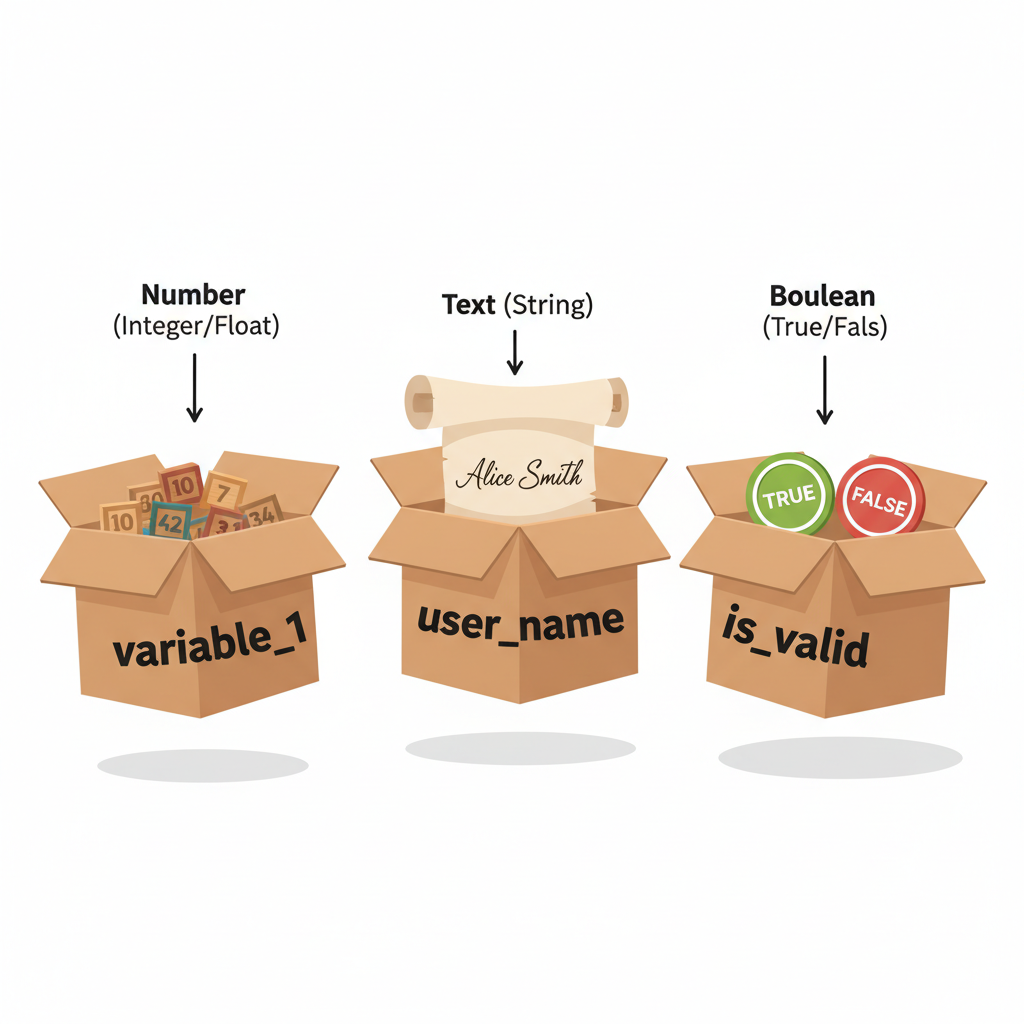 ⚠️ This picture may have spelling mistakes. Trust the words in the lesson.
Putting It All Together
Let's see how variables, data types, and operators work together. Imagine a simple game where you collect points.
We declare a variable called playerScore and give it an initial value of 0. This variable holds an integer.
int playerScore = 0;Then, the player earns 50 points. We can update the playerScore using an addition and assignment operator:
playerScore += 50; // Now playerScore holds the value 50Later, the player finds a bonus item worth 25 points:
playerScore += 25; // Now playerScore holds the value 75We can then check if the player has reached a high score (let's say 100):
bool hasReachedHighScore = (playerScore >= 100); // hasReachedHighScore will be false because 75 is not >= 100This simple example shows how variables store data, data types define what kind of data it is, and operators perform actions like adding and comparing.
Conclusion
Understanding variables, data types, and operators is the first crucial step in learning to program. They are the fundamental tools that allow us to store, categorize, and manipulate information, forming the basis of all software and applications. Keep practicing, and you'll become a coding pro in no time!
Keep learning, free
Create a free Syllabax account to unlock practice questions and games for this topic.
Visual Learning Enhanced! 🚀
To help you master this topic, we use Advanced Syllabax AI to generate detailed diagrams and visual models.
Note on Visuals: The AI sometimes makes spelling errors in image labels. Please refer to the lesson text for the correct terminology.