Tablets and Smartphones
Watch this topic in 60 seconds
Free preview · Lesson 1
Understanding Tablets and Smartphones
Welcome to the World of Tablets and Smartphones!
Hello, young explorers! Today, we're going on an exciting adventure to learn about two amazing gadgets: tablets and smartphones! These are super cool tools that many grown-ups use, and maybe you've even seen them or used them yourself. They are like magic windows and helpful friends that can do many wonderful things!
What is a Tablet?
Imagine a very thin, flat screen, almost like a big picture frame, but instead of just one picture, it can show you thousands of different things! That's a tablet! Think of it like a magic window to a world of games, stories, and drawings. Or, you can think of it as a digital book that can change its pages instantly!
- Touch and Go! You don't need a mouse or a keyboard with a tablet. You just touch the screen with your finger to make things happen! It's like magic!
- Big Screen Fun: Tablets usually have a bigger screen than a smartphone. This makes them great for watching your favorite cartoons, drawing colorful pictures, or playing games where you need to see everything clearly.
- Apps, Apps, Apps! Tablets use special programs called 'apps.' You can think of apps like different toy boxes. One toy box might have building blocks (a drawing app), another might have a puzzle (a game app), and another might have storybooks (a reading app). You can choose which toy box you want to open!
- Internet Explorer: Most tablets can connect to the internet. The internet is like a super big library or a giant playground where you can find almost anything – information, videos, and games!
People use tablets for lots of things: reading e-books, drawing with their fingers, watching movies, and playing fun learning games. It's a great tool for creativity and entertainment!
 ⚠️ This picture may have spelling mistakes. Trust the words in the lesson.
What is a Smartphone?
Now, let's talk about smartphones! A smartphone is like a tiny, super-smart computer that fits right in your pocket! Or, imagine a super helpful friend who can talk to people far away, take pictures, and even help you find answers to questions.
- Talk and Text: The most special thing about a smartphone is that it can make phone calls and send text messages to other people! It's how you can talk to Grandma and Grandpa even if they live far away.
- Pocket-Sized Power: Smartphones are usually smaller than tablets, so they are easy to carry everywhere. They fit perfectly in your hand or your backpack!
- Camera Magic: Most smartphones have a camera. This camera is like a magic eye that can take pictures of everything you see and even record videos of your adventures!
- Apps Galore: Just like tablets, smartphones also use apps. You can play quick games, check the weather, or listen to music using apps on your smartphone.
- Always Connected: Smartphones can also connect to the internet, so you can look up information or watch a quick video almost anywhere you go (with an adult's permission, of course!).
Smartphones are used for calling friends and family, taking photos and videos, quickly checking facts, and even listening to music on the go!
Tablet vs. Smartphone: What's the Big Difference?
You might be thinking, "They sound a lot alike! What's the real difference?" It's a great question! Think of it this way:
- A tablet is like a big, beautiful picture book – great for looking at big pictures, drawing, and reading long stories.
- A smartphone is like a small, handy notebook that can also make calls – perfect for quick notes, taking photos, and talking to friends.
The main differences are usually size and their main purpose. Tablets are generally larger and are fantastic for visual tasks like watching movies or drawing. Smartphones are smaller, designed to be very portable, and are specially made for making phone calls and quickly communicating with others, along with all the other cool app features.
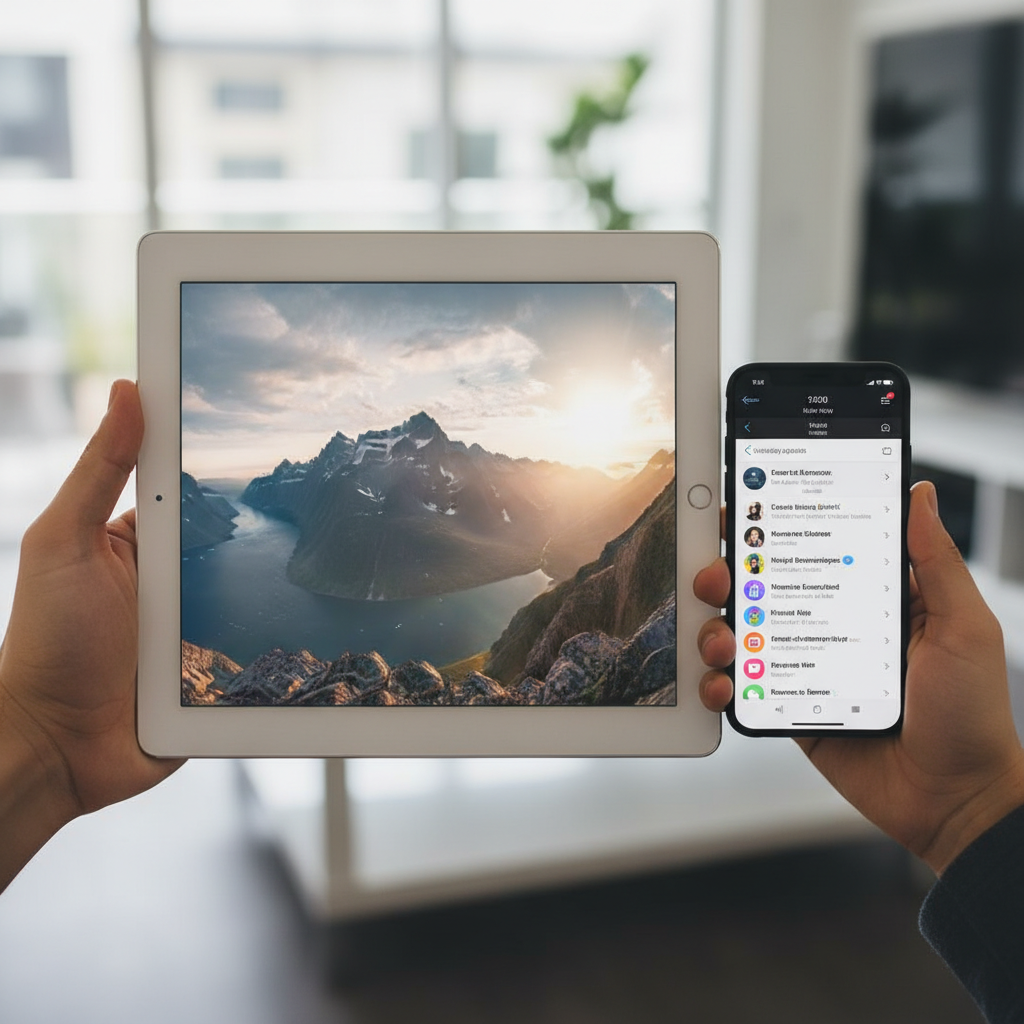
Super Powers of Tablets and Smartphones (What They Can Do!)
Both tablets and smartphones share many amazing "super powers" thanks to their apps and connection to the internet:
- Playing Games: From matching shapes to racing cars, there are countless games to play!
- Watching Videos: You can watch your favorite cartoons, educational shows, or funny animal videos.
- Learning New Things: There are apps that teach you to read, count, learn about animals, or even play a musical instrument. They are like having a tiny teacher inside!
- Drawing and Creating: You can draw colorful pictures, paint, or even make your own animated stories.
- Taking Pictures and Videos: Capture special moments with your family and friends.
- Finding Information: If you want to know how a whale swims or where the moon goes at night, you can ask an adult to help you find the answers using the internet.
Being Safe and Smart with Your Devices
Tablets and smartphones are wonderful tools, but it's important to use them safely and smartly! Always remember these rules:
- Ask an Adult: Before you use a tablet or smartphone, always ask a grown-up if it's okay. They can help you find fun and safe things to do.
- Time Limits: Just like eating too much candy isn't good, too much screen time isn't good either. Grown-ups will help you find a good balance so you can also play outside, read books, and spend time with family.
- Don't Share Secrets: Never tell anyone your name, where you live, or other personal information to strangers online. Your grown-up can help keep you safe.
- Be Kind: Use your device to be helpful and kind, not to make others feel sad.
Tablets and smartphones are incredible helpers and entertainers. With the help of your grown-ups, you can explore their amazing world safely and have lots of fun and learning along the way!
Keep learning, free
Create a free Syllabax account to unlock practice questions and games for this topic.
Visual Learning Enhanced! 🚀
To help you master this topic, we use Advanced Syllabax AI to generate detailed diagrams and visual models.
Note on Visuals: The AI sometimes makes spelling errors in image labels. Please refer to the lesson text for the correct terminology.