Computers at Home
Watch this topic in 60 seconds
Free preview · Lesson 1
Understanding Computers at Home
Welcome to the Wonderful World of Computers at Home!
Hello, super learners! Have you ever seen a grown-up tapping on a bright screen, or heard fun music coming from a box with buttons? Those are computers! Just like you have different toys for different kinds of play, there are different kinds of computers that help us at home.
What is a Computer?
Imagine a very, very smart helper that can do many things. That's what a computer is! It's like a magical brain that can play games, show you pictures, let you talk to family far away, and even help you learn new things. Computers are all around us, and many of them live right inside our homes!
Different Kinds of Computer Friends at Home
Not all computers look the same, just like not all dogs look the same! Here are some computer friends you might see at your home:
1. The Desktop Computer: Your Big Helper Station!
Think of a desktop computer like a big, important work station in your home. It usually has a big screen, a keyboard (like a secret message writer!), a mouse (like a tiny car for your finger!), and a box that holds its brain. It stays in one spot, like your favorite sturdy toy box.
Analogy: A desktop computer is like a big, strong robot that stays put on a desk and helps you do lots of cool stuff right there.
2. The Laptop Computer: Your Portable Magic Book!
A laptop is super cool because you can carry it around! It's like a thin, magic book that opens up. The screen and keyboard are connected, and it has a special flat pad (called a trackpad) that works like a mouse. You can take it from the living room to the kitchen, or even on a trip! Just like your favorite storybook can go with you anywhere.
Analogy: A laptop is like a magic drawing pad and storybook all in one, and you can carry it in your backpack!
3. The Tablet Computer: Your Super Touch-Screen Pad!
Have you ever seen a screen that you can touch with your fingers to make things happen? That's probably a tablet! It looks like a big smartphone, but it's mostly used for looking at pictures, watching videos, drawing, and playing games by just tapping and swiping. It doesn't usually have a separate keyboard or mouse, but you can add them if you want.
Analogy: A tablet is like a super smart, interactive picture book where your finger is the magic wand!
4. The Smartphone: Your Pocket-Sized Helper!
Guess what? The phone that your grown-up carries in their pocket or bag is also a computer! It's the smallest kind of computer that we use every day. It can make calls, take pictures, play games, and even help you find your way around. It's like a tiny, super-smart helper always with you!
Analogy: A smartphone is like a tiny, magical helper genie that lives in your pocket and can do many tricks for you.
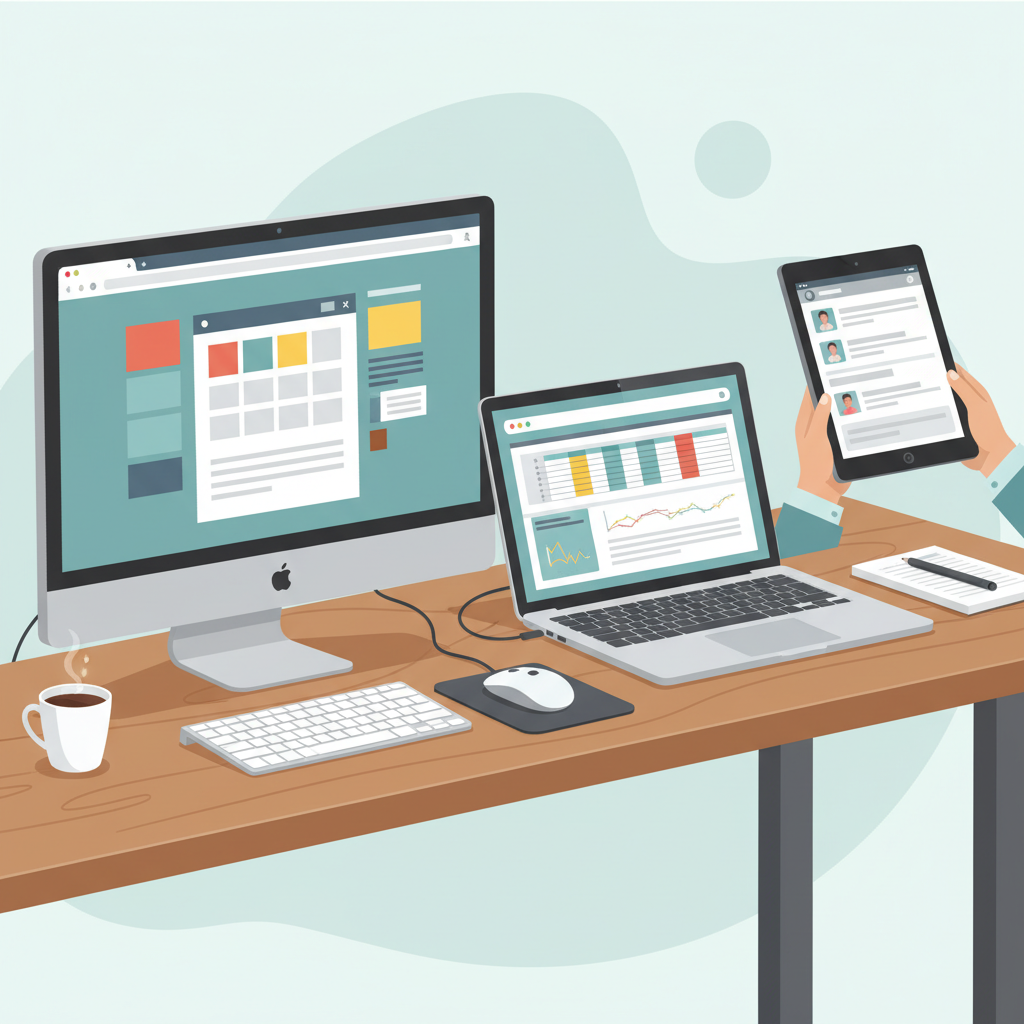 ⚠️ This picture may have spelling mistakes. Trust the words in the lesson.
What Do We Use Computers For at Home?
Computers are like super multi-talented friends! Here are some amazing things they help us do:
- Learning Fun: We can play educational games, watch videos about animals or space, and even read interactive storybooks.
- Playing Games: Lots of fun games where you can build, explore, or solve puzzles!
- Talking to Family: You can see and talk to grandmas, grandpas, or cousins who live far away using video calls. It's like magic!
- Watching Movies & Cartoons: Enjoy your favorite shows on the computer screen.
- Creating & Drawing: You can draw pictures, paint, or even make your own stories using special programs.
- Listening to Music: Play your favorite songs and sing along!
Important Parts of a Computer (Like Body Parts!)
Just like you have eyes to see and ears to hear, computers have their own important parts:
- Screen (or Monitor): This is like the computer's face or a tiny TV! It's where you see all the pictures, words, and videos.
- Keyboard: This is a flat board with lots of buttons called keys. You press these keys to type letters, numbers, and send messages. It's like a secret code writer!
- Mouse: This is a small device you move on the table. When you move the mouse, a little arrow or hand moves on the screen. You click its buttons to tell the computer what to do. It's like a tiny car that moves the pointer!
- Speakers: These are where the sounds come from! Music, voices, and game sounds all come out of the speakers.
- Camera: Some computers have a tiny camera. This is like the computer's eye! It lets people see you during video calls.
Being a Good Computer Helper: Rules to Remember!
Computers are amazing, but we need to use them carefully and smartly:
- Ask a Grown-Up: Always ask a grown-up before you use a computer. They can help you find fun and safe things to do.
- Be Gentle: Computers are smart, but they are also delicate. Touch the screen and buttons gently, just like you would with a special toy.
- No Food or Drinks: Keep food and drinks away from the computer. Spills can make the computer sad and stop working!
- Take Breaks: Looking at a screen for too long can make your eyes tired. Remember to take breaks, stand up, stretch, and play outside!
See? Computers are our friends and helpers at home, making learning and playing even more fun. With a little care and a lot of curiosity, you can become a great computer explorer!
Keep learning, free
Create a free Syllabax account to unlock practice questions and games for this topic.
Visual Learning Enhanced! 🚀
To help you master this topic, we use Advanced Syllabax AI to generate detailed diagrams and visual models.
Note on Visuals: The AI sometimes makes spelling errors in image labels. Please refer to the lesson text for the correct terminology.