Learning Journey
Watch this topic in 60 seconds
Free preview · Lesson 1
Understanding Types of Computers
Understanding the World of Computers: Different Types for Different Jobs!
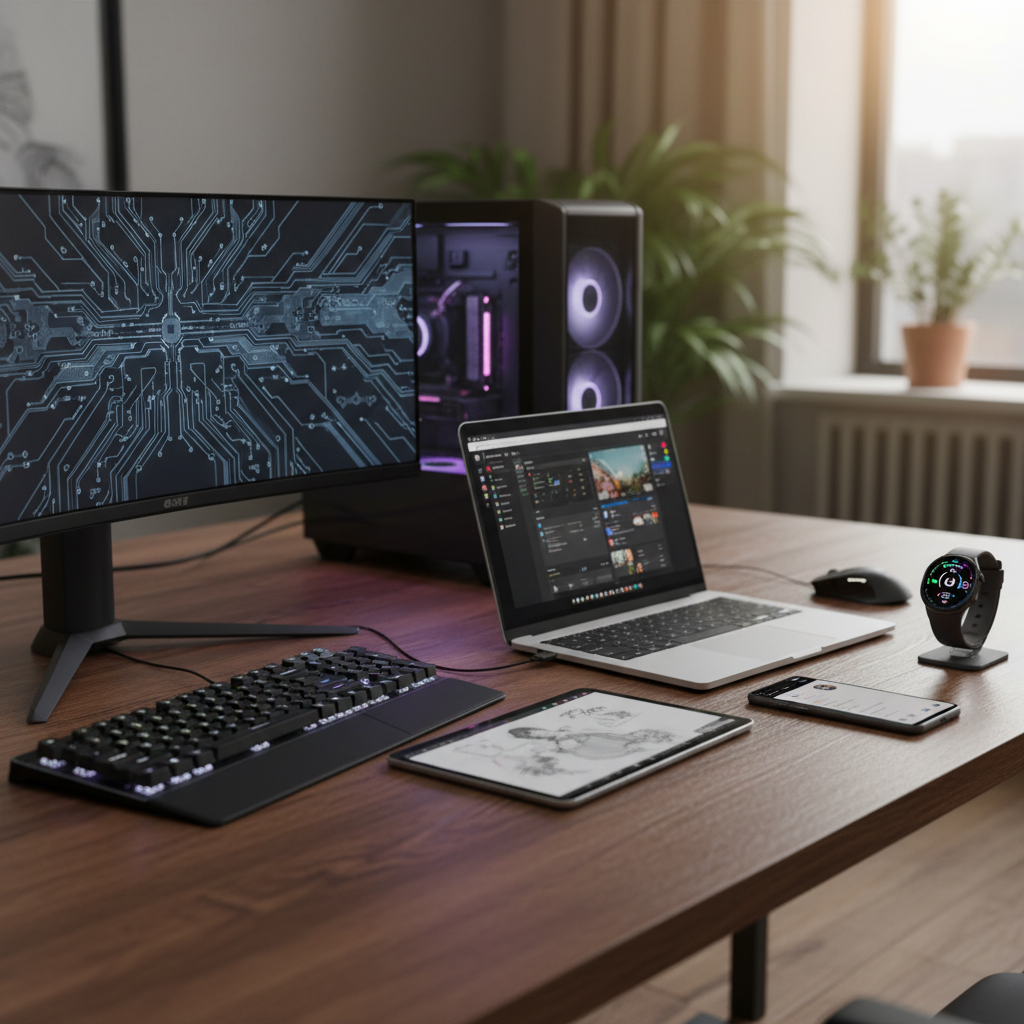
Welcome, 7th graders, to an exciting journey into the world of computers! You use computers every day – maybe for homework, gaming, watching videos, or talking to friends. But have you ever stopped to think that not all computers are the same? Just like there are different types of vehicles for different purposes (a sports car for speed, a truck for carrying heavy loads, a bicycle for short trips), there are many different types of computers, each designed for specific tasks and ways of living.
Imagine your brain as a super-powerful computer. It handles everything from remembering facts to helping you play sports. But what if you needed to do something really specific, like store every single book in the world, or help millions of people find information at once? Your brain alone couldn't do it! That's why we have different kinds of computers – each one is like a specialized tool built for a particular job.
1. Desktop Computers: The Mighty Workstation at Home
Think of a desktop computer as the 'home base' or the 'main office' for your digital life. It's usually a powerful machine that stays in one place – often on a desk (that's where it gets its name!).
- What it is: A desktop computer typically has separate parts: a big box called the 'tower' or 'CPU case' (which holds the computer's 'brain' and 'memory'), a monitor (like a TV screen), a keyboard for typing, and a mouse for clicking.
- Analogy: Imagine a desktop computer like a powerful, permanent workshop in your garage. It has all the big tools, lots of space to work, and it's always there when you need to do serious building or fixing. You wouldn't try to carry your whole workshop with you, right?
- Best for: Tasks that need a lot of power and a large screen, like intense gaming, video editing, graphic design, or serious homework projects. Since it stays put, it often has more power and storage than portable computers.
- Key Features: Large screen, comfortable keyboard and mouse, easy to upgrade parts, generally more powerful for its price.
2. Laptop Computers: Your Portable Powerhouse
If a desktop is your home base, a laptop is like your 'portable office' or 'digital suitcase'. It's designed to go wherever you go, offering much of the power of a desktop in a compact, foldable package.
- What it is: A laptop combines the screen, keyboard, mouse (usually a touchpad), and the computer's 'brain' all into one foldable unit. It also has a built-in battery, so you can use it without being plugged into a wall for several hours.
- Analogy: Think of a laptop like a very clever, self-contained toolbox. All the important tools are inside, and you can pick it up and take it to your friend's house, the library, or even on vacation. It might not have *every* tool your workshop has, but it has the most important ones ready to go!
- Best for: Students, travelers, or anyone who needs to work or study in different locations. They are great for writing essays, browsing the internet, watching movies on the go, and even some gaming.
- Key Features: Portability, built-in battery, compact design, generally less powerful than a desktop of the same price but still very capable.
3. Tablet Computers: The Digital Notepad
Tablets are the touch-screen kings! They bridge the gap between smartphones and laptops, offering a larger screen than a phone but more portability and often simpler operation than a laptop.
- What it is: A tablet is essentially a very large smartphone without the phone calling capabilities (though some do have cellular data). It's primarily controlled by touching the screen with your fingers or a special pen (stylus). They are thin, flat, and lightweight.
- Analogy: Imagine a tablet as a super-smart digital notepad or a large, interactive storybook. You can draw on it, read comics, watch videos, and quickly look things up online just by touching the pages. It's easy to hold and pass around.
- Best for: Reading e-books, watching videos, browsing social media, light gaming, drawing, taking notes, and quick internet searches.
- Key Features: Touchscreen interface, highly portable, good for media consumption, long battery life, often has cameras.
4. Smartphones: Your Mini-Computer in Your Pocket
This is probably the computer you are most familiar with! Almost everyone carries a smartphone, and for good reason – they are incredibly powerful mini-computers packed into a device that fits in your hand.
- What it is: A smartphone is a mobile phone with advanced computing capabilities. It combines a phone, a camera, a music player, a GPS navigator, an internet browser, and thousands of apps into one device.
- Analogy: Think of a smartphone as a digital Swiss Army knife. It has a tool for almost everything you could possibly need throughout your day – from calling friends to taking photos, checking the weather, playing games, and even helping you find your way. All in one tiny package!
- Best for: Communication (calls, texts, video calls), taking photos and videos, quick internet access, social media, light gaming, navigating, and using a vast array of apps.
- Key Features: Extreme portability, cellular connectivity, high-resolution camera, apps galore, touch screen.
5. Servers: The Digital Librarians and Storehouses
While you might not see a server every day, they are working tirelessly behind the scenes to make the internet and many digital services possible. They are the unsung heroes of the computer world!
- What it is: A server is a powerful computer that provides data and services to other computers (called 'clients') over a network, like the internet. When you visit a website, watch a video online, or save a document to the cloud, a server is working to deliver that information to you.
- Analogy: Imagine a server as a giant, super-organized digital library or a massive warehouse filled with information. When you want a book (or a webpage), you send a request, and the librarian (the server) finds it for you and sends it to your computer. These libraries never close and serve millions of people at once!
- Best for: Hosting websites, storing cloud data, managing email, running online games, and providing services to many users simultaneously.
- Key Features: Extremely powerful processors, massive storage, designed for continuous operation, no screen/keyboard for direct interaction (usually managed remotely).
6. Wearable Computers: Smart Assistants on Your Body
These are the newest kids on the block, designed to be worn on your body, integrating technology seamlessly into your daily life.
- What it is: Wearable computers are small electronic devices that can be worn as accessories, embedded in clothing, or even implanted in the body. The most common examples are smartwatches and fitness trackers.
- Analogy: Think of a wearable computer like a tiny, smart assistant attached to your wrist or body. It can tell you the time, count your steps, monitor your heart rate, or even show you messages without you needing to pull out your phone. It's always with you, always helping.
- Best for: Health and fitness tracking, quick notifications, hands-free information access, subtle interaction.
- Key Features: Small size, low power consumption, sensors for tracking various data, often connects to a smartphone.
Comparing the Types: Which Computer For Which Job?
Now that you know about the main types, let's see how they stack up against each other:
- Power & Performance: Desktops & Servers > Laptops > Tablets > Smartphones > Wearables
- Portability: Wearables & Smartphones > Tablets > Laptops > Desktops & Servers
- Screen Size: Desktops (monitors) > Laptops > Tablets > Smartphones > Wearables
- Primary Input: Keyboard/Mouse (Desktops, Laptops), Touch (Tablets, Smartphones, Wearables)
- Cost: Varies greatly, but generally Servers & high-end Desktops are most expensive, followed by Laptops, then Tablets, Smartphones, and Wearables.
It's important to remember that the lines between these types can sometimes blur! Some powerful tablets can act like laptops, and some small laptops are almost as portable as tablets. The key is to understand what each type is designed to do best.
Conclusion: The Right Tool for the Job
Just like a carpenter chooses a hammer for nails and a saw for wood, you choose the right computer for your task. Whether you need a powerful machine for serious work, something portable for school, or a small device to keep you connected on the go, there's a type of computer perfectly suited for your needs. Understanding these different types helps you make smart choices about technology and appreciate the amazing variety in the digital world around us!
Keep learning, free
Create a free Syllabax account to unlock practice questions and games for this topic.
Visual Learning Enhanced! 🚀
To help you master this topic, we use Advanced Syllabax AI to generate detailed diagrams and visual models.
Note on Visuals: The AI sometimes makes spelling errors in image labels. Please refer to the lesson text for the correct terminology.