What is a Computer?
Watch this topic in 60 seconds
Free preview · Lesson 1
Understanding What is a Computer?
What is a Computer? Your Amazing Digital Helper!
Hello, young explorers! Have you ever wondered how your favorite games run, how you watch cartoons, or how your grown-ups can find information so quickly? The answer is a magical machine called a computer!
What Exactly IS a Computer?
Imagine you have a super-smart robot helper. This robot can follow instructions, remember things, and show you cool stuff. Well, a computer is a bit like that! At its simplest, a computer is an electronic machine that takes information, works with it, and then shows you the results. It's a tool that helps us do many different tasks, making our lives easier and more fun!
Think about it this way: When you want to draw a picture, you use crayons, paper, and your hands. The computer is like a fancy toolbox filled with digital crayons, paper, and hands that help you create, learn, and play.
The Four Super Parts of Every Computer
Every computer, big or small, has four main jobs it does, and special parts for each job. Let's explore them!
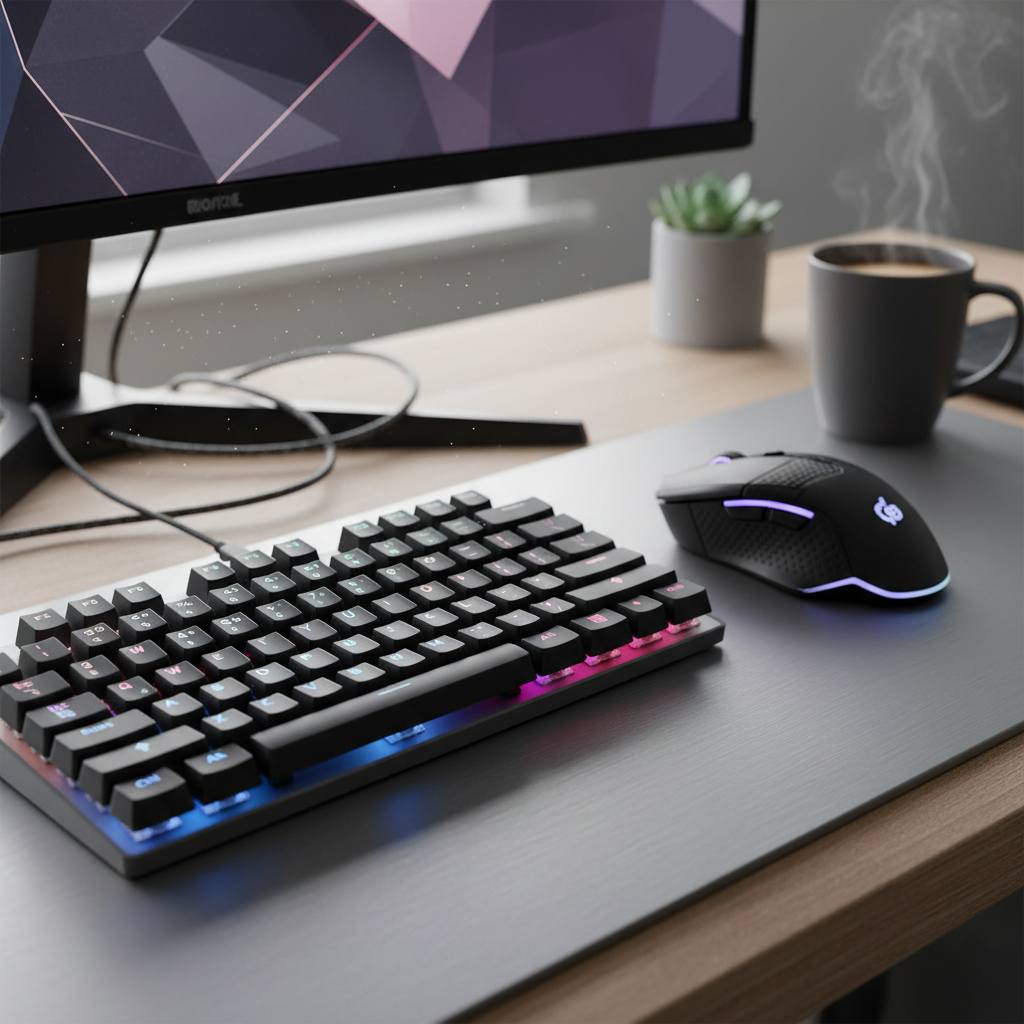
1. Input: How We Talk to the Computer
How do you tell your pet dog to "sit"? You use your voice or a hand signal. Computers also need instructions! Input is how we give information and instructions to the computer. It's like giving your robot helper a command.
- Keyboard: This is like a giant set of buttons with letters and numbers. When you type, you're "typing in" information. It's like writing a note for the computer.
- Mouse: This little pointer helps you click on things on the screen. It's like pointing your finger to tell the computer where to go or what to select.
- Microphone: When you speak into a microphone, your voice becomes input. It's like talking directly to the computer.
- Camera: A camera sees what's in front of it and turns it into digital information. When you take a picture or video, that's input!
These are all ways we input information, like telling a story to a friend.
 ⚠️ This picture may have spelling mistakes. Trust the words in the lesson.
2. Processing: The Computer's Brain Power!
Once you give the computer instructions (input), it needs to think about them. This thinking part is called processing. It's like your own brain working hard to solve a puzzle or figure out an answer.
- The "brain" of the computer is a special part called the CPU (Central Processing Unit). It's super fast and does all the calculations and follows all the instructions.
Imagine you're baking cookies. You put all the ingredients (input) into a bowl. Then you mix them all up – that's like the processing! The CPU mixes and makes sense of all the information you give it.
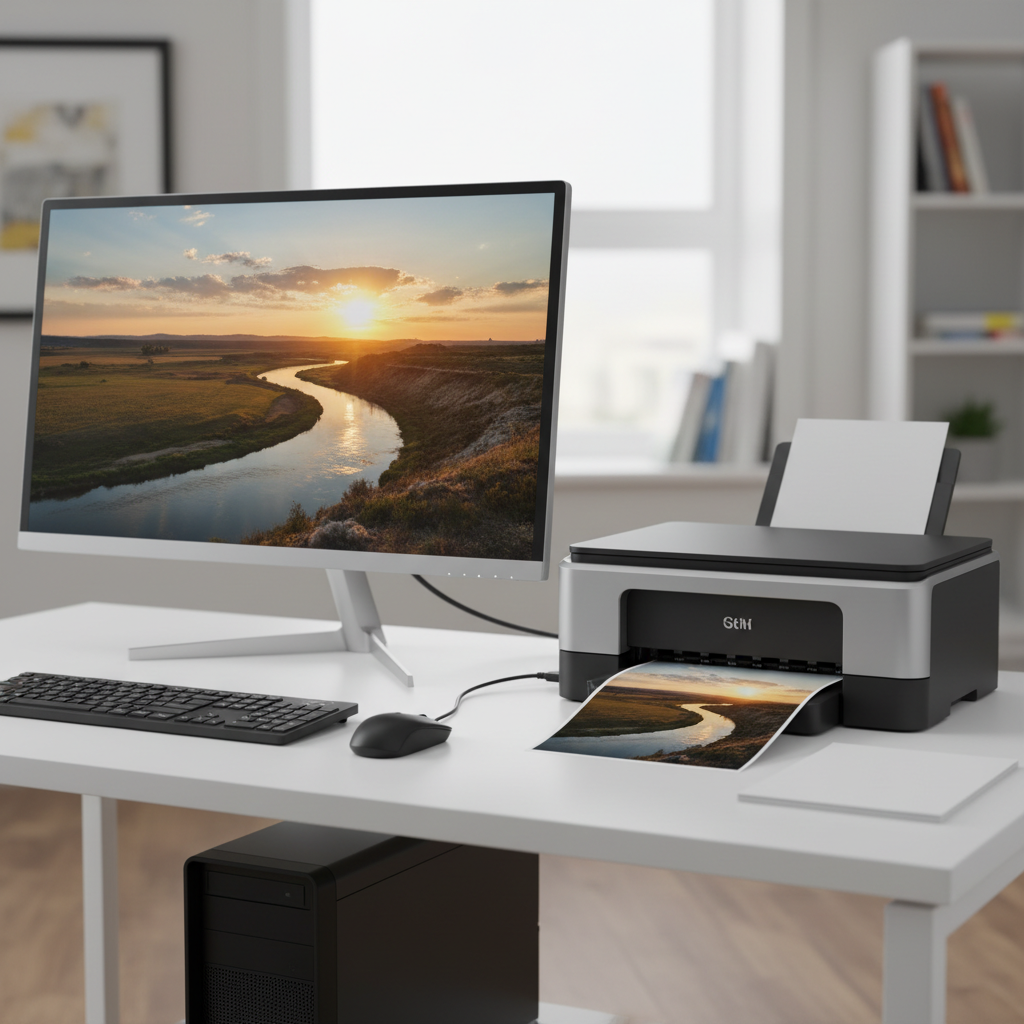
3. Output: How the Computer Talks Back!
After the computer has thought about your instructions and finished its work (processing), it needs to show you what it did! This is called output. It's how the computer "talks back" to you or shows you the results.
- Screen (Monitor): This is where you see all the pictures, words, and videos. It's like a magic window showing you what the computer is doing.
- Speakers: When you listen to music or hear sounds from a game, that's the computer's output through speakers. It's like the computer singing to you!
- Printer: If you want to hold a picture or a story in your hands, a printer can put the computer's information onto paper. It's like the computer drawing a picture for you.
These are all ways the computer gives you output, like your friend showing you their finished drawing.
 ⚠️ This picture may have spelling mistakes. Trust the words in the lesson.
4. Storage: The Computer's Memory Box
Have you ever kept your favorite toys in a special box so you don't forget where they are? Computers need to remember things too! Storage is where the computer keeps all its information and programs so it can use them again later.
- Hard Drive: This is like a giant digital library inside the computer where it stores everything: your games, pictures, videos, and even the programs that make the computer run.
- USB Drive (Flash Drive): This is like a small, portable memory stick you can plug into a computer to carry files with you. It's like a tiny backpack for your digital items.
Without storage, the computer would forget everything as soon as you turned it off! It's like forgetting all your lessons as soon as you leave school.
Putting It All Together: A Recipe for Fun!
Think about playing a computer game:
- You use the mouse and keyboard (input) to tell your character where to go.
- The computer's CPU (processing) quickly figures out what happens next based on your clicks and the game's rules.
- You see your character move on the screen (output) and hear sounds from the speakers (output).
- The game itself, and your save progress, are kept safe on the hard drive (storage).
Different Kinds of Computers
Not all computers look the same!
- Desktop Computers: These usually have a big box, a separate screen, keyboard, and mouse. They stay in one place, like a big workstation.
- Laptop Computers: These are smaller and portable, with everything built together so you can carry them around, like a portable office.
- Tablets: Even smaller than laptops, tablets often have a touch screen instead of a keyboard and mouse, like a super-smart digital notepad.
- Smartphones: Believe it or not, your smartphone is a powerful computer too! It has all four parts (input with touch, processing, output with screen/speaker, storage). It's a tiny computer that fits in your pocket!
Why Are Computers So Important?
Computers are amazing tools! They help us:
- Learn new things (like right now!).
- Play fun games.
- Talk to friends and family far away.
- Watch movies and listen to music.
- Create stories, drawings, and projects.
They are powerful helpers that allow us to do incredible things and explore the world in new ways. Just remember, a computer is a tool, and you are the smart person telling it what to do!
Keep learning, free
Create a free Syllabax account to unlock practice questions and games for this topic.
Visual Learning Enhanced! 🚀
To help you master this topic, we use Advanced Syllabax AI to generate detailed diagrams and visual models.
Note on Visuals: The AI sometimes makes spelling errors in image labels. Please refer to the lesson text for the correct terminology.