Learning Journey
Watch this topic in 60 seconds
Free preview · Lesson 1
Understanding Saving Your Work
Saving Your Work: Keeping Your Creations Safe!
Hello, young explorers! Have you ever built a super tall tower with blocks, or drawn a beautiful picture with crayons? Imagine you're very proud of your creation. What if someone accidentally bumped the table, and your tower fell down? Or what if you left your drawing outside and the rain washed it away?
That would be very sad, right? You want to keep your amazing work safe so you can look at it again, share it with friends, or even add more to it later. Well, when we use a computer to draw, write stories, or play special learning games, we do something similar to keep our work safe. It's called "saving your work."
What Does "Saving Your Work" Mean?
Think of it like this: When you finish drawing a masterpiece on paper, what do you do with it? You might put it on the fridge, hang it in your room, or put it in a special folder. You don't just throw it away, right? You keep it!
Saving your work on a computer means telling the computer to remember everything you've done. It's like taking a super-duper special photograph of your drawing or story, and then putting that photograph into a very safe box inside the computer. That way, even if the computer turns off, your work will still be there when you open it up again.
Analogy Time! Imagine you're playing with your favorite toys. When it's time to clean up, you put all your toys back into your toy box. When you want to play with them again tomorrow, they are right there in the box! Saving your work is just like putting your digital creations back into their special toy box inside the computer.
Why Is Saving So Important?
Saving your work is super important for a few big reasons:
- You won't lose it! Have you ever built a magnificent sandcastle at the beach? It looks amazing, but what happens when the tide comes in or someone accidentally steps on it? Poof! It's gone. If you had taken a picture of your sandcastle, you could look at that picture forever! Saving your work on the computer is like taking a picture of your digital sandcastle. If the computer suddenly turns off, or if there's a problem, your saved "picture" will still be there.
- You can come back to it later. Maybe you're writing a story about a brave knight, but it's time for lunch. If you save your story, you can come back after lunch and continue writing from where you left off. It's like pausing your favorite cartoon so you don't miss anything.
- You can share it! Once your work is saved, you can show it to your teacher, your parents, or even print it out! It's like showing your friends a cool treasure you found.
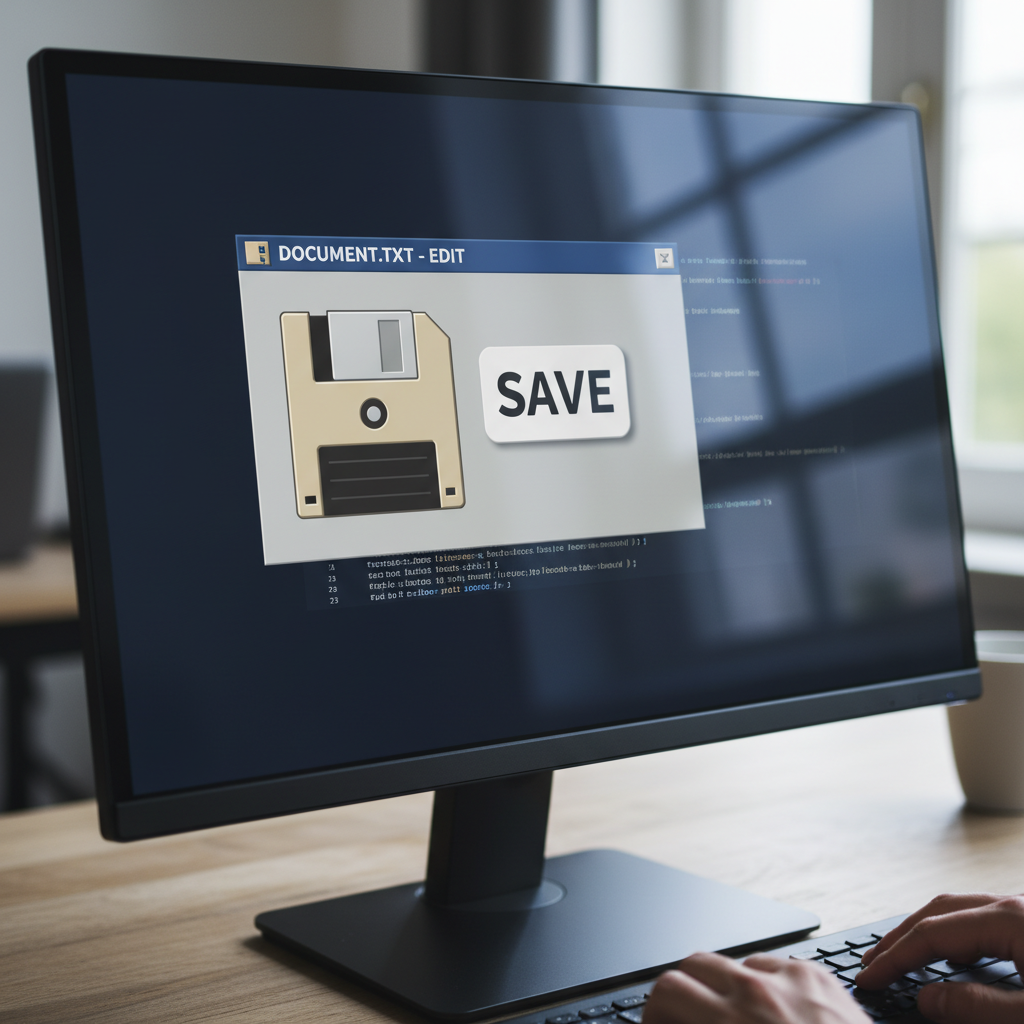
How Do We Save Our Work? (The Magic Button!)
Don't worry, it's not hard at all! Most of the time, saving your work is as easy as clicking a special button. Look for these clues:
- The Save Button: Often, there's a button that looks like an old-fashioned square floppy disk. It's usually small and grey or blue. Sometimes it even has the word "Save" next to it. When you see this button, give it a click!
- "File" Menu: Sometimes, you might need to click on a word at the top of the screen that says "File." When you click "File," a list will drop down, and you'll see "Save" or "Save As..." in that list.
- Giving it a Name: The first time you save something new, the computer will ask, "What do you want to call this amazing creation?" This is like giving your pet a name! You type a name that helps you remember what it is, like "My Dragon Story" or "Red Robot Drawing."
- Choosing a Place: The computer might also ask, "Where do you want to put this?" This is like deciding which drawer to put your clean socks in. You usually choose a special folder, like "My Documents" or "My Pictures," so it's easy to find later. Your teacher or parents can help you with this part!
Analogy Time! Imagine you have a special box of crayons. When you're done coloring, you put them back in the box so they don't get lost. Saving your work is like putting your digital crayons (your drawing or story) back into their digital box (a folder on the computer) so they are safe and tidy.
Save Often, Save Early!
Here's a super-duper important tip: Save your work very often! Don't wait until the very end. If you're building your sandcastle and you take a picture every time you add a new tower or a new flag, you'll have lots of pictures of your progress. If the castle falls down, you won't lose *everything*, just the part you built since your last picture.
It's the same with computer work. Every time you draw something new, or write a few more sentences, or solve another puzzle, click that "Save" button! That way, if anything unexpected happens, you'll only lose a tiny bit of work, not all of it.
Let's Remember!
Saving your work is a super important skill for being a computer helper. It makes sure all your hard work and creativity are kept safe and sound, ready for you to enjoy again and again!
Keep learning, free
Create a free Syllabax account to unlock practice questions and games for this topic.
Visual Learning Enhanced! 🚀
To help you master this topic, we use Advanced Syllabax AI to generate detailed diagrams and visual models.
Note on Visuals: The AI sometimes makes spelling errors in image labels. Please refer to the lesson text for the correct terminology.