Introduction to Python Programming
Watch this topic in 60 seconds
Free preview · Lesson 1
Understanding Introduction to Python Programming
Welcome to the World of Python Programming!
Hey there, future coders! Are you ready to embark on an exciting journey into the digital universe? Imagine being able to tell a computer exactly what to do, from solving complex math problems to building awesome games. That's what programming is all about, and our guide today is Python – one of the most popular and easiest programming languages to learn!
Think of learning Python like learning a new language, but instead of talking to people, you're talking to computers. Just like how different human languages (English, Spanish, Mandarin) have different words and grammar rules, programming languages also have their own syntax (rules) and vocabulary (commands) that computers understand.
What is Python? A Digital Swiss Army Knife
Python is a high-level, interpreted programming language. Don't worry about those big words too much right now, but here's a simpler way to think about it: Python is like a super versatile tool, a digital Swiss Army Knife. It can be used for almost anything you can imagine:
- Web Development: Building websites and web applications (like Instagram or YouTube!).
- Data Science & Machine Learning: Helping computers learn from huge amounts of data (think recommendation systems on Netflix).
- Artificial Intelligence: Creating 'smart' programs that can solve problems or simulate human intelligence.
- Game Development: Making simple to moderately complex video games.
- Automation: Making your computer do repetitive tasks for you (like organizing files or sending emails).
- Software Development: Building desktop applications.
One of Python's biggest strengths is its readability. Its code often looks a lot like simple English, which makes it easier for beginners like you to understand and write. It's like having a language where the rules are straightforward and the words are familiar, rather than needing to memorize a whole new alien alphabet!
Your First Steps: What is a Program?
At its heart, a program is just a set of instructions that tells a computer what to do, step by step. Imagine you're giving directions to a friend: "Turn left at the next corner, then walk two blocks, then turn right." A computer program works the same way, but with much more precise and detailed instructions.
Let's look at the very basic building blocks of Python:
1. The `print()` Function: Making Your Computer Talk
The most common first step in any programming language is to make the computer display something. In Python, we use the print() function for this. Think of print() as the computer's mouth. Whatever you put inside the parentheses (), the computer will 'speak' or display it on your screen.
print("Hello, World!")Analogy: If you're baking a cake, print("Hello, World!") is like writing "Hello, World!" on the frosting. It's what everyone sees when the cake is done.
Output:
Hello, World!2. Variables: Digital Storage Boxes
Imagine you have a bunch of things you want to keep track of: your name, your age, your favorite color. Instead of just writing them down anywhere, you put them in labeled boxes. In programming, these labeled boxes are called variables.
A variable is a name that refers to a value. It's a placeholder in the computer's memory where you can store information, and that information can change (or 'vary') over time.
my_name = "Alex"
my_age = 15
print(my_name)
print(my_age)
Here, my_name is a variable storing the text "Alex", and my_age is a variable storing the number 15. The = sign is called the assignment operator; it means "put the value on the right into the variable on the left."
Analogy: Think of variables as lockers at school. Each locker has a number (the variable name), and you can put different items (the values) inside it. You can open locker #123 and find a book, then later replace the book with a backpack.
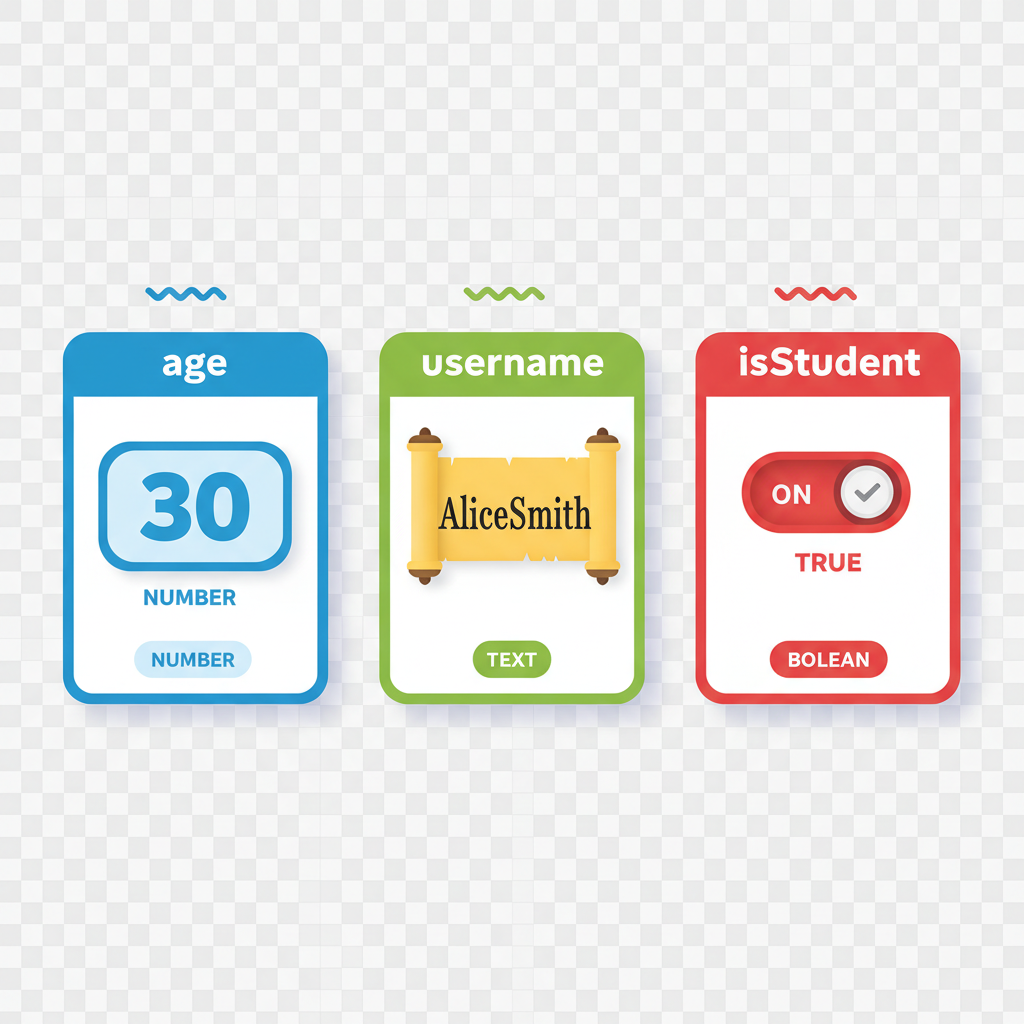 ⚠️ This picture may have spelling mistakes. Trust the words in the lesson.
3. Data Types: Different Kinds of Information
Just as you wouldn't store milk in a CD case or CDs in a liquid container, computers need to know what kind of data they are dealing with. In Python, data comes in various data types. Here are the most common ones for beginners:
-
Strings (`str`): Text, Words, and Sentences
A string is simply a sequence of characters, like letters, numbers, and symbols, wrapped in quotation marks (
" "or' '). These are used for any kind of text.greeting = "Hello, Python Learner!" message = 'I am learning Python.' print(greeting) print(message)Analogy: A string is like a message in a bottle. Whatever you write inside the bottle (the quotes) is preserved exactly as text.
-
Integers (`int`): Whole Numbers
An integer is any whole number, positive or negative, without a decimal point. Examples:
5,-10,0,1000.number_of_apples = 10 years_old = 15 print(number_of_apples) print(years_old)Analogy: Integers are like the number of whole cookies you have – you can't have half a cookie if you're counting integers!
-
Floats (`float`): Decimal Numbers
A float (short for 'floating-point number') is a number that has a decimal point. Examples:
3.14,0.5,-2.75.pi_value = 3.14159 price = 19.99 print(pi_value) print(price)Analogy: Floats are like measuring ingredients for a recipe – you might need 1.5 cups of flour, or 0.75 teaspoons of salt. Precision matters!
-
Booleans (`bool`): True or False Values
A boolean can only have one of two values:
TrueorFalse. These are super important for making decisions in your programs.is_sunny = True has_umbrella = False print(is_sunny) print(has_umbrella)Notice that
TrueandFalsestart with a capital letter.Analogy: Booleans are like a light switch – it's either ON (True) or OFF (False). There's no in-between.
4. Comments: Notes for Humans
When you're writing code, it's not just for the computer to understand; it's also for other humans (and your future self!) to read and understand. Comments are lines in your code that Python ignores. They are purely for explanation.
In Python, you start a comment with a # symbol.
# This is a single-line comment
name = "Alice" # This comment explains what 'name' stores

print(name)
Analogy: Comments are like sticky notes you put on a textbook page. They explain a difficult concept or remind you of something important, but they aren't part of the actual lesson content.
5. Basic Input: Getting Information from the User
Programs aren't much fun if they can't interact with people. The input() function allows your program to ask the user for information and then store what they type into a variable.
user_name = input("What is your name? ")
print("Hello, " + user_name + "!")
When this code runs, it will first print "What is your name? " on the screen and wait for you to type something and press Enter. Whatever you type will then be stored in the user_name variable.
Analogy: If print() is the computer's mouth, then input() is its ear. It's listening for you to speak!
6. Operators: Doing Things with Data
Once you have data stored in variables, you'll want to do things with it. Operators are special symbols that perform operations on values and variables.
-
Arithmetic Operators (Math stuff!):
+(Addition)-(Subtraction)*(Multiplication)/(Division)%(Modulo - gives the remainder of a division)
result = 10 + 5 # result will be 15 remainder = 10 % 3 # remainder will be 1 (because 10 divided by 3 is 3 with 1 left over) print(result) print(remainder) -
Comparison Operators (Asking questions):
These operators compare two values and always return a Boolean (
TrueorFalse).==(Equal to? - Note: two equals signs for comparison, one for assignment!)!=(Not equal to?)<(Less than?)>(Greater than?)<=(Less than or equal to?)>=(Greater than or equal to?)
is_equal = (5 == 5)   # True
is_greater = (10 > 20) # False
print(is_equal)
print(is_greater)
Analogy: Arithmetic operators are like the tools in a calculator. Comparison operators are like asking yes/no questions to a friend: "Are you taller than me?" (True/False).
Putting It All Together: A Simple Interactive Program
Let's combine some of what we've learned to create a tiny program that asks for your name and age, then greets you and tells you how old you'll be next year.
# Get the user's name
name = input("What is your name? ")

# Get the user's age and convert it to a number
age_str = input("How old are you? ")
age_int = int(age_str) # We need to convert the string input to an integer for math!

# Calculate age next year
age_next_year = age_int + 1

# Print a greeting and the future age
print("Hello, " + name + "!")
print("Next year, you will be " + str(age_next_year) + " years old!") # Convert integer back to string for printing
Notice how we had to use int() to convert the text (string) input from `age_str` into a whole number (integer) stored in `age_int` so we could do math with it. Then, to print it alongside text, we converted `age_next_year` back to a string using str(). This is a common pattern in programming!
Conclusion: Your Journey Has Begun!
Congratulations! You've just taken your first big steps into the world of Python programming. You've learned about what Python is, how to make a computer 'talk' with print(), how to store information in variables, the different types of data, how to add notes with comments, how to get input from a user, and how to perform basic operations. This is a fantastic foundation.
Remember, programming is like learning to ride a bike: you might wobble a bit at first, and you'll definitely make mistakes (everyone does!), but with practice, you'll be soaring. Keep experimenting, keep asking questions, and most importantly, keep having fun!
Keep learning, free
Create a free Syllabax account to unlock practice questions and games for this topic.
Visual Learning Enhanced! 🚀
To help you master this topic, we use Advanced Syllabax AI to generate detailed diagrams and visual models.
Note on Visuals: The AI sometimes makes spelling errors in image labels. Please refer to the lesson text for the correct terminology.